



As TikTok has become an important channel for brand marketing, cross-border e-commerce, and community management, more and more businesses need multiple people to manage the same TikTok account. For example, content editors are responsible for publishing videos, community staff respond to comments, and the advertising team manages campaigns. However, maintaining account security while collaborating across multiple people has become a major concern for many businesses.
Many teams still use the most straightforward approach: sharing the TikTok account password with all members. Although this may seem convenient in the short term, it can lead to issues such as confused permissions, changes in the login environment, and difficulties managing the account over the long term.
So, is sharing a TikTok account actually safe? How should teams manage multiple logins? This article introduces common risks in TikTok team collaboration, along with safer and more effective account management methods.
What Are the Risks of Sharing a TikTok Account Among Multiple People?
Sharing a TikTok account itself is not the problem; the real issue is that everyone uses the same login credentials. When every team member has full account permissions, it is difficult for a business to control who can modify data, publish content, or perform other actions.
1. Sharing a password means sharing complete account control
Many brands send their TikTok password directly to employees, outsourced teams, or agencies. However, once login credentials are held by multiple people, everyone may effectively have complete control.
For example:
- Content editors may only need to upload videos, but they can also modify account data.
- Customer service staff may only need to reply to comments, but they may also gain publishing permissions.
- Departing employees may still remain logged in.
After a partnership ends, businesses can usually only change the password, but cannot confirm which devices may still be logged in.
2. Verification information is easy to lose control of
TikTok accounts are typically linked to an Email, phone number, and two-factor authentication (2FA). If this security information is controlled by a single employee or external agency, the business may have difficulty recovering the account.
Ideally, the brand should manage the primary verification information itself and then assign operational permissions based on different work requirements.
3. Multiple users can easily cause content management errors
When multiple people use the same account without clear management procedures, it is easy for the following to occur:
- Video published ahead of schedule
- Using the wrong tone when replying to comments
- Operating the wrong account
- Confusing accounts from different brands
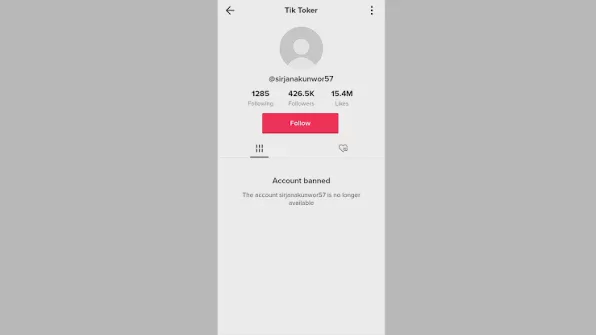
Account isolation is especially important for marketing agencies or cross-border e-commerce teams that manage multiple TikTok accounts simultaneously.
What are the management methods for TikTok team collaboration?
At present, businesses mainly manage TikTok accounts in three ways:
Method One: Use TikTok's Official Team Permissions
If the permissions provided by TikTok Business Center meet your needs, the official tools are generally the recommended option.
Businesses can assign permissions based on different roles, such as ad administrators, content managers, or analysts, without directly sharing the main account password.
Advantages:
- Clearer permission management
- Easy to add or remove members
- Reduces the risk of password leaks
Method Two: Share the TikTok password directly
This is the most common but highest-risk method.
It is suitable for short-term, small-scale collaboration, but is not recommended as a long-term management approach for enterprises.
The main issues include:
- Unable to limit the scope of operations for different members
- Difficult to manage login permissions after an employee leaves
- Using different devices among multiple people can easily cause environment changes
Method Three: Use a fingerprint browser to manage a shared environment
When a team needs to fully operate the TikTok Web version, such as managing content, viewing data, or maintaining long-term login sessions, a fingerprint browser is a more suitable solution for collaboration among multiple users.
A fingerprint browser can create independent browser environments, with each TikTok account having its own Profile containing separate cookies, browsing data, and settings.
Team members only need to use the authorized browser environment, without having to log in to the account again or frequently share passwords.
Why do teams need a fingerprint browser to manage TikTok accounts?
Maintain a stable login environment
When multiple people collaborate, one of the biggest challenges is that different members log in from different devices.
With independent browser Profiles, teams can keep TikTok accounts in dedicated environments, reducing the hassle of repeated logins and configuration.
Avoid frequently sharing account passwords
The traditional approach requires sharing passwords and verification codes with every operator.
With a shared team browser environment, administrators can directly assign designated Profiles to members, while account owners retain control of the core login information.
Make it easier to manage multiple TikTok accounts
For cross-border e-commerce businesses, MCN agencies, and international marketing teams, it is often necessary to manage multiple brand accounts.
If all accounts are mixed together in the same browser, it is not only easy to make operational errors, but also unfavorable for team management.
With P1 Browser, each account can have an independent browser environment, keeping TikTok accounts for different brands and markets clearly isolated.
How do you use P1 Browser to manage TikTok team accounts?
Step 1: Create an independent browser environment
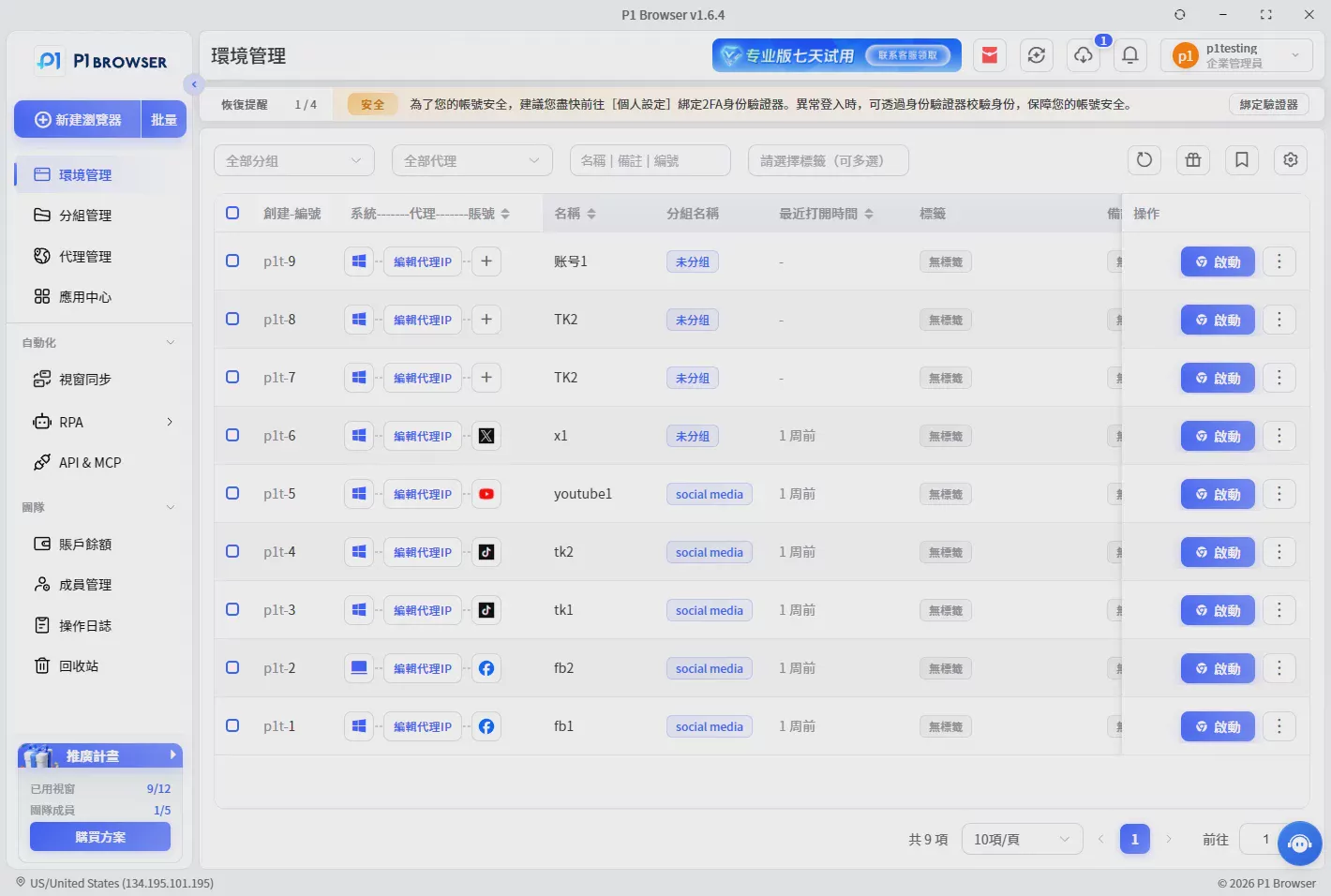
First, create a new Browser Profile in P1 Browser and set up an independent environment for each TikTok account.
Step 2: Log in to the TikTok account
The account administrator completes the initial login and verification, after which the login status is saved in the corresponding Profile.
Step 3: Assign permissions to team members
The administrator can share the designated Profile with team members who need to operate it, without directly providing the account password.
Step 4: Manage account operation records
Through team permission management, businesses can clearly see which members are using which accounts, improving overall management efficiency.
Frequently Asked Questions FAQ
Can multiple people use the same TikTok account?
Yes, but it is recommended not to share the password directly. Businesses should use official permission tools or manage collaboration through a secure browser environment.
Can a TikTok account be managed by an agency?
Yes, but it is recommended not to provide permanent login information directly. The brand should retain ownership of the account and use appropriate methods to assign operational permissions.
Is an antidetect browser suitable for TikTok team management?
If a team needs to collaboratively manage TikTok Web accounts, an antidetect browser can help create independent work environments and improve account management efficiency.
Conclusion: TikTok account sharing requires a more secure management approach
In 2026, having multiple people manage TikTok accounts has become a common need for brands and businesses. The truly secure approach is not to prohibit team collaboration, but to establish clear permission management and independent operating environments.
For small teams, TikTok's official management tools can be prioritized; for businesses that need to manage multiple accounts and collaborate across regions, using a solution like P1 Browser This type of fingerprint browser creates independent Profiles, making account management more efficient and organized.

