



According to statistics, Telegram has more than 7.5 亿 monthly active users worldwide, with active cross-border users and overseas market customers accounting for an important proportion,
For cross-border sellers, operating multiple Telegram accounts simultaneously has become a common need: different markets require independent accounts to handle customer service and marketing, or the same brand may need to divide its accounts by region, language, and business line.
Although running multiple Telegram accounts in bulk can improve operational efficiency, it also brings numerous operational challenges. This article provides beginners in cross-border e-commerce with a complete and practical guide to operating multiple accounts safely.
Challenges of Running Multiple Telegram Accounts
1、Risk of Account Bans
Telegram has strict risk-control mechanisms for running multiple accounts on the same device and closely monitors unusual IP changes and abnormal combinations of device environments. If multiple groups of Telegram accounts are switched between and logged into frequently on a single device or within the same network environment, the platform’s backend can quickly determine that the accounts are related based on parameters such as device fingerprints, browser information, and IP addresses.
Once accounts are determined to be linked, they are highly likely to be permanently banned. In other words, if network and device environments are not properly isolated, the platform’s risk-control policies can be triggered in a short period of time. Actions such as sending large numbers of messages in bulk and joining groups in batches will further significantly increase the likelihood of detection.
2、The Batch Registration and Login Process Is Cumbersome
Registering and logging in to Telegram accounts requires multiple steps, including phone verification and SMS verification codes. Traditional manual batch operations are not only time-consuming and labor-intensive, but also prone to issues such as delayed verification codes, input errors, and account mix-ups.
At the same time, the platform strengthens its verification mechanisms in response to abnormal registration activity. For example, it may require users to add a profile picture, complete their personal information, or enable two-factor authentication, significantly raising the barrier to batch registration and login and making the process particularly unfriendly to beginners.
3、Managing Multiple Accounts Is Highly Complex
When the number of accounts reaches dozens or even hundreds, keeping them organized becomes a major challenge. Relying on traditional methods such as Excel and Notepad makes it difficult to balance information security and operational efficiency, often resulting in lost accounts, forgotten passwords, and mixed-up data.
If team members change or the handover process is not properly executed, accounts may even be permanently lost, directly affecting overall business operations.
4、Information Security and Privacy Risks
Managing multiple accounts can accumulate large amounts of customer data and trade secrets. Without a comprehensive isolation mechanism, security concerns such as data leaks and cross-sharing of data can easily arise. In particular, when shared computers or public networks are used, browser cookies, cached records, and autofill data can become linked, further increasing the risk of information leaks.
Technical Reasons Telegram Accounts Are Banned
Account bans are the issue that concerns cross-border beginners running multiple Telegram accounts the most. Only by understanding the underlying technical logic behind account bans can you develop a sound multi-account operation strategy and reduce the likelihood of triggering risk controls.
Telegram’s risk-control system primarily makes comprehensive assessments across three dimensions:network environment, device characteristics, and operational behaviorA comprehensive assessment across the three dimensions; the following are the key factors underlying account bans:
1.
The platform closely monitors the login activity associated with a single IP address. If multiple groups of accounts share the same IP within a short period, the system will classify them as bulk bot accounts or coordinated operations, directly triggering risk controls.
Public Wi-Fi and inexpensive shared proxies have highly repetitive IP addresses, making them high-risk sources for anomaly detection.
The key to safely operating multiple accounts is to configure an independent and stable static residential IP for each group of accounts. Prioritize residential proxies and stay away from data center proxies and shared proxies to effectively avoid detection.
The key to safely operating multiple accounts is to configure each account group with an independent and stable static residential IP. Prioritize residential proxies and stay away from data center proxies and shared proxies to effectively avoid detection.
2.Device fingerprinting
Device fingerprinting is the core basis for platforms to identify a device's identity, incorporating dozens of characteristics such as browser version, operating system, screen resolution, font list, plugins, Canvas, WebGL hardware parameters, time zone, and language settings.
Even if you change your IP address or phone number, as long as the device fingerprint remains the same, the system will still determine that all accounts belong to the same operator, resulting in account association and restrictions. Randomly running multiple instances in a regular browser is one of the most common risk-control pitfalls for beginners.
3、Login and operational behavior patterns
Risk control does not only assess the login environment; it also deeply analyzes account usage habits, including:
- Login times and frequency: rapidly switching between multiple accounts within a short period
- Group interactions: quickly joining large numbers of groups and frequently entering and leaving groups
- Messaging behavior: sending advertisements in bulk, forwarding large numbers of links, and repeating interaction operations
Mechanized and patterned batch operations may lead the system to identify the activity as an automated bot, which is also the primary reason for account bans when operating multiple accounts.
Core strategies for safely running multiple Telegram accounts
1、Independent environment isolation
Each account group must be configured with a dedicated browser environment, independent cache, and storage space. When multiple accounts share the same browser environment, they may be linked through duplicate device fingerprints even if their IP addresses are different. By using completely isolated, independent environments, each account group appears to log in from a separate device, eliminating the risk of account association at its source.
2、Dedicated Independent IP
One independent IP per account is the foundation for preventing bans. Stable, static residential IPs best match the online behavior of typical users and are less likely to be flagged by risk-control systems than shared IPs. By binding each account to a separate network connection, network activity is completely isolated, preventing abnormal warnings caused by multiple accounts using the same IP.
3、Dispersed Simulated Operations
Avoid logging in to multiple accounts in bulk during concentrated time periods, joining large numbers of groups all at once, or sending mass messages. Increase the intervals between operations, stagger activities, and simulate the random usage habits of real people to reduce bot-like characteristics, make account behavior more natural, and significantly improve the stability of account cultivation.
If these strategies are implemented manually, managing a large number of accounts will require substantial time and manpower. Therefore, most cross-border teams choose professional fingerprint browsers to achieve safe and efficient multi-account operations.
What Is a Fingerprint Browser and What Does It Do?
A fingerprint browser is a core tool for preventing bans when operating multiple cross-border accounts. It can create a dedicated, isolated environment for each account group, work with an independent proxy IP, and randomize device fingerprints for concealment.
From the perspective of a platform's risk-control system, each account group appears to be an independent, genuine user, completely resolving account bans caused by device associations and duplicate IPs. It also supports batch management, customized operation intervals, and real-user behavior simulation, reducing repetitive manual work while weakening traces of batch operations, making it perfectly suited to Telegram account cultivation and marketing scenarios.
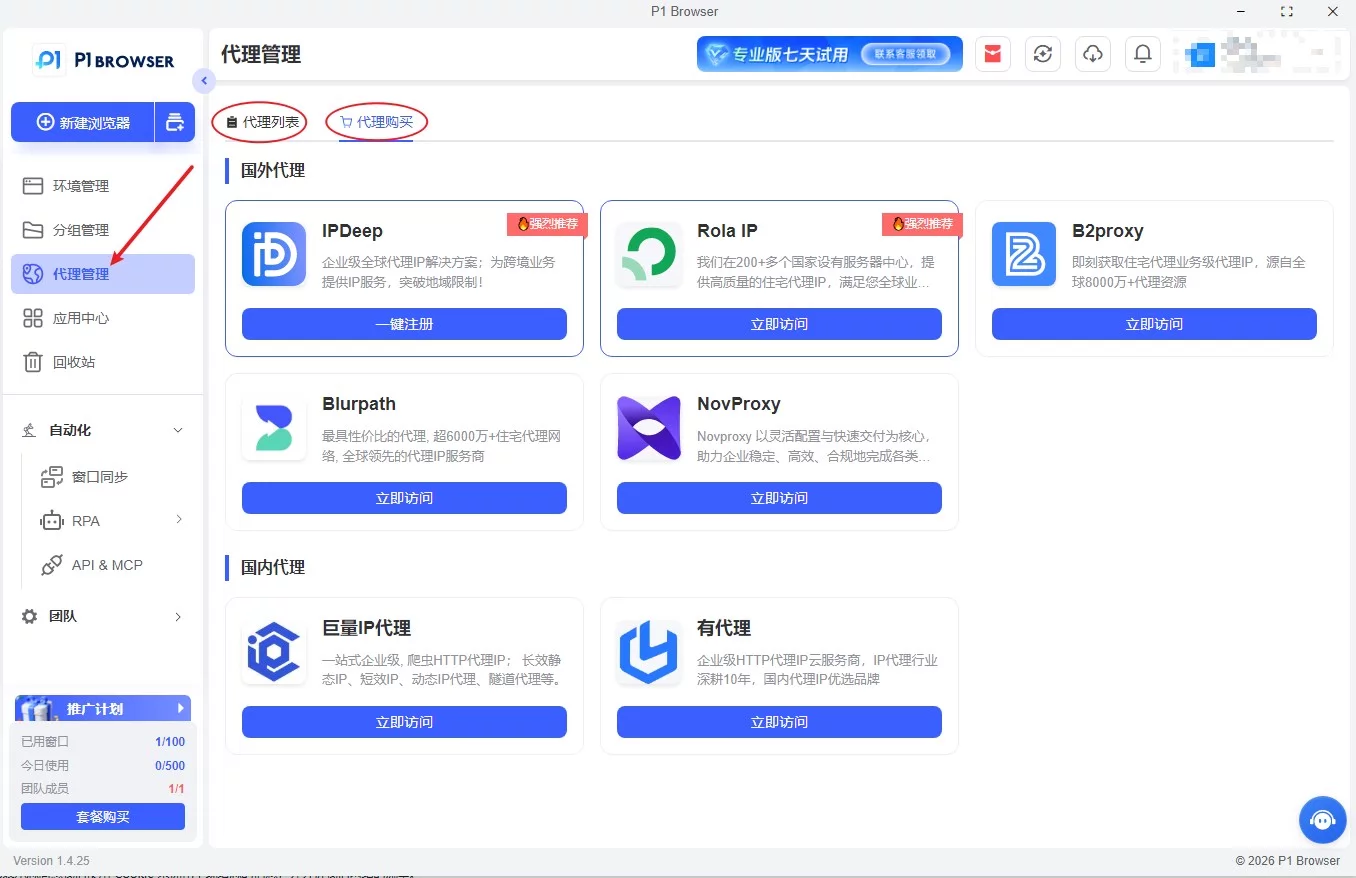
For stable, large-scale operation of multiple Telegram accounts, a professional fingerprint browser is now an essential tool. Next, we recommend a professional tool with a high usage rate in the industry for cross-border professionals ——P1Browser fingerprint browser.
Using P1Browser to manage multiple Telegram accounts
Professional fingerprint browsers can fully address the three core requirements of environment isolation, independent IPs, and behavior simulation, making them the best solution for cross-border matrix operations.
P1Browser fingerprint browser is specifically designed for cross-border professionals expanding into overseas markets. It is deeply tailored to scenarios such as overseas community operations, bulk TG account warming, cross-border e-commerce matrices, and traffic acquisition for overseas private-domain channels. With its self-developed kernel isolation technology and highly stable fingerprint spoofing capabilities, it has become the long-term first choice for many cross-border teams.
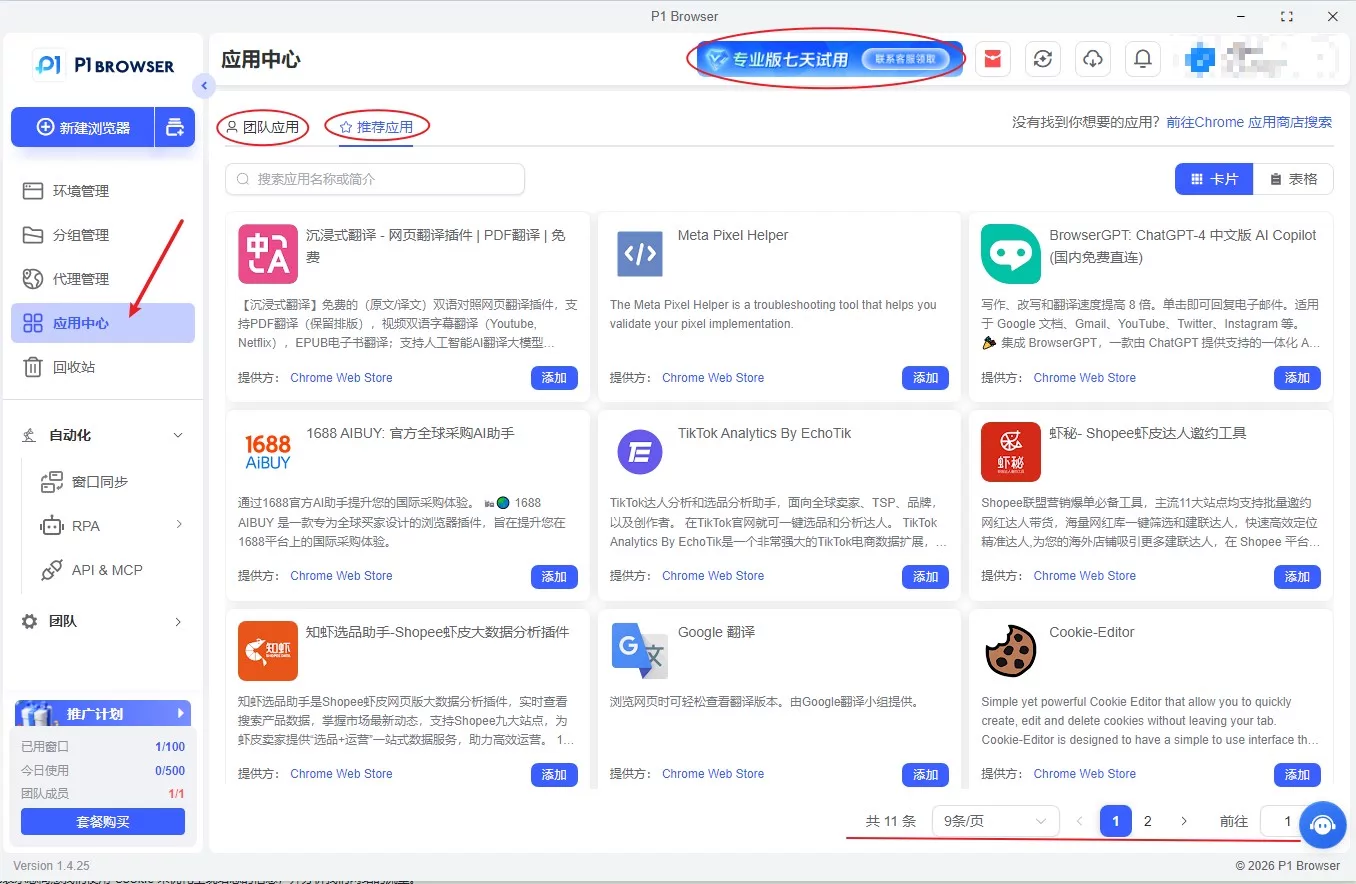
Unique advantages of P1Browser fingerprint browser
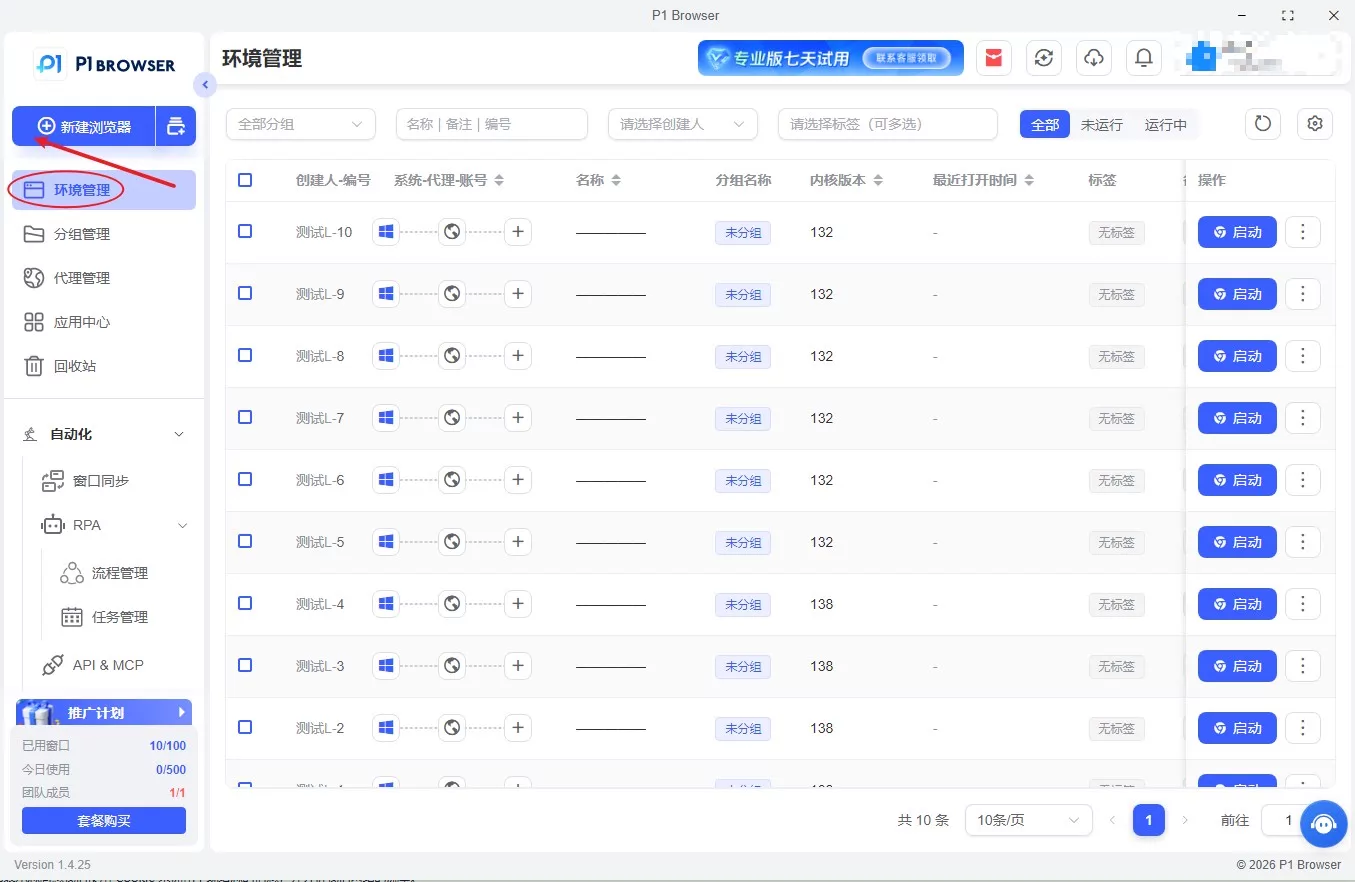
1、Kernel-level independent fingerprint simulation
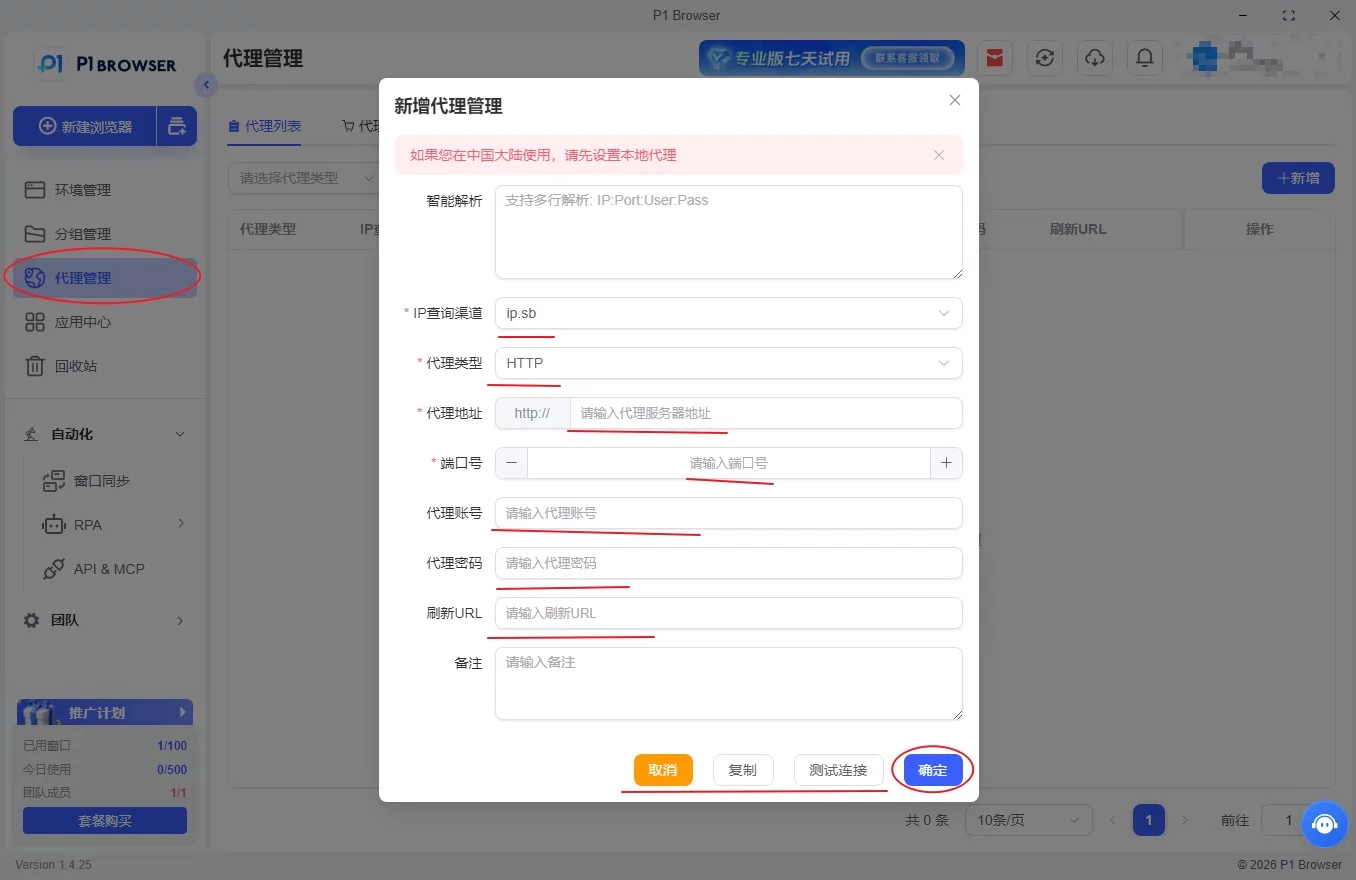
Equipped with a self-developed virtualization isolation kernel, it fully randomizes and disguises the hardware fingerprints of each environment, including key risk-control parameters such as Canvas, WebGL, device specifications, system version, fonts, time zone, and resolution. Every browsing environment is completely isolated, eliminating account association at the underlying level and significantly reducing the risk of account bans during bulk Telegram account warming and matrix operations.
2、Dual-kernel compatibility for all scenarios
Equipped with an efficient Chromium kernel, it fully supports the Telegram web version, major overseas communities, and cross-border platforms. It is compatible with network routes and carriers in different regions, maintaining a stable connection over the long term for daily account warming, bulk account logins, and group marketing, and covering all TG operation scenarios.
3、One-Click Integration of Omnichannel Proxy IPs
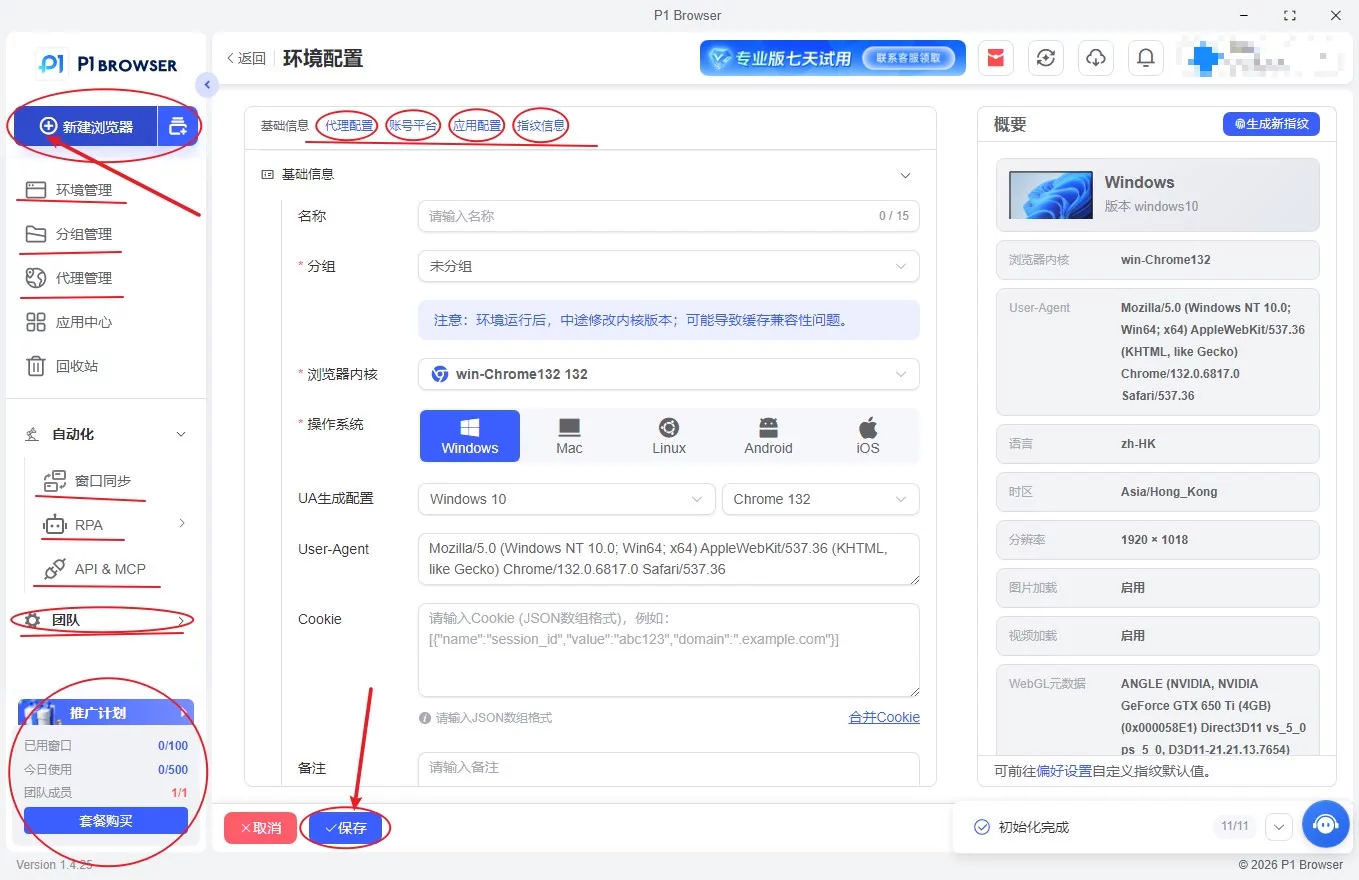
Supports various network types, including static residential proxies, dynamic proxies, and dedicated private lines. With one click, bind an independent IP to a single environment, quickly switch regions, time zones, and network settings, and achieve complete network isolation, thoroughly resolving the risk-control issues caused by multiple accounts sharing the same IP.
4、Batch Automation for Significantly Improved Efficiency
Built-in visual batch management system supporting batch account import and export, one-click environment creation, batch login, scheduled tasks, custom operation intervals, and simulated random human behavior. It effectively minimizes traces of centralized operations, reduces repetitive manual work, and improves team operational productivity.
5、Team Collaboration and Comprehensive Data Security
Features include tiered permission management, operation log recording, encrypted environment storage, encrypted account information protection, and protection against remote access. It is suitable for collaborative operations by enterprise teams, preventing account loss, data leakage, and human errors while comprehensively safeguarding the security of TG account assets and business data.
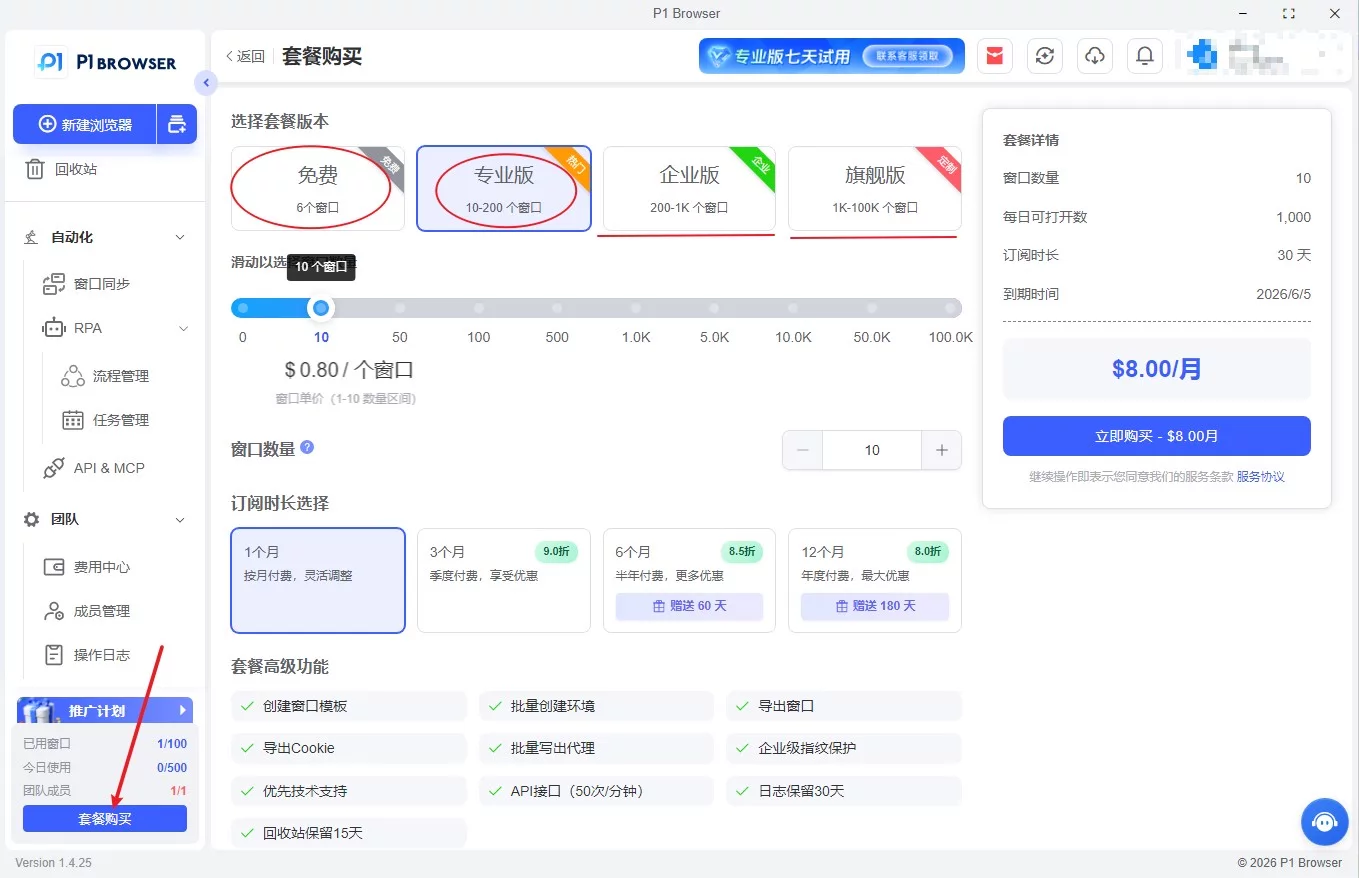
P1Browser helps cross-border professionals achieve secure and efficient multi-account management by establishing a protective barrier across devices, networks, and operating behavior. It makes each group of accounts conform to the characteristics of real users, steadily reduces the risk of platform controls and account bans, and simplifies matrix operations.
Summary
Overall, the key to stable multi-account operation on Telegram lies in complete isolation of the underlying environments: independent browsing spaces, dedicated independent IPs, and differentiated device fingerprints. Combined with distributed operations and human-like usage habits, this is the only way to consistently avoid platform risk controls.
The traditional approach of manually isolating environments and manually switching IPs has long failed to meet the needs of today’s cross-border operations. Professional tools are the only reliable long-term choice.
With mature isolation technology, comprehensive batch management features, and high stability, P1Browser fingerprint browser provides an all-in-one solution to challenges such as linked multiple TG accounts, frequent account bans, and chaotic account management.
Abandon inefficient manual operations and adopt a standardized anti-ban solution, so managing a Telegram multi-account matrix no longer depends on luck, enabling a secure, stable, and sustainable overseas private traffic ecosystem.
Frequently Asked Questions
Why does Telegram ban accounts?
TG account bans mainly result from the platform’s detection of abnormal behavior. Common causes include logging into multiple accounts intensively from the same IP, highly repetitive browser fingerprints, sending large numbers of messages in a short period, aggressively joining groups in bulk, using low-quality blacklisted proxies, and conducting non-compliant marketing or traffic generation.
Will logging into multiple accounts on the same device be detected?
Yes. Telegram determines whether devices are linked through multiple factors, including device fingerprints, browser cache, cookies, hardware information, and system parameters. In general, simply opening multiple accounts in a regular browser is an extremely high-risk operation.
Is account warming necessary? How long does it take to be considered safe?
Yes. Newly registered accounts should not immediately join large numbers of groups, send advertisements, or send mass private messages. It is recommended to first simulate real-user browsing, engage lightly, and gradually increase the number of groups. The basic account-warming period is recommended to be 3–7 days. Commercial marketing should begin only after the account has become stable.
Is there still a chance to recover a banned Telegram account?
Accounts subject to minor restrictions can be unlocked through an official appeal. However, accounts banned due to bulk linked-account violations, serious marketing violations, or bot operations are usually permanently blocked and cannot be unblocked. Establishing environment isolation in advance is the most cost-effective long-term solution.

