



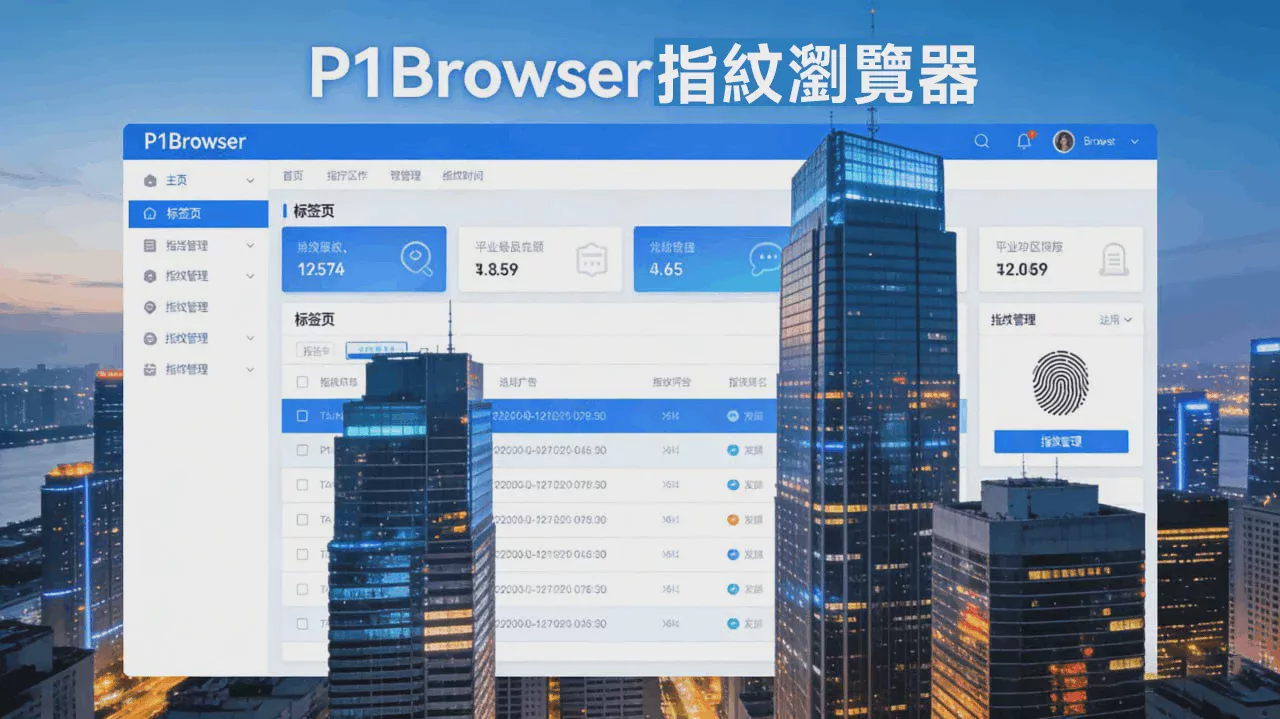
Amid the wave of digital operations, parallel management of multiple accounts has become a core requirement in fields such as cross-border e-commerce, social media networks, and advertising campaigns, while browser fingerprint association is the primary risk leading to account bans and business interruptions. As the core tool under 未来能量 focused on enterprise-level secure multi-account operations, P1Browser Fingerprint Browser centers its fingerprint generation capabilities on “high emulation, high security, and high convenience.” Through AI-driven and kernel-level technology optimization, it creates a unique virtual device identity for each account, cutting off association links at the source and comprehensively safeguarding the security of multi-account operations, while also balancing operational efficiency and scenario adaptability. It has become the security foundation for enterprises’ digital operations.
I. Core Functional Positioning: More Than “Parameter Modification”—It Is “Native Emulation”
P1Browser’s fingerprint generation capabilities break through the limitations of traditional fingerprint browsers’ “surface-level parameter modification” and upgrade to the core logic of “full-dimensional native emulation.” Rather than simply altering a single parameter, it manages the entire process of collection, emulation, and verification to generate browser fingerprints that closely match the behavior of real devices. This enables every account to appear as an independent, genuine end device within platform risk-control systems, completely avoiding association risks such as “parameter contradictions” and “duplicate fingerprints.”
Compared with general fingerprint tools, P1Browser’s fingerprint generation capabilities place greater emphasis on “logical consistency” and “dynamic adaptation.” They not only cover full-dimensional parameters across hardware, software, network, and behavior, but also use AI algorithms to simulate the update and iteration patterns of real devices, giving fingerprints the characteristic of “dynamic change.” This effectively counters the increasingly rigorous, multi-level risk-control detection employed by platforms, truly meeting the core need for “secure parallel operation of multiple accounts on the same device.” It is suitable for multi-account management scenarios under compliance requirements, reducing the cost of repeated configuration and improving operational controllability.
II. Detailed Overview of the Kernel Fingerprint Generation Function Module
P1Browser’s fingerprint generation feature is built around three core principles: “security, efficiency, and flexibility.” It is divided into six core modules that work together to ensure both the uniqueness and authenticity of fingerprints while accommodating the personalized needs of different industries. This enables beginners to get started quickly while allowing professional users to configure settings with precision.
(One) Full-Dimensional Fingerprint Parameter Generation: Covers the Five Core Dimensions for Comprehensive, Gap-Free Simulation
The core competitiveness of browser fingerprints lies in the “comprehensiveness and authenticity of parameters.” P1Browser can generate 128 core parameters spanning five dimensions: browser engine, hardware, system, network, and behavior. Each parameter is simulated based on the characteristics of real devices, preventing platforms from identifying “parameter inconsistencies” through risk controls. The specific parameter categories are as follows:
-
Core Dimension:Based on extensive modifications to the Chromium engine, it can generate different browser engine versions (Chrome, Edge, etc.) and simulate the core operating characteristics of real browsers. It also supports fine-tuning engine parameters to meet different platforms’ browser engine compatibility requirements, preventing accounts from being flagged as linked due to the use of a single engine version;
-
Hardware Dimension:It accurately simulates hardware information such as the number of CPU cores (by modifying the navigator.hardwareConcurrency parameter), device memory capacity (navigator.deviceMemory), graphics card model, and display resolution (including color depth). It can even simulate performance differences between different types of hardware, giving fingerprints unique hardware identifiers. It also supports customized hardware parameter combinations to accommodate different terminal scenarios, including PCs and mobile devices;
-
System Dimension:It can generate different operating system versions, including Windows, Mac, and Linux, along with corresponding parameters such as system language, time zone, font list (simulated through CSS/Flash detection), and system patch version. This ensures logical consistency between system and hardware parameters. For example, a Windows system will not be paired with a mobile-device resolution, thereby enhancing fingerprint authenticity in every detail;
-
Network Dimension:It supports the generation of parameters for different network environments, including IP address location, network operator, DNS server, and TCP/IP protocol version. It can integrate seamlessly with proxy tools to achieve dual isolation of “fingerprint + IP,” preventing account risks caused by associations between network parameters. It also supports simulating the fluctuating characteristics of different network environments to reproduce the network access status of real users;
-
Behavior Dimension: This is one of the core advantages of P1Browser’s fingerprint generation. It can intelligently generate human-like activity patterns, including mouse movement speed, click intervals, scrolling rhythms, page dwell time, and more, while also simulating human browsing habits, such as random clicks and page refresh frequency. This helps avoid platform detection of “bot activity,” making fingerprints not only “statically authentic” but also “dynamically lifelike.”
It is worth noting that these parameters do not exist in isolation. P1Browser uses the SHA-256 encryption algorithm to apply weighted integration to multidimensional parameters, generating high-entropy identifiers of 128 bits or more and ensuring the uniqueness of each fingerprint set. According to testing, its fingerprint uniqueness accuracy can exceed 99%, far surpassing the industry average, while also avoiding more than 80% of device association and identification risks.
(II) Automatic Generation of Dynamic Fingerprints: Periodic Fine-Tuning to Avoid the Risk of Fixed Fingerprints
Platform risk-control systems identify not only the uniqueness of fingerprints but also their “stability.” A fingerprint that remains unchanged may be classified as a “virtual device,” triggering association alerts. P1Browser’s automatic dynamic fingerprint generation feature effectively addresses this issue. Its core logic is to “simulate the update and iteration patterns of real devices,” enabling subtle dynamic fingerprint adjustments that maintain a stable account environment while avoiding being marked as an abnormal device.
Users can freely set the fingerprint fine-tuning cycle, such as daily or weekly. During each cycle, the system automatically makes minor adjustments to selected non-core parameters, such as the browser version, screen resolution, and network fluctuation parameters. Core parameters, such as hardware-level characteristics, remain unchanged to ensure continuity in the account login environment and prevent account abnormalities caused by fingerprint adjustments. This “dynamic fine-tuning” does not involve random modifications; instead, it is based on real-world device parameter change patterns, such as natural browser version updates and automatic system patch installation. This makes fingerprint changes more reasonable and completely avoids the association risks caused by fixed fingerprints.
(Three) One-Click Random Fingerprint Generation: Save Time and Boost Efficiency, Quickly Set Up an Independent Environment
For novice users or bulk account-creation scenarios, P1Browser offers one-click random fingerprint generation. No manual parameter configuration is required. Simply click “Generate” to quickly create a complete, natural, and authentic virtual device fingerprint covering all core parameters across five dimensions, enabling instant use and significantly lowering the operational barrier.
The core advantage of this feature is its “balance between randomness and plausibility.” Based on an extensive database of real device fingerprints, the system randomly combines parameters to ensure that generated fingerprints are unique and unassociated, while also maintaining logical consistency between parameters and avoiding “unreasonable combinations,” such as pairing a mobile operating system with PC hardware. Whether creating multiple store environments for cross-border e-commerce or rapidly launching accounts for a community and social media matrix, one-click random fingerprint generation can significantly reduce manual configuration time and improve operational efficiency, enabling users to quickly build secure, independent browsing environments without professional expertise.
(IV) Custom Fingerprint Generation: Fine-Grained Configuration for Diverse Scenarios
For professional users or personalized scenarios, such as adapting to the risk-control requirements of specific platforms or meeting industry-specific needs, P1Browser provides custom fingerprint generation. Users can finely configure 128 parameters to achieve “on-demand customization” and accommodate the differentiated requirements of cross-border e-commerce, community and social media operations, advertising campaigns, and other industries.
Through a visual interface, users can manually adjust each parameter. For example, cross-border e-commerce users can configure a specific browser version, system language, and IP location based on the risk-control rules of platforms such as Amazon and eBay. Community and social media operators can simulate device characteristics from different regions to accommodate the geographic restrictions of platforms such as TikTok and Facebook. Advertising campaign users can customize different device fingerprints for advertising A/B testing and avoid associations between advertising accounts. Users can also save custom fingerprint configurations as templates for direct reuse later, eliminating the need for repeated configuration and further improving operational efficiency.
(五)Fingerprint Uniqueness Verification: Proactively Prevent Duplicates and Safeguard the Security Baseline
Duplicate fingerprints are one of the core risks that can lead to account association. This is especially true when generating fingerprints in bulk, as duplicate fingerprints can easily occur and result in multiple accounts being banned simultaneously. P1Browser has a built-in fingerprint uniqueness verification feature that automatically checks each generated fingerprint for duplicates across the entire network the moment it is created. By comparing it against the system’s extensive fingerprint database, the feature ensures that every generated fingerprint is completely unique, with no duplicate records.
If a duplicate fingerprint is detected, the system automatically generates a new one until a unique fingerprint is produced, while also alerting the user to help prevent account risks caused by duplicate fingerprints. In addition, users can manually verify generated fingerprints to review their uniqueness scores and parameter reasonableness scores, identify potential risks in advance, ensure that every fingerprint can be used safely, and eliminate account association links at the source.
(VI) Bulk Fingerprint Generation: Adapt to Account Matrices and Improve Operational Efficiency
For enterprise users, account matrix operations are a core requirement, and generating individual fingerprints cannot meet the needs of bulk management. P1Browser’s bulk fingerprint generation feature supports generating multiple independent fingerprints at once, with the quantity freely configurable (ranging from dozens to hundreds). Each fingerprint is independent and unique, with no associations.
Bulk-generated fingerprints can be directly linked to accounts. The feature supports bulk importing and exporting fingerprint configurations and can be used together with P1Browser’s multi-account management functionality to achieve one-to-one fingerprint-to-account binding and bulk switching, significantly reducing the management costs of account matrices. For example, a cross-border e-commerce company can generate 50 independent fingerprints at once and bind them to 50 Amazon stores, enabling multiple stores to operate securely in parallel on the same device. A social media community operations team can generate fingerprints in bulk to meet the operational needs of different accounts, improve the efficiency of account matrix operations, and protect the security of all accounts.
III. Technical Advantages of the Fingerprint Generation Function: AI-Powered Security and Efficiency
The reason P1Browser’s fingerprint generation feature achieves “high fidelity, high security, and high convenience” lies in the technical support behind it. Leveraging Future Energy’s accumulated expertise in cybersecurity and product development, it has built differentiated technological advantages that set it apart from the “surface-level parameter modification” of ordinary fingerprint browsers and enable native emulation at the kernel level.
(I) AI-powered intelligence for more realistic fingerprint simulation
Using intelligent AI algorithms, the system performs deep learning on massive amounts of real device fingerprint data to simulate the parameter combinations and behavioral characteristics of real devices, ensuring that the generated fingerprints are not only “similar in appearance” but also “similar in essence.” For example, AI algorithms can simulate different users’ operating habits to generate differentiated behavioral fingerprints; they can also automatically adjust fingerprint parameters based on changes in platform risk-control rules, adapting to platform risk-control upgrades without requiring manual user adjustments and achieving “proactive account association prevention.”
(II) Kernel-level virtualization for complete isolation without interference
Based on deep modifications to the Chromium kernel, a sandbox architecture is used to achieve process-level isolation for each fingerprint environment, keeping the browser environments corresponding to different fingerprints independent of one another. Data such as Cookies, LocalStorage, and IndexedDB is completely isolated, preventing data interference and eliminating account association caused by data sharing. At the same time, the application of hardware virtualization technology enables hardware parameters to be modified dynamically, simulating real devices from the underlying layer and avoiding detection of virtual environments by platforms.
(III) Compatible across all platforms, with no barriers
The fingerprint generation feature is compatible with mainstream operating systems such as Windows, Mac, and Linux, while also supporting seamless integration with various proxy tools (static IPs, dynamic IPs, residential IPs, etc.), achieving dual isolation of “fingerprint + IP” to meet operational needs across different regions and platforms. In addition, it retains the operating logic of traditional browsers and features a simple, intuitive interface, so users can get started quickly without additional training and switch at zero cost.
(iv) Strong encryption, ensuring data security
Strictly adhering to the principle of least privilege, it uses high-strength encryption to store and transmit sensitive data such as fingerprint parameters and configuration information, ensuring that users’ fingerprint configurations are neither exposed nor lost. At the same time, it includes a built-in operation auditing feature that records the entire process of fingerprint generation, modification, and use, making it easier for enterprises to manage processes and trace responsibilities while meeting the needs of large-scale enterprise operations.
Section Four: Scenario-Based Adaptation: Covering Multiple Industries and Addressing Core Pain Points
P1Browser’s fingerprint generation feature is not designed as a one-size-fits-all solution. Instead, it is optimized for the core pain points of different industries and adapted to diverse scenarios, including cross-border e-commerce, community media operations, advertising, and data collection, providing users in different industries with targeted fingerprint generation solutions.
(I) Cross-border e-commerce scenario
In response to the strict association detection employed by cross-border e-commerce platforms such as Amazon, eBay, and Wish, P1Browser can generate independent fingerprint environments and combine them with proxy IPs to create a dedicated virtual device for each store, completely avoiding the risk of store bans caused by the “same device, same IP, same fingerprint.” It also supports batch fingerprint generation to meet the needs of multi-store operations, can simulate device characteristics from different regions to accommodate platform regional restrictions, and can use behavioral fingerprint simulation to evade platform anti-scraping mechanisms and safely capture competitor pricing and market trend data.
(II) Community Media Operations Scenario
For multi-account matrix operations on community media platforms such as TikTok, Facebook, and Instagram, the fingerprint generation feature can generate differentiated fingerprints and simulate user characteristics from different regions and devices to prevent linked bans among multiple accounts. At the same time, behavioral fingerprint simulation can reproduce real-user operation patterns, evade platforms’ detection of bot accounts, improve account weighting, and facilitate large-scale operation of community media matrices. Dynamic fingerprint fine-tuning can also be used to maintain the stability of the account environment.
(III) Advertising Placement Scenarios
Users engaged in advertising can use the custom fingerprint generation feature to configure dedicated fingerprints for different advertising accounts, avoiding account association and improving advertising effectiveness. At the same time, they can generate fingerprints for different devices and regions for advertising A/B testing, test the conversion performance of advertisements across different regions and devices, support the optimization of advertising strategies, and mitigate the risk of advertising account bans.
(四)Data Collection Scenarios
Users engaged in data collection can use the fingerprint generation feature to simulate fingerprints for different devices and network environments, bypass anti-bot systems such as Cloudflare, securely collect region-restricted content, competitor data, and more, avoid being blocked by platforms due to having a single fingerprint, improve the efficiency and security of data collection, and respond to upgrades in platform anti-bot rules through dynamic fingerprint adjustments.
V. Functional Advantages: Simple to Operate, Enabling Beginners to Get Started Quickly
Although P1Browser’s fingerprint generation feature is technically powerful, it has an extremely low barrier to entry. Whether they are beginners or professional users, everyone can master it quickly. Its core advantages are reflected in three aspects:
-
Visual operation: All fingerprint generation and configuration operations are completed through a visual interface. Functions such as parameter adjustment, template storage, and batch generation are clear at a glance, requiring no specialized technical knowledge and allowing users to operate them with a simple click;
-
Template-based management: Frequently used fingerprint configurations can be saved as templates for direct use later, eliminating the need for repeated configuration, significantly reducing operating time, and meeting the needs of batch operations;
-
Instant feedback: During fingerprint generation and verification, the system immediately provides feedback on information such as fingerprint uniqueness and parameter validity, enabling users to clearly understand the fingerprint status, identify potential risks in advance, and ensure safe use.
VI. Conclusion: P1Browser Fingerprint Generation, Core Support for Secure Multi-Account Operations
As the demand for multi-account operations continues to grow and platform risk control becomes increasingly stringent, P1Browser’s fingerprint generation feature, built around “full-dimensional simulation, high-entropy uniqueness, dynamic adaptation, and simplicity and convenience,” breaks through the technical limitations of traditional fingerprint browsers. It resolves the core challenge of account association at the underlying level and provides enterprises with a secure and efficient solution for multi-account operations.
Whether it is quickly establishing accounts for beginner users or managing account matrices for enterprise users; whether it involves cross-border e-commerce, community and media operations, advertising placement, or data collection, P1Browser’s fingerprint generation feature can precisely meet different needs. It both safeguards account security and improves operational efficiency. Relying on AI-driven and core-level technologies, it serves as a secure foundation for enterprises’ digital operations. In the future, P1Browser will continue to iterate and upgrade its fingerprint generation technology, collect user feedback, optimize the user experience, and expand into more applicable scenarios, providing users across different industries with more targeted multi-account management solutions to help enterprises improve operational efficiency and reduce security risks.

