


With the rapid development of cross-border e-commerce, social media operations, overseas advertising, and affiliate marketing, “how to manage multiple online accounts safely and efficiently” has become a concern for many businesses and individual operators.
Many users have started using fingerprint browsers (Antidetect Browser) to create independent browsing environments, but in practice, they often overlook another key factor: Proxy IP (Proxy) quality.
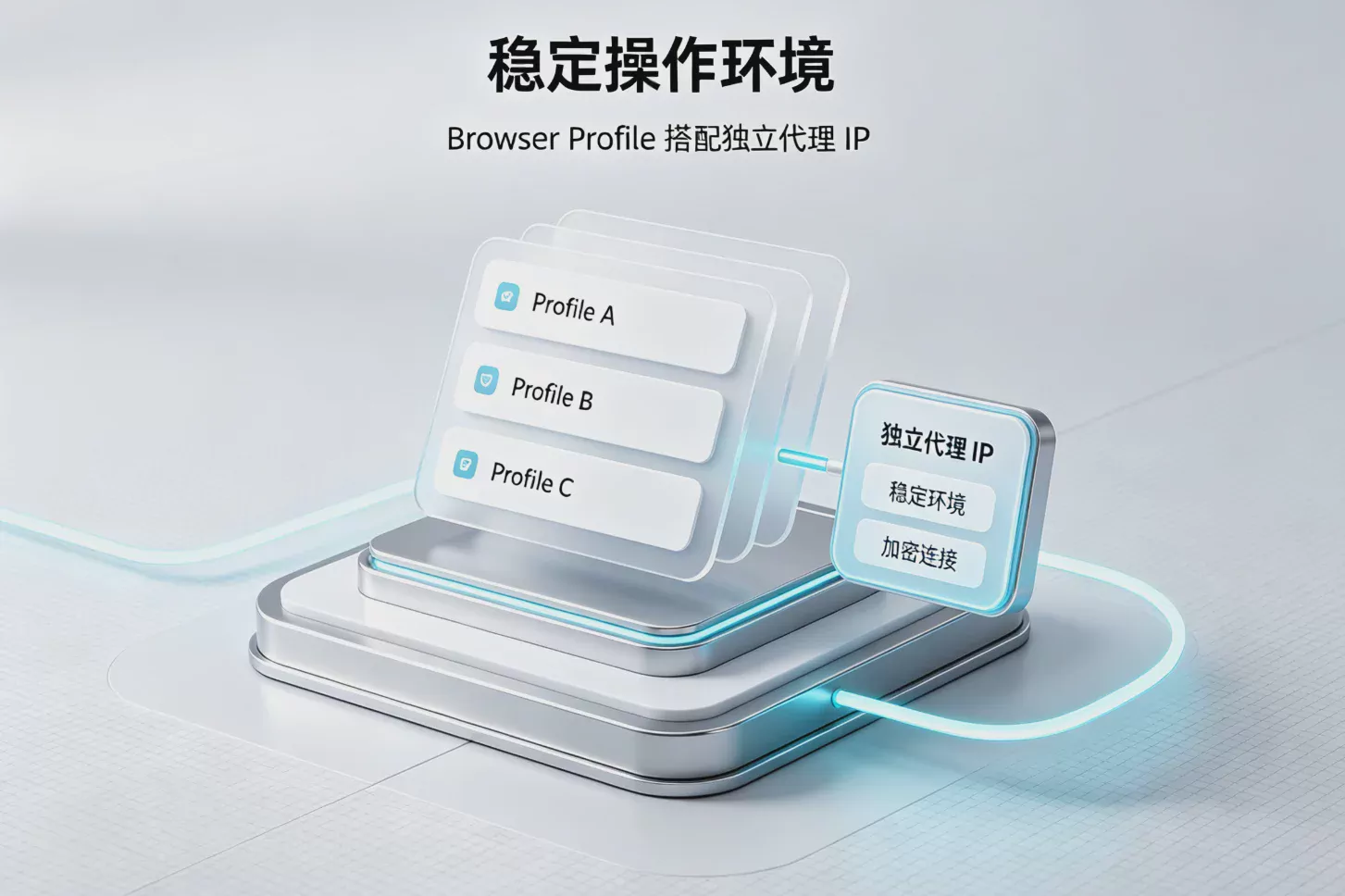
Fingerprint browsers can help users create different Browser Profiles and isolate information such as Cookies, browser fingerprints, and device parameters; meanwhile, proxy IPs are responsible for providing different network environments. Only by combining the two can a more complete account management solution be created.
Therefore, choosing a proxy suitable for a fingerprint browser is not as simple as purchasing an IP. It requires consideration of the IP type, stability, location, speed, and actual usage scenario.
What Is a Fingerprint Browser Proxy (Antidetect Browser Proxy)?
A fingerprint browser proxy refers to using a proxy server together with an Antidetect Browser to configure an independent network exit for each browser environment.
When visiting a website with a regular browser, the website can see not only your IP address but may also collect a large amount of device information, including:
- IP address and location
- Browser version
- Operating system information
- Canvas fingerprint
- WebGL information
- Font list
- Time zone and language settings
- Cookies and login status
Together, this information forms what is known as a “browser fingerprint.”

The role of a fingerprint browser is to give different accounts independent browser environments. For example:
- Facebook account A uses Profile A
- TikTok account B uses Profile B
- Amazon store C uses Profile C
Each environment can have different Cookies, browser parameters, and proxy IPs configured.
Simply put:
| Components | Function |
|---|---|
| Fingerprint browser | Create an independent device environment |
| Proxy IP | Provide a different network exit |
| Cookie management | Save account operation status |
Why do fingerprint browsers need to be used with proxy IPs?
Many beginners ask: "After using a fingerprint browser, do I still need a proxy?"
The answer is: Usually, yes.
The reason is that fingerprint browsers primarily address the "device environment" issue, while proxies address the "network origin" issue.
If multiple accounts log in using the same IP, they may still exhibit characteristics of the same network environment, even if their browser fingerprints are different.
For example:
- 10 community accounts using the same residential IP
- Multiple stores using the same network egress
- Accounts for different markets frequently switching between IPs from different countries
All of these situations may reduce the naturalness of the account environment.
Introduction to Common Proxy Types in 2026
Residential Proxies (Residential Proxy)
Residential proxies are one of the most commonly used proxy types in fingerprint browsers.
They use IP addresses assigned by real residential internet service providers. Compared with standard data center IPs, they typically more closely resemble a real user’s network environment.
Residential proxies are suitable for:
- Cross-border e-commerce store management
- Social media account operations
- Overseas market testing
- Long-term account maintenance
Advantages:
- More authentic IP sources
- Broad geographic coverage
- Suitable for long-term use
Cons:
- Prices are usually relatively high
- Costly for extensive use
II. ISP Proxies (Static Residential Proxy)
ISP proxies combine the credibility of residential IPs with the stable speed of data center proxies.
The biggest feature is:Provide a fixed IP.
For users who need to maintain a fixed login environment over the long term, ISP Proxy is a very popular choice.
Common applications:
- Brand community account management
- Enterprise advertising accounts
- Long-term e-commerce operations
III. Mobile Proxy
Mobile proxies use mobile networks as their exit points, with IP addresses sourced from mobile device networks.
Because mobile networks have many characteristics of real users, they are popular in some high-requirement scenarios.
Suitable for:
- Community platform testing
- Mobile business operations
- Scenarios requiring high-quality IP addresses
IV. Datacenter Proxy
Datacenter proxies are provided by server data centers, with their biggest advantages being high speed and low cost.
Suitable for:
- Data testing
- General network requests
- Low-cost proxy requirements
However, because they do not come from real residential networks, they are generally less natural in certain platform environments than residential proxies.
How do you choose the right proxy IP for a fingerprint browser?
Different business scenarios have different proxy IP requirements. Therefore, choosing the “best proxy” is not simply a matter of comparing prices; it requires evaluating the account type, usage duration, and operational needs.
1. Proxy IP stability
Stability is one of the most important factors for fingerprint browser proxies.
If the proxy IP frequently disconnects or changes too often, it may make the browser environment unstable and affect the efficiency of daily account management.
Especially in the following scenarios:
- Cross-border e-commerce store management
- Facebook advertising account operations
- TikTok and Instagram community account management
- Enterprise overseas brand accounts
It is generally recommended to choose highly stable residential proxies or ISP proxies to maintain a consistent network environment over extended periods.
2. Proxy IP Geographical Location
The region where the proxy IP is located is also an important consideration.
For example, when operating in different markets:
| Target market | Recommended proxy location |
|---|---|
| US market | US residential IP |
| European market | IP from the corresponding European country |
| Southeast Asian market | Local residential or ISP IP |
Keeping the proxy location consistent with the account settings can make the overall browsing environment appear more natural.
3. Proxy speed and latency
In addition to the IP source, network speed is also a factor that cannot be overlooked in actual use.
If the proxy speed is too slow, it may result in:
- Increased page loading times
- Reduced operational efficiency
- Slower team collaboration
Therefore, when choosing a proxy service, you need to test the actual connection speed and stability.
4. Whether batch management is supported
When the number of accounts grows from a few to dozens or even hundreds, proxy management efficiency becomes very important.
Professional fingerprint browser solutions typically need to support:
- Bulk Import Proxies
- Quickly Create a Browser Profile
- Automatic Proxy Detection
- Team Permission Management
These features can significantly reduce the cost of manual configuration.
Common Ways to Configure Proxies in Antidetect Browsers
Generally speaking, in Antidetect Browsers such as P1 Browser, users can set an independent proxy for each Profile.
The basic process usually includes:
- Create a new browser Profile
- Select a proxy type
- Enter the proxy address and port
- Test the proxy connection
- Save the browser environment
After setup is complete, each Profile will have its own independent browsing environment.
How should you choose a proxy for different use cases?
Cross-border e-commerce sellers
Cross-border e-commerce sellers typically need to manage multiple platform accounts, such as stores in different markets, brand accounts, and customer service accounts.
Recommended:
- Residential proxies
- ISP static proxies
Reasons:
- Need long-term, stable logins
- Need a consistent operating environment
- Matching different national markets
Social media matrix management
Social platforms such as TikTok, Instagram, Facebook, and X typically require managing a large number of content publishing accounts.
Recommended:
- Residential proxies
- Mobile proxies
When used with a fingerprint browser, they can make it more efficient to manage different account environments.
Overseas advertising teams
Advertising accounts typically need to maintain a stable login environment and undergo long-term account data maintenance.
Recommended:
- ISP Proxy
- High-quality residential proxies
Common Mistakes When Using Proxies with Fingerprint Browsers
Mistake One: Changing Proxy IPs Too Frequently
Some users believe that the more IPs, the better. In reality, changing network environments too frequently can cause unnecessary instability.
Long-term account operation requires stability more than changing to a different IP every day.
Mistake Two: Multiple Accounts Sharing the Same Proxy
If multiple accounts use the same IP over an extended period, it can reduce the independence of each account's environment.
A more reasonable approach is to create a corresponding Browser Profile based on the account's needs and configure an independent proxy.
Mistake Three: Ignoring the Match Between Browser Fingerprints and Proxies
A proxy is only one part of the overall environment.
A complete multi-account management solution also needs to consider:
- Browser fingerprint settings
- Cookie management
- Language Settings
- Time Zone Settings
- Device Parameters
Only when all settings remain reasonably consistent can a more complete digital environment be created.
P1 Browser: Building a More Efficient Multi-Account Management Environment
P1 Browser is a professional fingerprint browser (Antidetect Browser) focused on helping cross-border e-commerce, community operations, and digital marketing teams manage multiple online accounts.
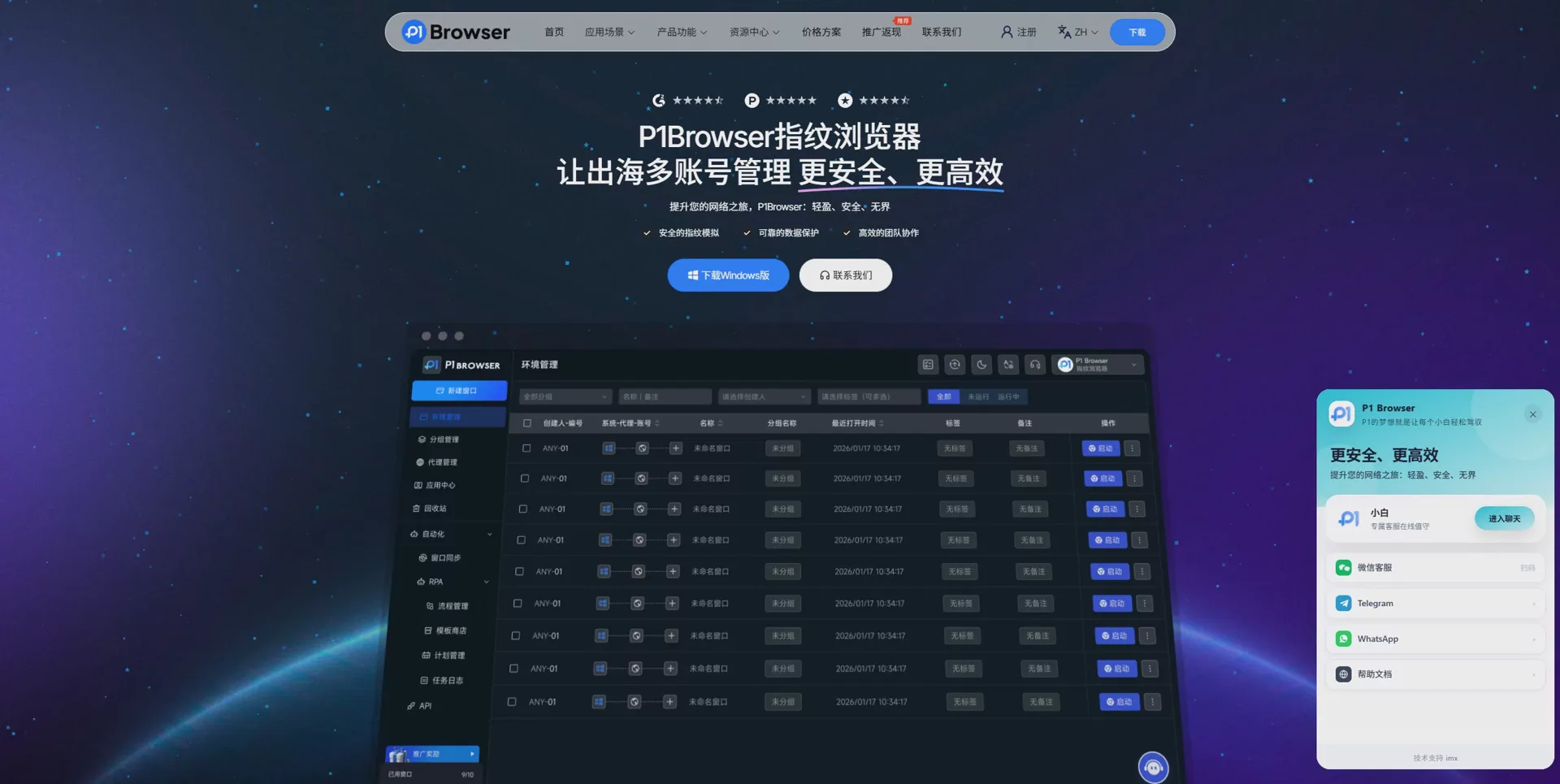
Through independent Browser Profiles, P1 Browser can help users separate the browsing environments of different accounts. Each Profile can save independent:
- Browser Fingerprint
- Cookie
- Proxy IP Settings
- Login status
- Browser parameters
For teams that need to manage a large number of accounts, combining an antidetect browser with proxies can simplify daily operations and improve team collaboration efficiency.
Core principles for choosing antidetect browser proxies
In summary, when choosing Antidetect Browser Proxy, it is recommended to follow these principles:
- Stability first: Do not focus solely on low prices; a stable connection is more important.
- Location matching: The proxy's location should match the target market.
- Suitable type: Choose residential proxies, ISP proxies, or data center proxies according to your needs.
- Easy management:A large number of accounts require tools that support batch management.
Frequently Asked Questions (FAQ)
Q1: Is a proxy always required when using an anti-detect browser?
If you are only conducting routine testing or using a single account, a proxy is not necessary.
However, if your activities involve managing multiple accounts, cross-border e-commerce, or operating overseas communities, using a proxy can usually create a more complete management environment.
Q2: Which is better, residential proxies or data center proxies?
Neither is absolutely better than the other; the choice mainly depends on your usage needs.
Residential proxies are more suitable for long-term account management, while data center proxies are better suited to scenarios that require higher speeds and are cost-sensitive.
Q3: Does P1 Browser support proxy configuration?
Yes, P1 Browser supports configuring proxies in different Browser Profiles, making it convenient for users to create independent browsing environments according to the needs of different accounts.
Q4: How can I test whether a proxy is suitable for an anti-detect browser?
We recommend testing the following items:
- Is the IP location correct?
- Is the connection speed stable?
- Are there frequent disconnections?
- Is it supported for use on the target platform?
Conclusion: Proxy quality determines the efficiency of multi-account management
In 2026, as cross-border e-commerce and overseas digital operations continue to develop, relying solely on traditional browsers to manage multiple accounts can no longer meet demand.
Fingerprint browsers provide independent environments, while proxy IPs provide network isolation. Only by combining the two can a complete multi-account management solution be created.
Choosing the right proxy type and pairing it with P1 Browser to create a dedicated Browser Profile can help businesses and individuals improve account management efficiency and establish a more stable and efficient overseas business operations process.

