


YouTube is one of the most popular video platforms worldwide, boasting a massive user base and a wealth of content covering education and popular science, film and television entertainment, sporting events, lifestyle documentaries, and other resources, meeting almost all users’ viewing needs. However, while using YouTube, most users often encounter issues such as restricted video downloads, regional access blocks, and mandatory login verification, significantly affecting their experience.
This article will provide a detailed explanation of practical YouTube video download methods for 2024, techniques for unblocking platform access, and how to use proxies to overcome network restrictions. It will also answer questions related to YouTube login, provide an in-depth analysis of creator monetization models, and offer comprehensive help for enjoying YouTube’s entertainment and educational resources smoothly.
YouTube Video Downloads
The mainstream methods for downloading YouTube videos currently fall into five categories: official Premium downloads, online parsing websites, browser extensions, professional desktop software, and command-line tools. These options suit different use cases, including beginners, batch downloads, and high-resolution requirements, and can be selected according to your needs.
Notes: Downloading YouTube videos requires careful attention to copyright issues. YouTube’s official Terms of Service clearly stipulate that downloading, distributing, or using platform content commercially without the copyright holder’s permission is prohibited. All downloads may only be used for personal offline viewing; please do not use them in violation of the rules. At the same time, the quality of third-party download tools varies widely. It is recommended to choose legitimate channels to avoid the risks of malware, pop-up advertisements, and privacy leaks.
1. Mainstream YouTube Video Download Methods
Through the official YouTube Premium download (legal and compliant)
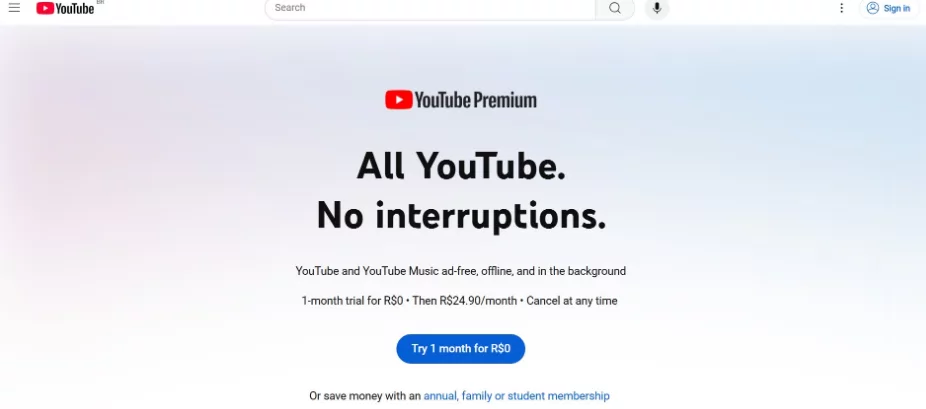
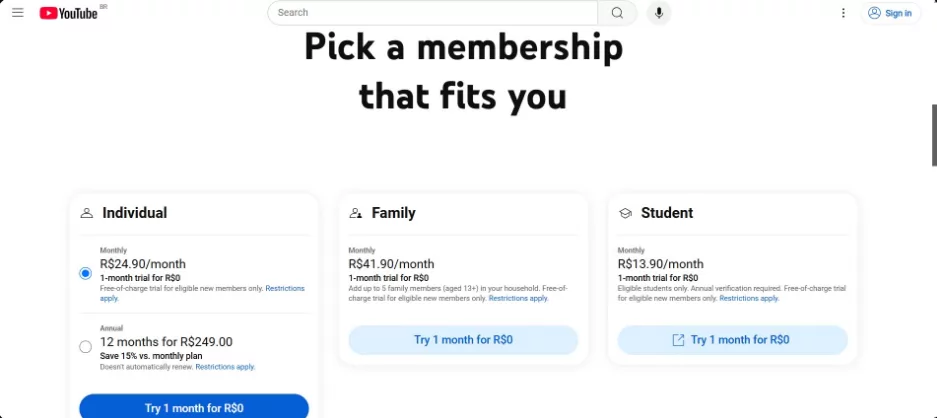
This is the only officially recognized download channel, offering the highest level of security and stability. After subscribing to YouTube Premium, you can enjoy exclusive benefits such as ad-free viewing, background playback, and offline video storage. It supports offline video caching on phones and tablets, with no third-party advertisements or security concerns. The platform offers three subscription plans: individual, family, and student, and new users can enjoy a one-month free trial.
It should be noted that videos downloaded by Premium members are platform-encrypted files,which can only be watched in the official YouTube APPand cannot be saved in a universal video format, edited, shared, or opened and used on other devices or software.
Using online parsing websites (no software installation required; suitable for temporary downloads)
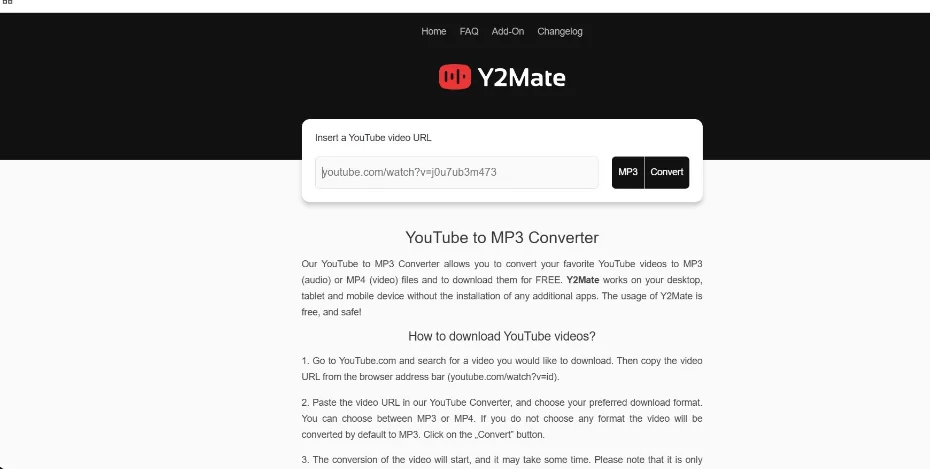
Online parsing tools require no program download or installation and can be operated directly in a browser. They are suitable for various devices, including computers and phones. Simply copy and paste the video link to select the corresponding quality and format for download, making them suitable for general users who occasionally download videos. The following are the mainstream reliable tools:
-
Y2Mate:A long-established YouTube parsing tool that supports standard-quality and high-quality video downloads as well as audio-only downloads. It is simple to use, highly compatible, and suitable for the vast majority of browsers.
-
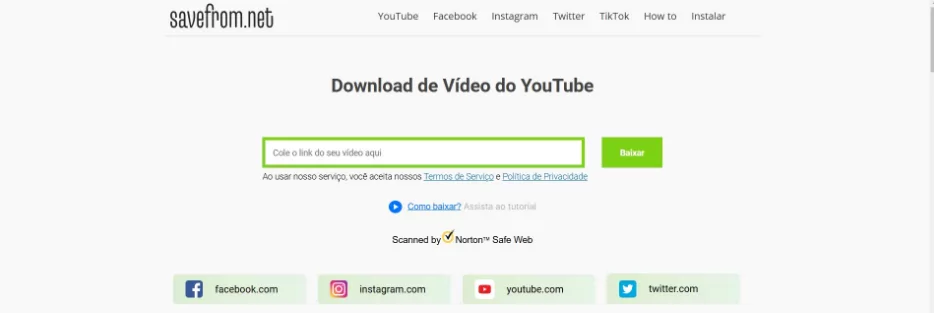
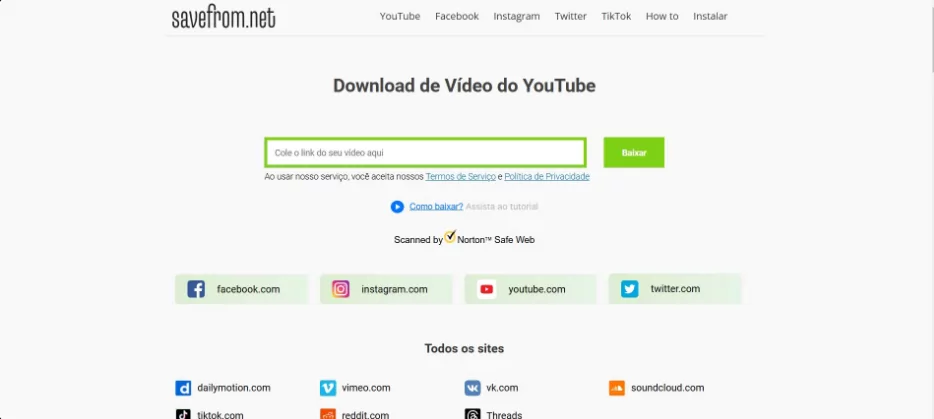
SaveFrom.net:Features a clean interface with no unnecessary steps, supports video downloads in multiple formats, and includes a browser extension that enables one-click downloads from video pages, greatly improving operational efficiency. It also supports video parsing on multiple platforms, including TikTok and Facebook.
-
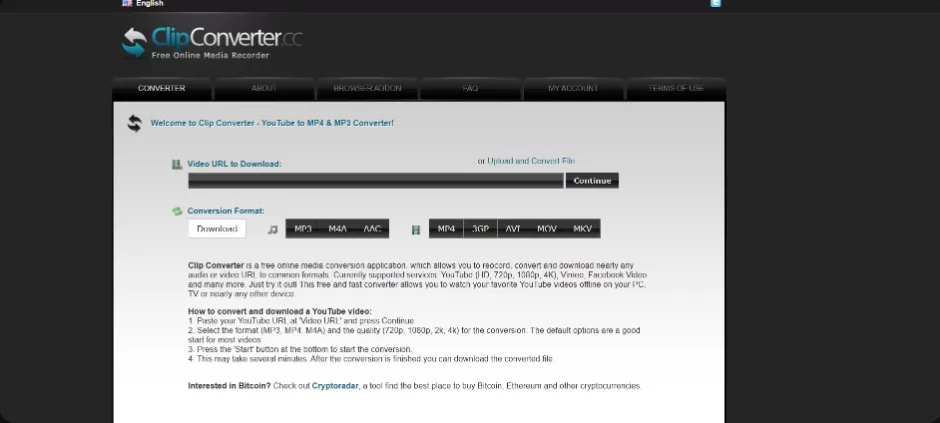
ClipConverter.cc: Feature-rich, it not only supports video downloads but also converts between video and audio formats to meet diverse format requirements.
Usage reminders: These types of online websites often contain advertising pop-ups and fake download buttons, so carefully distinguish between them during operation to avoid accidentally clicking malicious links; some tools have poor compatibility with the Safari browser, so Chrome, Firefox, and other mainstream browsers are preferred.
Use browser extensions (convenient and efficient, with direct downloads from the page)
Browser extensions are a lightweight downloading solution. Once installed, they are embedded directly into the browser. When playing a YouTube video, a download button automatically appears on the page, eliminating the need to visit a third-party website and allowing the video to be saved with one click. They are suitable for frequent, light downloading needs. Common reliable extensions include:
-
Video DownloadHelper: Compatible with Firefox and Chrome, this video download plugin has an excellent reputation online. It supports downloads in multiple resolutions and formats, automatically recognizes video resources on webpages, and requires no learning curve to use.
-
Flash Video Downloader: Primarily optimized for the Chrome browser, it is specifically designed for overseas video platforms such as YouTube. It supports downloads in mainstream video formats, operates reliably, and uses little memory.
When installing, it is recommended to choose officially verified, highly rated extensions, and to regularly update both the extensions and browser version to ensure security and stable functionality.
Use professional desktop software (suitable for high-quality and batch downloads)
If you need to download videos in batches, download 4K/8K high-quality content, or save complete playlists or channel videos, professional desktop downloading software is the best choice. It offers comprehensive features, high stability, and no interference from webpage advertisements. Mainstream tools include:
-
4K Video Downloader: Cross-platform compatibility with Windows, macOS, and Linux systems; supports downloading videos in up to 8K ultra-high definition, batch downloading all videos from playlists and channels, subtitle downloads, and multi-format conversion. The free version meets most everyday needs, while advanced features require a paid unlock.
-
YTD Video Downloader: Its interface is simple and beginner-friendly, supporting multiple video formats such as MP4 and AVI. It can convert videos to MP3 audio with one click, offers stable download speeds, and is suitable for everyday high-quality video downloading and format conversion needs.
Most software of this type has a built-in “Smart Mode” that can preset commonly used parameters such as video quality, format, and subtitles. Subsequent downloads require no repeated configuration, greatly improving batch download efficiency.
Using command-line tools (suitable for technical users, with extensive customization)
YT-DLP (an upgraded version of the original youtube-dl) is a free, open-source command-line tool compatible with YouTube and hundreds of video platforms. It offers highly flexible features, supporting batch downloads, live replay downloads, custom video quality parameters, and batch subtitle saving. It is suitable for users and developers with basic technical skills.
Prerequisite: Python must be installed on the device. Enter the corresponding command to quickly download videos. Proxy settings and parameter customization are supported, efficiently meeting batch and finely tuned downloading needs.
2. Detailed Review of Five Mainstream YouTube Video Downloading Tools in 2026
4K Video Downloader

Tool Overview: A professional cross-platform desktop downloading tool compatible with multiple systems. In addition to YouTube, it also supports downloading resources from mainstream platforms such as Vimeo, Facebook, and Dailymotion, making it the preferred tool for high-quality video enthusiasts.
Core Features: Supports lossless downloading of 4K and 8K ultra-high-definition videos; supports batch downloading of complete playlists and all videos from a creator's channel; compatible with all mainstream formats, including MP4, MKV, and MP3; supports downloading multilingual subtitles; the free version includes all essential features with no forced ads.
How to Use: Download and install the software→Copy the YouTube video link→Open the software and click “Paste Link”→Select the desired video quality and format→Confirm the download.
Use Cases: Collecting high-quality videos, organizing resources in batches, preserving materials for educators, and extracting materials for independent content creators.
YTD Video Downloader
Tool Overview: A lightweight desktop downloader compatible with Windows and macOS, featuring an intuitive interface and simple operation that beginners can quickly master, while also offering video downloading and format conversion functions.
Core Features: Supports downloading videos in multiple formats, including MP4, AVI, and FLV; includes a built-in video-to-audio conversion feature for extracting the original audio from videos with one click; provides stable download speeds and supports batch task processing; available in free and paid versions, with the paid version unlocking higher video quality and more features.
How to UseInstall the software → Copy the video link and paste it into the download box → Select the video quality and format → Click Download.
Applicable scenarios: Everyday occasional downloads, video-to-audio conversion, and simple media organization for general users.
YT-DLP (YouTube-DL)
Tool overview: An open-source, free command-line tool and an optimized iterative version of youtube-dl, offering more comprehensive features and higher execution efficiency, with support for extracting resources from hundreds of audio and video platforms.
Key features: Completely open source and free, with no ads or paywall; supports 4K high-quality video and lossless audio downloads; batch downloads of playlists, channels, and livestream replays; customizable download parameters; supports batch subtitle downloads and proxy acceleration.
Usage steps: Install the Python environment and YT-DLP tool → Enter the corresponding download command → Select the quality and format to download automatically.
Applicable scenarios: Technical users, developers, and users who need batch automated downloads and fine-grained parameter settings.
JDownloader
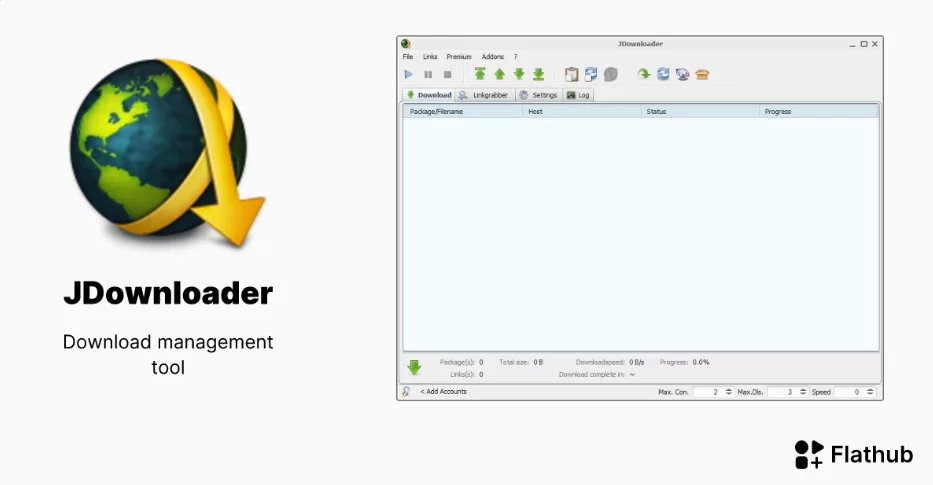
Tool Overview: An open-source multifunctional download manager focused on accelerating downloads through multithreading. It supports various streaming platforms such as YouTube and Vimeo, with a focus on efficiently downloading resources in batches.
Core Features: Multithreaded acceleration greatly improves download speeds; automatically identifies video links and adds them to the download queue; supports batch downloading of videos, audio, and playlists; highly extensible through plugins, with customizable feature upgrades.
Usage Steps: Install the software → copy the video link, and the software will automatically identify and extract it → select the quality parameters → start batch downloading.
Applicable Scenarios: Users who need to download large batches of resources, prioritize high-speed downloads, and centrally manage download tasks.
ClipGrab
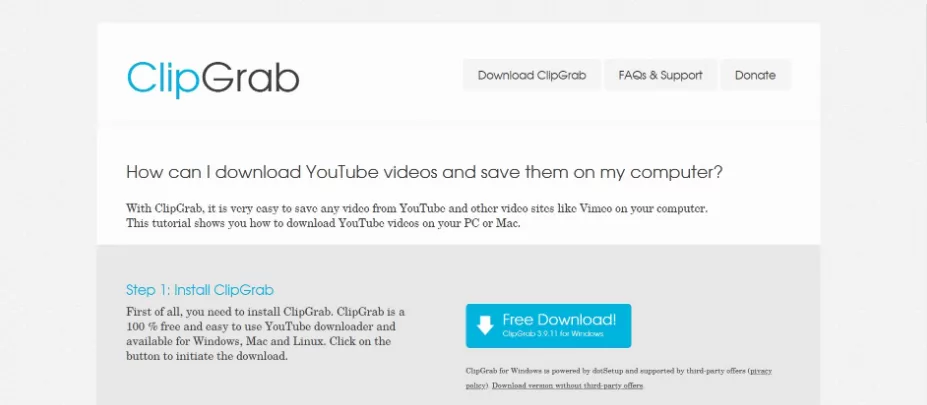
Tool Overview: A free, lightweight desktop tool with an extremely simple interface and virtually no learning curve. It is compatible with major international video platforms and offers both downloading and basic format conversion features.
Core Features:Completely free with no ads; simple to use, allowing beginners to get started with one click; supports multiple video quality and format options; built-in audio and video conversion functionality.
How to Use:Install the software → paste the video link → select the corresponding format and video quality → click Download.
Applicable Scenarios:Simple daily downloads and fast audio and video format conversion for beginners.
II. YouTube Regional Access Restrictions and Unblocking Methods
1. Core Reasons for Restricted Access to YouTube
(1) Content Censorship and Policy Regulations
The YouTube platform hosts a large amount of user-generated content, including some political commentary, religious topics, and socially controversial viewpoints. In accordance with local laws, regulations, and cultural standards, some regions regulate such sensitive content. If the platform cannot fully comply with regional censorship policies, access may be restricted.
(2) Protecting the Local Internet Industry
Some regions impose access restrictions on overseas platforms such as YouTube to support the development of local video platforms and community media industries and prevent major international platforms from taking market resources, thereby creating room for local platforms to grow.
(3) Copyright and Legal Disputes
YouTube hosts a vast amount of content involving global copyright resources. If the platform cannot reach consensus with the copyright regulatory rules and legal provisions of certain regions, its services may be restricted locally due to copyright disputes.
(4) Security and Social Stability Controls
During special periods such as social unrest and public crises, some regions may regulate overseas communities and video platforms to prevent the spread of misinformation and negative public opinion, maintain regional social stability, and temporarily or permanently restrict access to YouTube.
(5) Technical Restrictions
Due to technical factors such as network infrastructure, international network transmission standards, and cross-border network sanctions, some regions may experience issues where YouTube fails to load properly, access is sluggish, or connections are completely unavailable. These are technical restrictions rather than deliberate policy blockades.
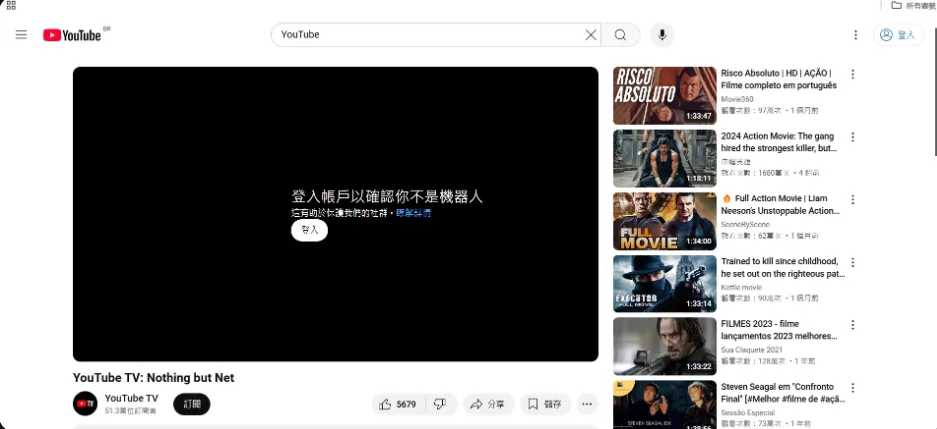
2. Comprehensive Methods for Unblocking and Accessing YouTube
(1) Virtual Private Network (Most Widely Used and Highly Stable)
This is currently the most common way to overcome regional restrictions. It can conceal the device's actual IP address, switch to a server in a region where YouTube can be accessed normally, bypass geographical blocks, and enable unrestricted access. At the same time, it encrypts network traffic throughout the connection to protect user privacy and security.
Steps:Choose a reputable and stable service→Install the corresponding client→Connect to a compliant overseas server→Once the connection is successful, YouTube can be accessed normally.
Advantages and Disadvantages: The advantages are strong privacy, high stability, and the ability to unblock various types of restricted content; the disadvantages are that most high-quality services are paid, while free services are slow and unstable.
(2) Proxy servers (a lightweight temporary solution)
Network requests are relayed through third-party intermediary servers, hiding your real IP address and quickly bypassing access restrictions. No complex software installation is required, making this suitable for temporary use. Types include HTTP, HTTPS, SOCKS, and web proxies.
Pros and cons: The advantages are simple operation, no registration or installation required, and immediate usability; the disadvantages are that most free proxies suffer from slow, stuttering connections, making high-resolution videos difficult to load, and some unofficial proxies pose a risk of privacy leaks.
(3) DNS unlocking tools (a free, simple solution)
Some YouTube access restrictions are only DNS resolution blocks. Simply replace your device's default DNS with a public, high-speed DNS (such as Google DNS: 8.8.8.8, 8.8.4.4) to bypass basic resolution restrictions and restore normal access.
Usage steps: Open the device's network settings → modify the DNS server address → save the settings and restart the network → revisit the platform.
Pros and cons: The advantages are that it is completely free, easy to set up, and requires no additional software; the disadvantage is that it can only bypass mild restrictions and cannot handle strict regional blocking.
(4) Tor Browser (high-anonymity browsing)
An anonymous browser based on a distributed encrypted network. Traffic is encrypted and relayed through multiple nodes, completely concealing the user’s IP and browsing history. It can bypass various types of geo-blocking, enabling anonymous access to YouTube.
Pros and cons:The advantages are that it is completely free, offers a very high level of anonymity, and has no usage barrier; the disadvantages are that traffic passes through many relay nodes, resulting in slower speeds, severe lag when playing high-resolution videos, and a poor user experience.
(5) Mirror websites (quick temporary access)
Third-party YouTube mirror sites that replicate the original platform’s interface and core functions. Operating under independent domains, they can bypass regional restrictions and provide direct access to YouTube content.
Pros and cons:The advantages are that no tools need to be installed and they are ready to use immediately; the disadvantages are that mirror sites are unstable and easily become unavailable, and most lack security encryption, posing privacy and phishing risks.
(6) Browser extensions (lightweight and convenient unlocking)
Various proxy and unblocking browser extensions that are embedded directly in the browser. They allow users to switch network nodes with one click and quickly unblock YouTube access restrictions without switching applications, making them convenient to use.
Pros and cons:The advantages are that they are lightweight, easy to operate, and suitable for everyday browsing; the disadvantages are that free extensions have limited functionality, some consume browser resources and affect performance, and their security varies considerably.
(7) Encrypted tunnel services (a stable long-term solution)
Represented by tools such as Shadowsocks and V2Ray, this approach transmits network data through professionally encrypted tunnels, offering strong protection and stable performance. It is suitable for users who use YouTube frequently and over the long term.
Pros and Cons: The advantages are a high level of encryption, privacy and security, strong stability, and smooth internet speeds; the disadvantages are a complex setup process requiring basic technical skills, while high-quality services are often paid.
(8) Alternative Platform Options
If stable access to YouTube remains unavailable for an extended period, users can choose high-quality alternative video platforms of the same type, such as Vimeo, Dailymotion, and 哔哩哔哩. These platforms offer extensive resources for movies and television, educational content, and lifestyle videos, meeting everyday viewing needs.
Important Usage Reminder: Some regions prohibit the use of tools that bypass internet restrictions or circumvent network limitations. Before using them, be sure to fully understand local laws and regulations and use them legally and compliantly. At the same time, always choose reputable tools to avoid risks such as privacy leaks and device infection.
III. Comprehensive Analysis of YouTube Proxies
1. What Is a YouTube Proxy?
A YouTube proxy is a network relay technology that serves as a “bridge” between the user and the YouTube platform. Instead of sending access requests directly to YouTube, the user forwards requests through a proxy server, which receives platform data and ultimately enables content browsing. Throughout this process, the platform can identify only the proxy server’s IP address and cannot obtain the user’s real IP address, thereby bypassing regional blocks and geographic content restrictions while protecting the user’s browsing privacy.
2. Core Functions of YouTube Proxies
-
Bypass regional blocks: Solve the problem of being unable to access YouTube in some regions and freely unlock resources from platforms worldwide.
-
Protect privacy and anonymity: Hide your real IP address and geographic location to prevent your browsing activity from being tracked or monitored.
-
Unlock region-restricted content: Some videos and channels are available only for viewing in specific countries. By switching to a proxy node in the corresponding region, you can watch restricted content.
-
Optimize loading speed: High-quality proxy nodes can optimize cross-border network transmission and alleviate video buffering and excessive latency.
3. Review of Mainstream Free YouTube Proxy Websites
Proxysite
A long-established free web proxy with a minimalist, ad-free interface. No registration or installation is required—simply enter a YouTube link to access it. It supports switching between nodes in multiple regions and works with various community and video platforms. Its advantages are zero-barrier operation, free access, and stable performance; its disadvantages are slow loading speeds for high-resolution videos and no video download support, making it suitable only for viewing.
HideMyAss Proxy
A proxy service from a well-known cybersecurity brand. It supports switching between multiple protocols, selecting nodes in multiple regions, and multilingual interfaces. Its anonymity and security are better than those of typical free proxies. Its advantages are strong privacy protection and abundant node resources; its disadvantages are that the free version has feature limitations and slower speeds, while full functionality requires a paid subscription.
KProxy
A web proxy focused on anonymous access to video platforms, offering multiple backup servers and allowing users to manually switch to the best node, with no registration required and immediate usability. Its advantages are its lightweight design, fast response times, and simple operation; its disadvantages are network congestion during peak hours, noticeable buffering when playing high-resolution videos, and the lack of download functionality.
ProxySite.com
A general-purpose web proxy suitable for multiple platforms, with broad node coverage and automatic optimization of video loading routes. Its interface is user-friendly and easy for beginners to navigate. Its advantages are free general use and strong compatibility; its disadvantages are average network stability, with browsing likely to become slow or disconnect during extended sessions.
Hide.me Proxy
A free proxy service with built-in SSL encryption, offering a high level of privacy protection, faster node speeds than similar free tools, and support for switching between multiple regions. Its advantages are secure encryption and smooth network speeds; its disadvantage is that the free version has a daily traffic limit, making it unsuitable for prolonged, high-frequency use.
Whoer.net
A comprehensive proxy tool integrating IP lookup and anonymous browsing, allowing users to instantly view their own IP and anonymity level while providing relatively strong security. Its advantages are no registration requirement, visualized privacy information, and convenient use; its disadvantages are limited usage time in the free version and poor compatibility with 4K high-resolution videos.
VPNBook Proxy
Featuring built-in HTTPS encryption protection, node coverage across major regions in Europe and North America, and optimized routing specifically for streaming video access. Its advantages are strong security and no intrusive advertising; its disadvantages are limited network speeds in the free version and no support for batch video downloads or extended playback of high-resolution videos.
Tips for Watching YouTube Videos Without Logging In
1. Basic YouTube Login Rules
YouTube supports by defaultLogged-out visitor modeUsers do not need to register or log in to an account to directly browse public videos on the platform, search for content, and play Shorts; basic viewing functions are fully available for free, with no mandatory login restrictions.
2. Exclusive benefits for logged-in accounts
After logging in to a Google account, users can unlock the platform's full functionality. Core benefits include: subscribing to favorite channels and receiving creator update notifications; liking, commenting on, and sharing videos; receiving personalized video recommendations; saving watch history and favorite lists; uploading original videos and enabling creator dashboard features.
3. Common reasons for triggering mandatory login verification
-
Abnormal IP address activity: A single IP address that accesses the platform at high frequency or browses videos in bulk may be identified by the platform as bot or crawler activity, triggering identity verification.
-
Proxy/virtual network impact: When using proxy or virtual network tools, an IP address shared by multiple users can easily be flagged by the platform as suspicious, resulting in mandatory login verification.
-
Abnormal browser cache: If browser cache and Cookies are not cleared for a long time, residual abnormal browsing records may cause the platform to misjudge access behavior.
-
Platform risk control mechanisms: YouTube randomly triggers human verification to prevent spam, malicious traffic inflation, and crawler scraping, restricting anonymous access.
4. Solutions for bypassing mandatory login verification
-
Switch to a stable network: Switch to a high-quality proxy node or stable network that has not been flagged, avoid changing IP addresses frequently, and reduce the likelihood of triggering risk controls.
-
Clear browser data: Regularly clear your browser cache, cookies, and browsing history to remove abnormal access markers.
-
Use incognito mode: Access YouTube through a browser's private/incognito window without retaining cache, which can significantly reduce the likelihood of verification.
-
Complete human verification: If image or character verification is triggered, complete the verification to restore viewing access without logging in.
A Complete Analysis of YouTube's Creator Monetization Model
YouTube is a mature global content monetization platform. Creators can monetize their traffic through multiple channels, with a well-developed and transparent revenue system. Its core income sources are divided into seven major categories, which are also the primary monetization methods for overseas content creators.
1. Advertising Revenue (Core Base Earnings)
Advertising revenue is the most important and widespread source of income for creators. The platform places pre-roll, mid-roll, and post-roll ads in eligible videos and shares the advertising revenue with creators according to a set percentage. Revenue is primarily measured by two metrics:
-
CPM (Cost Per Thousand Impressions):The amount advertisers pay for one thousand ad impressions. It is heavily influenced by region, content niche, and audience quality. CPM in Europe and the United States is far higher than in other regions, while high-quality specialized niches generate greater earnings.
-
CPC (Cost Per Click):When viewers click on an in-video ad, creators can earn additional click-based revenue.
Under normal circumstances, creators can earn 1-5 dollars for every thousand ad impressions. Videos in high-value niches with high-quality audiences can generate higher earnings.
2. YouTube Partner Program (YPP)
All advertising revenue and platform traffic revenue require joining the YPP before they can be unlocked, making it the basic threshold for creator monetization. Eligibility requirements: the account must have more than 1000 subscribers; videos must have accumulated 4000 hours of watch time over the past 12 months; a valid Google AdSense payment account must be linked; and the account must have no record of violations. After joining, creators can unlock complete monetization features, including ad revenue sharing, channel memberships, and Super Chat.
3. Paid Channel Membership Revenue
This paid subscription feature is designed for fans. Creators can set up monthly membership plans, while paying members can unlock benefits such as exclusive badges, custom emojis, exclusive videos, and members-only live streams. Creators receive a share of membership subscription revenue each month, making this a stable source of long-term passive income.
4. Super Chat and Super Stickers (Live-Exclusive Revenue)
Monetization features exclusive to live streaming, allowing viewers to pay for Super Chat and Super Stickers to pin and highlight their messages in the live chat, enabling interaction with creators. Creators receive the vast majority of the revenue share from this feature, making it a core source of immediate income for live-streaming creators.
5. YouTube Premium Membership Revenue Sharing
Exclusive revenue from paid YouTube Premium members. Members watch videos without ads, and the platform distributes a proportional share of their subscription fees to creators based on the time and proportion of their viewing of each creator’s videos. High-quality, ad-free videos can also generate stable revenue.
6. Brand Partnerships and Commercial Sponsorships (Advanced, High-Revenue)
Creators with a certain level of followers and influence can take on brand deals and advertising sponsorships, generating revenue through product placements in videos, brand reviews, and co-branded content. This type of revenue is far higher than the platform’s basic advertising revenue share and is a core source of income for mid-tier and top creators.
7. Revenue from selling owned products
Creators can develop their own merchandise, such as apparel, accessories, and cultural and creative products, then use YouTube’s “Merch Shelf” feature to place product links on video pages. By leveraging account traffic to drive sales and generate revenue, they can convert traffic into private-domain assets and expand their revenue streams.
VI. P1Browser: An Efficient and Stable Solution for Using YouTube
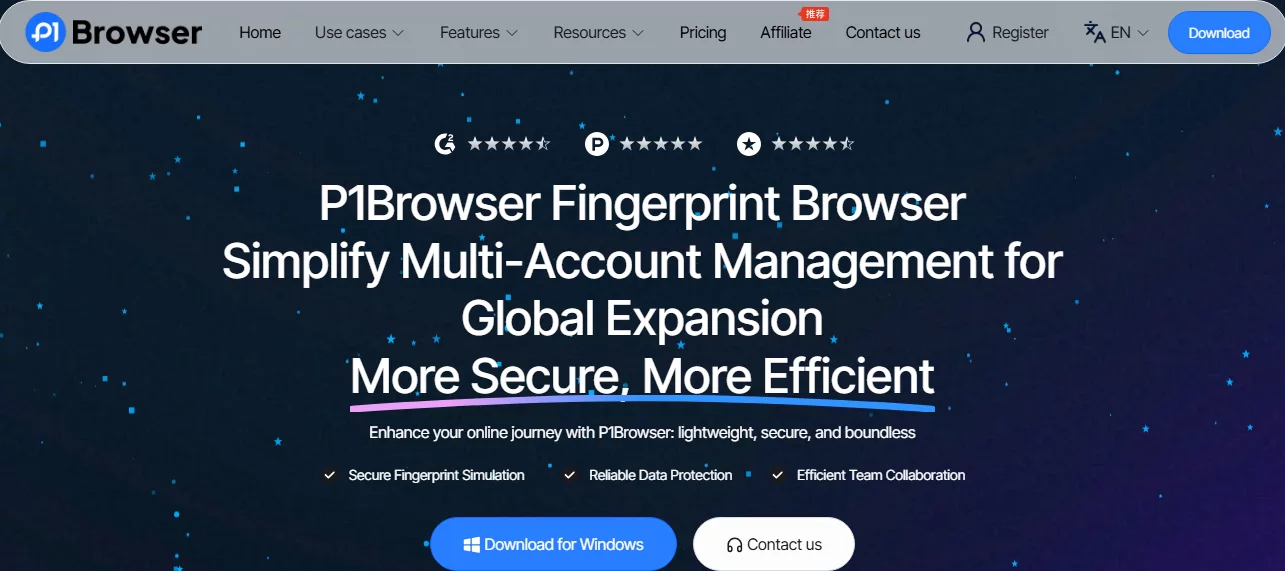
To address common issues users encounter when using YouTube, such as account bans, IP anomalies, regional restrictions, chaotic multi-account management, and low download efficiency, P1Browser (DICloak fingerprint browser) provides a one-stop solution suitable for general users, content creators, and cross-border operations teams, among others.
1. Avoid Account Bans and Protect Account Security in All Respects
YouTube’s risk-control mechanisms are strict. Frequently switching IPs, using identical device fingerprints, and exhibiting abnormal browsing behavior can all result in reduced account reach or account bans. P1Browser can independently generate dedicated device fingerprints and browsing environments for each account group, enabling complete isolation between multi-account environments, avoiding detection by the platform’s risk-control systems, significantly reducing the likelihood of account bans and abnormal traffic restrictions, and ensuring the long-term stable operation of accounts.
2. Break Through Regional Restrictions with One Click and Unlock Global Content
Built-in extensive high-quality proxy nodes worldwide, covering major regions such as Europe, the United States, and Southeast Asia. Switch nodes with one click to precisely adapt to YouTube content restrictions in different regions, easily watch exclusive videos and region-restricted content from various countries, and resolve video loading restrictions and regional lockout issues.
3. Intelligent Personalized Settings to Improve Efficiency
Supports customizable proxy nodes, automatic IP switching, and default browsing parameters. Configure the optimal network environment according to your needs; the built-in automation feature can process video downloads, page browsing, and other tasks in batches in the background, saving labor and significantly improving the efficiency of YouTube content management.
4. Professional Team Collaboration and Permission Management
Designed for team operations, with support for account grouping, permission assignment, and data isolation. Multiple users can collaborate without interfering with one another, enabling efficient team division of labor while ensuring account data security. It is suitable for self-media teams and cross-border operations teams managing YouTube accounts in batches.
5. Secure Isolated Management for Multiple Accounts
A single device can create countless independent, isolated browsing environments, allowing multiple groups of YouTube accounts to go online simultaneously without being associated with one another. This completely resolves the risk-control issues associated with multiple accounts and is perfectly suited to batch account operations and content matrix development.
6. P1Browser User Guide
First: Visit the official website to download and install the software, register an account, and try the basic features for free;
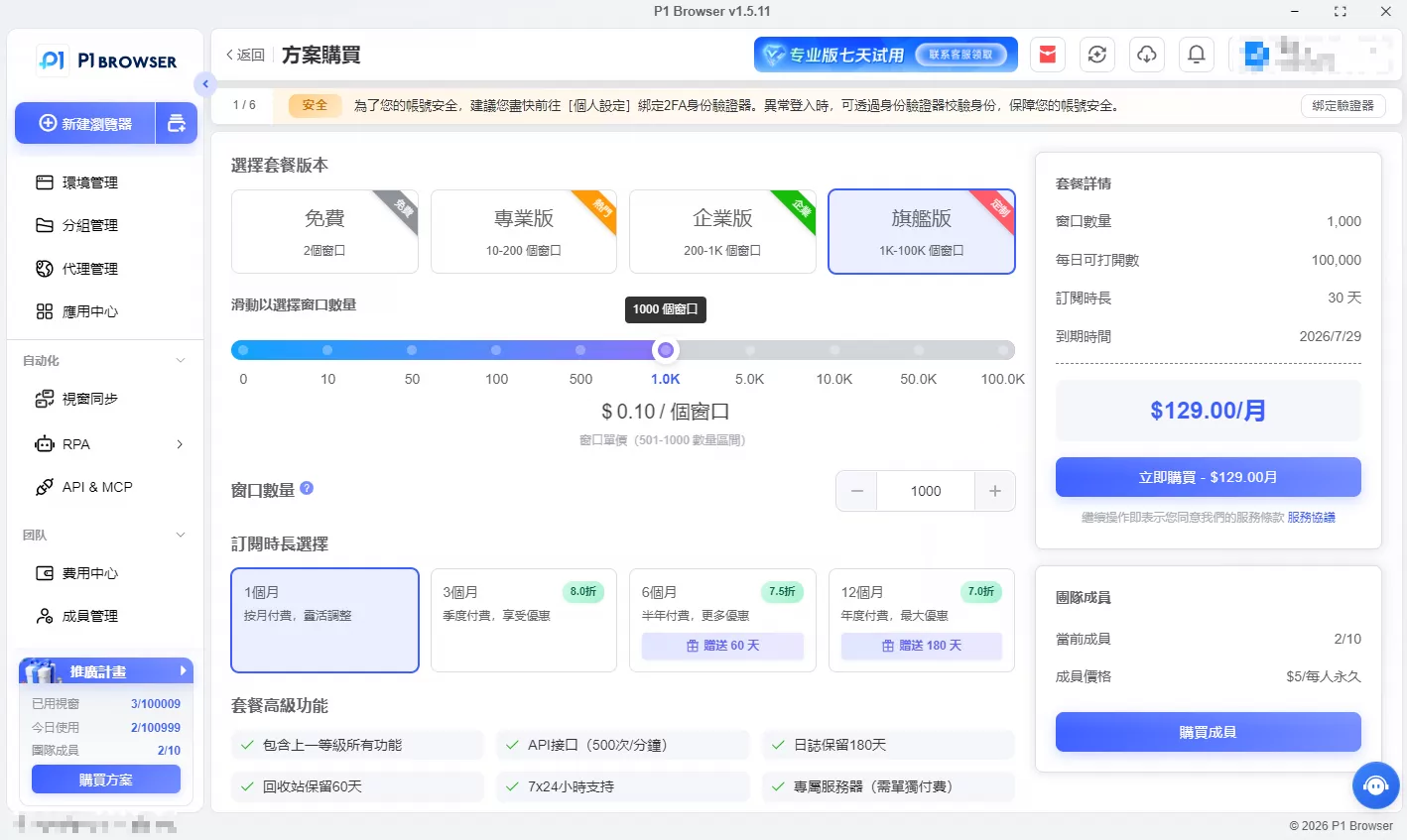
Second step: Select the appropriate plan according to your individual or team needs (Free, Professional, Enterprise, or Ultimate);
Third step: Configure proxy nodes and device fingerprints, then create an independent browsing environment to stably access and manage YouTube accounts and content.
VII. Summary of Frequently Asked Questions and Answers
1. Can YouTube videos be downloaded for offline viewing?
Official legal method: YouTube Premium members can directly cache videos for offline viewing within the APP, and watch them only in the APP. Third-party tools can download videos in common formats, butthey may only be used for personal offline viewingCommercial use, redistribution, editing, or publication without the copyright holder’s permission is prohibited; otherwise, it violates platform rules and copyright laws.
2. What causes YouTube videos to load slowly or stutter?
The main causes include unstable cross-border networks and poor-quality proxy nodes; excessive browser cache and plugin conflicts; insufficient device performance; and regional fluctuations in YouTube servers. You can improve the situation by clearing browser data, switching to higher-quality nodes, changing browsers, and optimizing the network environment.
3. How can harmful or rule-breaking content on YouTube be reported?
Open the page containing the violating video, click the 「More」 menu in the lower-right corner of the video, select 「Report」, choose the reason for the violation based on the content type, and submit it for review. The platform will quickly investigate and handle the report in accordance with its Community Guidelines.
4. Can one Google email account manage multiple YouTube channels?
Yes. A single Google account can create and link multiple YouTube sub-channels. Each channel can be operated independently, with data kept separate, making this ideal for creators building a content network. Channels can be added directly in the account settings.
5. How can YouTube account restrictions, reduced traffic, and bans be avoided?
Strictly comply with the platform’s community guidelines: do not publish violent, pornographic, discriminatory, false, or infringing content; avoid artificially inflating metrics in bulk, frequently switching between unfamiliar IPs, or performing unusually high-frequency operations; prioritize original content, and do not repost or plagiarize others’ work. Regularly review your account content and operational activities.
YouTube is one of the most popular video platforms worldwide, boasting a massive user base and a wealth of content covering education and popular science, film and television entertainment, sporting events, lifestyle documentaries, and other resources, meeting almost all users’ viewing needs. However, while using YouTube, most users often encounter issues such as restricted video downloads, regional access blocks, and mandatory login verification, significantly affecting their experience.
This article will provide a detailed explanation of practical YouTube video download methods for 2024, techniques for unblocking platform access, and how to use proxies to overcome network restrictions. It will also answer questions related to YouTube login, provide an in-depth analysis of creator monetization models, and offer comprehensive help for enjoying YouTube’s entertainment and educational resources smoothly.
YouTube Video Downloads
The mainstream methods for downloading YouTube videos currently fall into five categories: official Premium downloads, online parsing websites, browser extensions, professional desktop software, and command-line tools. These options suit different use cases, including beginners, batch downloads, and high-resolution requirements, and can be selected according to your needs.
Notes: Downloading YouTube videos requires careful attention to copyright issues. YouTube’s official Terms of Service clearly stipulate that downloading, distributing, or using platform content commercially without the copyright holder’s permission is prohibited. All downloads may only be used for personal offline viewing; please do not use them in violation of the rules. At the same time, the quality of third-party download tools varies widely. It is recommended to choose legitimate channels to avoid the risks of malware, pop-up advertisements, and privacy leaks.
1. Mainstream YouTube Video Download Methods
Through the official YouTube Premium download (legal and compliant)
This is the only officially recognized download channel, offering the highest level of security and stability. After subscribing to YouTube Premium, you can enjoy exclusive benefits such as ad-free viewing, background playback, and offline video storage. It supports offline video caching on phones and tablets, with no third-party advertisements or security concerns. The platform offers three subscription plans: individual, family, and student, and new users can enjoy a one-month free trial.
It should be noted that videos downloaded by Premium members are platform-encrypted files,which can only be watched in the official YouTube APPand cannot be saved in a universal video format, edited, shared, or opened and used on other devices or software.
Using online parsing websites (no software installation required; suitable for temporary downloads)
Online parsing tools require no program download or installation and can be operated directly in a browser. They are suitable for various devices, including computers and phones. Simply copy and paste the video link to select the corresponding quality and format for download, making them suitable for general users who occasionally download videos. The following are the mainstream reliable tools:
-
Y2Mate:A long-established YouTube parsing tool that supports standard-quality and high-quality video downloads as well as audio-only downloads. It is simple to use, highly compatible, and suitable for the vast majority of browsers.
-
SaveFrom.net:Features a clean interface with no unnecessary steps, supports video downloads in multiple formats, and includes a browser extension that enables one-click downloads from video pages, greatly improving operational efficiency. It also supports video parsing on multiple platforms, including TikTok and Facebook.
-
ClipConverter.cc: Feature-rich, it not only supports video downloads but also converts between video and audio formats to meet diverse format requirements.
Usage reminders: These types of online websites often contain advertising pop-ups and fake download buttons, so carefully distinguish between them during operation to avoid accidentally clicking malicious links; some tools have poor compatibility with the Safari browser, so Chrome, Firefox, and other mainstream browsers are preferred.
Use browser extensions (convenient and efficient, with direct downloads from the page)
Browser extensions are a lightweight downloading solution. Once installed, they are embedded directly into the browser. When playing a YouTube video, a download button automatically appears on the page, eliminating the need to visit a third-party website and allowing the video to be saved with one click. They are suitable for frequent, light downloading needs. Common reliable extensions include:
-
Video DownloadHelper: Compatible with Firefox and Chrome, this video download plugin has an excellent reputation online. It supports downloads in multiple resolutions and formats, automatically recognizes video resources on webpages, and requires no learning curve to use.
-
Flash Video Downloader: Primarily optimized for the Chrome browser, it is specifically designed for overseas video platforms such as YouTube. It supports downloads in mainstream video formats, operates reliably, and uses little memory.
When installing, it is recommended to choose officially verified, highly rated extensions, and to regularly update both the extensions and browser version to ensure security and stable functionality.
Use professional desktop software (suitable for high-quality and batch downloads)
If you need to download videos in batches, download 4K/8K high-quality content, or save complete playlists or channel videos, professional desktop downloading software is the best choice. It offers comprehensive features, high stability, and no interference from webpage advertisements. Mainstream tools include:
-
4K Video Downloader: Cross-platform compatibility with Windows, macOS, and Linux systems; supports downloading videos in up to 8K ultra-high definition, batch downloading all videos from playlists and channels, subtitle downloads, and multi-format conversion. The free version meets most everyday needs, while advanced features require a paid unlock.
-
YTD Video Downloader: Its interface is simple and beginner-friendly, supporting multiple video formats such as MP4 and AVI. It can convert videos to MP3 audio with one click, offers stable download speeds, and is suitable for everyday high-quality video downloading and format conversion needs.
Most software of this type has a built-in “Smart Mode” that can preset commonly used parameters such as video quality, format, and subtitles. Subsequent downloads require no repeated configuration, greatly improving batch download efficiency.
Using command-line tools (suitable for technical users, with extensive customization)
YT-DLP (an upgraded version of the original youtube-dl) is a free, open-source command-line tool compatible with YouTube and hundreds of video platforms. It offers highly flexible features, supporting batch downloads, live replay downloads, custom video quality parameters, and batch subtitle saving. It is suitable for users and developers with basic technical skills.
Prerequisite: Python must be installed on the device. Enter the corresponding command to quickly download videos. Proxy settings and parameter customization are supported, efficiently meeting batch and finely tuned downloading needs.
2. Detailed Review of Five Mainstream YouTube Video Downloading Tools in 2026
4K Video Downloader
Tool Overview: A professional cross-platform desktop downloading tool compatible with multiple systems. In addition to YouTube, it also supports downloading resources from mainstream platforms such as Vimeo, Facebook, and Dailymotion, making it the preferred tool for high-quality video enthusiasts.
Core Features: Supports lossless downloading of 4K and 8K ultra-high-definition videos; supports batch downloading of complete playlists and all videos from a creator's channel; compatible with all mainstream formats, including MP4, MKV, and MP3; supports downloading multilingual subtitles; the free version includes all essential features with no forced ads.
How to Use: Download and install the software→Copy the YouTube video link→Open the software and click “Paste Link”→Select the desired video quality and format→Confirm the download.
Use Cases: Collecting high-quality videos, organizing resources in batches, preserving materials for educators, and extracting materials for independent content creators.
YTD Video Downloader
Tool Overview: A lightweight desktop downloader compatible with Windows and macOS, featuring an intuitive interface and simple operation that beginners can quickly master, while also offering video downloading and format conversion functions.
Core Features: Supports downloading videos in multiple formats, including MP4, AVI, and FLV; includes a built-in video-to-audio conversion feature for extracting the original audio from videos with one click; provides stable download speeds and supports batch task processing; available in free and paid versions, with the paid version unlocking higher video quality and more features.
How to UseInstall the software → Copy the video link and paste it into the download box → Select the video quality and format → Click Download.
Applicable scenarios: Everyday occasional downloads, video-to-audio conversion, and simple media organization for general users.
YT-DLP (YouTube-DL)
Tool overview: An open-source, free command-line tool and an optimized iterative version of youtube-dl, offering more comprehensive features and higher execution efficiency, with support for extracting resources from hundreds of audio and video platforms.
Key features: Completely open source and free, with no ads or paywall; supports 4K high-quality video and lossless audio downloads; batch downloads of playlists, channels, and livestream replays; customizable download parameters; supports batch subtitle downloads and proxy acceleration.
Usage steps: Install the Python environment and YT-DLP tool → Enter the corresponding download command → Select the quality and format to download automatically.
Applicable scenarios: Technical users, developers, and users who need batch automated downloads and fine-grained parameter settings.
JDownloader
Tool Overview: An open-source multifunctional download manager focused on accelerating downloads through multithreading. It supports various streaming platforms such as YouTube and Vimeo, with a focus on efficiently downloading resources in batches.
Core Features: Multithreaded acceleration greatly improves download speeds; automatically identifies video links and adds them to the download queue; supports batch downloading of videos, audio, and playlists; highly extensible through plugins, with customizable feature upgrades.
Usage Steps: Install the software → copy the video link, and the software will automatically identify and extract it → select the quality parameters → start batch downloading.
Applicable Scenarios: Users who need to download large batches of resources, prioritize high-speed downloads, and centrally manage download tasks.
ClipGrab
Tool Overview: A free, lightweight desktop tool with an extremely simple interface and virtually no learning curve. It is compatible with major international video platforms and offers both downloading and basic format conversion features.
Core Features:Completely free with no ads; simple to use, allowing beginners to get started with one click; supports multiple video quality and format options; built-in audio and video conversion functionality.
How to Use:Install the software → paste the video link → select the corresponding format and video quality → click Download.
Applicable Scenarios:Simple daily downloads and fast audio and video format conversion for beginners.
II. YouTube Regional Access Restrictions and Unblocking Methods
1. Core Reasons for Restricted Access to YouTube
(1) Content Censorship and Policy Regulations
The YouTube platform hosts a large amount of user-generated content, including some political commentary, religious topics, and socially controversial viewpoints. In accordance with local laws, regulations, and cultural standards, some regions regulate such sensitive content. If the platform cannot fully comply with regional censorship policies, access may be restricted.
(2) Protecting the Local Internet Industry
Some regions impose access restrictions on overseas platforms such as YouTube to support the development of local video platforms and community media industries and prevent major international platforms from taking market resources, thereby creating room for local platforms to grow.
(3) Copyright and Legal Disputes
YouTube hosts a vast amount of content involving global copyright resources. If the platform cannot reach consensus with the copyright regulatory rules and legal provisions of certain regions, its services may be restricted locally due to copyright disputes.
(4) Security and Social Stability Controls
During special periods such as social unrest and public crises, some regions may regulate overseas communities and video platforms to prevent the spread of misinformation and negative public opinion, maintain regional social stability, and temporarily or permanently restrict access to YouTube.
(5) Technical Restrictions
Due to technical factors such as network infrastructure, international network transmission standards, and cross-border network sanctions, some regions may experience issues where YouTube fails to load properly, access is sluggish, or connections are completely unavailable. These are technical restrictions rather than deliberate policy blockades.
2. Comprehensive Methods for Unblocking and Accessing YouTube
(1) Virtual Private Network (Most Widely Used and Highly Stable)
This is currently the most common way to overcome regional restrictions. It can conceal the device's actual IP address, switch to a server in a region where YouTube can be accessed normally, bypass geographical blocks, and enable unrestricted access. At the same time, it encrypts network traffic throughout the connection to protect user privacy and security.
Steps:Choose a reputable and stable service→Install the corresponding client→Connect to a compliant overseas server→Once the connection is successful, YouTube can be accessed normally.
Advantages and Disadvantages: The advantages are strong privacy, high stability, and the ability to unblock various types of restricted content; the disadvantages are that most high-quality services are paid, while free services are slow and unstable.
(2) Proxy servers (a lightweight temporary solution)
Network requests are relayed through third-party intermediary servers, hiding your real IP address and quickly bypassing access restrictions. No complex software installation is required, making this suitable for temporary use. Types include HTTP, HTTPS, SOCKS, and web proxies.
Pros and cons: The advantages are simple operation, no registration or installation required, and immediate usability; the disadvantages are that most free proxies suffer from slow, stuttering connections, making high-resolution videos difficult to load, and some unofficial proxies pose a risk of privacy leaks.
(3) DNS unlocking tools (a free, simple solution)
Some YouTube access restrictions are only DNS resolution blocks. Simply replace your device's default DNS with a public, high-speed DNS (such as Google DNS: 8.8.8.8, 8.8.4.4) to bypass basic resolution restrictions and restore normal access.
Usage steps: Open the device's network settings → modify the DNS server address → save the settings and restart the network → revisit the platform.
Pros and cons: The advantages are that it is completely free, easy to set up, and requires no additional software; the disadvantage is that it can only bypass mild restrictions and cannot handle strict regional blocking.
(4) Tor Browser (high-anonymity browsing)
An anonymous browser based on a distributed encrypted network. Traffic is encrypted and relayed through multiple nodes, completely concealing the user’s IP and browsing history. It can bypass various types of geo-blocking, enabling anonymous access to YouTube.
Pros and cons:The advantages are that it is completely free, offers a very high level of anonymity, and has no usage barrier; the disadvantages are that traffic passes through many relay nodes, resulting in slower speeds, severe lag when playing high-resolution videos, and a poor user experience.
(5) Mirror websites (quick temporary access)
Third-party YouTube mirror sites that replicate the original platform’s interface and core functions. Operating under independent domains, they can bypass regional restrictions and provide direct access to YouTube content.
Pros and cons:The advantages are that no tools need to be installed and they are ready to use immediately; the disadvantages are that mirror sites are unstable and easily become unavailable, and most lack security encryption, posing privacy and phishing risks.
(6) Browser extensions (lightweight and convenient unlocking)
Various proxy and unblocking browser extensions that are embedded directly in the browser. They allow users to switch network nodes with one click and quickly unblock YouTube access restrictions without switching applications, making them convenient to use.
Pros and cons:The advantages are that they are lightweight, easy to operate, and suitable for everyday browsing; the disadvantages are that free extensions have limited functionality, some consume browser resources and affect performance, and their security varies considerably.
(7) Encrypted tunnel services (a stable long-term solution)
Represented by tools such as Shadowsocks and V2Ray, this approach transmits network data through professionally encrypted tunnels, offering strong protection and stable performance. It is suitable for users who use YouTube frequently and over the long term.
Pros and Cons: The advantages are a high level of encryption, privacy and security, strong stability, and smooth internet speeds; the disadvantages are a complex setup process requiring basic technical skills, while high-quality services are often paid.
(8) Alternative Platform Options
If stable access to YouTube remains unavailable for an extended period, users can choose high-quality alternative video platforms of the same type, such as Vimeo, Dailymotion, and 哔哩哔哩. These platforms offer extensive resources for movies and television, educational content, and lifestyle videos, meeting everyday viewing needs.
Important Usage Reminder: Some regions prohibit the use of tools that bypass internet restrictions or circumvent network limitations. Before using them, be sure to fully understand local laws and regulations and use them legally and compliantly. At the same time, always choose reputable tools to avoid risks such as privacy leaks and device infection.
III. Comprehensive Analysis of YouTube Proxies
1. What Is a YouTube Proxy?
A YouTube proxy is a network relay technology that serves as a “bridge” between the user and the YouTube platform. Instead of sending access requests directly to YouTube, the user forwards requests through a proxy server, which receives platform data and ultimately enables content browsing. Throughout this process, the platform can identify only the proxy server’s IP address and cannot obtain the user’s real IP address, thereby bypassing regional blocks and geographic content restrictions while protecting the user’s browsing privacy.
2. Core Functions of YouTube Proxies
-
Bypass regional blocks: Solve the problem of being unable to access YouTube in some regions and freely unlock resources from platforms worldwide.
-
Protect privacy and anonymity: Hide your real IP address and geographic location to prevent your browsing activity from being tracked or monitored.
-
Unlock region-restricted content: Some videos and channels are available only for viewing in specific countries. By switching to a proxy node in the corresponding region, you can watch restricted content.
-
Optimize loading speed: High-quality proxy nodes can optimize cross-border network transmission and alleviate video buffering and excessive latency.
3. Review of Mainstream Free YouTube Proxy Websites
Proxysite
A long-established free web proxy with a minimalist, ad-free interface. No registration or installation is required—simply enter a YouTube link to access it. It supports switching between nodes in multiple regions and works with various community and video platforms. Its advantages are zero-barrier operation, free access, and stable performance; its disadvantages are slow loading speeds for high-resolution videos and no video download support, making it suitable only for viewing.
HideMyAss Proxy
A proxy service from a well-known cybersecurity brand. It supports switching between multiple protocols, selecting nodes in multiple regions, and multilingual interfaces. Its anonymity and security are better than those of typical free proxies. Its advantages are strong privacy protection and abundant node resources; its disadvantages are that the free version has feature limitations and slower speeds, while full functionality requires a paid subscription.
KProxy
A web proxy focused on anonymous access to video platforms, offering multiple backup servers and allowing users to manually switch to the best node, with no registration required and immediate usability. Its advantages are its lightweight design, fast response times, and simple operation; its disadvantages are network congestion during peak hours, noticeable buffering when playing high-resolution videos, and the lack of download functionality.
ProxySite.com
A general-purpose web proxy suitable for multiple platforms, with broad node coverage and automatic optimization of video loading routes. Its interface is user-friendly and easy for beginners to navigate. Its advantages are free general use and strong compatibility; its disadvantages are average network stability, with browsing likely to become slow or disconnect during extended sessions.
Hide.me Proxy
A free proxy service with built-in SSL encryption, offering a high level of privacy protection, faster node speeds than similar free tools, and support for switching between multiple regions. Its advantages are secure encryption and smooth network speeds; its disadvantage is that the free version has a daily traffic limit, making it unsuitable for prolonged, high-frequency use.
Whoer.net
A comprehensive proxy tool integrating IP lookup and anonymous browsing, allowing users to instantly view their own IP and anonymity level while providing relatively strong security. Its advantages are no registration requirement, visualized privacy information, and convenient use; its disadvantages are limited usage time in the free version and poor compatibility with 4K high-resolution videos.
VPNBook Proxy
Featuring built-in HTTPS encryption protection, node coverage across major regions in Europe and North America, and optimized routing specifically for streaming video access. Its advantages are strong security and no intrusive advertising; its disadvantages are limited network speeds in the free version and no support for batch video downloads or extended playback of high-resolution videos.
Tips for Watching YouTube Videos Without Logging In
1. Basic YouTube Login Rules
YouTube supports by defaultLogged-out visitor modeUsers do not need to register or log in to an account to directly browse public videos on the platform, search for content, and play Shorts; basic viewing functions are fully available for free, with no mandatory login restrictions.
2. Exclusive benefits for logged-in accounts
After logging in to a Google account, users can unlock the platform's full functionality. Core benefits include: subscribing to favorite channels and receiving creator update notifications; liking, commenting on, and sharing videos; receiving personalized video recommendations; saving watch history and favorite lists; uploading original videos and enabling creator dashboard features.
3. Common reasons for triggering mandatory login verification
-
Abnormal IP address activity: A single IP address that accesses the platform at high frequency or browses videos in bulk may be identified by the platform as bot or crawler activity, triggering identity verification.
-
Proxy/virtual network impact: When using proxy or virtual network tools, an IP address shared by multiple users can easily be flagged by the platform as suspicious, resulting in mandatory login verification.
-
Abnormal browser cache: If browser cache and Cookies are not cleared for a long time, residual abnormal browsing records may cause the platform to misjudge access behavior.
-
Platform risk control mechanisms: YouTube randomly triggers human verification to prevent spam, malicious traffic inflation, and crawler scraping, restricting anonymous access.
4. Solutions for bypassing mandatory login verification
-
Switch to a stable network: Switch to a high-quality proxy node or stable network that has not been flagged, avoid changing IP addresses frequently, and reduce the likelihood of triggering risk controls.
-
Clear browser data: Regularly clear your browser cache, cookies, and browsing history to remove abnormal access markers.
-
Use incognito mode: Access YouTube through a browser's private/incognito window without retaining cache, which can significantly reduce the likelihood of verification.
-
Complete human verification: If image or character verification is triggered, complete the verification to restore viewing access without logging in.
A Complete Analysis of YouTube's Creator Monetization Model
YouTube is a mature global content monetization platform. Creators can monetize their traffic through multiple channels, with a well-developed and transparent revenue system. Its core income sources are divided into seven major categories, which are also the primary monetization methods for overseas content creators.
1. Advertising Revenue (Core Base Earnings)
Advertising revenue is the most important and widespread source of income for creators. The platform places pre-roll, mid-roll, and post-roll ads in eligible videos and shares the advertising revenue with creators according to a set percentage. Revenue is primarily measured by two metrics:
-
CPM (Cost Per Thousand Impressions):The amount advertisers pay for one thousand ad impressions. It is heavily influenced by region, content niche, and audience quality. CPM in Europe and the United States is far higher than in other regions, while high-quality specialized niches generate greater earnings.
-
CPC (Cost Per Click):When viewers click on an in-video ad, creators can earn additional click-based revenue.
Under normal circumstances, creators can earn 1-5 dollars for every thousand ad impressions. Videos in high-value niches with high-quality audiences can generate higher earnings.
2. YouTube Partner Program (YPP)
All advertising revenue and platform traffic revenue require joining the YPP before they can be unlocked, making it the basic threshold for creator monetization. Eligibility requirements: the account must have more than 1000 subscribers; videos must have accumulated 4000 hours of watch time over the past 12 months; a valid Google AdSense payment account must be linked; and the account must have no record of violations. After joining, creators can unlock complete monetization features, including ad revenue sharing, channel memberships, and Super Chat.
3. Paid Channel Membership Revenue
This paid subscription feature is designed for fans. Creators can set up monthly membership plans, while paying members can unlock benefits such as exclusive badges, custom emojis, exclusive videos, and members-only live streams. Creators receive a share of membership subscription revenue each month, making this a stable source of long-term passive income.
4. Super Chat and Super Stickers (Live-Exclusive Revenue)
Monetization features exclusive to live streaming, allowing viewers to pay for Super Chat and Super Stickers to pin and highlight their messages in the live chat, enabling interaction with creators. Creators receive the vast majority of the revenue share from this feature, making it a core source of immediate income for live-streaming creators.
5. YouTube Premium Membership Revenue Sharing
Exclusive revenue from paid YouTube Premium members. Members watch videos without ads, and the platform distributes a proportional share of their subscription fees to creators based on the time and proportion of their viewing of each creator’s videos. High-quality, ad-free videos can also generate stable revenue.
6. Brand Partnerships and Commercial Sponsorships (Advanced, High-Revenue)
Creators with a certain level of followers and influence can take on brand deals and advertising sponsorships, generating revenue through product placements in videos, brand reviews, and co-branded content. This type of revenue is far higher than the platform’s basic advertising revenue share and is a core source of income for mid-tier and top creators.
7. Revenue from selling owned products
Creators can develop their own merchandise, such as apparel, accessories, and cultural and creative products, then use YouTube’s “Merch Shelf” feature to place product links on video pages. By leveraging account traffic to drive sales and generate revenue, they can convert traffic into private-domain assets and expand their revenue streams.
VI. P1Browser: An Efficient and Stable Solution for Using YouTube
To address common issues users encounter when using YouTube, such as account bans, IP anomalies, regional restrictions, chaotic multi-account management, and low download efficiency, P1Browser (DICloak fingerprint browser) provides a one-stop solution suitable for general users, content creators, and cross-border operations teams, among others.
1. Avoid Account Bans and Protect Account Security in All Respects
YouTube’s risk-control mechanisms are strict. Frequently switching IPs, using identical device fingerprints, and exhibiting abnormal browsing behavior can all result in reduced account reach or account bans. P1Browser can independently generate dedicated device fingerprints and browsing environments for each account group, enabling complete isolation between multi-account environments, avoiding detection by the platform’s risk-control systems, significantly reducing the likelihood of account bans and abnormal traffic restrictions, and ensuring the long-term stable operation of accounts.
2. Break Through Regional Restrictions with One Click and Unlock Global Content
Built-in extensive high-quality proxy nodes worldwide, covering major regions such as Europe, the United States, and Southeast Asia. Switch nodes with one click to precisely adapt to YouTube content restrictions in different regions, easily watch exclusive videos and region-restricted content from various countries, and resolve video loading restrictions and regional lockout issues.
3. Intelligent Personalized Settings to Improve Efficiency
Supports customizable proxy nodes, automatic IP switching, and default browsing parameters. Configure the optimal network environment according to your needs; the built-in automation feature can process video downloads, page browsing, and other tasks in batches in the background, saving labor and significantly improving the efficiency of YouTube content management.
4. Professional Team Collaboration and Permission Management
Designed for team operations, with support for account grouping, permission assignment, and data isolation. Multiple users can collaborate without interfering with one another, enabling efficient team division of labor while ensuring account data security. It is suitable for self-media teams and cross-border operations teams managing YouTube accounts in batches.
5. Secure Isolated Management for Multiple Accounts
A single device can create countless independent, isolated browsing environments, allowing multiple groups of YouTube accounts to go online simultaneously without being associated with one another. This completely resolves the risk-control issues associated with multiple accounts and is perfectly suited to batch account operations and content matrix development.
6. P1Browser User Guide
First: Visit the official website to download and install the software, register an account, and try the basic features for free;
Second step: Select the appropriate plan according to your individual or team needs (Free, Professional, Enterprise, or Ultimate);
Third step: Configure proxy nodes and device fingerprints, then create an independent browsing environment to stably access and manage YouTube accounts and content.
VII. Summary of Frequently Asked Questions and Answers
1. Can YouTube videos be downloaded for offline viewing?
Official legal method: YouTube Premium members can directly cache videos for offline viewing within the APP, and watch them only in the APP. Third-party tools can download videos in common formats, butthey may only be used for personal offline viewingCommercial use, redistribution, editing, or publication without the copyright holder’s permission is prohibited; otherwise, it violates platform rules and copyright laws.
2. What causes YouTube videos to load slowly or stutter?
The main causes include unstable cross-border networks and poor-quality proxy nodes; excessive browser cache and plugin conflicts; insufficient device performance; and regional fluctuations in YouTube servers. You can improve the situation by clearing browser data, switching to higher-quality nodes, changing browsers, and optimizing the network environment.
3. How can harmful or rule-breaking content on YouTube be reported?
Open the page containing the violating video, click the 「More」 menu in the lower-right corner of the video, select 「Report」, choose the reason for the violation based on the content type, and submit it for review. The platform will quickly investigate and handle the report in accordance with its Community Guidelines.
4. Can one Google email account manage multiple YouTube channels?
Yes. A single Google account can create and link multiple YouTube sub-channels. Each channel can be operated independently, with data kept separate, making this ideal for creators building a content network. Channels can be added directly in the account settings.
5. How can YouTube account restrictions, reduced traffic, and bans be avoided?
Strictly comply with the platform’s community guidelines: do not publish violent, pornographic, discriminatory, false, or infringing content; avoid artificially inflating metrics in bulk, frequently switching between unfamiliar IPs, or performing unusually high-frequency operations; prioritize original content, and do not repost or plagiarize others’ work. Regularly review your account content and operational activities.
YouTube is one of the most popular video platforms worldwide, boasting a massive user base and a wealth of content covering education and popular science, film and television entertainment, sporting events, lifestyle documentaries, and other resources, meeting almost all users’ viewing needs. However, while using YouTube, most users often encounter issues such as restricted video downloads, regional access blocks, and mandatory login verification, significantly affecting their experience.
This article will provide a detailed explanation of practical YouTube video download methods for 2024, techniques for unblocking platform access, and how to use proxies to overcome network restrictions. It will also answer questions related to YouTube login, provide an in-depth analysis of creator monetization models, and offer comprehensive help for enjoying YouTube’s entertainment and educational resources smoothly.
YouTube Video Downloads
The mainstream methods for downloading YouTube videos currently fall into five categories: official Premium downloads, online parsing websites, browser extensions, professional desktop software, and command-line tools. These options suit different use cases, including beginners, batch downloads, and high-resolution requirements, and can be selected according to your needs.
Notes: Downloading YouTube videos requires careful attention to copyright issues. YouTube’s official Terms of Service clearly stipulate that downloading, distributing, or using platform content commercially without the copyright holder’s permission is prohibited. All downloads may only be used for personal offline viewing; please do not use them in violation of the rules. At the same time, the quality of third-party download tools varies widely. It is recommended to choose legitimate channels to avoid the risks of malware, pop-up advertisements, and privacy leaks.
1. Mainstream YouTube Video Download Methods
Through the official YouTube Premium download (legal and compliant)
This is the only officially recognized download channel, offering the highest level of security and stability. After subscribing to YouTube Premium, you can enjoy exclusive benefits such as ad-free viewing, background playback, and offline video storage. It supports offline video caching on phones and tablets, with no third-party advertisements or security concerns. The platform offers three subscription plans: individual, family, and student, and new users can enjoy a one-month free trial.
It should be noted that videos downloaded by Premium members are platform-encrypted files,which can only be watched in the official YouTube APPand cannot be saved in a universal video format, edited, shared, or opened and used on other devices or software.
Using online parsing websites (no software installation required; suitable for temporary downloads)
Online parsing tools require no program download or installation and can be operated directly in a browser. They are suitable for various devices, including computers and phones. Simply copy and paste the video link to select the corresponding quality and format for download, making them suitable for general users who occasionally download videos. The following are the mainstream reliable tools:
-
Y2Mate:A long-established YouTube parsing tool that supports standard-quality and high-quality video downloads as well as audio-only downloads. It is simple to use, highly compatible, and suitable for the vast majority of browsers.
-
SaveFrom.net:Features a clean interface with no unnecessary steps, supports video downloads in multiple formats, and includes a browser extension that enables one-click downloads from video pages, greatly improving operational efficiency. It also supports video parsing on multiple platforms, including TikTok and Facebook.
-
ClipConverter.cc: Feature-rich, it not only supports video downloads but also converts between video and audio formats to meet diverse format requirements.
Usage reminders: These types of online websites often contain advertising pop-ups and fake download buttons, so carefully distinguish between them during operation to avoid accidentally clicking malicious links; some tools have poor compatibility with the Safari browser, so Chrome, Firefox, and other mainstream browsers are preferred.
Use browser extensions (convenient and efficient, with direct downloads from the page)
Browser extensions are a lightweight downloading solution. Once installed, they are embedded directly into the browser. When playing a YouTube video, a download button automatically appears on the page, eliminating the need to visit a third-party website and allowing the video to be saved with one click. They are suitable for frequent, light downloading needs. Common reliable extensions include:
-
Video DownloadHelper: Compatible with Firefox and Chrome, this video download plugin has an excellent reputation online. It supports downloads in multiple resolutions and formats, automatically recognizes video resources on webpages, and requires no learning curve to use.
-
Flash Video Downloader: Primarily optimized for the Chrome browser, it is specifically designed for overseas video platforms such as YouTube. It supports downloads in mainstream video formats, operates reliably, and uses little memory.
When installing, it is recommended to choose officially verified, highly rated extensions, and to regularly update both the extensions and browser version to ensure security and stable functionality.
Use professional desktop software (suitable for high-quality and batch downloads)
If you need to download videos in batches, download 4K/8K high-quality content, or save complete playlists or channel videos, professional desktop downloading software is the best choice. It offers comprehensive features, high stability, and no interference from webpage advertisements. Mainstream tools include:
-
4K Video Downloader: Cross-platform compatibility with Windows, macOS, and Linux systems; supports downloading videos in up to 8K ultra-high definition, batch downloading all videos from playlists and channels, subtitle downloads, and multi-format conversion. The free version meets most everyday needs, while advanced features require a paid unlock.
-
YTD Video Downloader: Its interface is simple and beginner-friendly, supporting multiple video formats such as MP4 and AVI. It can convert videos to MP3 audio with one click, offers stable download speeds, and is suitable for everyday high-quality video downloading and format conversion needs.
Most software of this type has a built-in “Smart Mode” that can preset commonly used parameters such as video quality, format, and subtitles. Subsequent downloads require no repeated configuration, greatly improving batch download efficiency.
Using command-line tools (suitable for technical users, with extensive customization)
YT-DLP (an upgraded version of the original youtube-dl) is a free, open-source command-line tool compatible with YouTube and hundreds of video platforms. It offers highly flexible features, supporting batch downloads, live replay downloads, custom video quality parameters, and batch subtitle saving. It is suitable for users and developers with basic technical skills.
Prerequisite: Python must be installed on the device. Enter the corresponding command to quickly download videos. Proxy settings and parameter customization are supported, efficiently meeting batch and finely tuned downloading needs.
2. Detailed Review of Five Mainstream YouTube Video Downloading Tools in 2026
4K Video Downloader
Tool Overview: A professional cross-platform desktop downloading tool compatible with multiple systems. In addition to YouTube, it also supports downloading resources from mainstream platforms such as Vimeo, Facebook, and Dailymotion, making it the preferred tool for high-quality video enthusiasts.
Core Features: Supports lossless downloading of 4K and 8K ultra-high-definition videos; supports batch downloading of complete playlists and all videos from a creator's channel; compatible with all mainstream formats, including MP4, MKV, and MP3; supports downloading multilingual subtitles; the free version includes all essential features with no forced ads.
How to Use: Download and install the software→Copy the YouTube video link→Open the software and click “Paste Link”→Select the desired video quality and format→Confirm the download.
Use Cases: Collecting high-quality videos, organizing resources in batches, preserving materials for educators, and extracting materials for independent content creators.
YTD Video Downloader
Tool Overview: A lightweight desktop downloader compatible with Windows and macOS, featuring an intuitive interface and simple operation that beginners can quickly master, while also offering video downloading and format conversion functions.
Core Features: Supports downloading videos in multiple formats, including MP4, AVI, and FLV; includes a built-in video-to-audio conversion feature for extracting the original audio from videos with one click; provides stable download speeds and supports batch task processing; available in free and paid versions, with the paid version unlocking higher video quality and more features.
How to UseInstall the software → Copy the video link and paste it into the download box → Select the video quality and format → Click Download.
Applicable scenarios: Everyday occasional downloads, video-to-audio conversion, and simple media organization for general users.
YT-DLP (YouTube-DL)
Tool overview: An open-source, free command-line tool and an optimized iterative version of youtube-dl, offering more comprehensive features and higher execution efficiency, with support for extracting resources from hundreds of audio and video platforms.
Key features: Completely open source and free, with no ads or paywall; supports 4K high-quality video and lossless audio downloads; batch downloads of playlists, channels, and livestream replays; customizable download parameters; supports batch subtitle downloads and proxy acceleration.
Usage steps: Install the Python environment and YT-DLP tool → Enter the corresponding download command → Select the quality and format to download automatically.
Applicable scenarios: Technical users, developers, and users who need batch automated downloads and fine-grained parameter settings.
JDownloader
Tool Overview: An open-source multifunctional download manager focused on accelerating downloads through multithreading. It supports various streaming platforms such as YouTube and Vimeo, with a focus on efficiently downloading resources in batches.
Core Features: Multithreaded acceleration greatly improves download speeds; automatically identifies video links and adds them to the download queue; supports batch downloading of videos, audio, and playlists; highly extensible through plugins, with customizable feature upgrades.
Usage Steps: Install the software → copy the video link, and the software will automatically identify and extract it → select the quality parameters → start batch downloading.
Applicable Scenarios: Users who need to download large batches of resources, prioritize high-speed downloads, and centrally manage download tasks.
ClipGrab
Tool Overview: A free, lightweight desktop tool with an extremely simple interface and virtually no learning curve. It is compatible with major international video platforms and offers both downloading and basic format conversion features.
Core Features:Completely free with no ads; simple to use, allowing beginners to get started with one click; supports multiple video quality and format options; built-in audio and video conversion functionality.
How to Use:Install the software → paste the video link → select the corresponding format and video quality → click Download.
Applicable Scenarios:Simple daily downloads and fast audio and video format conversion for beginners.
II. YouTube Regional Access Restrictions and Unblocking Methods
1. Core Reasons for Restricted Access to YouTube
(1) Content Censorship and Policy Regulations
The YouTube platform hosts a large amount of user-generated content, including some political commentary, religious topics, and socially controversial viewpoints. In accordance with local laws, regulations, and cultural standards, some regions regulate such sensitive content. If the platform cannot fully comply with regional censorship policies, access may be restricted.
(2) Protecting the Local Internet Industry
Some regions impose access restrictions on overseas platforms such as YouTube to support the development of local video platforms and community media industries and prevent major international platforms from taking market resources, thereby creating room for local platforms to grow.
(3) Copyright and Legal Disputes
YouTube hosts a vast amount of content involving global copyright resources. If the platform cannot reach consensus with the copyright regulatory rules and legal provisions of certain regions, its services may be restricted locally due to copyright disputes.
(4) Security and Social Stability Controls
During special periods such as social unrest and public crises, some regions may regulate overseas communities and video platforms to prevent the spread of misinformation and negative public opinion, maintain regional social stability, and temporarily or permanently restrict access to YouTube.
(5) Technical Restrictions
Due to technical factors such as network infrastructure, international network transmission standards, and cross-border network sanctions, some regions may experience issues where YouTube fails to load properly, access is sluggish, or connections are completely unavailable. These are technical restrictions rather than deliberate policy blockades.
2. Comprehensive Methods for Unblocking and Accessing YouTube
(1) Virtual Private Network (Most Widely Used and Highly Stable)
This is currently the most common way to overcome regional restrictions. It can conceal the device's actual IP address, switch to a server in a region where YouTube can be accessed normally, bypass geographical blocks, and enable unrestricted access. At the same time, it encrypts network traffic throughout the connection to protect user privacy and security.
Steps:Choose a reputable and stable service→Install the corresponding client→Connect to a compliant overseas server→Once the connection is successful, YouTube can be accessed normally.
Advantages and Disadvantages: The advantages are strong privacy, high stability, and the ability to unblock various types of restricted content; the disadvantages are that most high-quality services are paid, while free services are slow and unstable.
(2) Proxy servers (a lightweight temporary solution)
Network requests are relayed through third-party intermediary servers, hiding your real IP address and quickly bypassing access restrictions. No complex software installation is required, making this suitable for temporary use. Types include HTTP, HTTPS, SOCKS, and web proxies.
Pros and cons: The advantages are simple operation, no registration or installation required, and immediate usability; the disadvantages are that most free proxies suffer from slow, stuttering connections, making high-resolution videos difficult to load, and some unofficial proxies pose a risk of privacy leaks.
(3) DNS unlocking tools (a free, simple solution)
Some YouTube access restrictions are only DNS resolution blocks. Simply replace your device's default DNS with a public, high-speed DNS (such as Google DNS: 8.8.8.8, 8.8.4.4) to bypass basic resolution restrictions and restore normal access.
Usage steps: Open the device's network settings → modify the DNS server address → save the settings and restart the network → revisit the platform.
Pros and cons: The advantages are that it is completely free, easy to set up, and requires no additional software; the disadvantage is that it can only bypass mild restrictions and cannot handle strict regional blocking.
(4) Tor Browser (high-anonymity browsing)
An anonymous browser based on a distributed encrypted network. Traffic is encrypted and relayed through multiple nodes, completely concealing the user’s IP and browsing history. It can bypass various types of geo-blocking, enabling anonymous access to YouTube.
Pros and cons:The advantages are that it is completely free, offers a very high level of anonymity, and has no usage barrier; the disadvantages are that traffic passes through many relay nodes, resulting in slower speeds, severe lag when playing high-resolution videos, and a poor user experience.
(5) Mirror websites (quick temporary access)
Third-party YouTube mirror sites that replicate the original platform’s interface and core functions. Operating under independent domains, they can bypass regional restrictions and provide direct access to YouTube content.
Pros and cons:The advantages are that no tools need to be installed and they are ready to use immediately; the disadvantages are that mirror sites are unstable and easily become unavailable, and most lack security encryption, posing privacy and phishing risks.
(6) Browser extensions (lightweight and convenient unlocking)
Various proxy and unblocking browser extensions that are embedded directly in the browser. They allow users to switch network nodes with one click and quickly unblock YouTube access restrictions without switching applications, making them convenient to use.
Pros and cons:The advantages are that they are lightweight, easy to operate, and suitable for everyday browsing; the disadvantages are that free extensions have limited functionality, some consume browser resources and affect performance, and their security varies considerably.
(7) Encrypted tunnel services (a stable long-term solution)
Represented by tools such as Shadowsocks and V2Ray, this approach transmits network data through professionally encrypted tunnels, offering strong protection and stable performance. It is suitable for users who use YouTube frequently and over the long term.
Pros and Cons: The advantages are a high level of encryption, privacy and security, strong stability, and smooth internet speeds; the disadvantages are a complex setup process requiring basic technical skills, while high-quality services are often paid.
(8) Alternative Platform Options
If stable access to YouTube remains unavailable for an extended period, users can choose high-quality alternative video platforms of the same type, such as Vimeo, Dailymotion, and 哔哩哔哩. These platforms offer extensive resources for movies and television, educational content, and lifestyle videos, meeting everyday viewing needs.
Important Usage Reminder: Some regions prohibit the use of tools that bypass internet restrictions or circumvent network limitations. Before using them, be sure to fully understand local laws and regulations and use them legally and compliantly. At the same time, always choose reputable tools to avoid risks such as privacy leaks and device infection.
III. Comprehensive Analysis of YouTube Proxies
1. What Is a YouTube Proxy?
A YouTube proxy is a network relay technology that serves as a “bridge” between the user and the YouTube platform. Instead of sending access requests directly to YouTube, the user forwards requests through a proxy server, which receives platform data and ultimately enables content browsing. Throughout this process, the platform can identify only the proxy server’s IP address and cannot obtain the user’s real IP address, thereby bypassing regional blocks and geographic content restrictions while protecting the user’s browsing privacy.
2. Core Functions of YouTube Proxies
-
Bypass regional blocks: Solve the problem of being unable to access YouTube in some regions and freely unlock resources from platforms worldwide.
-
Protect privacy and anonymity: Hide your real IP address and geographic location to prevent your browsing activity from being tracked or monitored.
-
Unlock region-restricted content: Some videos and channels are available only for viewing in specific countries. By switching to a proxy node in the corresponding region, you can watch restricted content.
-
Optimize loading speed: High-quality proxy nodes can optimize cross-border network transmission and alleviate video buffering and excessive latency.
3. Review of Mainstream Free YouTube Proxy Websites
Proxysite
A long-established free web proxy with a minimalist, ad-free interface. No registration or installation is required—simply enter a YouTube link to access it. It supports switching between nodes in multiple regions and works with various community and video platforms. Its advantages are zero-barrier operation, free access, and stable performance; its disadvantages are slow loading speeds for high-resolution videos and no video download support, making it suitable only for viewing.
HideMyAss Proxy
A proxy service from a well-known cybersecurity brand. It supports switching between multiple protocols, selecting nodes in multiple regions, and multilingual interfaces. Its anonymity and security are better than those of typical free proxies. Its advantages are strong privacy protection and abundant node resources; its disadvantages are that the free version has feature limitations and slower speeds, while full functionality requires a paid subscription.
KProxy
A web proxy focused on anonymous access to video platforms, offering multiple backup servers and allowing users to manually switch to the best node, with no registration required and immediate usability. Its advantages are its lightweight design, fast response times, and simple operation; its disadvantages are network congestion during peak hours, noticeable buffering when playing high-resolution videos, and the lack of download functionality.
ProxySite.com
A general-purpose web proxy suitable for multiple platforms, with broad node coverage and automatic optimization of video loading routes. Its interface is user-friendly and easy for beginners to navigate. Its advantages are free general use and strong compatibility; its disadvantages are average network stability, with browsing likely to become slow or disconnect during extended sessions.
Hide.me Proxy
A free proxy service with built-in SSL encryption, offering a high level of privacy protection, faster node speeds than similar free tools, and support for switching between multiple regions. Its advantages are secure encryption and smooth network speeds; its disadvantage is that the free version has a daily traffic limit, making it unsuitable for prolonged, high-frequency use.
Whoer.net
A comprehensive proxy tool integrating IP lookup and anonymous browsing, allowing users to instantly view their own IP and anonymity level while providing relatively strong security. Its advantages are no registration requirement, visualized privacy information, and convenient use; its disadvantages are limited usage time in the free version and poor compatibility with 4K high-resolution videos.
VPNBook Proxy
Featuring built-in HTTPS encryption protection, node coverage across major regions in Europe and North America, and optimized routing specifically for streaming video access. Its advantages are strong security and no intrusive advertising; its disadvantages are limited network speeds in the free version and no support for batch video downloads or extended playback of high-resolution videos.
Tips for Watching YouTube Videos Without Logging In
1. Basic YouTube Login Rules
YouTube supports by defaultLogged-out visitor modeUsers do not need to register or log in to an account to directly browse public videos on the platform, search for content, and play Shorts; basic viewing functions are fully available for free, with no mandatory login restrictions.
2. Exclusive benefits for logged-in accounts
After logging in to a Google account, users can unlock the platform's full functionality. Core benefits include: subscribing to favorite channels and receiving creator update notifications; liking, commenting on, and sharing videos; receiving personalized video recommendations; saving watch history and favorite lists; uploading original videos and enabling creator dashboard features.
3. Common reasons for triggering mandatory login verification
-
Abnormal IP address activity: A single IP address that accesses the platform at high frequency or browses videos in bulk may be identified by the platform as bot or crawler activity, triggering identity verification.
-
Proxy/virtual network impact: When using proxy or virtual network tools, an IP address shared by multiple users can easily be flagged by the platform as suspicious, resulting in mandatory login verification.
-
Abnormal browser cache: If browser cache and Cookies are not cleared for a long time, residual abnormal browsing records may cause the platform to misjudge access behavior.
-
Platform risk control mechanisms: YouTube randomly triggers human verification to prevent spam, malicious traffic inflation, and crawler scraping, restricting anonymous access.
4. Solutions for bypassing mandatory login verification
-
Switch to a stable network: Switch to a high-quality proxy node or stable network that has not been flagged, avoid changing IP addresses frequently, and reduce the likelihood of triggering risk controls.
-
Clear browser data: Regularly clear your browser cache, cookies, and browsing history to remove abnormal access markers.
-
Use incognito mode: Access YouTube through a browser's private/incognito window without retaining cache, which can significantly reduce the likelihood of verification.
-
Complete human verification: If image or character verification is triggered, complete the verification to restore viewing access without logging in.
A Complete Analysis of YouTube's Creator Monetization Model
YouTube is a mature global content monetization platform. Creators can monetize their traffic through multiple channels, with a well-developed and transparent revenue system. Its core income sources are divided into seven major categories, which are also the primary monetization methods for overseas content creators.
1. Advertising Revenue (Core Base Earnings)
Advertising revenue is the most important and widespread source of income for creators. The platform places pre-roll, mid-roll, and post-roll ads in eligible videos and shares the advertising revenue with creators according to a set percentage. Revenue is primarily measured by two metrics:
-
CPM (Cost Per Thousand Impressions):The amount advertisers pay for one thousand ad impressions. It is heavily influenced by region, content niche, and audience quality. CPM in Europe and the United States is far higher than in other regions, while high-quality specialized niches generate greater earnings.
-
CPC (Cost Per Click):When viewers click on an in-video ad, creators can earn additional click-based revenue.
Under normal circumstances, creators can earn 1-5 dollars for every thousand ad impressions. Videos in high-value niches with high-quality audiences can generate higher earnings.
2. YouTube Partner Program (YPP)
All advertising revenue and platform traffic revenue require joining the YPP before they can be unlocked, making it the basic threshold for creator monetization. Eligibility requirements: the account must have more than 1000 subscribers; videos must have accumulated 4000 hours of watch time over the past 12 months; a valid Google AdSense payment account must be linked; and the account must have no record of violations. After joining, creators can unlock complete monetization features, including ad revenue sharing, channel memberships, and Super Chat.
3. Paid Channel Membership Revenue
This paid subscription feature is designed for fans. Creators can set up monthly membership plans, while paying members can unlock benefits such as exclusive badges, custom emojis, exclusive videos, and members-only live streams. Creators receive a share of membership subscription revenue each month, making this a stable source of long-term passive income.
4. Super Chat and Super Stickers (Live-Exclusive Revenue)
Monetization features exclusive to live streaming, allowing viewers to pay for Super Chat and Super Stickers to pin and highlight their messages in the live chat, enabling interaction with creators. Creators receive the vast majority of the revenue share from this feature, making it a core source of immediate income for live-streaming creators.
5. YouTube Premium Membership Revenue Sharing
Exclusive revenue from paid YouTube Premium members. Members watch videos without ads, and the platform distributes a proportional share of their subscription fees to creators based on the time and proportion of their viewing of each creator’s videos. High-quality, ad-free videos can also generate stable revenue.
6. Brand Partnerships and Commercial Sponsorships (Advanced, High-Revenue)
Creators with a certain level of followers and influence can take on brand deals and advertising sponsorships, generating revenue through product placements in videos, brand reviews, and co-branded content. This type of revenue is far higher than the platform’s basic advertising revenue share and is a core source of income for mid-tier and top creators.
7. Revenue from selling owned products
Creators can develop their own merchandise, such as apparel, accessories, and cultural and creative products, then use YouTube’s “Merch Shelf” feature to place product links on video pages. By leveraging account traffic to drive sales and generate revenue, they can convert traffic into private-domain assets and expand their revenue streams.
VI. P1Browser: An Efficient and Stable Solution for Using YouTube
To address common issues users encounter when using YouTube, such as account bans, IP anomalies, regional restrictions, chaotic multi-account management, and low download efficiency, P1Browser (DICloak fingerprint browser) provides a one-stop solution suitable for general users, content creators, and cross-border operations teams, among others.
1. Avoid Account Bans and Protect Account Security in All Respects
YouTube’s risk-control mechanisms are strict. Frequently switching IPs, using identical device fingerprints, and exhibiting abnormal browsing behavior can all result in reduced account reach or account bans. P1Browser can independently generate dedicated device fingerprints and browsing environments for each account group, enabling complete isolation between multi-account environments, avoiding detection by the platform’s risk-control systems, significantly reducing the likelihood of account bans and abnormal traffic restrictions, and ensuring the long-term stable operation of accounts.
2. Break Through Regional Restrictions with One Click and Unlock Global Content
Built-in extensive high-quality proxy nodes worldwide, covering major regions such as Europe, the United States, and Southeast Asia. Switch nodes with one click to precisely adapt to YouTube content restrictions in different regions, easily watch exclusive videos and region-restricted content from various countries, and resolve video loading restrictions and regional lockout issues.
3. Intelligent Personalized Settings to Improve Efficiency
Supports customizable proxy nodes, automatic IP switching, and default browsing parameters. Configure the optimal network environment according to your needs; the built-in automation feature can process video downloads, page browsing, and other tasks in batches in the background, saving labor and significantly improving the efficiency of YouTube content management.
4. Professional Team Collaboration and Permission Management
Designed for team operations, with support for account grouping, permission assignment, and data isolation. Multiple users can collaborate without interfering with one another, enabling efficient team division of labor while ensuring account data security. It is suitable for self-media teams and cross-border operations teams managing YouTube accounts in batches.
5. Secure Isolated Management for Multiple Accounts
A single device can create countless independent, isolated browsing environments, allowing multiple groups of YouTube accounts to go online simultaneously without being associated with one another. This completely resolves the risk-control issues associated with multiple accounts and is perfectly suited to batch account operations and content matrix development.
6. P1Browser User Guide
First: Visit the official website to download and install the software, register an account, and try the basic features for free;
Second step: Select the appropriate plan according to your individual or team needs (Free, Professional, Enterprise, or Ultimate);
Third step: Configure proxy nodes and device fingerprints, then create an independent browsing environment to stably access and manage YouTube accounts and content.
VII. Summary of Frequently Asked Questions and Answers
1. Can YouTube videos be downloaded for offline viewing?
Official legal method: YouTube Premium members can directly cache videos for offline viewing within the APP, and watch them only in the APP. Third-party tools can download videos in common formats, butthey may only be used for personal offline viewingCommercial use, redistribution, editing, or publication without the copyright holder’s permission is prohibited; otherwise, it violates platform rules and copyright laws.
2. What causes YouTube videos to load slowly or stutter?
The main causes include unstable cross-border networks and poor-quality proxy nodes; excessive browser cache and plugin conflicts; insufficient device performance; and regional fluctuations in YouTube servers. You can improve the situation by clearing browser data, switching to higher-quality nodes, changing browsers, and optimizing the network environment.
3. How can harmful or rule-breaking content on YouTube be reported?
Open the page containing the violating video, click the 「More」 menu in the lower-right corner of the video, select 「Report」, choose the reason for the violation based on the content type, and submit it for review. The platform will quickly investigate and handle the report in accordance with its Community Guidelines.
4. Can one Google email account manage multiple YouTube channels?
Yes. A single Google account can create and link multiple YouTube sub-channels. Each channel can be operated independently, with data kept separate, making this ideal for creators building a content network. Channels can be added directly in the account settings.
5. How can YouTube account restrictions, reduced traffic, and bans be avoided?
Strictly comply with the platform’s community guidelines: do not publish violent, pornographic, discriminatory, false, or infringing content; avoid artificially inflating metrics in bulk, frequently switching between unfamiliar IPs, or performing unusually high-frequency operations; prioritize original content, and do not repost or plagiarize others’ work. Regularly review your account content and operational activities.
YouTube is one of the most popular video platforms worldwide, boasting a massive user base and a wealth of content covering education and popular science, film and television entertainment, sporting events, lifestyle documentaries, and other resources, meeting almost all users’ viewing needs. However, while using YouTube, most users often encounter issues such as restricted video downloads, regional access blocks, and mandatory login verification, significantly affecting their experience.
This article will provide a detailed explanation of practical YouTube video download methods for 2024, techniques for unblocking platform access, and how to use proxies to overcome network restrictions. It will also answer questions related to YouTube login, provide an in-depth analysis of creator monetization models, and offer comprehensive help for enjoying YouTube’s entertainment and educational resources smoothly.
YouTube Video Downloads
The mainstream methods for downloading YouTube videos currently fall into five categories: official Premium downloads, online parsing websites, browser extensions, professional desktop software, and command-line tools. These options suit different use cases, including beginners, batch downloads, and high-resolution requirements, and can be selected according to your needs.
Notes: Downloading YouTube videos requires careful attention to copyright issues. YouTube’s official Terms of Service clearly stipulate that downloading, distributing, or using platform content commercially without the copyright holder’s permission is prohibited. All downloads may only be used for personal offline viewing; please do not use them in violation of the rules. At the same time, the quality of third-party download tools varies widely. It is recommended to choose legitimate channels to avoid the risks of malware, pop-up advertisements, and privacy leaks.
1. Mainstream YouTube Video Download Methods
Through the official YouTube Premium download (legal and compliant)
This is the only officially recognized download channel, offering the highest level of security and stability. After subscribing to YouTube Premium, you can enjoy exclusive benefits such as ad-free viewing, background playback, and offline video storage. It supports offline video caching on phones and tablets, with no third-party advertisements or security concerns. The platform offers three subscription plans: individual, family, and student, and new users can enjoy a one-month free trial.
It should be noted that videos downloaded by Premium members are platform-encrypted files,which can only be watched in the official YouTube APPand cannot be saved in a universal video format, edited, shared, or opened and used on other devices or software.
Using online parsing websites (no software installation required; suitable for temporary downloads)
Online parsing tools require no program download or installation and can be operated directly in a browser. They are suitable for various devices, including computers and phones. Simply copy and paste the video link to select the corresponding quality and format for download, making them suitable for general users who occasionally download videos. The following are the mainstream reliable tools:
-
Y2Mate:A long-established YouTube parsing tool that supports standard-quality and high-quality video downloads as well as audio-only downloads. It is simple to use, highly compatible, and suitable for the vast majority of browsers.
-
SaveFrom.net:Features a clean interface with no unnecessary steps, supports video downloads in multiple formats, and includes a browser extension that enables one-click downloads from video pages, greatly improving operational efficiency. It also supports video parsing on multiple platforms, including TikTok and Facebook.
-
ClipConverter.cc: Feature-rich, it not only supports video downloads but also converts between video and audio formats to meet diverse format requirements.
Usage reminders: These types of online websites often contain advertising pop-ups and fake download buttons, so carefully distinguish between them during operation to avoid accidentally clicking malicious links; some tools have poor compatibility with the Safari browser, so Chrome, Firefox, and other mainstream browsers are preferred.
Use browser extensions (convenient and efficient, with direct downloads from the page)
Browser extensions are a lightweight downloading solution. Once installed, they are embedded directly into the browser. When playing a YouTube video, a download button automatically appears on the page, eliminating the need to visit a third-party website and allowing the video to be saved with one click. They are suitable for frequent, light downloading needs. Common reliable extensions include:
-
Video DownloadHelper: Compatible with Firefox and Chrome, this video download plugin has an excellent reputation online. It supports downloads in multiple resolutions and formats, automatically recognizes video resources on webpages, and requires no learning curve to use.
-
Flash Video Downloader: Primarily optimized for the Chrome browser, it is specifically designed for overseas video platforms such as YouTube. It supports downloads in mainstream video formats, operates reliably, and uses little memory.
When installing, it is recommended to choose officially verified, highly rated extensions, and to regularly update both the extensions and browser version to ensure security and stable functionality.
Use professional desktop software (suitable for high-quality and batch downloads)
If you need to download videos in batches, download 4K/8K high-quality content, or save complete playlists or channel videos, professional desktop downloading software is the best choice. It offers comprehensive features, high stability, and no interference from webpage advertisements. Mainstream tools include:
-
4K Video Downloader: Cross-platform compatibility with Windows, macOS, and Linux systems; supports downloading videos in up to 8K ultra-high definition, batch downloading all videos from playlists and channels, subtitle downloads, and multi-format conversion. The free version meets most everyday needs, while advanced features require a paid unlock.
-
YTD Video Downloader: Its interface is simple and beginner-friendly, supporting multiple video formats such as MP4 and AVI. It can convert videos to MP3 audio with one click, offers stable download speeds, and is suitable for everyday high-quality video downloading and format conversion needs.
Most software of this type has a built-in “Smart Mode” that can preset commonly used parameters such as video quality, format, and subtitles. Subsequent downloads require no repeated configuration, greatly improving batch download efficiency.
Using command-line tools (suitable for technical users, with extensive customization)
YT-DLP (an upgraded version of the original youtube-dl) is a free, open-source command-line tool compatible with YouTube and hundreds of video platforms. It offers highly flexible features, supporting batch downloads, live replay downloads, custom video quality parameters, and batch subtitle saving. It is suitable for users and developers with basic technical skills.
Prerequisite: Python must be installed on the device. Enter the corresponding command to quickly download videos. Proxy settings and parameter customization are supported, efficiently meeting batch and finely tuned downloading needs.
2. Detailed Review of Five Mainstream YouTube Video Downloading Tools in 2026
4K Video Downloader
Tool Overview: A professional cross-platform desktop downloading tool compatible with multiple systems. In addition to YouTube, it also supports downloading resources from mainstream platforms such as Vimeo, Facebook, and Dailymotion, making it the preferred tool for high-quality video enthusiasts.
Core Features: Supports lossless downloading of 4K and 8K ultra-high-definition videos; supports batch downloading of complete playlists and all videos from a creator's channel; compatible with all mainstream formats, including MP4, MKV, and MP3; supports downloading multilingual subtitles; the free version includes all essential features with no forced ads.
How to Use: Download and install the software→Copy the YouTube video link→Open the software and click “Paste Link”→Select the desired video quality and format→Confirm the download.
Use Cases: Collecting high-quality videos, organizing resources in batches, preserving materials for educators, and extracting materials for independent content creators.
YTD Video Downloader
Tool Overview: A lightweight desktop downloader compatible with Windows and macOS, featuring an intuitive interface and simple operation that beginners can quickly master, while also offering video downloading and format conversion functions.
Core Features: Supports downloading videos in multiple formats, including MP4, AVI, and FLV; includes a built-in video-to-audio conversion feature for extracting the original audio from videos with one click; provides stable download speeds and supports batch task processing; available in free and paid versions, with the paid version unlocking higher video quality and more features.
How to UseInstall the software → Copy the video link and paste it into the download box → Select the video quality and format → Click Download.
Applicable scenarios: Everyday occasional downloads, video-to-audio conversion, and simple media organization for general users.
YT-DLP (YouTube-DL)
Tool overview: An open-source, free command-line tool and an optimized iterative version of youtube-dl, offering more comprehensive features and higher execution efficiency, with support for extracting resources from hundreds of audio and video platforms.
Key features: Completely open source and free, with no ads or paywall; supports 4K high-quality video and lossless audio downloads; batch downloads of playlists, channels, and livestream replays; customizable download parameters; supports batch subtitle downloads and proxy acceleration.
Usage steps: Install the Python environment and YT-DLP tool → Enter the corresponding download command → Select the quality and format to download automatically.
Applicable scenarios: Technical users, developers, and users who need batch automated downloads and fine-grained parameter settings.
JDownloader
Tool Overview: An open-source multifunctional download manager focused on accelerating downloads through multithreading. It supports various streaming platforms such as YouTube and Vimeo, with a focus on efficiently downloading resources in batches.
Core Features: Multithreaded acceleration greatly improves download speeds; automatically identifies video links and adds them to the download queue; supports batch downloading of videos, audio, and playlists; highly extensible through plugins, with customizable feature upgrades.
Usage Steps: Install the software → copy the video link, and the software will automatically identify and extract it → select the quality parameters → start batch downloading.
Applicable Scenarios: Users who need to download large batches of resources, prioritize high-speed downloads, and centrally manage download tasks.
ClipGrab
Tool Overview: A free, lightweight desktop tool with an extremely simple interface and virtually no learning curve. It is compatible with major international video platforms and offers both downloading and basic format conversion features.
Core Features:Completely free with no ads; simple to use, allowing beginners to get started with one click; supports multiple video quality and format options; built-in audio and video conversion functionality.
How to Use:Install the software → paste the video link → select the corresponding format and video quality → click Download.
Applicable Scenarios:Simple daily downloads and fast audio and video format conversion for beginners.
II. YouTube Regional Access Restrictions and Unblocking Methods
1. Core Reasons for Restricted Access to YouTube
(1) Content Censorship and Policy Regulations
The YouTube platform hosts a large amount of user-generated content, including some political commentary, religious topics, and socially controversial viewpoints. In accordance with local laws, regulations, and cultural standards, some regions regulate such sensitive content. If the platform cannot fully comply with regional censorship policies, access may be restricted.
(2) Protecting the Local Internet Industry
Some regions impose access restrictions on overseas platforms such as YouTube to support the development of local video platforms and community media industries and prevent major international platforms from taking market resources, thereby creating room for local platforms to grow.
(3) Copyright and Legal Disputes
YouTube hosts a vast amount of content involving global copyright resources. If the platform cannot reach consensus with the copyright regulatory rules and legal provisions of certain regions, its services may be restricted locally due to copyright disputes.
(4) Security and Social Stability Controls
During special periods such as social unrest and public crises, some regions may regulate overseas communities and video platforms to prevent the spread of misinformation and negative public opinion, maintain regional social stability, and temporarily or permanently restrict access to YouTube.
(5) Technical Restrictions
Due to technical factors such as network infrastructure, international network transmission standards, and cross-border network sanctions, some regions may experience issues where YouTube fails to load properly, access is sluggish, or connections are completely unavailable. These are technical restrictions rather than deliberate policy blockades.
2. Comprehensive Methods for Unblocking and Accessing YouTube
(1) Virtual Private Network (Most Widely Used and Highly Stable)
This is currently the most common way to overcome regional restrictions. It can conceal the device's actual IP address, switch to a server in a region where YouTube can be accessed normally, bypass geographical blocks, and enable unrestricted access. At the same time, it encrypts network traffic throughout the connection to protect user privacy and security.
Steps:Choose a reputable and stable service→Install the corresponding client→Connect to a compliant overseas server→Once the connection is successful, YouTube can be accessed normally.
Advantages and Disadvantages: The advantages are strong privacy, high stability, and the ability to unblock various types of restricted content; the disadvantages are that most high-quality services are paid, while free services are slow and unstable.
(2) Proxy servers (a lightweight temporary solution)
Network requests are relayed through third-party intermediary servers, hiding your real IP address and quickly bypassing access restrictions. No complex software installation is required, making this suitable for temporary use. Types include HTTP, HTTPS, SOCKS, and web proxies.
Pros and cons: The advantages are simple operation, no registration or installation required, and immediate usability; the disadvantages are that most free proxies suffer from slow, stuttering connections, making high-resolution videos difficult to load, and some unofficial proxies pose a risk of privacy leaks.
(3) DNS unlocking tools (a free, simple solution)
Some YouTube access restrictions are only DNS resolution blocks. Simply replace your device's default DNS with a public, high-speed DNS (such as Google DNS: 8.8.8.8, 8.8.4.4) to bypass basic resolution restrictions and restore normal access.
Usage steps: Open the device's network settings → modify the DNS server address → save the settings and restart the network → revisit the platform.
Pros and cons: The advantages are that it is completely free, easy to set up, and requires no additional software; the disadvantage is that it can only bypass mild restrictions and cannot handle strict regional blocking.
(4) Tor Browser (high-anonymity browsing)
An anonymous browser based on a distributed encrypted network. Traffic is encrypted and relayed through multiple nodes, completely concealing the user’s IP and browsing history. It can bypass various types of geo-blocking, enabling anonymous access to YouTube.
Pros and cons:The advantages are that it is completely free, offers a very high level of anonymity, and has no usage barrier; the disadvantages are that traffic passes through many relay nodes, resulting in slower speeds, severe lag when playing high-resolution videos, and a poor user experience.
(5) Mirror websites (quick temporary access)
Third-party YouTube mirror sites that replicate the original platform’s interface and core functions. Operating under independent domains, they can bypass regional restrictions and provide direct access to YouTube content.
Pros and cons:The advantages are that no tools need to be installed and they are ready to use immediately; the disadvantages are that mirror sites are unstable and easily become unavailable, and most lack security encryption, posing privacy and phishing risks.
(6) Browser extensions (lightweight and convenient unlocking)
Various proxy and unblocking browser extensions that are embedded directly in the browser. They allow users to switch network nodes with one click and quickly unblock YouTube access restrictions without switching applications, making them convenient to use.
Pros and cons:The advantages are that they are lightweight, easy to operate, and suitable for everyday browsing; the disadvantages are that free extensions have limited functionality, some consume browser resources and affect performance, and their security varies considerably.
(7) Encrypted tunnel services (a stable long-term solution)
Represented by tools such as Shadowsocks and V2Ray, this approach transmits network data through professionally encrypted tunnels, offering strong protection and stable performance. It is suitable for users who use YouTube frequently and over the long term.
Pros and Cons: The advantages are a high level of encryption, privacy and security, strong stability, and smooth internet speeds; the disadvantages are a complex setup process requiring basic technical skills, while high-quality services are often paid.
(8) Alternative Platform Options
If stable access to YouTube remains unavailable for an extended period, users can choose high-quality alternative video platforms of the same type, such as Vimeo, Dailymotion, and 哔哩哔哩. These platforms offer extensive resources for movies and television, educational content, and lifestyle videos, meeting everyday viewing needs.
Important Usage Reminder: Some regions prohibit the use of tools that bypass internet restrictions or circumvent network limitations. Before using them, be sure to fully understand local laws and regulations and use them legally and compliantly. At the same time, always choose reputable tools to avoid risks such as privacy leaks and device infection.
III. Comprehensive Analysis of YouTube Proxies
1. What Is a YouTube Proxy?
A YouTube proxy is a network relay technology that serves as a “bridge” between the user and the YouTube platform. Instead of sending access requests directly to YouTube, the user forwards requests through a proxy server, which receives platform data and ultimately enables content browsing. Throughout this process, the platform can identify only the proxy server’s IP address and cannot obtain the user’s real IP address, thereby bypassing regional blocks and geographic content restrictions while protecting the user’s browsing privacy.
2. Core Functions of YouTube Proxies
-
Bypass regional blocks: Solve the problem of being unable to access YouTube in some regions and freely unlock resources from platforms worldwide.
-
Protect privacy and anonymity: Hide your real IP address and geographic location to prevent your browsing activity from being tracked or monitored.
-
Unlock region-restricted content: Some videos and channels are available only for viewing in specific countries. By switching to a proxy node in the corresponding region, you can watch restricted content.
-
Optimize loading speed: High-quality proxy nodes can optimize cross-border network transmission and alleviate video buffering and excessive latency.
3. Review of Mainstream Free YouTube Proxy Websites
Proxysite
A long-established free web proxy with a minimalist, ad-free interface. No registration or installation is required—simply enter a YouTube link to access it. It supports switching between nodes in multiple regions and works with various community and video platforms. Its advantages are zero-barrier operation, free access, and stable performance; its disadvantages are slow loading speeds for high-resolution videos and no video download support, making it suitable only for viewing.
HideMyAss Proxy
A proxy service from a well-known cybersecurity brand. It supports switching between multiple protocols, selecting nodes in multiple regions, and multilingual interfaces. Its anonymity and security are better than those of typical free proxies. Its advantages are strong privacy protection and abundant node resources; its disadvantages are that the free version has feature limitations and slower speeds, while full functionality requires a paid subscription.
KProxy
A web proxy focused on anonymous access to video platforms, offering multiple backup servers and allowing users to manually switch to the best node, with no registration required and immediate usability. Its advantages are its lightweight design, fast response times, and simple operation; its disadvantages are network congestion during peak hours, noticeable buffering when playing high-resolution videos, and the lack of download functionality.
ProxySite.com
A general-purpose web proxy suitable for multiple platforms, with broad node coverage and automatic optimization of video loading routes. Its interface is user-friendly and easy for beginners to navigate. Its advantages are free general use and strong compatibility; its disadvantages are average network stability, with browsing likely to become slow or disconnect during extended sessions.
Hide.me Proxy
A free proxy service with built-in SSL encryption, offering a high level of privacy protection, faster node speeds than similar free tools, and support for switching between multiple regions. Its advantages are secure encryption and smooth network speeds; its disadvantage is that the free version has a daily traffic limit, making it unsuitable for prolonged, high-frequency use.
Whoer.net
A comprehensive proxy tool integrating IP lookup and anonymous browsing, allowing users to instantly view their own IP and anonymity level while providing relatively strong security. Its advantages are no registration requirement, visualized privacy information, and convenient use; its disadvantages are limited usage time in the free version and poor compatibility with 4K high-resolution videos.
VPNBook Proxy
Featuring built-in HTTPS encryption protection, node coverage across major regions in Europe and North America, and optimized routing specifically for streaming video access. Its advantages are strong security and no intrusive advertising; its disadvantages are limited network speeds in the free version and no support for batch video downloads or extended playback of high-resolution videos.
Tips for Watching YouTube Videos Without Logging In
1. Basic YouTube Login Rules
YouTube supports by defaultLogged-out visitor modeUsers do not need to register or log in to an account to directly browse public videos on the platform, search for content, and play Shorts; basic viewing functions are fully available for free, with no mandatory login restrictions.
2. Exclusive benefits for logged-in accounts
After logging in to a Google account, users can unlock the platform's full functionality. Core benefits include: subscribing to favorite channels and receiving creator update notifications; liking, commenting on, and sharing videos; receiving personalized video recommendations; saving watch history and favorite lists; uploading original videos and enabling creator dashboard features.
3. Common reasons for triggering mandatory login verification
-
Abnormal IP address activity: A single IP address that accesses the platform at high frequency or browses videos in bulk may be identified by the platform as bot or crawler activity, triggering identity verification.
-
Proxy/virtual network impact: When using proxy or virtual network tools, an IP address shared by multiple users can easily be flagged by the platform as suspicious, resulting in mandatory login verification.
-
Abnormal browser cache: If browser cache and Cookies are not cleared for a long time, residual abnormal browsing records may cause the platform to misjudge access behavior.
-
Platform risk control mechanisms: YouTube randomly triggers human verification to prevent spam, malicious traffic inflation, and crawler scraping, restricting anonymous access.
4. Solutions for bypassing mandatory login verification
-
Switch to a stable network: Switch to a high-quality proxy node or stable network that has not been flagged, avoid changing IP addresses frequently, and reduce the likelihood of triggering risk controls.
-
Clear browser data: Regularly clear your browser cache, cookies, and browsing history to remove abnormal access markers.
-
Use incognito mode: Access YouTube through a browser's private/incognito window without retaining cache, which can significantly reduce the likelihood of verification.
-
Complete human verification: If image or character verification is triggered, complete the verification to restore viewing access without logging in.
A Complete Analysis of YouTube's Creator Monetization Model
YouTube is a mature global content monetization platform. Creators can monetize their traffic through multiple channels, with a well-developed and transparent revenue system. Its core income sources are divided into seven major categories, which are also the primary monetization methods for overseas content creators.
1. Advertising Revenue (Core Base Earnings)
Advertising revenue is the most important and widespread source of income for creators. The platform places pre-roll, mid-roll, and post-roll ads in eligible videos and shares the advertising revenue with creators according to a set percentage. Revenue is primarily measured by two metrics:
-
CPM (Cost Per Thousand Impressions):The amount advertisers pay for one thousand ad impressions. It is heavily influenced by region, content niche, and audience quality. CPM in Europe and the United States is far higher than in other regions, while high-quality specialized niches generate greater earnings.
-
CPC (Cost Per Click):When viewers click on an in-video ad, creators can earn additional click-based revenue.
Under normal circumstances, creators can earn 1-5 dollars for every thousand ad impressions. Videos in high-value niches with high-quality audiences can generate higher earnings.
2. YouTube Partner Program (YPP)
All advertising revenue and platform traffic revenue require joining the YPP before they can be unlocked, making it the basic threshold for creator monetization. Eligibility requirements: the account must have more than 1000 subscribers; videos must have accumulated 4000 hours of watch time over the past 12 months; a valid Google AdSense payment account must be linked; and the account must have no record of violations. After joining, creators can unlock complete monetization features, including ad revenue sharing, channel memberships, and Super Chat.
3. Paid Channel Membership Revenue
This paid subscription feature is designed for fans. Creators can set up monthly membership plans, while paying members can unlock benefits such as exclusive badges, custom emojis, exclusive videos, and members-only live streams. Creators receive a share of membership subscription revenue each month, making this a stable source of long-term passive income.
4. Super Chat and Super Stickers (Live-Exclusive Revenue)
Monetization features exclusive to live streaming, allowing viewers to pay for Super Chat and Super Stickers to pin and highlight their messages in the live chat, enabling interaction with creators. Creators receive the vast majority of the revenue share from this feature, making it a core source of immediate income for live-streaming creators.
5. YouTube Premium Membership Revenue Sharing
Exclusive revenue from paid YouTube Premium members. Members watch videos without ads, and the platform distributes a proportional share of their subscription fees to creators based on the time and proportion of their viewing of each creator’s videos. High-quality, ad-free videos can also generate stable revenue.
6. Brand Partnerships and Commercial Sponsorships (Advanced, High-Revenue)
Creators with a certain level of followers and influence can take on brand deals and advertising sponsorships, generating revenue through product placements in videos, brand reviews, and co-branded content. This type of revenue is far higher than the platform’s basic advertising revenue share and is a core source of income for mid-tier and top creators.
7. Revenue from selling owned products
Creators can develop their own merchandise, such as apparel, accessories, and cultural and creative products, then use YouTube’s “Merch Shelf” feature to place product links on video pages. By leveraging account traffic to drive sales and generate revenue, they can convert traffic into private-domain assets and expand their revenue streams.
VI. P1Browser: An Efficient and Stable Solution for Using YouTube
To address common issues users encounter when using YouTube, such as account bans, IP anomalies, regional restrictions, chaotic multi-account management, and low download efficiency, P1Browser (DICloak fingerprint browser) provides a one-stop solution suitable for general users, content creators, and cross-border operations teams, among others.
1. Avoid Account Bans and Protect Account Security in All Respects
YouTube’s risk-control mechanisms are strict. Frequently switching IPs, using identical device fingerprints, and exhibiting abnormal browsing behavior can all result in reduced account reach or account bans. P1Browser can independently generate dedicated device fingerprints and browsing environments for each account group, enabling complete isolation between multi-account environments, avoiding detection by the platform’s risk-control systems, significantly reducing the likelihood of account bans and abnormal traffic restrictions, and ensuring the long-term stable operation of accounts.
2. Break Through Regional Restrictions with One Click and Unlock Global Content
Built-in extensive high-quality proxy nodes worldwide, covering major regions such as Europe, the United States, and Southeast Asia. Switch nodes with one click to precisely adapt to YouTube content restrictions in different regions, easily watch exclusive videos and region-restricted content from various countries, and resolve video loading restrictions and regional lockout issues.
3. Intelligent Personalized Settings to Improve Efficiency
Supports customizable proxy nodes, automatic IP switching, and default browsing parameters. Configure the optimal network environment according to your needs; the built-in automation feature can process video downloads, page browsing, and other tasks in batches in the background, saving labor and significantly improving the efficiency of YouTube content management.
4. Professional Team Collaboration and Permission Management
Designed for team operations, with support for account grouping, permission assignment, and data isolation. Multiple users can collaborate without interfering with one another, enabling efficient team division of labor while ensuring account data security. It is suitable for self-media teams and cross-border operations teams managing YouTube accounts in batches.
5. Secure Isolated Management for Multiple Accounts
A single device can create countless independent, isolated browsing environments, allowing multiple groups of YouTube accounts to go online simultaneously without being associated with one another. This completely resolves the risk-control issues associated with multiple accounts and is perfectly suited to batch account operations and content matrix development.
6. P1Browser User Guide
First: Visit the official website to download and install the software, register an account, and try the basic features for free;
Second step: Select the appropriate plan according to your individual or team needs (Free, Professional, Enterprise, or Ultimate);
Third step: Configure proxy nodes and device fingerprints, then create an independent browsing environment to stably access and manage YouTube accounts and content.
VII. Summary of Frequently Asked Questions and Answers
1. Can YouTube videos be downloaded for offline viewing?
Official legal method: YouTube Premium members can directly cache videos for offline viewing within the APP, and watch them only in the APP. Third-party tools can download videos in common formats, butthey may only be used for personal offline viewingCommercial use, redistribution, editing, or publication without the copyright holder’s permission is prohibited; otherwise, it violates platform rules and copyright laws.
2. What causes YouTube videos to load slowly or stutter?
The main causes include unstable cross-border networks and poor-quality proxy nodes; excessive browser cache and plugin conflicts; insufficient device performance; and regional fluctuations in YouTube servers. You can improve the situation by clearing browser data, switching to higher-quality nodes, changing browsers, and optimizing the network environment.
3. How can harmful or rule-breaking content on YouTube be reported?
Open the page containing the violating video, click the 「More」 menu in the lower-right corner of the video, select 「Report」, choose the reason for the violation based on the content type, and submit it for review. The platform will quickly investigate and handle the report in accordance with its Community Guidelines.
4. Can one Google email account manage multiple YouTube channels?
Yes. A single Google account can create and link multiple YouTube sub-channels. Each channel can be operated independently, with data kept separate, making this ideal for creators building a content network. Channels can be added directly in the account settings.
5. How can YouTube account restrictions, reduced traffic, and bans be avoided?
Strictly comply with the platform’s community guidelines: do not publish violent, pornographic, discriminatory, false, or infringing content; avoid artificially inflating metrics in bulk, frequently switching between unfamiliar IPs, or performing unusually high-frequency operations; prioritize original content, and do not repost or plagiarize others’ work. Regularly review your account content and operational activities.
YouTube is one of the most popular video platforms worldwide, boasting a massive user base and a wealth of content covering education and popular science, film and television entertainment, sporting events, lifestyle documentaries, and other resources, meeting almost all users’ viewing needs. However, while using YouTube, most users often encounter issues such as restricted video downloads, regional access blocks, and mandatory login verification, significantly affecting their experience.
This article will provide a detailed explanation of practical YouTube video download methods for 2024, techniques for unblocking platform access, and how to use proxies to overcome network restrictions. It will also answer questions related to YouTube login, provide an in-depth analysis of creator monetization models, and offer comprehensive help for enjoying YouTube’s entertainment and educational resources smoothly.
YouTube Video Downloads
The mainstream methods for downloading YouTube videos currently fall into five categories: official Premium downloads, online parsing websites, browser extensions, professional desktop software, and command-line tools. These options suit different use cases, including beginners, batch downloads, and high-resolution requirements, and can be selected according to your needs.
Notes: Downloading YouTube videos requires careful attention to copyright issues. YouTube’s official Terms of Service clearly stipulate that downloading, distributing, or using platform content commercially without the copyright holder’s permission is prohibited. All downloads may only be used for personal offline viewing; please do not use them in violation of the rules. At the same time, the quality of third-party download tools varies widely. It is recommended to choose legitimate channels to avoid the risks of malware, pop-up advertisements, and privacy leaks.
1. Mainstream YouTube Video Download Methods
Through the official YouTube Premium download (legal and compliant)
This is the only officially recognized download channel, offering the highest level of security and stability. After subscribing to YouTube Premium, you can enjoy exclusive benefits such as ad-free viewing, background playback, and offline video storage. It supports offline video caching on phones and tablets, with no third-party advertisements or security concerns. The platform offers three subscription plans: individual, family, and student, and new users can enjoy a one-month free trial.
It should be noted that videos downloaded by Premium members are platform-encrypted files,which can only be watched in the official YouTube APPand cannot be saved in a universal video format, edited, shared, or opened and used on other devices or software.
Using online parsing websites (no software installation required; suitable for temporary downloads)
Online parsing tools require no program download or installation and can be operated directly in a browser. They are suitable for various devices, including computers and phones. Simply copy and paste the video link to select the corresponding quality and format for download, making them suitable for general users who occasionally download videos. The following are the mainstream reliable tools:
-
Y2Mate:A long-established YouTube parsing tool that supports standard-quality and high-quality video downloads as well as audio-only downloads. It is simple to use, highly compatible, and suitable for the vast majority of browsers.
-
SaveFrom.net:Features a clean interface with no unnecessary steps, supports video downloads in multiple formats, and includes a browser extension that enables one-click downloads from video pages, greatly improving operational efficiency. It also supports video parsing on multiple platforms, including TikTok and Facebook.
-
ClipConverter.cc: Feature-rich, it not only supports video downloads but also converts between video and audio formats to meet diverse format requirements.
Usage reminders: These types of online websites often contain advertising pop-ups and fake download buttons, so carefully distinguish between them during operation to avoid accidentally clicking malicious links; some tools have poor compatibility with the Safari browser, so Chrome, Firefox, and other mainstream browsers are preferred.
Use browser extensions (convenient and efficient, with direct downloads from the page)
Browser extensions are a lightweight downloading solution. Once installed, they are embedded directly into the browser. When playing a YouTube video, a download button automatically appears on the page, eliminating the need to visit a third-party website and allowing the video to be saved with one click. They are suitable for frequent, light downloading needs. Common reliable extensions include:
-
Video DownloadHelper: Compatible with Firefox and Chrome, this video download plugin has an excellent reputation online. It supports downloads in multiple resolutions and formats, automatically recognizes video resources on webpages, and requires no learning curve to use.
-
Flash Video Downloader: Primarily optimized for the Chrome browser, it is specifically designed for overseas video platforms such as YouTube. It supports downloads in mainstream video formats, operates reliably, and uses little memory.
When installing, it is recommended to choose officially verified, highly rated extensions, and to regularly update both the extensions and browser version to ensure security and stable functionality.
Use professional desktop software (suitable for high-quality and batch downloads)
If you need to download videos in batches, download 4K/8K high-quality content, or save complete playlists or channel videos, professional desktop downloading software is the best choice. It offers comprehensive features, high stability, and no interference from webpage advertisements. Mainstream tools include:
-
4K Video Downloader: Cross-platform compatibility with Windows, macOS, and Linux systems; supports downloading videos in up to 8K ultra-high definition, batch downloading all videos from playlists and channels, subtitle downloads, and multi-format conversion. The free version meets most everyday needs, while advanced features require a paid unlock.
-
YTD Video Downloader: Its interface is simple and beginner-friendly, supporting multiple video formats such as MP4 and AVI. It can convert videos to MP3 audio with one click, offers stable download speeds, and is suitable for everyday high-quality video downloading and format conversion needs.
Most software of this type has a built-in “Smart Mode” that can preset commonly used parameters such as video quality, format, and subtitles. Subsequent downloads require no repeated configuration, greatly improving batch download efficiency.
Using command-line tools (suitable for technical users, with extensive customization)
YT-DLP (an upgraded version of the original youtube-dl) is a free, open-source command-line tool compatible with YouTube and hundreds of video platforms. It offers highly flexible features, supporting batch downloads, live replay downloads, custom video quality parameters, and batch subtitle saving. It is suitable for users and developers with basic technical skills.
Prerequisite: Python must be installed on the device. Enter the corresponding command to quickly download videos. Proxy settings and parameter customization are supported, efficiently meeting batch and finely tuned downloading needs.
2. Detailed Review of Five Mainstream YouTube Video Downloading Tools in 2026
4K Video Downloader
Tool Overview: A professional cross-platform desktop downloading tool compatible with multiple systems. In addition to YouTube, it also supports downloading resources from mainstream platforms such as Vimeo, Facebook, and Dailymotion, making it the preferred tool for high-quality video enthusiasts.
Core Features: Supports lossless downloading of 4K and 8K ultra-high-definition videos; supports batch downloading of complete playlists and all videos from a creator's channel; compatible with all mainstream formats, including MP4, MKV, and MP3; supports downloading multilingual subtitles; the free version includes all essential features with no forced ads.
How to Use: Download and install the software→Copy the YouTube video link→Open the software and click “Paste Link”→Select the desired video quality and format→Confirm the download.
Use Cases: Collecting high-quality videos, organizing resources in batches, preserving materials for educators, and extracting materials for independent content creators.
YTD Video Downloader
Tool Overview: A lightweight desktop downloader compatible with Windows and macOS, featuring an intuitive interface and simple operation that beginners can quickly master, while also offering video downloading and format conversion functions.
Core Features: Supports downloading videos in multiple formats, including MP4, AVI, and FLV; includes a built-in video-to-audio conversion feature for extracting the original audio from videos with one click; provides stable download speeds and supports batch task processing; available in free and paid versions, with the paid version unlocking higher video quality and more features.
How to UseInstall the software → Copy the video link and paste it into the download box → Select the video quality and format → Click Download.
Applicable scenarios: Everyday occasional downloads, video-to-audio conversion, and simple media organization for general users.
YT-DLP (YouTube-DL)
Tool overview: An open-source, free command-line tool and an optimized iterative version of youtube-dl, offering more comprehensive features and higher execution efficiency, with support for extracting resources from hundreds of audio and video platforms.
Key features: Completely open source and free, with no ads or paywall; supports 4K high-quality video and lossless audio downloads; batch downloads of playlists, channels, and livestream replays; customizable download parameters; supports batch subtitle downloads and proxy acceleration.
Usage steps: Install the Python environment and YT-DLP tool → Enter the corresponding download command → Select the quality and format to download automatically.
Applicable scenarios: Technical users, developers, and users who need batch automated downloads and fine-grained parameter settings.
JDownloader
Tool Overview: An open-source multifunctional download manager focused on accelerating downloads through multithreading. It supports various streaming platforms such as YouTube and Vimeo, with a focus on efficiently downloading resources in batches.
Core Features: Multithreaded acceleration greatly improves download speeds; automatically identifies video links and adds them to the download queue; supports batch downloading of videos, audio, and playlists; highly extensible through plugins, with customizable feature upgrades.
Usage Steps: Install the software → copy the video link, and the software will automatically identify and extract it → select the quality parameters → start batch downloading.
Applicable Scenarios: Users who need to download large batches of resources, prioritize high-speed downloads, and centrally manage download tasks.
ClipGrab
Tool Overview: A free, lightweight desktop tool with an extremely simple interface and virtually no learning curve. It is compatible with major international video platforms and offers both downloading and basic format conversion features.
Core Features:Completely free with no ads; simple to use, allowing beginners to get started with one click; supports multiple video quality and format options; built-in audio and video conversion functionality.
How to Use:Install the software → paste the video link → select the corresponding format and video quality → click Download.
Applicable Scenarios:Simple daily downloads and fast audio and video format conversion for beginners.
II. YouTube Regional Access Restrictions and Unblocking Methods
1. Core Reasons for Restricted Access to YouTube
(1) Content Censorship and Policy Regulations
The YouTube platform hosts a large amount of user-generated content, including some political commentary, religious topics, and socially controversial viewpoints. In accordance with local laws, regulations, and cultural standards, some regions regulate such sensitive content. If the platform cannot fully comply with regional censorship policies, access may be restricted.
(2) Protecting the Local Internet Industry
Some regions impose access restrictions on overseas platforms such as YouTube to support the development of local video platforms and community media industries and prevent major international platforms from taking market resources, thereby creating room for local platforms to grow.
(3) Copyright and Legal Disputes
YouTube hosts a vast amount of content involving global copyright resources. If the platform cannot reach consensus with the copyright regulatory rules and legal provisions of certain regions, its services may be restricted locally due to copyright disputes.
(4) Security and Social Stability Controls
During special periods such as social unrest and public crises, some regions may regulate overseas communities and video platforms to prevent the spread of misinformation and negative public opinion, maintain regional social stability, and temporarily or permanently restrict access to YouTube.
(5) Technical Restrictions
Due to technical factors such as network infrastructure, international network transmission standards, and cross-border network sanctions, some regions may experience issues where YouTube fails to load properly, access is sluggish, or connections are completely unavailable. These are technical restrictions rather than deliberate policy blockades.
2. Comprehensive Methods for Unblocking and Accessing YouTube
(1) Virtual Private Network (Most Widely Used and Highly Stable)
This is currently the most common way to overcome regional restrictions. It can conceal the device's actual IP address, switch to a server in a region where YouTube can be accessed normally, bypass geographical blocks, and enable unrestricted access. At the same time, it encrypts network traffic throughout the connection to protect user privacy and security.
Steps:Choose a reputable and stable service→Install the corresponding client→Connect to a compliant overseas server→Once the connection is successful, YouTube can be accessed normally.
Advantages and Disadvantages: The advantages are strong privacy, high stability, and the ability to unblock various types of restricted content; the disadvantages are that most high-quality services are paid, while free services are slow and unstable.
(2) Proxy servers (a lightweight temporary solution)
Network requests are relayed through third-party intermediary servers, hiding your real IP address and quickly bypassing access restrictions. No complex software installation is required, making this suitable for temporary use. Types include HTTP, HTTPS, SOCKS, and web proxies.
Pros and cons: The advantages are simple operation, no registration or installation required, and immediate usability; the disadvantages are that most free proxies suffer from slow, stuttering connections, making high-resolution videos difficult to load, and some unofficial proxies pose a risk of privacy leaks.
(3) DNS unlocking tools (a free, simple solution)
Some YouTube access restrictions are only DNS resolution blocks. Simply replace your device's default DNS with a public, high-speed DNS (such as Google DNS: 8.8.8.8, 8.8.4.4) to bypass basic resolution restrictions and restore normal access.
Usage steps: Open the device's network settings → modify the DNS server address → save the settings and restart the network → revisit the platform.
Pros and cons: The advantages are that it is completely free, easy to set up, and requires no additional software; the disadvantage is that it can only bypass mild restrictions and cannot handle strict regional blocking.
(4) Tor Browser (high-anonymity browsing)
An anonymous browser based on a distributed encrypted network. Traffic is encrypted and relayed through multiple nodes, completely concealing the user’s IP and browsing history. It can bypass various types of geo-blocking, enabling anonymous access to YouTube.
Pros and cons:The advantages are that it is completely free, offers a very high level of anonymity, and has no usage barrier; the disadvantages are that traffic passes through many relay nodes, resulting in slower speeds, severe lag when playing high-resolution videos, and a poor user experience.
(5) Mirror websites (quick temporary access)
Third-party YouTube mirror sites that replicate the original platform’s interface and core functions. Operating under independent domains, they can bypass regional restrictions and provide direct access to YouTube content.
Pros and cons:The advantages are that no tools need to be installed and they are ready to use immediately; the disadvantages are that mirror sites are unstable and easily become unavailable, and most lack security encryption, posing privacy and phishing risks.
(6) Browser extensions (lightweight and convenient unlocking)
Various proxy and unblocking browser extensions that are embedded directly in the browser. They allow users to switch network nodes with one click and quickly unblock YouTube access restrictions without switching applications, making them convenient to use.
Pros and cons:The advantages are that they are lightweight, easy to operate, and suitable for everyday browsing; the disadvantages are that free extensions have limited functionality, some consume browser resources and affect performance, and their security varies considerably.
(7) Encrypted tunnel services (a stable long-term solution)
Represented by tools such as Shadowsocks and V2Ray, this approach transmits network data through professionally encrypted tunnels, offering strong protection and stable performance. It is suitable for users who use YouTube frequently and over the long term.
Pros and Cons: The advantages are a high level of encryption, privacy and security, strong stability, and smooth internet speeds; the disadvantages are a complex setup process requiring basic technical skills, while high-quality services are often paid.
(8) Alternative Platform Options
If stable access to YouTube remains unavailable for an extended period, users can choose high-quality alternative video platforms of the same type, such as Vimeo, Dailymotion, and 哔哩哔哩. These platforms offer extensive resources for movies and television, educational content, and lifestyle videos, meeting everyday viewing needs.
Important Usage Reminder: Some regions prohibit the use of tools that bypass internet restrictions or circumvent network limitations. Before using them, be sure to fully understand local laws and regulations and use them legally and compliantly. At the same time, always choose reputable tools to avoid risks such as privacy leaks and device infection.
III. Comprehensive Analysis of YouTube Proxies
1. What Is a YouTube Proxy?
A YouTube proxy is a network relay technology that serves as a “bridge” between the user and the YouTube platform. Instead of sending access requests directly to YouTube, the user forwards requests through a proxy server, which receives platform data and ultimately enables content browsing. Throughout this process, the platform can identify only the proxy server’s IP address and cannot obtain the user’s real IP address, thereby bypassing regional blocks and geographic content restrictions while protecting the user’s browsing privacy.
2. Core Functions of YouTube Proxies
-
Bypass regional blocks: Solve the problem of being unable to access YouTube in some regions and freely unlock resources from platforms worldwide.
-
Protect privacy and anonymity: Hide your real IP address and geographic location to prevent your browsing activity from being tracked or monitored.
-
Unlock region-restricted content: Some videos and channels are available only for viewing in specific countries. By switching to a proxy node in the corresponding region, you can watch restricted content.
-
Optimize loading speed: High-quality proxy nodes can optimize cross-border network transmission and alleviate video buffering and excessive latency.
3. Review of Mainstream Free YouTube Proxy Websites
Proxysite
A long-established free web proxy with a minimalist, ad-free interface. No registration or installation is required—simply enter a YouTube link to access it. It supports switching between nodes in multiple regions and works with various community and video platforms. Its advantages are zero-barrier operation, free access, and stable performance; its disadvantages are slow loading speeds for high-resolution videos and no video download support, making it suitable only for viewing.
HideMyAss Proxy
A proxy service from a well-known cybersecurity brand. It supports switching between multiple protocols, selecting nodes in multiple regions, and multilingual interfaces. Its anonymity and security are better than those of typical free proxies. Its advantages are strong privacy protection and abundant node resources; its disadvantages are that the free version has feature limitations and slower speeds, while full functionality requires a paid subscription.
KProxy
A web proxy focused on anonymous access to video platforms, offering multiple backup servers and allowing users to manually switch to the best node, with no registration required and immediate usability. Its advantages are its lightweight design, fast response times, and simple operation; its disadvantages are network congestion during peak hours, noticeable buffering when playing high-resolution videos, and the lack of download functionality.
ProxySite.com
A general-purpose web proxy suitable for multiple platforms, with broad node coverage and automatic optimization of video loading routes. Its interface is user-friendly and easy for beginners to navigate. Its advantages are free general use and strong compatibility; its disadvantages are average network stability, with browsing likely to become slow or disconnect during extended sessions.
Hide.me Proxy
A free proxy service with built-in SSL encryption, offering a high level of privacy protection, faster node speeds than similar free tools, and support for switching between multiple regions. Its advantages are secure encryption and smooth network speeds; its disadvantage is that the free version has a daily traffic limit, making it unsuitable for prolonged, high-frequency use.
Whoer.net
A comprehensive proxy tool integrating IP lookup and anonymous browsing, allowing users to instantly view their own IP and anonymity level while providing relatively strong security. Its advantages are no registration requirement, visualized privacy information, and convenient use; its disadvantages are limited usage time in the free version and poor compatibility with 4K high-resolution videos.
VPNBook Proxy
Featuring built-in HTTPS encryption protection, node coverage across major regions in Europe and North America, and optimized routing specifically for streaming video access. Its advantages are strong security and no intrusive advertising; its disadvantages are limited network speeds in the free version and no support for batch video downloads or extended playback of high-resolution videos.
Tips for Watching YouTube Videos Without Logging In
1. Basic YouTube Login Rules
YouTube supports by defaultLogged-out visitor modeUsers do not need to register or log in to an account to directly browse public videos on the platform, search for content, and play Shorts; basic viewing functions are fully available for free, with no mandatory login restrictions.
2. Exclusive benefits for logged-in accounts
After logging in to a Google account, users can unlock the platform's full functionality. Core benefits include: subscribing to favorite channels and receiving creator update notifications; liking, commenting on, and sharing videos; receiving personalized video recommendations; saving watch history and favorite lists; uploading original videos and enabling creator dashboard features.
3. Common reasons for triggering mandatory login verification
-
Abnormal IP address activity: A single IP address that accesses the platform at high frequency or browses videos in bulk may be identified by the platform as bot or crawler activity, triggering identity verification.
-
Proxy/virtual network impact: When using proxy or virtual network tools, an IP address shared by multiple users can easily be flagged by the platform as suspicious, resulting in mandatory login verification.
-
Abnormal browser cache: If browser cache and Cookies are not cleared for a long time, residual abnormal browsing records may cause the platform to misjudge access behavior.
-
Platform risk control mechanisms: YouTube randomly triggers human verification to prevent spam, malicious traffic inflation, and crawler scraping, restricting anonymous access.
4. Solutions for bypassing mandatory login verification
-
Switch to a stable network: Switch to a high-quality proxy node or stable network that has not been flagged, avoid changing IP addresses frequently, and reduce the likelihood of triggering risk controls.
-
Clear browser data: Regularly clear your browser cache, cookies, and browsing history to remove abnormal access markers.
-
Use incognito mode: Access YouTube through a browser's private/incognito window without retaining cache, which can significantly reduce the likelihood of verification.
-
Complete human verification: If image or character verification is triggered, complete the verification to restore viewing access without logging in.
A Complete Analysis of YouTube's Creator Monetization Model
YouTube is a mature global content monetization platform. Creators can monetize their traffic through multiple channels, with a well-developed and transparent revenue system. Its core income sources are divided into seven major categories, which are also the primary monetization methods for overseas content creators.
1. Advertising Revenue (Core Base Earnings)
Advertising revenue is the most important and widespread source of income for creators. The platform places pre-roll, mid-roll, and post-roll ads in eligible videos and shares the advertising revenue with creators according to a set percentage. Revenue is primarily measured by two metrics:
-
CPM (Cost Per Thousand Impressions):The amount advertisers pay for one thousand ad impressions. It is heavily influenced by region, content niche, and audience quality. CPM in Europe and the United States is far higher than in other regions, while high-quality specialized niches generate greater earnings.
-
CPC (Cost Per Click):When viewers click on an in-video ad, creators can earn additional click-based revenue.
Under normal circumstances, creators can earn 1-5 dollars for every thousand ad impressions. Videos in high-value niches with high-quality audiences can generate higher earnings.
2. YouTube Partner Program (YPP)
All advertising revenue and platform traffic revenue require joining the YPP before they can be unlocked, making it the basic threshold for creator monetization. Eligibility requirements: the account must have more than 1000 subscribers; videos must have accumulated 4000 hours of watch time over the past 12 months; a valid Google AdSense payment account must be linked; and the account must have no record of violations. After joining, creators can unlock complete monetization features, including ad revenue sharing, channel memberships, and Super Chat.
3. Paid Channel Membership Revenue
This paid subscription feature is designed for fans. Creators can set up monthly membership plans, while paying members can unlock benefits such as exclusive badges, custom emojis, exclusive videos, and members-only live streams. Creators receive a share of membership subscription revenue each month, making this a stable source of long-term passive income.
4. Super Chat and Super Stickers (Live-Exclusive Revenue)
Monetization features exclusive to live streaming, allowing viewers to pay for Super Chat and Super Stickers to pin and highlight their messages in the live chat, enabling interaction with creators. Creators receive the vast majority of the revenue share from this feature, making it a core source of immediate income for live-streaming creators.
5. YouTube Premium Membership Revenue Sharing
Exclusive revenue from paid YouTube Premium members. Members watch videos without ads, and the platform distributes a proportional share of their subscription fees to creators based on the time and proportion of their viewing of each creator’s videos. High-quality, ad-free videos can also generate stable revenue.
6. Brand Partnerships and Commercial Sponsorships (Advanced, High-Revenue)
Creators with a certain level of followers and influence can take on brand deals and advertising sponsorships, generating revenue through product placements in videos, brand reviews, and co-branded content. This type of revenue is far higher than the platform’s basic advertising revenue share and is a core source of income for mid-tier and top creators.
7. Revenue from selling owned products
Creators can develop their own merchandise, such as apparel, accessories, and cultural and creative products, then use YouTube’s “Merch Shelf” feature to place product links on video pages. By leveraging account traffic to drive sales and generate revenue, they can convert traffic into private-domain assets and expand their revenue streams.
VI. P1Browser: An Efficient and Stable Solution for Using YouTube
To address common issues users encounter when using YouTube, such as account bans, IP anomalies, regional restrictions, chaotic multi-account management, and low download efficiency, P1Browser (DICloak fingerprint browser) provides a one-stop solution suitable for general users, content creators, and cross-border operations teams, among others.
1. Avoid Account Bans and Protect Account Security in All Respects
YouTube’s risk-control mechanisms are strict. Frequently switching IPs, using identical device fingerprints, and exhibiting abnormal browsing behavior can all result in reduced account reach or account bans. P1Browser can independently generate dedicated device fingerprints and browsing environments for each account group, enabling complete isolation between multi-account environments, avoiding detection by the platform’s risk-control systems, significantly reducing the likelihood of account bans and abnormal traffic restrictions, and ensuring the long-term stable operation of accounts.
2. Break Through Regional Restrictions with One Click and Unlock Global Content
Built-in extensive high-quality proxy nodes worldwide, covering major regions such as Europe, the United States, and Southeast Asia. Switch nodes with one click to precisely adapt to YouTube content restrictions in different regions, easily watch exclusive videos and region-restricted content from various countries, and resolve video loading restrictions and regional lockout issues.
3. Intelligent Personalized Settings to Improve Efficiency
Supports customizable proxy nodes, automatic IP switching, and default browsing parameters. Configure the optimal network environment according to your needs; the built-in automation feature can process video downloads, page browsing, and other tasks in batches in the background, saving labor and significantly improving the efficiency of YouTube content management.
4. Professional Team Collaboration and Permission Management
Designed for team operations, with support for account grouping, permission assignment, and data isolation. Multiple users can collaborate without interfering with one another, enabling efficient team division of labor while ensuring account data security. It is suitable for self-media teams and cross-border operations teams managing YouTube accounts in batches.
5. Secure Isolated Management for Multiple Accounts
A single device can create countless independent, isolated browsing environments, allowing multiple groups of YouTube accounts to go online simultaneously without being associated with one another. This completely resolves the risk-control issues associated with multiple accounts and is perfectly suited to batch account operations and content matrix development.
6. P1Browser User Guide
First: Visit the official website to download and install the software, register an account, and try the basic features for free;
Second step: Select the appropriate plan according to your individual or team needs (Free, Professional, Enterprise, or Ultimate);
Third step: Configure proxy nodes and device fingerprints, then create an independent browsing environment to stably access and manage YouTube accounts and content.
VII. Summary of Frequently Asked Questions and Answers
1. Can YouTube videos be downloaded for offline viewing?
Official legal method: YouTube Premium members can directly cache videos for offline viewing within the APP, and watch them only in the APP. Third-party tools can download videos in common formats, butthey may only be used for personal offline viewingCommercial use, redistribution, editing, or publication without the copyright holder’s permission is prohibited; otherwise, it violates platform rules and copyright laws.
2. What causes YouTube videos to load slowly or stutter?
The main causes include unstable cross-border networks and poor-quality proxy nodes; excessive browser cache and plugin conflicts; insufficient device performance; and regional fluctuations in YouTube servers. You can improve the situation by clearing browser data, switching to higher-quality nodes, changing browsers, and optimizing the network environment.
3. How can harmful or rule-breaking content on YouTube be reported?
Open the page containing the violating video, click the 「More」 menu in the lower-right corner of the video, select 「Report」, choose the reason for the violation based on the content type, and submit it for review. The platform will quickly investigate and handle the report in accordance with its Community Guidelines.
4. Can one Google email account manage multiple YouTube channels?
Yes. A single Google account can create and link multiple YouTube sub-channels. Each channel can be operated independently, with data kept separate, making this ideal for creators building a content network. Channels can be added directly in the account settings.
5. How can YouTube account restrictions, reduced traffic, and bans be avoided?
Strictly comply with the platform’s community guidelines: do not publish violent, pornographic, discriminatory, false, or infringing content; avoid artificially inflating metrics in bulk, frequently switching between unfamiliar IPs, or performing unusually high-frequency operations; prioritize original content, and do not repost or plagiarize others’ work. Regularly review your account content and operational activities.
YouTube is one of the most popular video platforms worldwide, boasting a massive user base and a wealth of content covering education and popular science, film and television entertainment, sporting events, lifestyle documentaries, and other resources, meeting almost all users’ viewing needs. However, while using YouTube, most users often encounter issues such as restricted video downloads, regional access blocks, and mandatory login verification, significantly affecting their experience.
This article will provide a detailed explanation of practical YouTube video download methods for 2024, techniques for unblocking platform access, and how to use proxies to overcome network restrictions. It will also answer questions related to YouTube login, provide an in-depth analysis of creator monetization models, and offer comprehensive help for enjoying YouTube’s entertainment and educational resources smoothly.
YouTube Video Downloads
The mainstream methods for downloading YouTube videos currently fall into five categories: official Premium downloads, online parsing websites, browser extensions, professional desktop software, and command-line tools. These options suit different use cases, including beginners, batch downloads, and high-resolution requirements, and can be selected according to your needs.
Notes: Downloading YouTube videos requires careful attention to copyright issues. YouTube’s official Terms of Service clearly stipulate that downloading, distributing, or using platform content commercially without the copyright holder’s permission is prohibited. All downloads may only be used for personal offline viewing; please do not use them in violation of the rules. At the same time, the quality of third-party download tools varies widely. It is recommended to choose legitimate channels to avoid the risks of malware, pop-up advertisements, and privacy leaks.
1. Mainstream YouTube Video Download Methods
Through the official YouTube Premium download (legal and compliant)
This is the only officially recognized download channel, offering the highest level of security and stability. After subscribing to YouTube Premium, you can enjoy exclusive benefits such as ad-free viewing, background playback, and offline video storage. It supports offline video caching on phones and tablets, with no third-party advertisements or security concerns. The platform offers three subscription plans: individual, family, and student, and new users can enjoy a one-month free trial.
It should be noted that videos downloaded by Premium members are platform-encrypted files,which can only be watched in the official YouTube APPand cannot be saved in a universal video format, edited, shared, or opened and used on other devices or software.
Using online parsing websites (no software installation required; suitable for temporary downloads)
Online parsing tools require no program download or installation and can be operated directly in a browser. They are suitable for various devices, including computers and phones. Simply copy and paste the video link to select the corresponding quality and format for download, making them suitable for general users who occasionally download videos. The following are the mainstream reliable tools:
-
Y2Mate:A long-established YouTube parsing tool that supports standard-quality and high-quality video downloads as well as audio-only downloads. It is simple to use, highly compatible, and suitable for the vast majority of browsers.
-
SaveFrom.net:Features a clean interface with no unnecessary steps, supports video downloads in multiple formats, and includes a browser extension that enables one-click downloads from video pages, greatly improving operational efficiency. It also supports video parsing on multiple platforms, including TikTok and Facebook.
-
ClipConverter.cc: Feature-rich, it not only supports video downloads but also converts between video and audio formats to meet diverse format requirements.
Usage reminders: These types of online websites often contain advertising pop-ups and fake download buttons, so carefully distinguish between them during operation to avoid accidentally clicking malicious links; some tools have poor compatibility with the Safari browser, so Chrome, Firefox, and other mainstream browsers are preferred.
Use browser extensions (convenient and efficient, with direct downloads from the page)
Browser extensions are a lightweight downloading solution. Once installed, they are embedded directly into the browser. When playing a YouTube video, a download button automatically appears on the page, eliminating the need to visit a third-party website and allowing the video to be saved with one click. They are suitable for frequent, light downloading needs. Common reliable extensions include:
-
Video DownloadHelper: Compatible with Firefox and Chrome, this video download plugin has an excellent reputation online. It supports downloads in multiple resolutions and formats, automatically recognizes video resources on webpages, and requires no learning curve to use.
-
Flash Video Downloader: Primarily optimized for the Chrome browser, it is specifically designed for overseas video platforms such as YouTube. It supports downloads in mainstream video formats, operates reliably, and uses little memory.
When installing, it is recommended to choose officially verified, highly rated extensions, and to regularly update both the extensions and browser version to ensure security and stable functionality.
Use professional desktop software (suitable for high-quality and batch downloads)
If you need to download videos in batches, download 4K/8K high-quality content, or save complete playlists or channel videos, professional desktop downloading software is the best choice. It offers comprehensive features, high stability, and no interference from webpage advertisements. Mainstream tools include:
-
4K Video Downloader: Cross-platform compatibility with Windows, macOS, and Linux systems; supports downloading videos in up to 8K ultra-high definition, batch downloading all videos from playlists and channels, subtitle downloads, and multi-format conversion. The free version meets most everyday needs, while advanced features require a paid unlock.
-
YTD Video Downloader: Its interface is simple and beginner-friendly, supporting multiple video formats such as MP4 and AVI. It can convert videos to MP3 audio with one click, offers stable download speeds, and is suitable for everyday high-quality video downloading and format conversion needs.
Most software of this type has a built-in “Smart Mode” that can preset commonly used parameters such as video quality, format, and subtitles. Subsequent downloads require no repeated configuration, greatly improving batch download efficiency.
Using command-line tools (suitable for technical users, with extensive customization)
YT-DLP (an upgraded version of the original youtube-dl) is a free, open-source command-line tool compatible with YouTube and hundreds of video platforms. It offers highly flexible features, supporting batch downloads, live replay downloads, custom video quality parameters, and batch subtitle saving. It is suitable for users and developers with basic technical skills.
Prerequisite: Python must be installed on the device. Enter the corresponding command to quickly download videos. Proxy settings and parameter customization are supported, efficiently meeting batch and finely tuned downloading needs.
2. Detailed Review of Five Mainstream YouTube Video Downloading Tools in 2026
4K Video Downloader
Tool Overview: A professional cross-platform desktop downloading tool compatible with multiple systems. In addition to YouTube, it also supports downloading resources from mainstream platforms such as Vimeo, Facebook, and Dailymotion, making it the preferred tool for high-quality video enthusiasts.
Core Features: Supports lossless downloading of 4K and 8K ultra-high-definition videos; supports batch downloading of complete playlists and all videos from a creator's channel; compatible with all mainstream formats, including MP4, MKV, and MP3; supports downloading multilingual subtitles; the free version includes all essential features with no forced ads.
How to Use: Download and install the software→Copy the YouTube video link→Open the software and click “Paste Link”→Select the desired video quality and format→Confirm the download.
Use Cases: Collecting high-quality videos, organizing resources in batches, preserving materials for educators, and extracting materials for independent content creators.
YTD Video Downloader
Tool Overview: A lightweight desktop downloader compatible with Windows and macOS, featuring an intuitive interface and simple operation that beginners can quickly master, while also offering video downloading and format conversion functions.
Core Features: Supports downloading videos in multiple formats, including MP4, AVI, and FLV; includes a built-in video-to-audio conversion feature for extracting the original audio from videos with one click; provides stable download speeds and supports batch task processing; available in free and paid versions, with the paid version unlocking higher video quality and more features.
How to UseInstall the software → Copy the video link and paste it into the download box → Select the video quality and format → Click Download.
Applicable scenarios: Everyday occasional downloads, video-to-audio conversion, and simple media organization for general users.
YT-DLP (YouTube-DL)
Tool overview: An open-source, free command-line tool and an optimized iterative version of youtube-dl, offering more comprehensive features and higher execution efficiency, with support for extracting resources from hundreds of audio and video platforms.
Key features: Completely open source and free, with no ads or paywall; supports 4K high-quality video and lossless audio downloads; batch downloads of playlists, channels, and livestream replays; customizable download parameters; supports batch subtitle downloads and proxy acceleration.
Usage steps: Install the Python environment and YT-DLP tool → Enter the corresponding download command → Select the quality and format to download automatically.
Applicable scenarios: Technical users, developers, and users who need batch automated downloads and fine-grained parameter settings.
JDownloader
Tool Overview: An open-source multifunctional download manager focused on accelerating downloads through multithreading. It supports various streaming platforms such as YouTube and Vimeo, with a focus on efficiently downloading resources in batches.
Core Features: Multithreaded acceleration greatly improves download speeds; automatically identifies video links and adds them to the download queue; supports batch downloading of videos, audio, and playlists; highly extensible through plugins, with customizable feature upgrades.
Usage Steps: Install the software → copy the video link, and the software will automatically identify and extract it → select the quality parameters → start batch downloading.
Applicable Scenarios: Users who need to download large batches of resources, prioritize high-speed downloads, and centrally manage download tasks.
ClipGrab
Tool Overview: A free, lightweight desktop tool with an extremely simple interface and virtually no learning curve. It is compatible with major international video platforms and offers both downloading and basic format conversion features.
Core Features:Completely free with no ads; simple to use, allowing beginners to get started with one click; supports multiple video quality and format options; built-in audio and video conversion functionality.
How to Use:Install the software → paste the video link → select the corresponding format and video quality → click Download.
Applicable Scenarios:Simple daily downloads and fast audio and video format conversion for beginners.
II. YouTube Regional Access Restrictions and Unblocking Methods
1. Core Reasons for Restricted Access to YouTube
(1) Content Censorship and Policy Regulations
The YouTube platform hosts a large amount of user-generated content, including some political commentary, religious topics, and socially controversial viewpoints. In accordance with local laws, regulations, and cultural standards, some regions regulate such sensitive content. If the platform cannot fully comply with regional censorship policies, access may be restricted.
(2) Protecting the Local Internet Industry
Some regions impose access restrictions on overseas platforms such as YouTube to support the development of local video platforms and community media industries and prevent major international platforms from taking market resources, thereby creating room for local platforms to grow.
(3) Copyright and Legal Disputes
YouTube hosts a vast amount of content involving global copyright resources. If the platform cannot reach consensus with the copyright regulatory rules and legal provisions of certain regions, its services may be restricted locally due to copyright disputes.
(4) Security and Social Stability Controls
During special periods such as social unrest and public crises, some regions may regulate overseas communities and video platforms to prevent the spread of misinformation and negative public opinion, maintain regional social stability, and temporarily or permanently restrict access to YouTube.
(5) Technical Restrictions
Due to technical factors such as network infrastructure, international network transmission standards, and cross-border network sanctions, some regions may experience issues where YouTube fails to load properly, access is sluggish, or connections are completely unavailable. These are technical restrictions rather than deliberate policy blockades.
2. Comprehensive Methods for Unblocking and Accessing YouTube
(1) Virtual Private Network (Most Widely Used and Highly Stable)
This is currently the most common way to overcome regional restrictions. It can conceal the device's actual IP address, switch to a server in a region where YouTube can be accessed normally, bypass geographical blocks, and enable unrestricted access. At the same time, it encrypts network traffic throughout the connection to protect user privacy and security.
Steps:Choose a reputable and stable service→Install the corresponding client→Connect to a compliant overseas server→Once the connection is successful, YouTube can be accessed normally.
Advantages and Disadvantages: The advantages are strong privacy, high stability, and the ability to unblock various types of restricted content; the disadvantages are that most high-quality services are paid, while free services are slow and unstable.
(2) Proxy servers (a lightweight temporary solution)
Network requests are relayed through third-party intermediary servers, hiding your real IP address and quickly bypassing access restrictions. No complex software installation is required, making this suitable for temporary use. Types include HTTP, HTTPS, SOCKS, and web proxies.
Pros and cons: The advantages are simple operation, no registration or installation required, and immediate usability; the disadvantages are that most free proxies suffer from slow, stuttering connections, making high-resolution videos difficult to load, and some unofficial proxies pose a risk of privacy leaks.
(3) DNS unlocking tools (a free, simple solution)
Some YouTube access restrictions are only DNS resolution blocks. Simply replace your device's default DNS with a public, high-speed DNS (such as Google DNS: 8.8.8.8, 8.8.4.4) to bypass basic resolution restrictions and restore normal access.
Usage steps: Open the device's network settings → modify the DNS server address → save the settings and restart the network → revisit the platform.
Pros and cons: The advantages are that it is completely free, easy to set up, and requires no additional software; the disadvantage is that it can only bypass mild restrictions and cannot handle strict regional blocking.
(4) Tor Browser (high-anonymity browsing)
An anonymous browser based on a distributed encrypted network. Traffic is encrypted and relayed through multiple nodes, completely concealing the user’s IP and browsing history. It can bypass various types of geo-blocking, enabling anonymous access to YouTube.
Pros and cons:The advantages are that it is completely free, offers a very high level of anonymity, and has no usage barrier; the disadvantages are that traffic passes through many relay nodes, resulting in slower speeds, severe lag when playing high-resolution videos, and a poor user experience.
(5) Mirror websites (quick temporary access)
Third-party YouTube mirror sites that replicate the original platform’s interface and core functions. Operating under independent domains, they can bypass regional restrictions and provide direct access to YouTube content.
Pros and cons:The advantages are that no tools need to be installed and they are ready to use immediately; the disadvantages are that mirror sites are unstable and easily become unavailable, and most lack security encryption, posing privacy and phishing risks.
(6) Browser extensions (lightweight and convenient unlocking)
Various proxy and unblocking browser extensions that are embedded directly in the browser. They allow users to switch network nodes with one click and quickly unblock YouTube access restrictions without switching applications, making them convenient to use.
Pros and cons:The advantages are that they are lightweight, easy to operate, and suitable for everyday browsing; the disadvantages are that free extensions have limited functionality, some consume browser resources and affect performance, and their security varies considerably.
(7) Encrypted tunnel services (a stable long-term solution)
Represented by tools such as Shadowsocks and V2Ray, this approach transmits network data through professionally encrypted tunnels, offering strong protection and stable performance. It is suitable for users who use YouTube frequently and over the long term.
Pros and Cons: The advantages are a high level of encryption, privacy and security, strong stability, and smooth internet speeds; the disadvantages are a complex setup process requiring basic technical skills, while high-quality services are often paid.
(8) Alternative Platform Options
If stable access to YouTube remains unavailable for an extended period, users can choose high-quality alternative video platforms of the same type, such as Vimeo, Dailymotion, and 哔哩哔哩. These platforms offer extensive resources for movies and television, educational content, and lifestyle videos, meeting everyday viewing needs.
Important Usage Reminder: Some regions prohibit the use of tools that bypass internet restrictions or circumvent network limitations. Before using them, be sure to fully understand local laws and regulations and use them legally and compliantly. At the same time, always choose reputable tools to avoid risks such as privacy leaks and device infection.
III. Comprehensive Analysis of YouTube Proxies
1. What Is a YouTube Proxy?
A YouTube proxy is a network relay technology that serves as a “bridge” between the user and the YouTube platform. Instead of sending access requests directly to YouTube, the user forwards requests through a proxy server, which receives platform data and ultimately enables content browsing. Throughout this process, the platform can identify only the proxy server’s IP address and cannot obtain the user’s real IP address, thereby bypassing regional blocks and geographic content restrictions while protecting the user’s browsing privacy.
2. Core Functions of YouTube Proxies
-
Bypass regional blocks: Solve the problem of being unable to access YouTube in some regions and freely unlock resources from platforms worldwide.
-
Protect privacy and anonymity: Hide your real IP address and geographic location to prevent your browsing activity from being tracked or monitored.
-
Unlock region-restricted content: Some videos and channels are available only for viewing in specific countries. By switching to a proxy node in the corresponding region, you can watch restricted content.
-
Optimize loading speed: High-quality proxy nodes can optimize cross-border network transmission and alleviate video buffering and excessive latency.
3. Review of Mainstream Free YouTube Proxy Websites
Proxysite
A long-established free web proxy with a minimalist, ad-free interface. No registration or installation is required—simply enter a YouTube link to access it. It supports switching between nodes in multiple regions and works with various community and video platforms. Its advantages are zero-barrier operation, free access, and stable performance; its disadvantages are slow loading speeds for high-resolution videos and no video download support, making it suitable only for viewing.
HideMyAss Proxy
A proxy service from a well-known cybersecurity brand. It supports switching between multiple protocols, selecting nodes in multiple regions, and multilingual interfaces. Its anonymity and security are better than those of typical free proxies. Its advantages are strong privacy protection and abundant node resources; its disadvantages are that the free version has feature limitations and slower speeds, while full functionality requires a paid subscription.
KProxy
A web proxy focused on anonymous access to video platforms, offering multiple backup servers and allowing users to manually switch to the best node, with no registration required and immediate usability. Its advantages are its lightweight design, fast response times, and simple operation; its disadvantages are network congestion during peak hours, noticeable buffering when playing high-resolution videos, and the lack of download functionality.
ProxySite.com
A general-purpose web proxy suitable for multiple platforms, with broad node coverage and automatic optimization of video loading routes. Its interface is user-friendly and easy for beginners to navigate. Its advantages are free general use and strong compatibility; its disadvantages are average network stability, with browsing likely to become slow or disconnect during extended sessions.
Hide.me Proxy
A free proxy service with built-in SSL encryption, offering a high level of privacy protection, faster node speeds than similar free tools, and support for switching between multiple regions. Its advantages are secure encryption and smooth network speeds; its disadvantage is that the free version has a daily traffic limit, making it unsuitable for prolonged, high-frequency use.
Whoer.net
A comprehensive proxy tool integrating IP lookup and anonymous browsing, allowing users to instantly view their own IP and anonymity level while providing relatively strong security. Its advantages are no registration requirement, visualized privacy information, and convenient use; its disadvantages are limited usage time in the free version and poor compatibility with 4K high-resolution videos.
VPNBook Proxy
Featuring built-in HTTPS encryption protection, node coverage across major regions in Europe and North America, and optimized routing specifically for streaming video access. Its advantages are strong security and no intrusive advertising; its disadvantages are limited network speeds in the free version and no support for batch video downloads or extended playback of high-resolution videos.
Tips for Watching YouTube Videos Without Logging In
1. Basic YouTube Login Rules
YouTube supports by defaultLogged-out visitor modeUsers do not need to register or log in to an account to directly browse public videos on the platform, search for content, and play Shorts; basic viewing functions are fully available for free, with no mandatory login restrictions.
2. Exclusive benefits for logged-in accounts
After logging in to a Google account, users can unlock the platform's full functionality. Core benefits include: subscribing to favorite channels and receiving creator update notifications; liking, commenting on, and sharing videos; receiving personalized video recommendations; saving watch history and favorite lists; uploading original videos and enabling creator dashboard features.
3. Common reasons for triggering mandatory login verification
-
Abnormal IP address activity: A single IP address that accesses the platform at high frequency or browses videos in bulk may be identified by the platform as bot or crawler activity, triggering identity verification.
-
Proxy/virtual network impact: When using proxy or virtual network tools, an IP address shared by multiple users can easily be flagged by the platform as suspicious, resulting in mandatory login verification.
-
Abnormal browser cache: If browser cache and Cookies are not cleared for a long time, residual abnormal browsing records may cause the platform to misjudge access behavior.
-
Platform risk control mechanisms: YouTube randomly triggers human verification to prevent spam, malicious traffic inflation, and crawler scraping, restricting anonymous access.
4. Solutions for bypassing mandatory login verification
-
Switch to a stable network: Switch to a high-quality proxy node or stable network that has not been flagged, avoid changing IP addresses frequently, and reduce the likelihood of triggering risk controls.
-
Clear browser data: Regularly clear your browser cache, cookies, and browsing history to remove abnormal access markers.
-
Use incognito mode: Access YouTube through a browser's private/incognito window without retaining cache, which can significantly reduce the likelihood of verification.
-
Complete human verification: If image or character verification is triggered, complete the verification to restore viewing access without logging in.
A Complete Analysis of YouTube's Creator Monetization Model
YouTube is a mature global content monetization platform. Creators can monetize their traffic through multiple channels, with a well-developed and transparent revenue system. Its core income sources are divided into seven major categories, which are also the primary monetization methods for overseas content creators.
1. Advertising Revenue (Core Base Earnings)
Advertising revenue is the most important and widespread source of income for creators. The platform places pre-roll, mid-roll, and post-roll ads in eligible videos and shares the advertising revenue with creators according to a set percentage. Revenue is primarily measured by two metrics:
-
CPM (Cost Per Thousand Impressions):The amount advertisers pay for one thousand ad impressions. It is heavily influenced by region, content niche, and audience quality. CPM in Europe and the United States is far higher than in other regions, while high-quality specialized niches generate greater earnings.
-
CPC (Cost Per Click):When viewers click on an in-video ad, creators can earn additional click-based revenue.
Under normal circumstances, creators can earn 1-5 dollars for every thousand ad impressions. Videos in high-value niches with high-quality audiences can generate higher earnings.
2. YouTube Partner Program (YPP)
All advertising revenue and platform traffic revenue require joining the YPP before they can be unlocked, making it the basic threshold for creator monetization. Eligibility requirements: the account must have more than 1000 subscribers; videos must have accumulated 4000 hours of watch time over the past 12 months; a valid Google AdSense payment account must be linked; and the account must have no record of violations. After joining, creators can unlock complete monetization features, including ad revenue sharing, channel memberships, and Super Chat.
3. Paid Channel Membership Revenue
This paid subscription feature is designed for fans. Creators can set up monthly membership plans, while paying members can unlock benefits such as exclusive badges, custom emojis, exclusive videos, and members-only live streams. Creators receive a share of membership subscription revenue each month, making this a stable source of long-term passive income.
4. Super Chat and Super Stickers (Live-Exclusive Revenue)
Monetization features exclusive to live streaming, allowing viewers to pay for Super Chat and Super Stickers to pin and highlight their messages in the live chat, enabling interaction with creators. Creators receive the vast majority of the revenue share from this feature, making it a core source of immediate income for live-streaming creators.
5. YouTube Premium Membership Revenue Sharing
Exclusive revenue from paid YouTube Premium members. Members watch videos without ads, and the platform distributes a proportional share of their subscription fees to creators based on the time and proportion of their viewing of each creator’s videos. High-quality, ad-free videos can also generate stable revenue.
6. Brand Partnerships and Commercial Sponsorships (Advanced, High-Revenue)
Creators with a certain level of followers and influence can take on brand deals and advertising sponsorships, generating revenue through product placements in videos, brand reviews, and co-branded content. This type of revenue is far higher than the platform’s basic advertising revenue share and is a core source of income for mid-tier and top creators.
7. Revenue from selling owned products
Creators can develop their own merchandise, such as apparel, accessories, and cultural and creative products, then use YouTube’s “Merch Shelf” feature to place product links on video pages. By leveraging account traffic to drive sales and generate revenue, they can convert traffic into private-domain assets and expand their revenue streams.
VI. P1Browser: An Efficient and Stable Solution for Using YouTube
To address common issues users encounter when using YouTube, such as account bans, IP anomalies, regional restrictions, chaotic multi-account management, and low download efficiency, P1Browser (DICloak fingerprint browser) provides a one-stop solution suitable for general users, content creators, and cross-border operations teams, among others.
1. Avoid Account Bans and Protect Account Security in All Respects
YouTube’s risk-control mechanisms are strict. Frequently switching IPs, using identical device fingerprints, and exhibiting abnormal browsing behavior can all result in reduced account reach or account bans. P1Browser can independently generate dedicated device fingerprints and browsing environments for each account group, enabling complete isolation between multi-account environments, avoiding detection by the platform’s risk-control systems, significantly reducing the likelihood of account bans and abnormal traffic restrictions, and ensuring the long-term stable operation of accounts.
2. Break Through Regional Restrictions with One Click and Unlock Global Content
Built-in extensive high-quality proxy nodes worldwide, covering major regions such as Europe, the United States, and Southeast Asia. Switch nodes with one click to precisely adapt to YouTube content restrictions in different regions, easily watch exclusive videos and region-restricted content from various countries, and resolve video loading restrictions and regional lockout issues.
3. Intelligent Personalized Settings to Improve Efficiency
Supports customizable proxy nodes, automatic IP switching, and default browsing parameters. Configure the optimal network environment according to your needs; the built-in automation feature can process video downloads, page browsing, and other tasks in batches in the background, saving labor and significantly improving the efficiency of YouTube content management.
4. Professional Team Collaboration and Permission Management
Designed for team operations, with support for account grouping, permission assignment, and data isolation. Multiple users can collaborate without interfering with one another, enabling efficient team division of labor while ensuring account data security. It is suitable for self-media teams and cross-border operations teams managing YouTube accounts in batches.
5. Secure Isolated Management for Multiple Accounts
A single device can create countless independent, isolated browsing environments, allowing multiple groups of YouTube accounts to go online simultaneously without being associated with one another. This completely resolves the risk-control issues associated with multiple accounts and is perfectly suited to batch account operations and content matrix development.
6. P1Browser User Guide
First: Visit the official website to download and install the software, register an account, and try the basic features for free;
Second step: Select the appropriate plan according to your individual or team needs (Free, Professional, Enterprise, or Ultimate);
Third step: Configure proxy nodes and device fingerprints, then create an independent browsing environment to stably access and manage YouTube accounts and content.
VII. Summary of Frequently Asked Questions and Answers
1. Can YouTube videos be downloaded for offline viewing?
Official legal method: YouTube Premium members can directly cache videos for offline viewing within the APP, and watch them only in the APP. Third-party tools can download videos in common formats, butthey may only be used for personal offline viewingCommercial use, redistribution, editing, or publication without the copyright holder’s permission is prohibited; otherwise, it violates platform rules and copyright laws.
2. What causes YouTube videos to load slowly or stutter?
The main causes include unstable cross-border networks and poor-quality proxy nodes; excessive browser cache and plugin conflicts; insufficient device performance; and regional fluctuations in YouTube servers. You can improve the situation by clearing browser data, switching to higher-quality nodes, changing browsers, and optimizing the network environment.
3. How can harmful or rule-breaking content on YouTube be reported?
Open the page containing the violating video, click the 「More」 menu in the lower-right corner of the video, select 「Report」, choose the reason for the violation based on the content type, and submit it for review. The platform will quickly investigate and handle the report in accordance with its Community Guidelines.
4. Can one Google email account manage multiple YouTube channels?
Yes. A single Google account can create and link multiple YouTube sub-channels. Each channel can be operated independently, with data kept separate, making this ideal for creators building a content network. Channels can be added directly in the account settings.
5. How can YouTube account restrictions, reduced traffic, and bans be avoided?
Strictly comply with the platform’s community guidelines: do not publish violent, pornographic, discriminatory, false, or infringing content; avoid artificially inflating metrics in bulk, frequently switching between unfamiliar IPs, or performing unusually high-frequency operations; prioritize original content, and do not repost or plagiarize others’ work. Regularly review your account content and operational activities.
YouTube is one of the most popular video platforms worldwide, boasting a massive user base and a wealth of content covering education and popular science, film and television entertainment, sporting events, lifestyle documentaries, and other resources, meeting almost all users’ viewing needs. However, while using YouTube, most users often encounter issues such as restricted video downloads, regional access blocks, and mandatory login verification, significantly affecting their experience.
This article will provide a detailed explanation of practical YouTube video download methods for 2024, techniques for unblocking platform access, and how to use proxies to overcome network restrictions. It will also answer questions related to YouTube login, provide an in-depth analysis of creator monetization models, and offer comprehensive help for enjoying YouTube’s entertainment and educational resources smoothly.
YouTube Video Downloads
The mainstream methods for downloading YouTube videos currently fall into five categories: official Premium downloads, online parsing websites, browser extensions, professional desktop software, and command-line tools. These options suit different use cases, including beginners, batch downloads, and high-resolution requirements, and can be selected according to your needs.
Notes: Downloading YouTube videos requires careful attention to copyright issues. YouTube’s official Terms of Service clearly stipulate that downloading, distributing, or using platform content commercially without the copyright holder’s permission is prohibited. All downloads may only be used for personal offline viewing; please do not use them in violation of the rules. At the same time, the quality of third-party download tools varies widely. It is recommended to choose legitimate channels to avoid the risks of malware, pop-up advertisements, and privacy leaks.
1. Mainstream YouTube Video Download Methods
Through the official YouTube Premium download (legal and compliant)
This is the only officially recognized download channel, offering the highest level of security and stability. After subscribing to YouTube Premium, you can enjoy exclusive benefits such as ad-free viewing, background playback, and offline video storage. It supports offline video caching on phones and tablets, with no third-party advertisements or security concerns. The platform offers three subscription plans: individual, family, and student, and new users can enjoy a one-month free trial.
It should be noted that videos downloaded by Premium members are platform-encrypted files,which can only be watched in the official YouTube APPand cannot be saved in a universal video format, edited, shared, or opened and used on other devices or software.
Using online parsing websites (no software installation required; suitable for temporary downloads)
Online parsing tools require no program download or installation and can be operated directly in a browser. They are suitable for various devices, including computers and phones. Simply copy and paste the video link to select the corresponding quality and format for download, making them suitable for general users who occasionally download videos. The following are the mainstream reliable tools:
-
Y2Mate:A long-established YouTube parsing tool that supports standard-quality and high-quality video downloads as well as audio-only downloads. It is simple to use, highly compatible, and suitable for the vast majority of browsers.
-
SaveFrom.net:Features a clean interface with no unnecessary steps, supports video downloads in multiple formats, and includes a browser extension that enables one-click downloads from video pages, greatly improving operational efficiency. It also supports video parsing on multiple platforms, including TikTok and Facebook.
-
ClipConverter.cc: Feature-rich, it not only supports video downloads but also converts between video and audio formats to meet diverse format requirements.
Usage reminders: These types of online websites often contain advertising pop-ups and fake download buttons, so carefully distinguish between them during operation to avoid accidentally clicking malicious links; some tools have poor compatibility with the Safari browser, so Chrome, Firefox, and other mainstream browsers are preferred.
Use browser extensions (convenient and efficient, with direct downloads from the page)
Browser extensions are a lightweight downloading solution. Once installed, they are embedded directly into the browser. When playing a YouTube video, a download button automatically appears on the page, eliminating the need to visit a third-party website and allowing the video to be saved with one click. They are suitable for frequent, light downloading needs. Common reliable extensions include:
-
Video DownloadHelper: Compatible with Firefox and Chrome, this video download plugin has an excellent reputation online. It supports downloads in multiple resolutions and formats, automatically recognizes video resources on webpages, and requires no learning curve to use.
-
Flash Video Downloader: Primarily optimized for the Chrome browser, it is specifically designed for overseas video platforms such as YouTube. It supports downloads in mainstream video formats, operates reliably, and uses little memory.
When installing, it is recommended to choose officially verified, highly rated extensions, and to regularly update both the extensions and browser version to ensure security and stable functionality.
Use professional desktop software (suitable for high-quality and batch downloads)
If you need to download videos in batches, download 4K/8K high-quality content, or save complete playlists or channel videos, professional desktop downloading software is the best choice. It offers comprehensive features, high stability, and no interference from webpage advertisements. Mainstream tools include:
-
4K Video Downloader: Cross-platform compatibility with Windows, macOS, and Linux systems; supports downloading videos in up to 8K ultra-high definition, batch downloading all videos from playlists and channels, subtitle downloads, and multi-format conversion. The free version meets most everyday needs, while advanced features require a paid unlock.
-
YTD Video Downloader: Its interface is simple and beginner-friendly, supporting multiple video formats such as MP4 and AVI. It can convert videos to MP3 audio with one click, offers stable download speeds, and is suitable for everyday high-quality video downloading and format conversion needs.
Most software of this type has a built-in “Smart Mode” that can preset commonly used parameters such as video quality, format, and subtitles. Subsequent downloads require no repeated configuration, greatly improving batch download efficiency.
Using command-line tools (suitable for technical users, with extensive customization)
YT-DLP (an upgraded version of the original youtube-dl) is a free, open-source command-line tool compatible with YouTube and hundreds of video platforms. It offers highly flexible features, supporting batch downloads, live replay downloads, custom video quality parameters, and batch subtitle saving. It is suitable for users and developers with basic technical skills.
Prerequisite: Python must be installed on the device. Enter the corresponding command to quickly download videos. Proxy settings and parameter customization are supported, efficiently meeting batch and finely tuned downloading needs.
2. Detailed Review of Five Mainstream YouTube Video Downloading Tools in 2026
4K Video Downloader
Tool Overview: A professional cross-platform desktop downloading tool compatible with multiple systems. In addition to YouTube, it also supports downloading resources from mainstream platforms such as Vimeo, Facebook, and Dailymotion, making it the preferred tool for high-quality video enthusiasts.
Core Features: Supports lossless downloading of 4K and 8K ultra-high-definition videos; supports batch downloading of complete playlists and all videos from a creator's channel; compatible with all mainstream formats, including MP4, MKV, and MP3; supports downloading multilingual subtitles; the free version includes all essential features with no forced ads.
How to Use: Download and install the software→Copy the YouTube video link→Open the software and click “Paste Link”→Select the desired video quality and format→Confirm the download.
Use Cases: Collecting high-quality videos, organizing resources in batches, preserving materials for educators, and extracting materials for independent content creators.
YTD Video Downloader
Tool Overview: A lightweight desktop downloader compatible with Windows and macOS, featuring an intuitive interface and simple operation that beginners can quickly master, while also offering video downloading and format conversion functions.
Core Features: Supports downloading videos in multiple formats, including MP4, AVI, and FLV; includes a built-in video-to-audio conversion feature for extracting the original audio from videos with one click; provides stable download speeds and supports batch task processing; available in free and paid versions, with the paid version unlocking higher video quality and more features.
How to UseInstall the software → Copy the video link and paste it into the download box → Select the video quality and format → Click Download.
Applicable scenarios: Everyday occasional downloads, video-to-audio conversion, and simple media organization for general users.
YT-DLP (YouTube-DL)
Tool overview: An open-source, free command-line tool and an optimized iterative version of youtube-dl, offering more comprehensive features and higher execution efficiency, with support for extracting resources from hundreds of audio and video platforms.
Key features: Completely open source and free, with no ads or paywall; supports 4K high-quality video and lossless audio downloads; batch downloads of playlists, channels, and livestream replays; customizable download parameters; supports batch subtitle downloads and proxy acceleration.
Usage steps: Install the Python environment and YT-DLP tool → Enter the corresponding download command → Select the quality and format to download automatically.
Applicable scenarios: Technical users, developers, and users who need batch automated downloads and fine-grained parameter settings.
JDownloader
Tool Overview: An open-source multifunctional download manager focused on accelerating downloads through multithreading. It supports various streaming platforms such as YouTube and Vimeo, with a focus on efficiently downloading resources in batches.
Core Features: Multithreaded acceleration greatly improves download speeds; automatically identifies video links and adds them to the download queue; supports batch downloading of videos, audio, and playlists; highly extensible through plugins, with customizable feature upgrades.
Usage Steps: Install the software → copy the video link, and the software will automatically identify and extract it → select the quality parameters → start batch downloading.
Applicable Scenarios: Users who need to download large batches of resources, prioritize high-speed downloads, and centrally manage download tasks.
ClipGrab
Tool Overview: A free, lightweight desktop tool with an extremely simple interface and virtually no learning curve. It is compatible with major international video platforms and offers both downloading and basic format conversion features.
Core Features:Completely free with no ads; simple to use, allowing beginners to get started with one click; supports multiple video quality and format options; built-in audio and video conversion functionality.
How to Use:Install the software → paste the video link → select the corresponding format and video quality → click Download.
Applicable Scenarios:Simple daily downloads and fast audio and video format conversion for beginners.
II. YouTube Regional Access Restrictions and Unblocking Methods
1. Core Reasons for Restricted Access to YouTube
(1) Content Censorship and Policy Regulations
The YouTube platform hosts a large amount of user-generated content, including some political commentary, religious topics, and socially controversial viewpoints. In accordance with local laws, regulations, and cultural standards, some regions regulate such sensitive content. If the platform cannot fully comply with regional censorship policies, access may be restricted.
(2) Protecting the Local Internet Industry
Some regions impose access restrictions on overseas platforms such as YouTube to support the development of local video platforms and community media industries and prevent major international platforms from taking market resources, thereby creating room for local platforms to grow.
(3) Copyright and Legal Disputes
YouTube hosts a vast amount of content involving global copyright resources. If the platform cannot reach consensus with the copyright regulatory rules and legal provisions of certain regions, its services may be restricted locally due to copyright disputes.
(4) Security and Social Stability Controls
During special periods such as social unrest and public crises, some regions may regulate overseas communities and video platforms to prevent the spread of misinformation and negative public opinion, maintain regional social stability, and temporarily or permanently restrict access to YouTube.
(5) Technical Restrictions
Due to technical factors such as network infrastructure, international network transmission standards, and cross-border network sanctions, some regions may experience issues where YouTube fails to load properly, access is sluggish, or connections are completely unavailable. These are technical restrictions rather than deliberate policy blockades.
2. Comprehensive Methods for Unblocking and Accessing YouTube
(1) Virtual Private Network (Most Widely Used and Highly Stable)
This is currently the most common way to overcome regional restrictions. It can conceal the device's actual IP address, switch to a server in a region where YouTube can be accessed normally, bypass geographical blocks, and enable unrestricted access. At the same time, it encrypts network traffic throughout the connection to protect user privacy and security.
Steps:Choose a reputable and stable service→Install the corresponding client→Connect to a compliant overseas server→Once the connection is successful, YouTube can be accessed normally.
Advantages and Disadvantages: The advantages are strong privacy, high stability, and the ability to unblock various types of restricted content; the disadvantages are that most high-quality services are paid, while free services are slow and unstable.
(2) Proxy servers (a lightweight temporary solution)
Network requests are relayed through third-party intermediary servers, hiding your real IP address and quickly bypassing access restrictions. No complex software installation is required, making this suitable for temporary use. Types include HTTP, HTTPS, SOCKS, and web proxies.
Pros and cons: The advantages are simple operation, no registration or installation required, and immediate usability; the disadvantages are that most free proxies suffer from slow, stuttering connections, making high-resolution videos difficult to load, and some unofficial proxies pose a risk of privacy leaks.
(3) DNS unlocking tools (a free, simple solution)
Some YouTube access restrictions are only DNS resolution blocks. Simply replace your device's default DNS with a public, high-speed DNS (such as Google DNS: 8.8.8.8, 8.8.4.4) to bypass basic resolution restrictions and restore normal access.
Usage steps: Open the device's network settings → modify the DNS server address → save the settings and restart the network → revisit the platform.
Pros and cons: The advantages are that it is completely free, easy to set up, and requires no additional software; the disadvantage is that it can only bypass mild restrictions and cannot handle strict regional blocking.
(4) Tor Browser (high-anonymity browsing)
An anonymous browser based on a distributed encrypted network. Traffic is encrypted and relayed through multiple nodes, completely concealing the user’s IP and browsing history. It can bypass various types of geo-blocking, enabling anonymous access to YouTube.
Pros and cons:The advantages are that it is completely free, offers a very high level of anonymity, and has no usage barrier; the disadvantages are that traffic passes through many relay nodes, resulting in slower speeds, severe lag when playing high-resolution videos, and a poor user experience.
(5) Mirror websites (quick temporary access)
Third-party YouTube mirror sites that replicate the original platform’s interface and core functions. Operating under independent domains, they can bypass regional restrictions and provide direct access to YouTube content.
Pros and cons:The advantages are that no tools need to be installed and they are ready to use immediately; the disadvantages are that mirror sites are unstable and easily become unavailable, and most lack security encryption, posing privacy and phishing risks.
(6) Browser extensions (lightweight and convenient unlocking)
Various proxy and unblocking browser extensions that are embedded directly in the browser. They allow users to switch network nodes with one click and quickly unblock YouTube access restrictions without switching applications, making them convenient to use.
Pros and cons:The advantages are that they are lightweight, easy to operate, and suitable for everyday browsing; the disadvantages are that free extensions have limited functionality, some consume browser resources and affect performance, and their security varies considerably.
(7) Encrypted tunnel services (a stable long-term solution)
Represented by tools such as Shadowsocks and V2Ray, this approach transmits network data through professionally encrypted tunnels, offering strong protection and stable performance. It is suitable for users who use YouTube frequently and over the long term.
Pros and Cons: The advantages are a high level of encryption, privacy and security, strong stability, and smooth internet speeds; the disadvantages are a complex setup process requiring basic technical skills, while high-quality services are often paid.
(8) Alternative Platform Options
If stable access to YouTube remains unavailable for an extended period, users can choose high-quality alternative video platforms of the same type, such as Vimeo, Dailymotion, and 哔哩哔哩. These platforms offer extensive resources for movies and television, educational content, and lifestyle videos, meeting everyday viewing needs.
Important Usage Reminder: Some regions prohibit the use of tools that bypass internet restrictions or circumvent network limitations. Before using them, be sure to fully understand local laws and regulations and use them legally and compliantly. At the same time, always choose reputable tools to avoid risks such as privacy leaks and device infection.
III. Comprehensive Analysis of YouTube Proxies
1. What Is a YouTube Proxy?
A YouTube proxy is a network relay technology that serves as a “bridge” between the user and the YouTube platform. Instead of sending access requests directly to YouTube, the user forwards requests through a proxy server, which receives platform data and ultimately enables content browsing. Throughout this process, the platform can identify only the proxy server’s IP address and cannot obtain the user’s real IP address, thereby bypassing regional blocks and geographic content restrictions while protecting the user’s browsing privacy.
2. Core Functions of YouTube Proxies
-
Bypass regional blocks: Solve the problem of being unable to access YouTube in some regions and freely unlock resources from platforms worldwide.
-
Protect privacy and anonymity: Hide your real IP address and geographic location to prevent your browsing activity from being tracked or monitored.
-
Unlock region-restricted content: Some videos and channels are available only for viewing in specific countries. By switching to a proxy node in the corresponding region, you can watch restricted content.
-
Optimize loading speed: High-quality proxy nodes can optimize cross-border network transmission and alleviate video buffering and excessive latency.
3. Review of Mainstream Free YouTube Proxy Websites
Proxysite
A long-established free web proxy with a minimalist, ad-free interface. No registration or installation is required—simply enter a YouTube link to access it. It supports switching between nodes in multiple regions and works with various community and video platforms. Its advantages are zero-barrier operation, free access, and stable performance; its disadvantages are slow loading speeds for high-resolution videos and no video download support, making it suitable only for viewing.
HideMyAss Proxy
A proxy service from a well-known cybersecurity brand. It supports switching between multiple protocols, selecting nodes in multiple regions, and multilingual interfaces. Its anonymity and security are better than those of typical free proxies. Its advantages are strong privacy protection and abundant node resources; its disadvantages are that the free version has feature limitations and slower speeds, while full functionality requires a paid subscription.
KProxy
A web proxy focused on anonymous access to video platforms, offering multiple backup servers and allowing users to manually switch to the best node, with no registration required and immediate usability. Its advantages are its lightweight design, fast response times, and simple operation; its disadvantages are network congestion during peak hours, noticeable buffering when playing high-resolution videos, and the lack of download functionality.
ProxySite.com
A general-purpose web proxy suitable for multiple platforms, with broad node coverage and automatic optimization of video loading routes. Its interface is user-friendly and easy for beginners to navigate. Its advantages are free general use and strong compatibility; its disadvantages are average network stability, with browsing likely to become slow or disconnect during extended sessions.
Hide.me Proxy
A free proxy service with built-in SSL encryption, offering a high level of privacy protection, faster node speeds than similar free tools, and support for switching between multiple regions. Its advantages are secure encryption and smooth network speeds; its disadvantage is that the free version has a daily traffic limit, making it unsuitable for prolonged, high-frequency use.
Whoer.net
A comprehensive proxy tool integrating IP lookup and anonymous browsing, allowing users to instantly view their own IP and anonymity level while providing relatively strong security. Its advantages are no registration requirement, visualized privacy information, and convenient use; its disadvantages are limited usage time in the free version and poor compatibility with 4K high-resolution videos.
VPNBook Proxy
Featuring built-in HTTPS encryption protection, node coverage across major regions in Europe and North America, and optimized routing specifically for streaming video access. Its advantages are strong security and no intrusive advertising; its disadvantages are limited network speeds in the free version and no support for batch video downloads or extended playback of high-resolution videos.
Tips for Watching YouTube Videos Without Logging In
1. Basic YouTube Login Rules
YouTube supports by defaultLogged-out visitor modeUsers do not need to register or log in to an account to directly browse public videos on the platform, search for content, and play Shorts; basic viewing functions are fully available for free, with no mandatory login restrictions.
2. Exclusive benefits for logged-in accounts
After logging in to a Google account, users can unlock the platform's full functionality. Core benefits include: subscribing to favorite channels and receiving creator update notifications; liking, commenting on, and sharing videos; receiving personalized video recommendations; saving watch history and favorite lists; uploading original videos and enabling creator dashboard features.
3. Common reasons for triggering mandatory login verification
-
Abnormal IP address activity: A single IP address that accesses the platform at high frequency or browses videos in bulk may be identified by the platform as bot or crawler activity, triggering identity verification.
-
Proxy/virtual network impact: When using proxy or virtual network tools, an IP address shared by multiple users can easily be flagged by the platform as suspicious, resulting in mandatory login verification.
-
Abnormal browser cache: If browser cache and Cookies are not cleared for a long time, residual abnormal browsing records may cause the platform to misjudge access behavior.
-
Platform risk control mechanisms: YouTube randomly triggers human verification to prevent spam, malicious traffic inflation, and crawler scraping, restricting anonymous access.
4. Solutions for bypassing mandatory login verification
-
Switch to a stable network: Switch to a high-quality proxy node or stable network that has not been flagged, avoid changing IP addresses frequently, and reduce the likelihood of triggering risk controls.
-
Clear browser data: Regularly clear your browser cache, cookies, and browsing history to remove abnormal access markers.
-
Use incognito mode: Access YouTube through a browser's private/incognito window without retaining cache, which can significantly reduce the likelihood of verification.
-
Complete human verification: If image or character verification is triggered, complete the verification to restore viewing access without logging in.
A Complete Analysis of YouTube's Creator Monetization Model
YouTube is a mature global content monetization platform. Creators can monetize their traffic through multiple channels, with a well-developed and transparent revenue system. Its core income sources are divided into seven major categories, which are also the primary monetization methods for overseas content creators.
1. Advertising Revenue (Core Base Earnings)
Advertising revenue is the most important and widespread source of income for creators. The platform places pre-roll, mid-roll, and post-roll ads in eligible videos and shares the advertising revenue with creators according to a set percentage. Revenue is primarily measured by two metrics:
-
CPM (Cost Per Thousand Impressions):The amount advertisers pay for one thousand ad impressions. It is heavily influenced by region, content niche, and audience quality. CPM in Europe and the United States is far higher than in other regions, while high-quality specialized niches generate greater earnings.
-
CPC (Cost Per Click):When viewers click on an in-video ad, creators can earn additional click-based revenue.
Under normal circumstances, creators can earn 1-5 dollars for every thousand ad impressions. Videos in high-value niches with high-quality audiences can generate higher earnings.
2. YouTube Partner Program (YPP)
All advertising revenue and platform traffic revenue require joining the YPP before they can be unlocked, making it the basic threshold for creator monetization. Eligibility requirements: the account must have more than 1000 subscribers; videos must have accumulated 4000 hours of watch time over the past 12 months; a valid Google AdSense payment account must be linked; and the account must have no record of violations. After joining, creators can unlock complete monetization features, including ad revenue sharing, channel memberships, and Super Chat.
3. Paid Channel Membership Revenue
This paid subscription feature is designed for fans. Creators can set up monthly membership plans, while paying members can unlock benefits such as exclusive badges, custom emojis, exclusive videos, and members-only live streams. Creators receive a share of membership subscription revenue each month, making this a stable source of long-term passive income.
4. Super Chat and Super Stickers (Live-Exclusive Revenue)
Monetization features exclusive to live streaming, allowing viewers to pay for Super Chat and Super Stickers to pin and highlight their messages in the live chat, enabling interaction with creators. Creators receive the vast majority of the revenue share from this feature, making it a core source of immediate income for live-streaming creators.
5. YouTube Premium Membership Revenue Sharing
Exclusive revenue from paid YouTube Premium members. Members watch videos without ads, and the platform distributes a proportional share of their subscription fees to creators based on the time and proportion of their viewing of each creator’s videos. High-quality, ad-free videos can also generate stable revenue.
6. Brand Partnerships and Commercial Sponsorships (Advanced, High-Revenue)
Creators with a certain level of followers and influence can take on brand deals and advertising sponsorships, generating revenue through product placements in videos, brand reviews, and co-branded content. This type of revenue is far higher than the platform’s basic advertising revenue share and is a core source of income for mid-tier and top creators.
7. Revenue from selling owned products
Creators can develop their own merchandise, such as apparel, accessories, and cultural and creative products, then use YouTube’s “Merch Shelf” feature to place product links on video pages. By leveraging account traffic to drive sales and generate revenue, they can convert traffic into private-domain assets and expand their revenue streams.
VI. P1Browser: An Efficient and Stable Solution for Using YouTube
To address common issues users encounter when using YouTube, such as account bans, IP anomalies, regional restrictions, chaotic multi-account management, and low download efficiency, P1Browser (DICloak fingerprint browser) provides a one-stop solution suitable for general users, content creators, and cross-border operations teams, among others.
1. Avoid Account Bans and Protect Account Security in All Respects
YouTube’s risk-control mechanisms are strict. Frequently switching IPs, using identical device fingerprints, and exhibiting abnormal browsing behavior can all result in reduced account reach or account bans. P1Browser can independently generate dedicated device fingerprints and browsing environments for each account group, enabling complete isolation between multi-account environments, avoiding detection by the platform’s risk-control systems, significantly reducing the likelihood of account bans and abnormal traffic restrictions, and ensuring the long-term stable operation of accounts.
2. Break Through Regional Restrictions with One Click and Unlock Global Content
Built-in extensive high-quality proxy nodes worldwide, covering major regions such as Europe, the United States, and Southeast Asia. Switch nodes with one click to precisely adapt to YouTube content restrictions in different regions, easily watch exclusive videos and region-restricted content from various countries, and resolve video loading restrictions and regional lockout issues.
3. Intelligent Personalized Settings to Improve Efficiency
Supports customizable proxy nodes, automatic IP switching, and default browsing parameters. Configure the optimal network environment according to your needs; the built-in automation feature can process video downloads, page browsing, and other tasks in batches in the background, saving labor and significantly improving the efficiency of YouTube content management.
4. Professional Team Collaboration and Permission Management
Designed for team operations, with support for account grouping, permission assignment, and data isolation. Multiple users can collaborate without interfering with one another, enabling efficient team division of labor while ensuring account data security. It is suitable for self-media teams and cross-border operations teams managing YouTube accounts in batches.
5. Secure Isolated Management for Multiple Accounts
A single device can create countless independent, isolated browsing environments, allowing multiple groups of YouTube accounts to go online simultaneously without being associated with one another. This completely resolves the risk-control issues associated with multiple accounts and is perfectly suited to batch account operations and content matrix development.
6. P1Browser User Guide
First: Visit the official website to download and install the software, register an account, and try the basic features for free;
Second step: Select the appropriate plan according to your individual or team needs (Free, Professional, Enterprise, or Ultimate);
Third step: Configure proxy nodes and device fingerprints, then create an independent browsing environment to stably access and manage YouTube accounts and content.
VII. Summary of Frequently Asked Questions and Answers
1. Can YouTube videos be downloaded for offline viewing?
Official legal method: YouTube Premium members can directly cache videos for offline viewing within the APP, and watch them only in the APP. Third-party tools can download videos in common formats, butthey may only be used for personal offline viewingCommercial use, redistribution, editing, or publication without the copyright holder’s permission is prohibited; otherwise, it violates platform rules and copyright laws.
2. What causes YouTube videos to load slowly or stutter?
The main causes include unstable cross-border networks and poor-quality proxy nodes; excessive browser cache and plugin conflicts; insufficient device performance; and regional fluctuations in YouTube servers. You can improve the situation by clearing browser data, switching to higher-quality nodes, changing browsers, and optimizing the network environment.
3. How can harmful or rule-breaking content on YouTube be reported?
Open the page containing the violating video, click the 「More」 menu in the lower-right corner of the video, select 「Report」, choose the reason for the violation based on the content type, and submit it for review. The platform will quickly investigate and handle the report in accordance with its Community Guidelines.
4. Can one Google email account manage multiple YouTube channels?
Yes. A single Google account can create and link multiple YouTube sub-channels. Each channel can be operated independently, with data kept separate, making this ideal for creators building a content network. Channels can be added directly in the account settings.
5. How can YouTube account restrictions, reduced traffic, and bans be avoided?
Strictly comply with the platform’s community guidelines: do not publish violent, pornographic, discriminatory, false, or infringing content; avoid artificially inflating metrics in bulk, frequently switching between unfamiliar IPs, or performing unusually high-frequency operations; prioritize original content, and do not repost or plagiarize others’ work. Regularly review your account content and operational activities.
YouTube is one of the most popular video platforms worldwide, boasting a massive user base and a wealth of content covering education and popular science, film and television entertainment, sporting events, lifestyle documentaries, and other resources, meeting almost all users’ viewing needs. However, while using YouTube, most users often encounter issues such as restricted video downloads, regional access blocks, and mandatory login verification, significantly affecting their experience.
This article will provide a detailed explanation of practical YouTube video download methods for 2024, techniques for unblocking platform access, and how to use proxies to overcome network restrictions. It will also answer questions related to YouTube login, provide an in-depth analysis of creator monetization models, and offer comprehensive help for enjoying YouTube’s entertainment and educational resources smoothly.
YouTube Video Downloads
The mainstream methods for downloading YouTube videos currently fall into five categories: official Premium downloads, online parsing websites, browser extensions, professional desktop software, and command-line tools. These options suit different use cases, including beginners, batch downloads, and high-resolution requirements, and can be selected according to your needs.
Notes: Downloading YouTube videos requires careful attention to copyright issues. YouTube’s official Terms of Service clearly stipulate that downloading, distributing, or using platform content commercially without the copyright holder’s permission is prohibited. All downloads may only be used for personal offline viewing; please do not use them in violation of the rules. At the same time, the quality of third-party download tools varies widely. It is recommended to choose legitimate channels to avoid the risks of malware, pop-up advertisements, and privacy leaks.
1. Mainstream YouTube Video Download Methods
Through the official YouTube Premium download (legal and compliant)
This is the only officially recognized download channel, offering the highest level of security and stability. After subscribing to YouTube Premium, you can enjoy exclusive benefits such as ad-free viewing, background playback, and offline video storage. It supports offline video caching on phones and tablets, with no third-party advertisements or security concerns. The platform offers three subscription plans: individual, family, and student, and new users can enjoy a one-month free trial.
It should be noted that videos downloaded by Premium members are platform-encrypted files,which can only be watched in the official YouTube APPand cannot be saved in a universal video format, edited, shared, or opened and used on other devices or software.
Using online parsing websites (no software installation required; suitable for temporary downloads)
Online parsing tools require no program download or installation and can be operated directly in a browser. They are suitable for various devices, including computers and phones. Simply copy and paste the video link to select the corresponding quality and format for download, making them suitable for general users who occasionally download videos. The following are the mainstream reliable tools:
-
Y2Mate:A long-established YouTube parsing tool that supports standard-quality and high-quality video downloads as well as audio-only downloads. It is simple to use, highly compatible, and suitable for the vast majority of browsers.
-
SaveFrom.net:Features a clean interface with no unnecessary steps, supports video downloads in multiple formats, and includes a browser extension that enables one-click downloads from video pages, greatly improving operational efficiency. It also supports video parsing on multiple platforms, including TikTok and Facebook.
-
ClipConverter.cc: Feature-rich, it not only supports video downloads but also converts between video and audio formats to meet diverse format requirements.
Usage reminders: These types of online websites often contain advertising pop-ups and fake download buttons, so carefully distinguish between them during operation to avoid accidentally clicking malicious links; some tools have poor compatibility with the Safari browser, so Chrome, Firefox, and other mainstream browsers are preferred.
Use browser extensions (convenient and efficient, with direct downloads from the page)
Browser extensions are a lightweight downloading solution. Once installed, they are embedded directly into the browser. When playing a YouTube video, a download button automatically appears on the page, eliminating the need to visit a third-party website and allowing the video to be saved with one click. They are suitable for frequent, light downloading needs. Common reliable extensions include:
-
Video DownloadHelper: Compatible with Firefox and Chrome, this video download plugin has an excellent reputation online. It supports downloads in multiple resolutions and formats, automatically recognizes video resources on webpages, and requires no learning curve to use.
-
Flash Video Downloader: Primarily optimized for the Chrome browser, it is specifically designed for overseas video platforms such as YouTube. It supports downloads in mainstream video formats, operates reliably, and uses little memory.
When installing, it is recommended to choose officially verified, highly rated extensions, and to regularly update both the extensions and browser version to ensure security and stable functionality.
Use professional desktop software (suitable for high-quality and batch downloads)
If you need to download videos in batches, download 4K/8K high-quality content, or save complete playlists or channel videos, professional desktop downloading software is the best choice. It offers comprehensive features, high stability, and no interference from webpage advertisements. Mainstream tools include:
-
4K Video Downloader: Cross-platform compatibility with Windows, macOS, and Linux systems; supports downloading videos in up to 8K ultra-high definition, batch downloading all videos from playlists and channels, subtitle downloads, and multi-format conversion. The free version meets most everyday needs, while advanced features require a paid unlock.
-
YTD Video Downloader: Its interface is simple and beginner-friendly, supporting multiple video formats such as MP4 and AVI. It can convert videos to MP3 audio with one click, offers stable download speeds, and is suitable for everyday high-quality video downloading and format conversion needs.
Most software of this type has a built-in “Smart Mode” that can preset commonly used parameters such as video quality, format, and subtitles. Subsequent downloads require no repeated configuration, greatly improving batch download efficiency.
Using command-line tools (suitable for technical users, with extensive customization)
YT-DLP (an upgraded version of the original youtube-dl) is a free, open-source command-line tool compatible with YouTube and hundreds of video platforms. It offers highly flexible features, supporting batch downloads, live replay downloads, custom video quality parameters, and batch subtitle saving. It is suitable for users and developers with basic technical skills.
Prerequisite: Python must be installed on the device. Enter the corresponding command to quickly download videos. Proxy settings and parameter customization are supported, efficiently meeting batch and finely tuned downloading needs.
2. Detailed Review of Five Mainstream YouTube Video Downloading Tools in 2026
4K Video Downloader
Tool Overview: A professional cross-platform desktop downloading tool compatible with multiple systems. In addition to YouTube, it also supports downloading resources from mainstream platforms such as Vimeo, Facebook, and Dailymotion, making it the preferred tool for high-quality video enthusiasts.
Core Features: Supports lossless downloading of 4K and 8K ultra-high-definition videos; supports batch downloading of complete playlists and all videos from a creator's channel; compatible with all mainstream formats, including MP4, MKV, and MP3; supports downloading multilingual subtitles; the free version includes all essential features with no forced ads.
How to Use: Download and install the software→Copy the YouTube video link→Open the software and click “Paste Link”→Select the desired video quality and format→Confirm the download.
Use Cases: Collecting high-quality videos, organizing resources in batches, preserving materials for educators, and extracting materials for independent content creators.
YTD Video Downloader
Tool Overview: A lightweight desktop downloader compatible with Windows and macOS, featuring an intuitive interface and simple operation that beginners can quickly master, while also offering video downloading and format conversion functions.
Core Features: Supports downloading videos in multiple formats, including MP4, AVI, and FLV; includes a built-in video-to-audio conversion feature for extracting the original audio from videos with one click; provides stable download speeds and supports batch task processing; available in free and paid versions, with the paid version unlocking higher video quality and more features.
How to UseInstall the software → Copy the video link and paste it into the download box → Select the video quality and format → Click Download.
Applicable scenarios: Everyday occasional downloads, video-to-audio conversion, and simple media organization for general users.
YT-DLP (YouTube-DL)
Tool overview: An open-source, free command-line tool and an optimized iterative version of youtube-dl, offering more comprehensive features and higher execution efficiency, with support for extracting resources from hundreds of audio and video platforms.
Key features: Completely open source and free, with no ads or paywall; supports 4K high-quality video and lossless audio downloads; batch downloads of playlists, channels, and livestream replays; customizable download parameters; supports batch subtitle downloads and proxy acceleration.
Usage steps: Install the Python environment and YT-DLP tool → Enter the corresponding download command → Select the quality and format to download automatically.
Applicable scenarios: Technical users, developers, and users who need batch automated downloads and fine-grained parameter settings.
JDownloader
Tool Overview: An open-source multifunctional download manager focused on accelerating downloads through multithreading. It supports various streaming platforms such as YouTube and Vimeo, with a focus on efficiently downloading resources in batches.
Core Features: Multithreaded acceleration greatly improves download speeds; automatically identifies video links and adds them to the download queue; supports batch downloading of videos, audio, and playlists; highly extensible through plugins, with customizable feature upgrades.
Usage Steps: Install the software → copy the video link, and the software will automatically identify and extract it → select the quality parameters → start batch downloading.
Applicable Scenarios: Users who need to download large batches of resources, prioritize high-speed downloads, and centrally manage download tasks.
ClipGrab
Tool Overview: A free, lightweight desktop tool with an extremely simple interface and virtually no learning curve. It is compatible with major international video platforms and offers both downloading and basic format conversion features.
Core Features:Completely free with no ads; simple to use, allowing beginners to get started with one click; supports multiple video quality and format options; built-in audio and video conversion functionality.
How to Use:Install the software → paste the video link → select the corresponding format and video quality → click Download.
Applicable Scenarios:Simple daily downloads and fast audio and video format conversion for beginners.
II. YouTube Regional Access Restrictions and Unblocking Methods
1. Core Reasons for Restricted Access to YouTube
(1) Content Censorship and Policy Regulations
The YouTube platform hosts a large amount of user-generated content, including some political commentary, religious topics, and socially controversial viewpoints. In accordance with local laws, regulations, and cultural standards, some regions regulate such sensitive content. If the platform cannot fully comply with regional censorship policies, access may be restricted.
(2) Protecting the Local Internet Industry
Some regions impose access restrictions on overseas platforms such as YouTube to support the development of local video platforms and community media industries and prevent major international platforms from taking market resources, thereby creating room for local platforms to grow.
(3) Copyright and Legal Disputes
YouTube hosts a vast amount of content involving global copyright resources. If the platform cannot reach consensus with the copyright regulatory rules and legal provisions of certain regions, its services may be restricted locally due to copyright disputes.
(4) Security and Social Stability Controls
During special periods such as social unrest and public crises, some regions may regulate overseas communities and video platforms to prevent the spread of misinformation and negative public opinion, maintain regional social stability, and temporarily or permanently restrict access to YouTube.
(5) Technical Restrictions
Due to technical factors such as network infrastructure, international network transmission standards, and cross-border network sanctions, some regions may experience issues where YouTube fails to load properly, access is sluggish, or connections are completely unavailable. These are technical restrictions rather than deliberate policy blockades.
2. Comprehensive Methods for Unblocking and Accessing YouTube
(1) Virtual Private Network (Most Widely Used and Highly Stable)
This is currently the most common way to overcome regional restrictions. It can conceal the device's actual IP address, switch to a server in a region where YouTube can be accessed normally, bypass geographical blocks, and enable unrestricted access. At the same time, it encrypts network traffic throughout the connection to protect user privacy and security.
Steps:Choose a reputable and stable service→Install the corresponding client→Connect to a compliant overseas server→Once the connection is successful, YouTube can be accessed normally.
Advantages and Disadvantages: The advantages are strong privacy, high stability, and the ability to unblock various types of restricted content; the disadvantages are that most high-quality services are paid, while free services are slow and unstable.
(2) Proxy servers (a lightweight temporary solution)
Network requests are relayed through third-party intermediary servers, hiding your real IP address and quickly bypassing access restrictions. No complex software installation is required, making this suitable for temporary use. Types include HTTP, HTTPS, SOCKS, and web proxies.
Pros and cons: The advantages are simple operation, no registration or installation required, and immediate usability; the disadvantages are that most free proxies suffer from slow, stuttering connections, making high-resolution videos difficult to load, and some unofficial proxies pose a risk of privacy leaks.
(3) DNS unlocking tools (a free, simple solution)
Some YouTube access restrictions are only DNS resolution blocks. Simply replace your device's default DNS with a public, high-speed DNS (such as Google DNS: 8.8.8.8, 8.8.4.4) to bypass basic resolution restrictions and restore normal access.
Usage steps: Open the device's network settings → modify the DNS server address → save the settings and restart the network → revisit the platform.
Pros and cons: The advantages are that it is completely free, easy to set up, and requires no additional software; the disadvantage is that it can only bypass mild restrictions and cannot handle strict regional blocking.
(4) Tor Browser (high-anonymity browsing)
An anonymous browser based on a distributed encrypted network. Traffic is encrypted and relayed through multiple nodes, completely concealing the user’s IP and browsing history. It can bypass various types of geo-blocking, enabling anonymous access to YouTube.
Pros and cons:The advantages are that it is completely free, offers a very high level of anonymity, and has no usage barrier; the disadvantages are that traffic passes through many relay nodes, resulting in slower speeds, severe lag when playing high-resolution videos, and a poor user experience.
(5) Mirror websites (quick temporary access)
Third-party YouTube mirror sites that replicate the original platform’s interface and core functions. Operating under independent domains, they can bypass regional restrictions and provide direct access to YouTube content.
Pros and cons:The advantages are that no tools need to be installed and they are ready to use immediately; the disadvantages are that mirror sites are unstable and easily become unavailable, and most lack security encryption, posing privacy and phishing risks.
(6) Browser extensions (lightweight and convenient unlocking)
Various proxy and unblocking browser extensions that are embedded directly in the browser. They allow users to switch network nodes with one click and quickly unblock YouTube access restrictions without switching applications, making them convenient to use.
Pros and cons:The advantages are that they are lightweight, easy to operate, and suitable for everyday browsing; the disadvantages are that free extensions have limited functionality, some consume browser resources and affect performance, and their security varies considerably.
(7) Encrypted tunnel services (a stable long-term solution)
Represented by tools such as Shadowsocks and V2Ray, this approach transmits network data through professionally encrypted tunnels, offering strong protection and stable performance. It is suitable for users who use YouTube frequently and over the long term.
Pros and Cons: The advantages are a high level of encryption, privacy and security, strong stability, and smooth internet speeds; the disadvantages are a complex setup process requiring basic technical skills, while high-quality services are often paid.
(8) Alternative Platform Options
If stable access to YouTube remains unavailable for an extended period, users can choose high-quality alternative video platforms of the same type, such as Vimeo, Dailymotion, and 哔哩哔哩. These platforms offer extensive resources for movies and television, educational content, and lifestyle videos, meeting everyday viewing needs.
Important Usage Reminder: Some regions prohibit the use of tools that bypass internet restrictions or circumvent network limitations. Before using them, be sure to fully understand local laws and regulations and use them legally and compliantly. At the same time, always choose reputable tools to avoid risks such as privacy leaks and device infection.
III. Comprehensive Analysis of YouTube Proxies
1. What Is a YouTube Proxy?
A YouTube proxy is a network relay technology that serves as a “bridge” between the user and the YouTube platform. Instead of sending access requests directly to YouTube, the user forwards requests through a proxy server, which receives platform data and ultimately enables content browsing. Throughout this process, the platform can identify only the proxy server’s IP address and cannot obtain the user’s real IP address, thereby bypassing regional blocks and geographic content restrictions while protecting the user’s browsing privacy.
2. Core Functions of YouTube Proxies
-
Bypass regional blocks: Solve the problem of being unable to access YouTube in some regions and freely unlock resources from platforms worldwide.
-
Protect privacy and anonymity: Hide your real IP address and geographic location to prevent your browsing activity from being tracked or monitored.
-
Unlock region-restricted content: Some videos and channels are available only for viewing in specific countries. By switching to a proxy node in the corresponding region, you can watch restricted content.
-
Optimize loading speed: High-quality proxy nodes can optimize cross-border network transmission and alleviate video buffering and excessive latency.
3. Review of Mainstream Free YouTube Proxy Websites
Proxysite
A long-established free web proxy with a minimalist, ad-free interface. No registration or installation is required—simply enter a YouTube link to access it. It supports switching between nodes in multiple regions and works with various community and video platforms. Its advantages are zero-barrier operation, free access, and stable performance; its disadvantages are slow loading speeds for high-resolution videos and no video download support, making it suitable only for viewing.
HideMyAss Proxy
A proxy service from a well-known cybersecurity brand. It supports switching between multiple protocols, selecting nodes in multiple regions, and multilingual interfaces. Its anonymity and security are better than those of typical free proxies. Its advantages are strong privacy protection and abundant node resources; its disadvantages are that the free version has feature limitations and slower speeds, while full functionality requires a paid subscription.
KProxy
A web proxy focused on anonymous access to video platforms, offering multiple backup servers and allowing users to manually switch to the best node, with no registration required and immediate usability. Its advantages are its lightweight design, fast response times, and simple operation; its disadvantages are network congestion during peak hours, noticeable buffering when playing high-resolution videos, and the lack of download functionality.
ProxySite.com
A general-purpose web proxy suitable for multiple platforms, with broad node coverage and automatic optimization of video loading routes. Its interface is user-friendly and easy for beginners to navigate. Its advantages are free general use and strong compatibility; its disadvantages are average network stability, with browsing likely to become slow or disconnect during extended sessions.
Hide.me Proxy
A free proxy service with built-in SSL encryption, offering a high level of privacy protection, faster node speeds than similar free tools, and support for switching between multiple regions. Its advantages are secure encryption and smooth network speeds; its disadvantage is that the free version has a daily traffic limit, making it unsuitable for prolonged, high-frequency use.
Whoer.net
A comprehensive proxy tool integrating IP lookup and anonymous browsing, allowing users to instantly view their own IP and anonymity level while providing relatively strong security. Its advantages are no registration requirement, visualized privacy information, and convenient use; its disadvantages are limited usage time in the free version and poor compatibility with 4K high-resolution videos.
VPNBook Proxy
Featuring built-in HTTPS encryption protection, node coverage across major regions in Europe and North America, and optimized routing specifically for streaming video access. Its advantages are strong security and no intrusive advertising; its disadvantages are limited network speeds in the free version and no support for batch video downloads or extended playback of high-resolution videos.
Tips for Watching YouTube Videos Without Logging In
1. Basic YouTube Login Rules
YouTube supports by defaultLogged-out visitor modeUsers do not need to register or log in to an account to directly browse public videos on the platform, search for content, and play Shorts; basic viewing functions are fully available for free, with no mandatory login restrictions.
2. Exclusive benefits for logged-in accounts
After logging in to a Google account, users can unlock the platform's full functionality. Core benefits include: subscribing to favorite channels and receiving creator update notifications; liking, commenting on, and sharing videos; receiving personalized video recommendations; saving watch history and favorite lists; uploading original videos and enabling creator dashboard features.
3. Common reasons for triggering mandatory login verification
-
Abnormal IP address activity: A single IP address that accesses the platform at high frequency or browses videos in bulk may be identified by the platform as bot or crawler activity, triggering identity verification.
-
Proxy/virtual network impact: When using proxy or virtual network tools, an IP address shared by multiple users can easily be flagged by the platform as suspicious, resulting in mandatory login verification.
-
Abnormal browser cache: If browser cache and Cookies are not cleared for a long time, residual abnormal browsing records may cause the platform to misjudge access behavior.
-
Platform risk control mechanisms: YouTube randomly triggers human verification to prevent spam, malicious traffic inflation, and crawler scraping, restricting anonymous access.
4. Solutions for bypassing mandatory login verification
-
Switch to a stable network: Switch to a high-quality proxy node or stable network that has not been flagged, avoid changing IP addresses frequently, and reduce the likelihood of triggering risk controls.
-
Clear browser data: Regularly clear your browser cache, cookies, and browsing history to remove abnormal access markers.
-
Use incognito mode: Access YouTube through a browser's private/incognito window without retaining cache, which can significantly reduce the likelihood of verification.
-
Complete human verification: If image or character verification is triggered, complete the verification to restore viewing access without logging in.
A Complete Analysis of YouTube's Creator Monetization Model
YouTube is a mature global content monetization platform. Creators can monetize their traffic through multiple channels, with a well-developed and transparent revenue system. Its core income sources are divided into seven major categories, which are also the primary monetization methods for overseas content creators.
1. Advertising Revenue (Core Base Earnings)
Advertising revenue is the most important and widespread source of income for creators. The platform places pre-roll, mid-roll, and post-roll ads in eligible videos and shares the advertising revenue with creators according to a set percentage. Revenue is primarily measured by two metrics:
-
CPM (Cost Per Thousand Impressions):The amount advertisers pay for one thousand ad impressions. It is heavily influenced by region, content niche, and audience quality. CPM in Europe and the United States is far higher than in other regions, while high-quality specialized niches generate greater earnings.
-
CPC (Cost Per Click):When viewers click on an in-video ad, creators can earn additional click-based revenue.
Under normal circumstances, creators can earn 1-5 dollars for every thousand ad impressions. Videos in high-value niches with high-quality audiences can generate higher earnings.
2. YouTube Partner Program (YPP)
All advertising revenue and platform traffic revenue require joining the YPP before they can be unlocked, making it the basic threshold for creator monetization. Eligibility requirements: the account must have more than 1000 subscribers; videos must have accumulated 4000 hours of watch time over the past 12 months; a valid Google AdSense payment account must be linked; and the account must have no record of violations. After joining, creators can unlock complete monetization features, including ad revenue sharing, channel memberships, and Super Chat.
3. Paid Channel Membership Revenue
This paid subscription feature is designed for fans. Creators can set up monthly membership plans, while paying members can unlock benefits such as exclusive badges, custom emojis, exclusive videos, and members-only live streams. Creators receive a share of membership subscription revenue each month, making this a stable source of long-term passive income.
4. Super Chat and Super Stickers (Live-Exclusive Revenue)
Monetization features exclusive to live streaming, allowing viewers to pay for Super Chat and Super Stickers to pin and highlight their messages in the live chat, enabling interaction with creators. Creators receive the vast majority of the revenue share from this feature, making it a core source of immediate income for live-streaming creators.
5. YouTube Premium Membership Revenue Sharing
Exclusive revenue from paid YouTube Premium members. Members watch videos without ads, and the platform distributes a proportional share of their subscription fees to creators based on the time and proportion of their viewing of each creator’s videos. High-quality, ad-free videos can also generate stable revenue.
6. Brand Partnerships and Commercial Sponsorships (Advanced, High-Revenue)
Creators with a certain level of followers and influence can take on brand deals and advertising sponsorships, generating revenue through product placements in videos, brand reviews, and co-branded content. This type of revenue is far higher than the platform’s basic advertising revenue share and is a core source of income for mid-tier and top creators.
7. Revenue from selling owned products
Creators can develop their own merchandise, such as apparel, accessories, and cultural and creative products, then use YouTube’s “Merch Shelf” feature to place product links on video pages. By leveraging account traffic to drive sales and generate revenue, they can convert traffic into private-domain assets and expand their revenue streams.
VI. P1Browser: An Efficient and Stable Solution for Using YouTube
To address common issues users encounter when using YouTube, such as account bans, IP anomalies, regional restrictions, chaotic multi-account management, and low download efficiency, P1Browser (DICloak fingerprint browser) provides a one-stop solution suitable for general users, content creators, and cross-border operations teams, among others.
1. Avoid Account Bans and Protect Account Security in All Respects
YouTube’s risk-control mechanisms are strict. Frequently switching IPs, using identical device fingerprints, and exhibiting abnormal browsing behavior can all result in reduced account reach or account bans. P1Browser can independently generate dedicated device fingerprints and browsing environments for each account group, enabling complete isolation between multi-account environments, avoiding detection by the platform’s risk-control systems, significantly reducing the likelihood of account bans and abnormal traffic restrictions, and ensuring the long-term stable operation of accounts.
2. Break Through Regional Restrictions with One Click and Unlock Global Content
Built-in extensive high-quality proxy nodes worldwide, covering major regions such as Europe, the United States, and Southeast Asia. Switch nodes with one click to precisely adapt to YouTube content restrictions in different regions, easily watch exclusive videos and region-restricted content from various countries, and resolve video loading restrictions and regional lockout issues.
3. Intelligent Personalized Settings to Improve Efficiency
Supports customizable proxy nodes, automatic IP switching, and default browsing parameters. Configure the optimal network environment according to your needs; the built-in automation feature can process video downloads, page browsing, and other tasks in batches in the background, saving labor and significantly improving the efficiency of YouTube content management.
4. Professional Team Collaboration and Permission Management
Designed for team operations, with support for account grouping, permission assignment, and data isolation. Multiple users can collaborate without interfering with one another, enabling efficient team division of labor while ensuring account data security. It is suitable for self-media teams and cross-border operations teams managing YouTube accounts in batches.
5. Secure Isolated Management for Multiple Accounts
A single device can create countless independent, isolated browsing environments, allowing multiple groups of YouTube accounts to go online simultaneously without being associated with one another. This completely resolves the risk-control issues associated with multiple accounts and is perfectly suited to batch account operations and content matrix development.
6. P1Browser User Guide
First: Visit the official website to download and install the software, register an account, and try the basic features for free;
Second step: Select the appropriate plan according to your individual or team needs (Free, Professional, Enterprise, or Ultimate);
Third step: Configure proxy nodes and device fingerprints, then create an independent browsing environment to stably access and manage YouTube accounts and content.
VII. Summary of Frequently Asked Questions and Answers
1. Can YouTube videos be downloaded for offline viewing?
Official legal method: YouTube Premium members can directly cache videos for offline viewing within the APP, and watch them only in the APP. Third-party tools can download videos in common formats, butthey may only be used for personal offline viewingCommercial use, redistribution, editing, or publication without the copyright holder’s permission is prohibited; otherwise, it violates platform rules and copyright laws.
2. What causes YouTube videos to load slowly or stutter?
The main causes include unstable cross-border networks and poor-quality proxy nodes; excessive browser cache and plugin conflicts; insufficient device performance; and regional fluctuations in YouTube servers. You can improve the situation by clearing browser data, switching to higher-quality nodes, changing browsers, and optimizing the network environment.
3. How can harmful or rule-breaking content on YouTube be reported?
Open the page containing the violating video, click the 「More」 menu in the lower-right corner of the video, select 「Report」, choose the reason for the violation based on the content type, and submit it for review. The platform will quickly investigate and handle the report in accordance with its Community Guidelines.
4. Can one Google email account manage multiple YouTube channels?
Yes. A single Google account can create and link multiple YouTube sub-channels. Each channel can be operated independently, with data kept separate, making this ideal for creators building a content network. Channels can be added directly in the account settings.
5. How can YouTube account restrictions, reduced traffic, and bans be avoided?
Strictly comply with the platform’s community guidelines: do not publish violent, pornographic, discriminatory, false, or infringing content; avoid artificially inflating metrics in bulk, frequently switching between unfamiliar IPs, or performing unusually high-frequency operations; prioritize original content, and do not repost or plagiarize others’ work. Regularly review your account content and operational activities.
YouTube is one of the most popular video platforms worldwide, boasting a massive user base and a wealth of content covering education and popular science, film and television entertainment, sporting events, lifestyle documentaries, and other resources, meeting almost all users’ viewing needs. However, while using YouTube, most users often encounter issues such as restricted video downloads, regional access blocks, and mandatory login verification, significantly affecting their experience.
This article will provide a detailed explanation of practical YouTube video download methods for 2024, techniques for unblocking platform access, and how to use proxies to overcome network restrictions. It will also answer questions related to YouTube login, provide an in-depth analysis of creator monetization models, and offer comprehensive help for enjoying YouTube’s entertainment and educational resources smoothly.
YouTube Video Downloads
The mainstream methods for downloading YouTube videos currently fall into five categories: official Premium downloads, online parsing websites, browser extensions, professional desktop software, and command-line tools. These options suit different use cases, including beginners, batch downloads, and high-resolution requirements, and can be selected according to your needs.
Notes: Downloading YouTube videos requires careful attention to copyright issues. YouTube’s official Terms of Service clearly stipulate that downloading, distributing, or using platform content commercially without the copyright holder’s permission is prohibited. All downloads may only be used for personal offline viewing; please do not use them in violation of the rules. At the same time, the quality of third-party download tools varies widely. It is recommended to choose legitimate channels to avoid the risks of malware, pop-up advertisements, and privacy leaks.
1. Mainstream YouTube Video Download Methods
Through the official YouTube Premium download (legal and compliant)
This is the only officially recognized download channel, offering the highest level of security and stability. After subscribing to YouTube Premium, you can enjoy exclusive benefits such as ad-free viewing, background playback, and offline video storage. It supports offline video caching on phones and tablets, with no third-party advertisements or security concerns. The platform offers three subscription plans: individual, family, and student, and new users can enjoy a one-month free trial.
It should be noted that videos downloaded by Premium members are platform-encrypted files,which can only be watched in the official YouTube APPand cannot be saved in a universal video format, edited, shared, or opened and used on other devices or software.
Using online parsing websites (no software installation required; suitable for temporary downloads)
Online parsing tools require no program download or installation and can be operated directly in a browser. They are suitable for various devices, including computers and phones. Simply copy and paste the video link to select the corresponding quality and format for download, making them suitable for general users who occasionally download videos. The following are the mainstream reliable tools:
-
Y2Mate:A long-established YouTube parsing tool that supports standard-quality and high-quality video downloads as well as audio-only downloads. It is simple to use, highly compatible, and suitable for the vast majority of browsers.
-
SaveFrom.net:Features a clean interface with no unnecessary steps, supports video downloads in multiple formats, and includes a browser extension that enables one-click downloads from video pages, greatly improving operational efficiency. It also supports video parsing on multiple platforms, including TikTok and Facebook.
-
ClipConverter.cc: Feature-rich, it not only supports video downloads but also converts between video and audio formats to meet diverse format requirements.
Usage reminders: These types of online websites often contain advertising pop-ups and fake download buttons, so carefully distinguish between them during operation to avoid accidentally clicking malicious links; some tools have poor compatibility with the Safari browser, so Chrome, Firefox, and other mainstream browsers are preferred.
Use browser extensions (convenient and efficient, with direct downloads from the page)
Browser extensions are a lightweight downloading solution. Once installed, they are embedded directly into the browser. When playing a YouTube video, a download button automatically appears on the page, eliminating the need to visit a third-party website and allowing the video to be saved with one click. They are suitable for frequent, light downloading needs. Common reliable extensions include:
-
Video DownloadHelper: Compatible with Firefox and Chrome, this video download plugin has an excellent reputation online. It supports downloads in multiple resolutions and formats, automatically recognizes video resources on webpages, and requires no learning curve to use.
-
Flash Video Downloader: Primarily optimized for the Chrome browser, it is specifically designed for overseas video platforms such as YouTube. It supports downloads in mainstream video formats, operates reliably, and uses little memory.
When installing, it is recommended to choose officially verified, highly rated extensions, and to regularly update both the extensions and browser version to ensure security and stable functionality.
Use professional desktop software (suitable for high-quality and batch downloads)
If you need to download videos in batches, download 4K/8K high-quality content, or save complete playlists or channel videos, professional desktop downloading software is the best choice. It offers comprehensive features, high stability, and no interference from webpage advertisements. Mainstream tools include:
-
4K Video Downloader: Cross-platform compatibility with Windows, macOS, and Linux systems; supports downloading videos in up to 8K ultra-high definition, batch downloading all videos from playlists and channels, subtitle downloads, and multi-format conversion. The free version meets most everyday needs, while advanced features require a paid unlock.
-
YTD Video Downloader: Its interface is simple and beginner-friendly, supporting multiple video formats such as MP4 and AVI. It can convert videos to MP3 audio with one click, offers stable download speeds, and is suitable for everyday high-quality video downloading and format conversion needs.
Most software of this type has a built-in “Smart Mode” that can preset commonly used parameters such as video quality, format, and subtitles. Subsequent downloads require no repeated configuration, greatly improving batch download efficiency.
Using command-line tools (suitable for technical users, with extensive customization)
YT-DLP (an upgraded version of the original youtube-dl) is a free, open-source command-line tool compatible with YouTube and hundreds of video platforms. It offers highly flexible features, supporting batch downloads, live replay downloads, custom video quality parameters, and batch subtitle saving. It is suitable for users and developers with basic technical skills.
Prerequisite: Python must be installed on the device. Enter the corresponding command to quickly download videos. Proxy settings and parameter customization are supported, efficiently meeting batch and finely tuned downloading needs.
2. Detailed Review of Five Mainstream YouTube Video Downloading Tools in 2026
4K Video Downloader
Tool Overview: A professional cross-platform desktop downloading tool compatible with multiple systems. In addition to YouTube, it also supports downloading resources from mainstream platforms such as Vimeo, Facebook, and Dailymotion, making it the preferred tool for high-quality video enthusiasts.
Core Features: Supports lossless downloading of 4K and 8K ultra-high-definition videos; supports batch downloading of complete playlists and all videos from a creator's channel; compatible with all mainstream formats, including MP4, MKV, and MP3; supports downloading multilingual subtitles; the free version includes all essential features with no forced ads.
How to Use: Download and install the software→Copy the YouTube video link→Open the software and click “Paste Link”→Select the desired video quality and format→Confirm the download.
Use Cases: Collecting high-quality videos, organizing resources in batches, preserving materials for educators, and extracting materials for independent content creators.
YTD Video Downloader
Tool Overview: A lightweight desktop downloader compatible with Windows and macOS, featuring an intuitive interface and simple operation that beginners can quickly master, while also offering video downloading and format conversion functions.
Core Features: Supports downloading videos in multiple formats, including MP4, AVI, and FLV; includes a built-in video-to-audio conversion feature for extracting the original audio from videos with one click; provides stable download speeds and supports batch task processing; available in free and paid versions, with the paid version unlocking higher video quality and more features.
How to UseInstall the software → Copy the video link and paste it into the download box → Select the video quality and format → Click Download.
Applicable scenarios: Everyday occasional downloads, video-to-audio conversion, and simple media organization for general users.
YT-DLP (YouTube-DL)
Tool overview: An open-source, free command-line tool and an optimized iterative version of youtube-dl, offering more comprehensive features and higher execution efficiency, with support for extracting resources from hundreds of audio and video platforms.
Key features: Completely open source and free, with no ads or paywall; supports 4K high-quality video and lossless audio downloads; batch downloads of playlists, channels, and livestream replays; customizable download parameters; supports batch subtitle downloads and proxy acceleration.
Usage steps: Install the Python environment and YT-DLP tool → Enter the corresponding download command → Select the quality and format to download automatically.
Applicable scenarios: Technical users, developers, and users who need batch automated downloads and fine-grained parameter settings.
JDownloader
Tool Overview: An open-source multifunctional download manager focused on accelerating downloads through multithreading. It supports various streaming platforms such as YouTube and Vimeo, with a focus on efficiently downloading resources in batches.
Core Features: Multithreaded acceleration greatly improves download speeds; automatically identifies video links and adds them to the download queue; supports batch downloading of videos, audio, and playlists; highly extensible through plugins, with customizable feature upgrades.
Usage Steps: Install the software → copy the video link, and the software will automatically identify and extract it → select the quality parameters → start batch downloading.
Applicable Scenarios: Users who need to download large batches of resources, prioritize high-speed downloads, and centrally manage download tasks.
ClipGrab
Tool Overview: A free, lightweight desktop tool with an extremely simple interface and virtually no learning curve. It is compatible with major international video platforms and offers both downloading and basic format conversion features.
Core Features:Completely free with no ads; simple to use, allowing beginners to get started with one click; supports multiple video quality and format options; built-in audio and video conversion functionality.
How to Use:Install the software → paste the video link → select the corresponding format and video quality → click Download.
Applicable Scenarios:Simple daily downloads and fast audio and video format conversion for beginners.
II. YouTube Regional Access Restrictions and Unblocking Methods
1. Core Reasons for Restricted Access to YouTube
(1) Content Censorship and Policy Regulations
The YouTube platform hosts a large amount of user-generated content, including some political commentary, religious topics, and socially controversial viewpoints. In accordance with local laws, regulations, and cultural standards, some regions regulate such sensitive content. If the platform cannot fully comply with regional censorship policies, access may be restricted.
(2) Protecting the Local Internet Industry
Some regions impose access restrictions on overseas platforms such as YouTube to support the development of local video platforms and community media industries and prevent major international platforms from taking market resources, thereby creating room for local platforms to grow.
(3) Copyright and Legal Disputes
YouTube hosts a vast amount of content involving global copyright resources. If the platform cannot reach consensus with the copyright regulatory rules and legal provisions of certain regions, its services may be restricted locally due to copyright disputes.
(4) Security and Social Stability Controls
During special periods such as social unrest and public crises, some regions may regulate overseas communities and video platforms to prevent the spread of misinformation and negative public opinion, maintain regional social stability, and temporarily or permanently restrict access to YouTube.
(5) Technical Restrictions
Due to technical factors such as network infrastructure, international network transmission standards, and cross-border network sanctions, some regions may experience issues where YouTube fails to load properly, access is sluggish, or connections are completely unavailable. These are technical restrictions rather than deliberate policy blockades.
2. Comprehensive Methods for Unblocking and Accessing YouTube
(1) Virtual Private Network (Most Widely Used and Highly Stable)
This is currently the most common way to overcome regional restrictions. It can conceal the device's actual IP address, switch to a server in a region where YouTube can be accessed normally, bypass geographical blocks, and enable unrestricted access. At the same time, it encrypts network traffic throughout the connection to protect user privacy and security.
Steps:Choose a reputable and stable service→Install the corresponding client→Connect to a compliant overseas server→Once the connection is successful, YouTube can be accessed normally.
Advantages and Disadvantages: The advantages are strong privacy, high stability, and the ability to unblock various types of restricted content; the disadvantages are that most high-quality services are paid, while free services are slow and unstable.
(2) Proxy servers (a lightweight temporary solution)
Network requests are relayed through third-party intermediary servers, hiding your real IP address and quickly bypassing access restrictions. No complex software installation is required, making this suitable for temporary use. Types include HTTP, HTTPS, SOCKS, and web proxies.
Pros and cons: The advantages are simple operation, no registration or installation required, and immediate usability; the disadvantages are that most free proxies suffer from slow, stuttering connections, making high-resolution videos difficult to load, and some unofficial proxies pose a risk of privacy leaks.
(3) DNS unlocking tools (a free, simple solution)
Some YouTube access restrictions are only DNS resolution blocks. Simply replace your device's default DNS with a public, high-speed DNS (such as Google DNS: 8.8.8.8, 8.8.4.4) to bypass basic resolution restrictions and restore normal access.
Usage steps: Open the device's network settings → modify the DNS server address → save the settings and restart the network → revisit the platform.
Pros and cons: The advantages are that it is completely free, easy to set up, and requires no additional software; the disadvantage is that it can only bypass mild restrictions and cannot handle strict regional blocking.
(4) Tor Browser (high-anonymity browsing)
An anonymous browser based on a distributed encrypted network. Traffic is encrypted and relayed through multiple nodes, completely concealing the user’s IP and browsing history. It can bypass various types of geo-blocking, enabling anonymous access to YouTube.
Pros and cons:The advantages are that it is completely free, offers a very high level of anonymity, and has no usage barrier; the disadvantages are that traffic passes through many relay nodes, resulting in slower speeds, severe lag when playing high-resolution videos, and a poor user experience.
(5) Mirror websites (quick temporary access)
Third-party YouTube mirror sites that replicate the original platform’s interface and core functions. Operating under independent domains, they can bypass regional restrictions and provide direct access to YouTube content.
Pros and cons:The advantages are that no tools need to be installed and they are ready to use immediately; the disadvantages are that mirror sites are unstable and easily become unavailable, and most lack security encryption, posing privacy and phishing risks.
(6) Browser extensions (lightweight and convenient unlocking)
Various proxy and unblocking browser extensions that are embedded directly in the browser. They allow users to switch network nodes with one click and quickly unblock YouTube access restrictions without switching applications, making them convenient to use.
Pros and cons:The advantages are that they are lightweight, easy to operate, and suitable for everyday browsing; the disadvantages are that free extensions have limited functionality, some consume browser resources and affect performance, and their security varies considerably.
(7) Encrypted tunnel services (a stable long-term solution)
Represented by tools such as Shadowsocks and V2Ray, this approach transmits network data through professionally encrypted tunnels, offering strong protection and stable performance. It is suitable for users who use YouTube frequently and over the long term.
Pros and Cons: The advantages are a high level of encryption, privacy and security, strong stability, and smooth internet speeds; the disadvantages are a complex setup process requiring basic technical skills, while high-quality services are often paid.
(8) Alternative Platform Options
If stable access to YouTube remains unavailable for an extended period, users can choose high-quality alternative video platforms of the same type, such as Vimeo, Dailymotion, and 哔哩哔哩. These platforms offer extensive resources for movies and television, educational content, and lifestyle videos, meeting everyday viewing needs.
Important Usage Reminder: Some regions prohibit the use of tools that bypass internet restrictions or circumvent network limitations. Before using them, be sure to fully understand local laws and regulations and use them legally and compliantly. At the same time, always choose reputable tools to avoid risks such as privacy leaks and device infection.
III. Comprehensive Analysis of YouTube Proxies
1. What Is a YouTube Proxy?
A YouTube proxy is a network relay technology that serves as a “bridge” between the user and the YouTube platform. Instead of sending access requests directly to YouTube, the user forwards requests through a proxy server, which receives platform data and ultimately enables content browsing. Throughout this process, the platform can identify only the proxy server’s IP address and cannot obtain the user’s real IP address, thereby bypassing regional blocks and geographic content restrictions while protecting the user’s browsing privacy.
2. Core Functions of YouTube Proxies
-
Bypass regional blocks: Solve the problem of being unable to access YouTube in some regions and freely unlock resources from platforms worldwide.
-
Protect privacy and anonymity: Hide your real IP address and geographic location to prevent your browsing activity from being tracked or monitored.
-
Unlock region-restricted content: Some videos and channels are available only for viewing in specific countries. By switching to a proxy node in the corresponding region, you can watch restricted content.
-
Optimize loading speed: High-quality proxy nodes can optimize cross-border network transmission and alleviate video buffering and excessive latency.
3. Review of Mainstream Free YouTube Proxy Websites
Proxysite
A long-established free web proxy with a minimalist, ad-free interface. No registration or installation is required—simply enter a YouTube link to access it. It supports switching between nodes in multiple regions and works with various community and video platforms. Its advantages are zero-barrier operation, free access, and stable performance; its disadvantages are slow loading speeds for high-resolution videos and no video download support, making it suitable only for viewing.
HideMyAss Proxy
A proxy service from a well-known cybersecurity brand. It supports switching between multiple protocols, selecting nodes in multiple regions, and multilingual interfaces. Its anonymity and security are better than those of typical free proxies. Its advantages are strong privacy protection and abundant node resources; its disadvantages are that the free version has feature limitations and slower speeds, while full functionality requires a paid subscription.
KProxy
A web proxy focused on anonymous access to video platforms, offering multiple backup servers and allowing users to manually switch to the best node, with no registration required and immediate usability. Its advantages are its lightweight design, fast response times, and simple operation; its disadvantages are network congestion during peak hours, noticeable buffering when playing high-resolution videos, and the lack of download functionality.
ProxySite.com
A general-purpose web proxy suitable for multiple platforms, with broad node coverage and automatic optimization of video loading routes. Its interface is user-friendly and easy for beginners to navigate. Its advantages are free general use and strong compatibility; its disadvantages are average network stability, with browsing likely to become slow or disconnect during extended sessions.
Hide.me Proxy
A free proxy service with built-in SSL encryption, offering a high level of privacy protection, faster node speeds than similar free tools, and support for switching between multiple regions. Its advantages are secure encryption and smooth network speeds; its disadvantage is that the free version has a daily traffic limit, making it unsuitable for prolonged, high-frequency use.
Whoer.net
A comprehensive proxy tool integrating IP lookup and anonymous browsing, allowing users to instantly view their own IP and anonymity level while providing relatively strong security. Its advantages are no registration requirement, visualized privacy information, and convenient use; its disadvantages are limited usage time in the free version and poor compatibility with 4K high-resolution videos.
VPNBook Proxy
Featuring built-in HTTPS encryption protection, node coverage across major regions in Europe and North America, and optimized routing specifically for streaming video access. Its advantages are strong security and no intrusive advertising; its disadvantages are limited network speeds in the free version and no support for batch video downloads or extended playback of high-resolution videos.
Tips for Watching YouTube Videos Without Logging In
1. Basic YouTube Login Rules
YouTube supports by defaultLogged-out visitor modeUsers do not need to register or log in to an account to directly browse public videos on the platform, search for content, and play Shorts; basic viewing functions are fully available for free, with no mandatory login restrictions.
2. Exclusive benefits for logged-in accounts
After logging in to a Google account, users can unlock the platform's full functionality. Core benefits include: subscribing to favorite channels and receiving creator update notifications; liking, commenting on, and sharing videos; receiving personalized video recommendations; saving watch history and favorite lists; uploading original videos and enabling creator dashboard features.
3. Common reasons for triggering mandatory login verification
-
Abnormal IP address activity: A single IP address that accesses the platform at high frequency or browses videos in bulk may be identified by the platform as bot or crawler activity, triggering identity verification.
-
Proxy/virtual network impact: When using proxy or virtual network tools, an IP address shared by multiple users can easily be flagged by the platform as suspicious, resulting in mandatory login verification.
-
Abnormal browser cache: If browser cache and Cookies are not cleared for a long time, residual abnormal browsing records may cause the platform to misjudge access behavior.
-
Platform risk control mechanisms: YouTube randomly triggers human verification to prevent spam, malicious traffic inflation, and crawler scraping, restricting anonymous access.
4. Solutions for bypassing mandatory login verification
-
Switch to a stable network: Switch to a high-quality proxy node or stable network that has not been flagged, avoid changing IP addresses frequently, and reduce the likelihood of triggering risk controls.
-
Clear browser data: Regularly clear your browser cache, cookies, and browsing history to remove abnormal access markers.
-
Use incognito mode: Access YouTube through a browser's private/incognito window without retaining cache, which can significantly reduce the likelihood of verification.
-
Complete human verification: If image or character verification is triggered, complete the verification to restore viewing access without logging in.
A Complete Analysis of YouTube's Creator Monetization Model
YouTube is a mature global content monetization platform. Creators can monetize their traffic through multiple channels, with a well-developed and transparent revenue system. Its core income sources are divided into seven major categories, which are also the primary monetization methods for overseas content creators.
1. Advertising Revenue (Core Base Earnings)
Advertising revenue is the most important and widespread source of income for creators. The platform places pre-roll, mid-roll, and post-roll ads in eligible videos and shares the advertising revenue with creators according to a set percentage. Revenue is primarily measured by two metrics:
-
CPM (Cost Per Thousand Impressions):The amount advertisers pay for one thousand ad impressions. It is heavily influenced by region, content niche, and audience quality. CPM in Europe and the United States is far higher than in other regions, while high-quality specialized niches generate greater earnings.
-
CPC (Cost Per Click):When viewers click on an in-video ad, creators can earn additional click-based revenue.
Under normal circumstances, creators can earn 1-5 dollars for every thousand ad impressions. Videos in high-value niches with high-quality audiences can generate higher earnings.
2. YouTube Partner Program (YPP)
All advertising revenue and platform traffic revenue require joining the YPP before they can be unlocked, making it the basic threshold for creator monetization. Eligibility requirements: the account must have more than 1000 subscribers; videos must have accumulated 4000 hours of watch time over the past 12 months; a valid Google AdSense payment account must be linked; and the account must have no record of violations. After joining, creators can unlock complete monetization features, including ad revenue sharing, channel memberships, and Super Chat.
3. Paid Channel Membership Revenue
This paid subscription feature is designed for fans. Creators can set up monthly membership plans, while paying members can unlock benefits such as exclusive badges, custom emojis, exclusive videos, and members-only live streams. Creators receive a share of membership subscription revenue each month, making this a stable source of long-term passive income.
4. Super Chat and Super Stickers (Live-Exclusive Revenue)
Monetization features exclusive to live streaming, allowing viewers to pay for Super Chat and Super Stickers to pin and highlight their messages in the live chat, enabling interaction with creators. Creators receive the vast majority of the revenue share from this feature, making it a core source of immediate income for live-streaming creators.
5. YouTube Premium Membership Revenue Sharing
Exclusive revenue from paid YouTube Premium members. Members watch videos without ads, and the platform distributes a proportional share of their subscription fees to creators based on the time and proportion of their viewing of each creator’s videos. High-quality, ad-free videos can also generate stable revenue.
6. Brand Partnerships and Commercial Sponsorships (Advanced, High-Revenue)
Creators with a certain level of followers and influence can take on brand deals and advertising sponsorships, generating revenue through product placements in videos, brand reviews, and co-branded content. This type of revenue is far higher than the platform’s basic advertising revenue share and is a core source of income for mid-tier and top creators.
7. Revenue from selling owned products
Creators can develop their own merchandise, such as apparel, accessories, and cultural and creative products, then use YouTube’s “Merch Shelf” feature to place product links on video pages. By leveraging account traffic to drive sales and generate revenue, they can convert traffic into private-domain assets and expand their revenue streams.
VI. P1Browser: An Efficient and Stable Solution for Using YouTube
To address common issues users encounter when using YouTube, such as account bans, IP anomalies, regional restrictions, chaotic multi-account management, and low download efficiency, P1Browser (DICloak fingerprint browser) provides a one-stop solution suitable for general users, content creators, and cross-border operations teams, among others.
1. Avoid Account Bans and Protect Account Security in All Respects
YouTube’s risk-control mechanisms are strict. Frequently switching IPs, using identical device fingerprints, and exhibiting abnormal browsing behavior can all result in reduced account reach or account bans. P1Browser can independently generate dedicated device fingerprints and browsing environments for each account group, enabling complete isolation between multi-account environments, avoiding detection by the platform’s risk-control systems, significantly reducing the likelihood of account bans and abnormal traffic restrictions, and ensuring the long-term stable operation of accounts.
2. Break Through Regional Restrictions with One Click and Unlock Global Content
Built-in extensive high-quality proxy nodes worldwide, covering major regions such as Europe, the United States, and Southeast Asia. Switch nodes with one click to precisely adapt to YouTube content restrictions in different regions, easily watch exclusive videos and region-restricted content from various countries, and resolve video loading restrictions and regional lockout issues.
3. Intelligent Personalized Settings to Improve Efficiency
Supports customizable proxy nodes, automatic IP switching, and default browsing parameters. Configure the optimal network environment according to your needs; the built-in automation feature can process video downloads, page browsing, and other tasks in batches in the background, saving labor and significantly improving the efficiency of YouTube content management.
4. Professional Team Collaboration and Permission Management
Designed for team operations, with support for account grouping, permission assignment, and data isolation. Multiple users can collaborate without interfering with one another, enabling efficient team division of labor while ensuring account data security. It is suitable for self-media teams and cross-border operations teams managing YouTube accounts in batches.
5. Secure Isolated Management for Multiple Accounts
A single device can create countless independent, isolated browsing environments, allowing multiple groups of YouTube accounts to go online simultaneously without being associated with one another. This completely resolves the risk-control issues associated with multiple accounts and is perfectly suited to batch account operations and content matrix development.
6. P1Browser User Guide
First: Visit the official website to download and install the software, register an account, and try the basic features for free;
Second step: Select the appropriate plan according to your individual or team needs (Free, Professional, Enterprise, or Ultimate);
Third step: Configure proxy nodes and device fingerprints, then create an independent browsing environment to stably access and manage YouTube accounts and content.
VII. Summary of Frequently Asked Questions and Answers
1. Can YouTube videos be downloaded for offline viewing?
Official legal method: YouTube Premium members can directly cache videos for offline viewing within the APP, and watch them only in the APP. Third-party tools can download videos in common formats, butthey may only be used for personal offline viewingCommercial use, redistribution, editing, or publication without the copyright holder’s permission is prohibited; otherwise, it violates platform rules and copyright laws.
2. What causes YouTube videos to load slowly or stutter?
The main causes include unstable cross-border networks and poor-quality proxy nodes; excessive browser cache and plugin conflicts; insufficient device performance; and regional fluctuations in YouTube servers. You can improve the situation by clearing browser data, switching to higher-quality nodes, changing browsers, and optimizing the network environment.
3. How can harmful or rule-breaking content on YouTube be reported?
Open the page containing the violating video, click the 「More」 menu in the lower-right corner of the video, select 「Report」, choose the reason for the violation based on the content type, and submit it for review. The platform will quickly investigate and handle the report in accordance with its Community Guidelines.
4. Can one Google email account manage multiple YouTube channels?
Yes. A single Google account can create and link multiple YouTube sub-channels. Each channel can be operated independently, with data kept separate, making this ideal for creators building a content network. Channels can be added directly in the account settings.
5. How can YouTube account restrictions, reduced traffic, and bans be avoided?
Strictly comply with the platform’s community guidelines: do not publish violent, pornographic, discriminatory, false, or infringing content; avoid artificially inflating metrics in bulk, frequently switching between unfamiliar IPs, or performing unusually high-frequency operations; prioritize original content, and do not repost or plagiarize others’ work. Regularly review your account content and operational activities.
YouTube is one of the most popular video platforms worldwide, boasting a massive user base and a wealth of content covering education and popular science, film and television entertainment, sporting events, lifestyle documentaries, and other resources, meeting almost all users’ viewing needs. However, while using YouTube, most users often encounter issues such as restricted video downloads, regional access blocks, and mandatory login verification, significantly affecting their experience.
This article will provide a detailed explanation of practical YouTube video download methods for 2024, techniques for unblocking platform access, and how to use proxies to overcome network restrictions. It will also answer questions related to YouTube login, provide an in-depth analysis of creator monetization models, and offer comprehensive help for enjoying YouTube’s entertainment and educational resources smoothly.
YouTube Video Downloads
The mainstream methods for downloading YouTube videos currently fall into five categories: official Premium downloads, online parsing websites, browser extensions, professional desktop software, and command-line tools. These options suit different use cases, including beginners, batch downloads, and high-resolution requirements, and can be selected according to your needs.
Notes: Downloading YouTube videos requires careful attention to copyright issues. YouTube’s official Terms of Service clearly stipulate that downloading, distributing, or using platform content commercially without the copyright holder’s permission is prohibited. All downloads may only be used for personal offline viewing; please do not use them in violation of the rules. At the same time, the quality of third-party download tools varies widely. It is recommended to choose legitimate channels to avoid the risks of malware, pop-up advertisements, and privacy leaks.
1. Mainstream YouTube Video Download Methods
Through the official YouTube Premium download (legal and compliant)
This is the only officially recognized download channel, offering the highest level of security and stability. After subscribing to YouTube Premium, you can enjoy exclusive benefits such as ad-free viewing, background playback, and offline video storage. It supports offline video caching on phones and tablets, with no third-party advertisements or security concerns. The platform offers three subscription plans: individual, family, and student, and new users can enjoy a one-month free trial.
It should be noted that videos downloaded by Premium members are platform-encrypted files,which can only be watched in the official YouTube APPand cannot be saved in a universal video format, edited, shared, or opened and used on other devices or software.
Using online parsing websites (no software installation required; suitable for temporary downloads)
Online parsing tools require no program download or installation and can be operated directly in a browser. They are suitable for various devices, including computers and phones. Simply copy and paste the video link to select the corresponding quality and format for download, making them suitable for general users who occasionally download videos. The following are the mainstream reliable tools:
-
Y2Mate:A long-established YouTube parsing tool that supports standard-quality and high-quality video downloads as well as audio-only downloads. It is simple to use, highly compatible, and suitable for the vast majority of browsers.
-
SaveFrom.net:Features a clean interface with no unnecessary steps, supports video downloads in multiple formats, and includes a browser extension that enables one-click downloads from video pages, greatly improving operational efficiency. It also supports video parsing on multiple platforms, including TikTok and Facebook.
-
ClipConverter.cc: Feature-rich, it not only supports video downloads but also converts between video and audio formats to meet diverse format requirements.
Usage reminders: These types of online websites often contain advertising pop-ups and fake download buttons, so carefully distinguish between them during operation to avoid accidentally clicking malicious links; some tools have poor compatibility with the Safari browser, so Chrome, Firefox, and other mainstream browsers are preferred.
Use browser extensions (convenient and efficient, with direct downloads from the page)
Browser extensions are a lightweight downloading solution. Once installed, they are embedded directly into the browser. When playing a YouTube video, a download button automatically appears on the page, eliminating the need to visit a third-party website and allowing the video to be saved with one click. They are suitable for frequent, light downloading needs. Common reliable extensions include:
-
Video DownloadHelper: Compatible with Firefox and Chrome, this video download plugin has an excellent reputation online. It supports downloads in multiple resolutions and formats, automatically recognizes video resources on webpages, and requires no learning curve to use.
-
Flash Video Downloader: Primarily optimized for the Chrome browser, it is specifically designed for overseas video platforms such as YouTube. It supports downloads in mainstream video formats, operates reliably, and uses little memory.
When installing, it is recommended to choose officially verified, highly rated extensions, and to regularly update both the extensions and browser version to ensure security and stable functionality.
Use professional desktop software (suitable for high-quality and batch downloads)
If you need to download videos in batches, download 4K/8K high-quality content, or save complete playlists or channel videos, professional desktop downloading software is the best choice. It offers comprehensive features, high stability, and no interference from webpage advertisements. Mainstream tools include:
-
4K Video Downloader: Cross-platform compatibility with Windows, macOS, and Linux systems; supports downloading videos in up to 8K ultra-high definition, batch downloading all videos from playlists and channels, subtitle downloads, and multi-format conversion. The free version meets most everyday needs, while advanced features require a paid unlock.
-
YTD Video Downloader: Its interface is simple and beginner-friendly, supporting multiple video formats such as MP4 and AVI. It can convert videos to MP3 audio with one click, offers stable download speeds, and is suitable for everyday high-quality video downloading and format conversion needs.
Most software of this type has a built-in “Smart Mode” that can preset commonly used parameters such as video quality, format, and subtitles. Subsequent downloads require no repeated configuration, greatly improving batch download efficiency.
Using command-line tools (suitable for technical users, with extensive customization)
YT-DLP (an upgraded version of the original youtube-dl) is a free, open-source command-line tool compatible with YouTube and hundreds of video platforms. It offers highly flexible features, supporting batch downloads, live replay downloads, custom video quality parameters, and batch subtitle saving. It is suitable for users and developers with basic technical skills.
Prerequisite: Python must be installed on the device. Enter the corresponding command to quickly download videos. Proxy settings and parameter customization are supported, efficiently meeting batch and finely tuned downloading needs.
2. Detailed Review of Five Mainstream YouTube Video Downloading Tools in 2026
4K Video Downloader
Tool Overview: A professional cross-platform desktop downloading tool compatible with multiple systems. In addition to YouTube, it also supports downloading resources from mainstream platforms such as Vimeo, Facebook, and Dailymotion, making it the preferred tool for high-quality video enthusiasts.
Core Features: Supports lossless downloading of 4K and 8K ultra-high-definition videos; supports batch downloading of complete playlists and all videos from a creator's channel; compatible with all mainstream formats, including MP4, MKV, and MP3; supports downloading multilingual subtitles; the free version includes all essential features with no forced ads.
How to Use: Download and install the software→Copy the YouTube video link→Open the software and click “Paste Link”→Select the desired video quality and format→Confirm the download.
Use Cases: Collecting high-quality videos, organizing resources in batches, preserving materials for educators, and extracting materials for independent content creators.
YTD Video Downloader
Tool Overview: A lightweight desktop downloader compatible with Windows and macOS, featuring an intuitive interface and simple operation that beginners can quickly master, while also offering video downloading and format conversion functions.
Core Features: Supports downloading videos in multiple formats, including MP4, AVI, and FLV; includes a built-in video-to-audio conversion feature for extracting the original audio from videos with one click; provides stable download speeds and supports batch task processing; available in free and paid versions, with the paid version unlocking higher video quality and more features.
How to UseInstall the software → Copy the video link and paste it into the download box → Select the video quality and format → Click Download.
Applicable scenarios: Everyday occasional downloads, video-to-audio conversion, and simple media organization for general users.
YT-DLP (YouTube-DL)
Tool overview: An open-source, free command-line tool and an optimized iterative version of youtube-dl, offering more comprehensive features and higher execution efficiency, with support for extracting resources from hundreds of audio and video platforms.
Key features: Completely open source and free, with no ads or paywall; supports 4K high-quality video and lossless audio downloads; batch downloads of playlists, channels, and livestream replays; customizable download parameters; supports batch subtitle downloads and proxy acceleration.
Usage steps: Install the Python environment and YT-DLP tool → Enter the corresponding download command → Select the quality and format to download automatically.
Applicable scenarios: Technical users, developers, and users who need batch automated downloads and fine-grained parameter settings.
JDownloader
Tool Overview: An open-source multifunctional download manager focused on accelerating downloads through multithreading. It supports various streaming platforms such as YouTube and Vimeo, with a focus on efficiently downloading resources in batches.
Core Features: Multithreaded acceleration greatly improves download speeds; automatically identifies video links and adds them to the download queue; supports batch downloading of videos, audio, and playlists; highly extensible through plugins, with customizable feature upgrades.
Usage Steps: Install the software → copy the video link, and the software will automatically identify and extract it → select the quality parameters → start batch downloading.
Applicable Scenarios: Users who need to download large batches of resources, prioritize high-speed downloads, and centrally manage download tasks.
ClipGrab
Tool Overview: A free, lightweight desktop tool with an extremely simple interface and virtually no learning curve. It is compatible with major international video platforms and offers both downloading and basic format conversion features.
Core Features:Completely free with no ads; simple to use, allowing beginners to get started with one click; supports multiple video quality and format options; built-in audio and video conversion functionality.
How to Use:Install the software → paste the video link → select the corresponding format and video quality → click Download.
Applicable Scenarios:Simple daily downloads and fast audio and video format conversion for beginners.
II. YouTube Regional Access Restrictions and Unblocking Methods
1. Core Reasons for Restricted Access to YouTube
(1) Content Censorship and Policy Regulations
The YouTube platform hosts a large amount of user-generated content, including some political commentary, religious topics, and socially controversial viewpoints. In accordance with local laws, regulations, and cultural standards, some regions regulate such sensitive content. If the platform cannot fully comply with regional censorship policies, access may be restricted.
(2) Protecting the Local Internet Industry
Some regions impose access restrictions on overseas platforms such as YouTube to support the development of local video platforms and community media industries and prevent major international platforms from taking market resources, thereby creating room for local platforms to grow.
(3) Copyright and Legal Disputes
YouTube hosts a vast amount of content involving global copyright resources. If the platform cannot reach consensus with the copyright regulatory rules and legal provisions of certain regions, its services may be restricted locally due to copyright disputes.
(4) Security and Social Stability Controls
During special periods such as social unrest and public crises, some regions may regulate overseas communities and video platforms to prevent the spread of misinformation and negative public opinion, maintain regional social stability, and temporarily or permanently restrict access to YouTube.
(5) Technical Restrictions
Due to technical factors such as network infrastructure, international network transmission standards, and cross-border network sanctions, some regions may experience issues where YouTube fails to load properly, access is sluggish, or connections are completely unavailable. These are technical restrictions rather than deliberate policy blockades.
2. Comprehensive Methods for Unblocking and Accessing YouTube
(1) Virtual Private Network (Most Widely Used and Highly Stable)
This is currently the most common way to overcome regional restrictions. It can conceal the device's actual IP address, switch to a server in a region where YouTube can be accessed normally, bypass geographical blocks, and enable unrestricted access. At the same time, it encrypts network traffic throughout the connection to protect user privacy and security.
Steps:Choose a reputable and stable service→Install the corresponding client→Connect to a compliant overseas server→Once the connection is successful, YouTube can be accessed normally.
Advantages and Disadvantages: The advantages are strong privacy, high stability, and the ability to unblock various types of restricted content; the disadvantages are that most high-quality services are paid, while free services are slow and unstable.
(2) Proxy servers (a lightweight temporary solution)
Network requests are relayed through third-party intermediary servers, hiding your real IP address and quickly bypassing access restrictions. No complex software installation is required, making this suitable for temporary use. Types include HTTP, HTTPS, SOCKS, and web proxies.
Pros and cons: The advantages are simple operation, no registration or installation required, and immediate usability; the disadvantages are that most free proxies suffer from slow, stuttering connections, making high-resolution videos difficult to load, and some unofficial proxies pose a risk of privacy leaks.
(3) DNS unlocking tools (a free, simple solution)
Some YouTube access restrictions are only DNS resolution blocks. Simply replace your device's default DNS with a public, high-speed DNS (such as Google DNS: 8.8.8.8, 8.8.4.4) to bypass basic resolution restrictions and restore normal access.
Usage steps: Open the device's network settings → modify the DNS server address → save the settings and restart the network → revisit the platform.
Pros and cons: The advantages are that it is completely free, easy to set up, and requires no additional software; the disadvantage is that it can only bypass mild restrictions and cannot handle strict regional blocking.
(4) Tor Browser (high-anonymity browsing)
An anonymous browser based on a distributed encrypted network. Traffic is encrypted and relayed through multiple nodes, completely concealing the user’s IP and browsing history. It can bypass various types of geo-blocking, enabling anonymous access to YouTube.
Pros and cons:The advantages are that it is completely free, offers a very high level of anonymity, and has no usage barrier; the disadvantages are that traffic passes through many relay nodes, resulting in slower speeds, severe lag when playing high-resolution videos, and a poor user experience.
(5) Mirror websites (quick temporary access)
Third-party YouTube mirror sites that replicate the original platform’s interface and core functions. Operating under independent domains, they can bypass regional restrictions and provide direct access to YouTube content.
Pros and cons:The advantages are that no tools need to be installed and they are ready to use immediately; the disadvantages are that mirror sites are unstable and easily become unavailable, and most lack security encryption, posing privacy and phishing risks.
(6) Browser extensions (lightweight and convenient unlocking)
Various proxy and unblocking browser extensions that are embedded directly in the browser. They allow users to switch network nodes with one click and quickly unblock YouTube access restrictions without switching applications, making them convenient to use.
Pros and cons:The advantages are that they are lightweight, easy to operate, and suitable for everyday browsing; the disadvantages are that free extensions have limited functionality, some consume browser resources and affect performance, and their security varies considerably.
(7) Encrypted tunnel services (a stable long-term solution)
Represented by tools such as Shadowsocks and V2Ray, this approach transmits network data through professionally encrypted tunnels, offering strong protection and stable performance. It is suitable for users who use YouTube frequently and over the long term.
Pros and Cons: The advantages are a high level of encryption, privacy and security, strong stability, and smooth internet speeds; the disadvantages are a complex setup process requiring basic technical skills, while high-quality services are often paid.
(8) Alternative Platform Options
If stable access to YouTube remains unavailable for an extended period, users can choose high-quality alternative video platforms of the same type, such as Vimeo, Dailymotion, and 哔哩哔哩. These platforms offer extensive resources for movies and television, educational content, and lifestyle videos, meeting everyday viewing needs.
Important Usage Reminder: Some regions prohibit the use of tools that bypass internet restrictions or circumvent network limitations. Before using them, be sure to fully understand local laws and regulations and use them legally and compliantly. At the same time, always choose reputable tools to avoid risks such as privacy leaks and device infection.
III. Comprehensive Analysis of YouTube Proxies
1. What Is a YouTube Proxy?
A YouTube proxy is a network relay technology that serves as a “bridge” between the user and the YouTube platform. Instead of sending access requests directly to YouTube, the user forwards requests through a proxy server, which receives platform data and ultimately enables content browsing. Throughout this process, the platform can identify only the proxy server’s IP address and cannot obtain the user’s real IP address, thereby bypassing regional blocks and geographic content restrictions while protecting the user’s browsing privacy.
2. Core Functions of YouTube Proxies
-
Bypass regional blocks: Solve the problem of being unable to access YouTube in some regions and freely unlock resources from platforms worldwide.
-
Protect privacy and anonymity: Hide your real IP address and geographic location to prevent your browsing activity from being tracked or monitored.
-
Unlock region-restricted content: Some videos and channels are available only for viewing in specific countries. By switching to a proxy node in the corresponding region, you can watch restricted content.
-
Optimize loading speed: High-quality proxy nodes can optimize cross-border network transmission and alleviate video buffering and excessive latency.
3. Review of Mainstream Free YouTube Proxy Websites
Proxysite
A long-established free web proxy with a minimalist, ad-free interface. No registration or installation is required—simply enter a YouTube link to access it. It supports switching between nodes in multiple regions and works with various community and video platforms. Its advantages are zero-barrier operation, free access, and stable performance; its disadvantages are slow loading speeds for high-resolution videos and no video download support, making it suitable only for viewing.
HideMyAss Proxy
A proxy service from a well-known cybersecurity brand. It supports switching between multiple protocols, selecting nodes in multiple regions, and multilingual interfaces. Its anonymity and security are better than those of typical free proxies. Its advantages are strong privacy protection and abundant node resources; its disadvantages are that the free version has feature limitations and slower speeds, while full functionality requires a paid subscription.
KProxy
A web proxy focused on anonymous access to video platforms, offering multiple backup servers and allowing users to manually switch to the best node, with no registration required and immediate usability. Its advantages are its lightweight design, fast response times, and simple operation; its disadvantages are network congestion during peak hours, noticeable buffering when playing high-resolution videos, and the lack of download functionality.
ProxySite.com
A general-purpose web proxy suitable for multiple platforms, with broad node coverage and automatic optimization of video loading routes. Its interface is user-friendly and easy for beginners to navigate. Its advantages are free general use and strong compatibility; its disadvantages are average network stability, with browsing likely to become slow or disconnect during extended sessions.
Hide.me Proxy
A free proxy service with built-in SSL encryption, offering a high level of privacy protection, faster node speeds than similar free tools, and support for switching between multiple regions. Its advantages are secure encryption and smooth network speeds; its disadvantage is that the free version has a daily traffic limit, making it unsuitable for prolonged, high-frequency use.
Whoer.net
A comprehensive proxy tool integrating IP lookup and anonymous browsing, allowing users to instantly view their own IP and anonymity level while providing relatively strong security. Its advantages are no registration requirement, visualized privacy information, and convenient use; its disadvantages are limited usage time in the free version and poor compatibility with 4K high-resolution videos.
VPNBook Proxy
Featuring built-in HTTPS encryption protection, node coverage across major regions in Europe and North America, and optimized routing specifically for streaming video access. Its advantages are strong security and no intrusive advertising; its disadvantages are limited network speeds in the free version and no support for batch video downloads or extended playback of high-resolution videos.
Tips for Watching YouTube Videos Without Logging In
1. Basic YouTube Login Rules
YouTube supports by defaultLogged-out visitor modeUsers do not need to register or log in to an account to directly browse public videos on the platform, search for content, and play Shorts; basic viewing functions are fully available for free, with no mandatory login restrictions.
2. Exclusive benefits for logged-in accounts
After logging in to a Google account, users can unlock the platform's full functionality. Core benefits include: subscribing to favorite channels and receiving creator update notifications; liking, commenting on, and sharing videos; receiving personalized video recommendations; saving watch history and favorite lists; uploading original videos and enabling creator dashboard features.
3. Common reasons for triggering mandatory login verification
-
Abnormal IP address activity: A single IP address that accesses the platform at high frequency or browses videos in bulk may be identified by the platform as bot or crawler activity, triggering identity verification.
-
Proxy/virtual network impact: When using proxy or virtual network tools, an IP address shared by multiple users can easily be flagged by the platform as suspicious, resulting in mandatory login verification.
-
Abnormal browser cache: If browser cache and Cookies are not cleared for a long time, residual abnormal browsing records may cause the platform to misjudge access behavior.
-
Platform risk control mechanisms: YouTube randomly triggers human verification to prevent spam, malicious traffic inflation, and crawler scraping, restricting anonymous access.
4. Solutions for bypassing mandatory login verification
-
Switch to a stable network: Switch to a high-quality proxy node or stable network that has not been flagged, avoid changing IP addresses frequently, and reduce the likelihood of triggering risk controls.
-
Clear browser data: Regularly clear your browser cache, cookies, and browsing history to remove abnormal access markers.
-
Use incognito mode: Access YouTube through a browser's private/incognito window without retaining cache, which can significantly reduce the likelihood of verification.
-
Complete human verification: If image or character verification is triggered, complete the verification to restore viewing access without logging in.
A Complete Analysis of YouTube's Creator Monetization Model
YouTube is a mature global content monetization platform. Creators can monetize their traffic through multiple channels, with a well-developed and transparent revenue system. Its core income sources are divided into seven major categories, which are also the primary monetization methods for overseas content creators.
1. Advertising Revenue (Core Base Earnings)
Advertising revenue is the most important and widespread source of income for creators. The platform places pre-roll, mid-roll, and post-roll ads in eligible videos and shares the advertising revenue with creators according to a set percentage. Revenue is primarily measured by two metrics:
-
CPM (Cost Per Thousand Impressions):The amount advertisers pay for one thousand ad impressions. It is heavily influenced by region, content niche, and audience quality. CPM in Europe and the United States is far higher than in other regions, while high-quality specialized niches generate greater earnings.
-
CPC (Cost Per Click):When viewers click on an in-video ad, creators can earn additional click-based revenue.
Under normal circumstances, creators can earn 1-5 dollars for every thousand ad impressions. Videos in high-value niches with high-quality audiences can generate higher earnings.
2. YouTube Partner Program (YPP)
All advertising revenue and platform traffic revenue require joining the YPP before they can be unlocked, making it the basic threshold for creator monetization. Eligibility requirements: the account must have more than 1000 subscribers; videos must have accumulated 4000 hours of watch time over the past 12 months; a valid Google AdSense payment account must be linked; and the account must have no record of violations. After joining, creators can unlock complete monetization features, including ad revenue sharing, channel memberships, and Super Chat.
3. Paid Channel Membership Revenue
This paid subscription feature is designed for fans. Creators can set up monthly membership plans, while paying members can unlock benefits such as exclusive badges, custom emojis, exclusive videos, and members-only live streams. Creators receive a share of membership subscription revenue each month, making this a stable source of long-term passive income.
4. Super Chat and Super Stickers (Live-Exclusive Revenue)
Monetization features exclusive to live streaming, allowing viewers to pay for Super Chat and Super Stickers to pin and highlight their messages in the live chat, enabling interaction with creators. Creators receive the vast majority of the revenue share from this feature, making it a core source of immediate income for live-streaming creators.
5. YouTube Premium Membership Revenue Sharing
Exclusive revenue from paid YouTube Premium members. Members watch videos without ads, and the platform distributes a proportional share of their subscription fees to creators based on the time and proportion of their viewing of each creator’s videos. High-quality, ad-free videos can also generate stable revenue.
6. Brand Partnerships and Commercial Sponsorships (Advanced, High-Revenue)
Creators with a certain level of followers and influence can take on brand deals and advertising sponsorships, generating revenue through product placements in videos, brand reviews, and co-branded content. This type of revenue is far higher than the platform’s basic advertising revenue share and is a core source of income for mid-tier and top creators.
7. Revenue from selling owned products
Creators can develop their own merchandise, such as apparel, accessories, and cultural and creative products, then use YouTube’s “Merch Shelf” feature to place product links on video pages. By leveraging account traffic to drive sales and generate revenue, they can convert traffic into private-domain assets and expand their revenue streams.
VI. P1Browser: An Efficient and Stable Solution for Using YouTube
To address common issues users encounter when using YouTube, such as account bans, IP anomalies, regional restrictions, chaotic multi-account management, and low download efficiency, P1Browser (DICloak fingerprint browser) provides a one-stop solution suitable for general users, content creators, and cross-border operations teams, among others.
1. Avoid Account Bans and Protect Account Security in All Respects
YouTube’s risk-control mechanisms are strict. Frequently switching IPs, using identical device fingerprints, and exhibiting abnormal browsing behavior can all result in reduced account reach or account bans. P1Browser can independently generate dedicated device fingerprints and browsing environments for each account group, enabling complete isolation between multi-account environments, avoiding detection by the platform’s risk-control systems, significantly reducing the likelihood of account bans and abnormal traffic restrictions, and ensuring the long-term stable operation of accounts.
2. Break Through Regional Restrictions with One Click and Unlock Global Content
Built-in extensive high-quality proxy nodes worldwide, covering major regions such as Europe, the United States, and Southeast Asia. Switch nodes with one click to precisely adapt to YouTube content restrictions in different regions, easily watch exclusive videos and region-restricted content from various countries, and resolve video loading restrictions and regional lockout issues.
3. Intelligent Personalized Settings to Improve Efficiency
Supports customizable proxy nodes, automatic IP switching, and default browsing parameters. Configure the optimal network environment according to your needs; the built-in automation feature can process video downloads, page browsing, and other tasks in batches in the background, saving labor and significantly improving the efficiency of YouTube content management.
4. Professional Team Collaboration and Permission Management
Designed for team operations, with support for account grouping, permission assignment, and data isolation. Multiple users can collaborate without interfering with one another, enabling efficient team division of labor while ensuring account data security. It is suitable for self-media teams and cross-border operations teams managing YouTube accounts in batches.
5. Secure Isolated Management for Multiple Accounts
A single device can create countless independent, isolated browsing environments, allowing multiple groups of YouTube accounts to go online simultaneously without being associated with one another. This completely resolves the risk-control issues associated with multiple accounts and is perfectly suited to batch account operations and content matrix development.
6. P1Browser User Guide
First: Visit the official website to download and install the software, register an account, and try the basic features for free;
Second step: Select the appropriate plan according to your individual or team needs (Free, Professional, Enterprise, or Ultimate);
Third step: Configure proxy nodes and device fingerprints, then create an independent browsing environment to stably access and manage YouTube accounts and content.
VII. Summary of Frequently Asked Questions and Answers
1. Can YouTube videos be downloaded for offline viewing?
Official legal method: YouTube Premium members can directly cache videos for offline viewing within the APP, and watch them only in the APP. Third-party tools can download videos in common formats, butthey may only be used for personal offline viewingCommercial use, redistribution, editing, or publication without the copyright holder’s permission is prohibited; otherwise, it violates platform rules and copyright laws.
2. What causes YouTube videos to load slowly or stutter?
The main causes include unstable cross-border networks and poor-quality proxy nodes; excessive browser cache and plugin conflicts; insufficient device performance; and regional fluctuations in YouTube servers. You can improve the situation by clearing browser data, switching to higher-quality nodes, changing browsers, and optimizing the network environment.
3. How can harmful or rule-breaking content on YouTube be reported?
Open the page containing the violating video, click the 「More」 menu in the lower-right corner of the video, select 「Report」, choose the reason for the violation based on the content type, and submit it for review. The platform will quickly investigate and handle the report in accordance with its Community Guidelines.
4. Can one Google email account manage multiple YouTube channels?
Yes. A single Google account can create and link multiple YouTube sub-channels. Each channel can be operated independently, with data kept separate, making this ideal for creators building a content network. Channels can be added directly in the account settings.
5. How can YouTube account restrictions, reduced traffic, and bans be avoided?
Strictly comply with the platform’s community guidelines: do not publish violent, pornographic, discriminatory, false, or infringing content; avoid artificially inflating metrics in bulk, frequently switching between unfamiliar IPs, or performing unusually high-frequency operations; prioritize original content, and do not repost or plagiarize others’ work. Regularly review your account content and operational activities.
YouTube is one of the most popular video platforms worldwide, boasting a massive user base and a wealth of content covering education and popular science, film and television entertainment, sporting events, lifestyle documentaries, and other resources, meeting almost all users’ viewing needs. However, while using YouTube, most users often encounter issues such as restricted video downloads, regional access blocks, and mandatory login verification, significantly affecting their experience.
This article will provide a detailed explanation of practical YouTube video download methods for 2024, techniques for unblocking platform access, and how to use proxies to overcome network restrictions. It will also answer questions related to YouTube login, provide an in-depth analysis of creator monetization models, and offer comprehensive help for enjoying YouTube’s entertainment and educational resources smoothly.
YouTube Video Downloads
The mainstream methods for downloading YouTube videos currently fall into five categories: official Premium downloads, online parsing websites, browser extensions, professional desktop software, and command-line tools. These options suit different use cases, including beginners, batch downloads, and high-resolution requirements, and can be selected according to your needs.
Notes: Downloading YouTube videos requires careful attention to copyright issues. YouTube’s official Terms of Service clearly stipulate that downloading, distributing, or using platform content commercially without the copyright holder’s permission is prohibited. All downloads may only be used for personal offline viewing; please do not use them in violation of the rules. At the same time, the quality of third-party download tools varies widely. It is recommended to choose legitimate channels to avoid the risks of malware, pop-up advertisements, and privacy leaks.
1. Mainstream YouTube Video Download Methods
Through the official YouTube Premium download (legal and compliant)
This is the only officially recognized download channel, offering the highest level of security and stability. After subscribing to YouTube Premium, you can enjoy exclusive benefits such as ad-free viewing, background playback, and offline video storage. It supports offline video caching on phones and tablets, with no third-party advertisements or security concerns. The platform offers three subscription plans: individual, family, and student, and new users can enjoy a one-month free trial.
It should be noted that videos downloaded by Premium members are platform-encrypted files,which can only be watched in the official YouTube APPand cannot be saved in a universal video format, edited, shared, or opened and used on other devices or software.
Using online parsing websites (no software installation required; suitable for temporary downloads)
Online parsing tools require no program download or installation and can be operated directly in a browser. They are suitable for various devices, including computers and phones. Simply copy and paste the video link to select the corresponding quality and format for download, making them suitable for general users who occasionally download videos. The following are the mainstream reliable tools:
-
Y2Mate:A long-established YouTube parsing tool that supports standard-quality and high-quality video downloads as well as audio-only downloads. It is simple to use, highly compatible, and suitable for the vast majority of browsers.
-
SaveFrom.net:Features a clean interface with no unnecessary steps, supports video downloads in multiple formats, and includes a browser extension that enables one-click downloads from video pages, greatly improving operational efficiency. It also supports video parsing on multiple platforms, including TikTok and Facebook.
-
ClipConverter.cc: Feature-rich, it not only supports video downloads but also converts between video and audio formats to meet diverse format requirements.
Usage reminders: These types of online websites often contain advertising pop-ups and fake download buttons, so carefully distinguish between them during operation to avoid accidentally clicking malicious links; some tools have poor compatibility with the Safari browser, so Chrome, Firefox, and other mainstream browsers are preferred.
Use browser extensions (convenient and efficient, with direct downloads from the page)
Browser extensions are a lightweight downloading solution. Once installed, they are embedded directly into the browser. When playing a YouTube video, a download button automatically appears on the page, eliminating the need to visit a third-party website and allowing the video to be saved with one click. They are suitable for frequent, light downloading needs. Common reliable extensions include:
-
Video DownloadHelper: Compatible with Firefox and Chrome, this video download plugin has an excellent reputation online. It supports downloads in multiple resolutions and formats, automatically recognizes video resources on webpages, and requires no learning curve to use.
-
Flash Video Downloader: Primarily optimized for the Chrome browser, it is specifically designed for overseas video platforms such as YouTube. It supports downloads in mainstream video formats, operates reliably, and uses little memory.
When installing, it is recommended to choose officially verified, highly rated extensions, and to regularly update both the extensions and browser version to ensure security and stable functionality.
Use professional desktop software (suitable for high-quality and batch downloads)
If you need to download videos in batches, download 4K/8K high-quality content, or save complete playlists or channel videos, professional desktop downloading software is the best choice. It offers comprehensive features, high stability, and no interference from webpage advertisements. Mainstream tools include:
-
4K Video Downloader: Cross-platform compatibility with Windows, macOS, and Linux systems; supports downloading videos in up to 8K ultra-high definition, batch downloading all videos from playlists and channels, subtitle downloads, and multi-format conversion. The free version meets most everyday needs, while advanced features require a paid unlock.
-
YTD Video Downloader: Its interface is simple and beginner-friendly, supporting multiple video formats such as MP4 and AVI. It can convert videos to MP3 audio with one click, offers stable download speeds, and is suitable for everyday high-quality video downloading and format conversion needs.
Most software of this type has a built-in “Smart Mode” that can preset commonly used parameters such as video quality, format, and subtitles. Subsequent downloads require no repeated configuration, greatly improving batch download efficiency.
Using command-line tools (suitable for technical users, with extensive customization)
YT-DLP (an upgraded version of the original youtube-dl) is a free, open-source command-line tool compatible with YouTube and hundreds of video platforms. It offers highly flexible features, supporting batch downloads, live replay downloads, custom video quality parameters, and batch subtitle saving. It is suitable for users and developers with basic technical skills.
Prerequisite: Python must be installed on the device. Enter the corresponding command to quickly download videos. Proxy settings and parameter customization are supported, efficiently meeting batch and finely tuned downloading needs.
2. Detailed Review of Five Mainstream YouTube Video Downloading Tools in 2026
4K Video Downloader
Tool Overview: A professional cross-platform desktop downloading tool compatible with multiple systems. In addition to YouTube, it also supports downloading resources from mainstream platforms such as Vimeo, Facebook, and Dailymotion, making it the preferred tool for high-quality video enthusiasts.
Core Features: Supports lossless downloading of 4K and 8K ultra-high-definition videos; supports batch downloading of complete playlists and all videos from a creator's channel; compatible with all mainstream formats, including MP4, MKV, and MP3; supports downloading multilingual subtitles; the free version includes all essential features with no forced ads.
How to Use: Download and install the software→Copy the YouTube video link→Open the software and click “Paste Link”→Select the desired video quality and format→Confirm the download.
Use Cases: Collecting high-quality videos, organizing resources in batches, preserving materials for educators, and extracting materials for independent content creators.
YTD Video Downloader
Tool Overview: A lightweight desktop downloader compatible with Windows and macOS, featuring an intuitive interface and simple operation that beginners can quickly master, while also offering video downloading and format conversion functions.
Core Features: Supports downloading videos in multiple formats, including MP4, AVI, and FLV; includes a built-in video-to-audio conversion feature for extracting the original audio from videos with one click; provides stable download speeds and supports batch task processing; available in free and paid versions, with the paid version unlocking higher video quality and more features.
How to UseInstall the software → Copy the video link and paste it into the download box → Select the video quality and format → Click Download.
Applicable scenarios: Everyday occasional downloads, video-to-audio conversion, and simple media organization for general users.
YT-DLP (YouTube-DL)
Tool overview: An open-source, free command-line tool and an optimized iterative version of youtube-dl, offering more comprehensive features and higher execution efficiency, with support for extracting resources from hundreds of audio and video platforms.
Key features: Completely open source and free, with no ads or paywall; supports 4K high-quality video and lossless audio downloads; batch downloads of playlists, channels, and livestream replays; customizable download parameters; supports batch subtitle downloads and proxy acceleration.
Usage steps: Install the Python environment and YT-DLP tool → Enter the corresponding download command → Select the quality and format to download automatically.
Applicable scenarios: Technical users, developers, and users who need batch automated downloads and fine-grained parameter settings.
JDownloader
Tool Overview: An open-source multifunctional download manager focused on accelerating downloads through multithreading. It supports various streaming platforms such as YouTube and Vimeo, with a focus on efficiently downloading resources in batches.
Core Features: Multithreaded acceleration greatly improves download speeds; automatically identifies video links and adds them to the download queue; supports batch downloading of videos, audio, and playlists; highly extensible through plugins, with customizable feature upgrades.
Usage Steps: Install the software → copy the video link, and the software will automatically identify and extract it → select the quality parameters → start batch downloading.
Applicable Scenarios: Users who need to download large batches of resources, prioritize high-speed downloads, and centrally manage download tasks.
ClipGrab
Tool Overview: A free, lightweight desktop tool with an extremely simple interface and virtually no learning curve. It is compatible with major international video platforms and offers both downloading and basic format conversion features.
Core Features:Completely free with no ads; simple to use, allowing beginners to get started with one click; supports multiple video quality and format options; built-in audio and video conversion functionality.
How to Use:Install the software → paste the video link → select the corresponding format and video quality → click Download.
Applicable Scenarios:Simple daily downloads and fast audio and video format conversion for beginners.
II. YouTube Regional Access Restrictions and Unblocking Methods
1. Core Reasons for Restricted Access to YouTube
(1) Content Censorship and Policy Regulations
The YouTube platform hosts a large amount of user-generated content, including some political commentary, religious topics, and socially controversial viewpoints. In accordance with local laws, regulations, and cultural standards, some regions regulate such sensitive content. If the platform cannot fully comply with regional censorship policies, access may be restricted.
(2) Protecting the Local Internet Industry
Some regions impose access restrictions on overseas platforms such as YouTube to support the development of local video platforms and community media industries and prevent major international platforms from taking market resources, thereby creating room for local platforms to grow.
(3) Copyright and Legal Disputes
YouTube hosts a vast amount of content involving global copyright resources. If the platform cannot reach consensus with the copyright regulatory rules and legal provisions of certain regions, its services may be restricted locally due to copyright disputes.
(4) Security and Social Stability Controls
During special periods such as social unrest and public crises, some regions may regulate overseas communities and video platforms to prevent the spread of misinformation and negative public opinion, maintain regional social stability, and temporarily or permanently restrict access to YouTube.
(5) Technical Restrictions
Due to technical factors such as network infrastructure, international network transmission standards, and cross-border network sanctions, some regions may experience issues where YouTube fails to load properly, access is sluggish, or connections are completely unavailable. These are technical restrictions rather than deliberate policy blockades.
2. Comprehensive Methods for Unblocking and Accessing YouTube
(1) Virtual Private Network (Most Widely Used and Highly Stable)
This is currently the most common way to overcome regional restrictions. It can conceal the device's actual IP address, switch to a server in a region where YouTube can be accessed normally, bypass geographical blocks, and enable unrestricted access. At the same time, it encrypts network traffic throughout the connection to protect user privacy and security.
Steps:Choose a reputable and stable service→Install the corresponding client→Connect to a compliant overseas server→Once the connection is successful, YouTube can be accessed normally.
Advantages and Disadvantages: The advantages are strong privacy, high stability, and the ability to unblock various types of restricted content; the disadvantages are that most high-quality services are paid, while free services are slow and unstable.
(2) Proxy servers (a lightweight temporary solution)
Network requests are relayed through third-party intermediary servers, hiding your real IP address and quickly bypassing access restrictions. No complex software installation is required, making this suitable for temporary use. Types include HTTP, HTTPS, SOCKS, and web proxies.
Pros and cons: The advantages are simple operation, no registration or installation required, and immediate usability; the disadvantages are that most free proxies suffer from slow, stuttering connections, making high-resolution videos difficult to load, and some unofficial proxies pose a risk of privacy leaks.
(3) DNS unlocking tools (a free, simple solution)
Some YouTube access restrictions are only DNS resolution blocks. Simply replace your device's default DNS with a public, high-speed DNS (such as Google DNS: 8.8.8.8, 8.8.4.4) to bypass basic resolution restrictions and restore normal access.
Usage steps: Open the device's network settings → modify the DNS server address → save the settings and restart the network → revisit the platform.
Pros and cons: The advantages are that it is completely free, easy to set up, and requires no additional software; the disadvantage is that it can only bypass mild restrictions and cannot handle strict regional blocking.
(4) Tor Browser (high-anonymity browsing)
An anonymous browser based on a distributed encrypted network. Traffic is encrypted and relayed through multiple nodes, completely concealing the user’s IP and browsing history. It can bypass various types of geo-blocking, enabling anonymous access to YouTube.
Pros and cons:The advantages are that it is completely free, offers a very high level of anonymity, and has no usage barrier; the disadvantages are that traffic passes through many relay nodes, resulting in slower speeds, severe lag when playing high-resolution videos, and a poor user experience.
(5) Mirror websites (quick temporary access)
Third-party YouTube mirror sites that replicate the original platform’s interface and core functions. Operating under independent domains, they can bypass regional restrictions and provide direct access to YouTube content.
Pros and cons:The advantages are that no tools need to be installed and they are ready to use immediately; the disadvantages are that mirror sites are unstable and easily become unavailable, and most lack security encryption, posing privacy and phishing risks.
(6) Browser extensions (lightweight and convenient unlocking)
Various proxy and unblocking browser extensions that are embedded directly in the browser. They allow users to switch network nodes with one click and quickly unblock YouTube access restrictions without switching applications, making them convenient to use.
Pros and cons:The advantages are that they are lightweight, easy to operate, and suitable for everyday browsing; the disadvantages are that free extensions have limited functionality, some consume browser resources and affect performance, and their security varies considerably.
(7) Encrypted tunnel services (a stable long-term solution)
Represented by tools such as Shadowsocks and V2Ray, this approach transmits network data through professionally encrypted tunnels, offering strong protection and stable performance. It is suitable for users who use YouTube frequently and over the long term.
Pros and Cons: The advantages are a high level of encryption, privacy and security, strong stability, and smooth internet speeds; the disadvantages are a complex setup process requiring basic technical skills, while high-quality services are often paid.
(8) Alternative Platform Options
If stable access to YouTube remains unavailable for an extended period, users can choose high-quality alternative video platforms of the same type, such as Vimeo, Dailymotion, and 哔哩哔哩. These platforms offer extensive resources for movies and television, educational content, and lifestyle videos, meeting everyday viewing needs.
Important Usage Reminder: Some regions prohibit the use of tools that bypass internet restrictions or circumvent network limitations. Before using them, be sure to fully understand local laws and regulations and use them legally and compliantly. At the same time, always choose reputable tools to avoid risks such as privacy leaks and device infection.
III. Comprehensive Analysis of YouTube Proxies
1. What Is a YouTube Proxy?
A YouTube proxy is a network relay technology that serves as a “bridge” between the user and the YouTube platform. Instead of sending access requests directly to YouTube, the user forwards requests through a proxy server, which receives platform data and ultimately enables content browsing. Throughout this process, the platform can identify only the proxy server’s IP address and cannot obtain the user’s real IP address, thereby bypassing regional blocks and geographic content restrictions while protecting the user’s browsing privacy.
2. Core Functions of YouTube Proxies
-
Bypass regional blocks: Solve the problem of being unable to access YouTube in some regions and freely unlock resources from platforms worldwide.
-
Protect privacy and anonymity: Hide your real IP address and geographic location to prevent your browsing activity from being tracked or monitored.
-
Unlock region-restricted content: Some videos and channels are available only for viewing in specific countries. By switching to a proxy node in the corresponding region, you can watch restricted content.
-
Optimize loading speed: High-quality proxy nodes can optimize cross-border network transmission and alleviate video buffering and excessive latency.
3. Review of Mainstream Free YouTube Proxy Websites
Proxysite
A long-established free web proxy with a minimalist, ad-free interface. No registration or installation is required—simply enter a YouTube link to access it. It supports switching between nodes in multiple regions and works with various community and video platforms. Its advantages are zero-barrier operation, free access, and stable performance; its disadvantages are slow loading speeds for high-resolution videos and no video download support, making it suitable only for viewing.
HideMyAss Proxy
A proxy service from a well-known cybersecurity brand. It supports switching between multiple protocols, selecting nodes in multiple regions, and multilingual interfaces. Its anonymity and security are better than those of typical free proxies. Its advantages are strong privacy protection and abundant node resources; its disadvantages are that the free version has feature limitations and slower speeds, while full functionality requires a paid subscription.
KProxy
A web proxy focused on anonymous access to video platforms, offering multiple backup servers and allowing users to manually switch to the best node, with no registration required and immediate usability. Its advantages are its lightweight design, fast response times, and simple operation; its disadvantages are network congestion during peak hours, noticeable buffering when playing high-resolution videos, and the lack of download functionality.
ProxySite.com
A general-purpose web proxy suitable for multiple platforms, with broad node coverage and automatic optimization of video loading routes. Its interface is user-friendly and easy for beginners to navigate. Its advantages are free general use and strong compatibility; its disadvantages are average network stability, with browsing likely to become slow or disconnect during extended sessions.
Hide.me Proxy
A free proxy service with built-in SSL encryption, offering a high level of privacy protection, faster node speeds than similar free tools, and support for switching between multiple regions. Its advantages are secure encryption and smooth network speeds; its disadvantage is that the free version has a daily traffic limit, making it unsuitable for prolonged, high-frequency use.
Whoer.net
A comprehensive proxy tool integrating IP lookup and anonymous browsing, allowing users to instantly view their own IP and anonymity level while providing relatively strong security. Its advantages are no registration requirement, visualized privacy information, and convenient use; its disadvantages are limited usage time in the free version and poor compatibility with 4K high-resolution videos.
VPNBook Proxy
Featuring built-in HTTPS encryption protection, node coverage across major regions in Europe and North America, and optimized routing specifically for streaming video access. Its advantages are strong security and no intrusive advertising; its disadvantages are limited network speeds in the free version and no support for batch video downloads or extended playback of high-resolution videos.
Tips for Watching YouTube Videos Without Logging In
1. Basic YouTube Login Rules
YouTube supports by defaultLogged-out visitor modeUsers do not need to register or log in to an account to directly browse public videos on the platform, search for content, and play Shorts; basic viewing functions are fully available for free, with no mandatory login restrictions.
2. Exclusive benefits for logged-in accounts
After logging in to a Google account, users can unlock the platform's full functionality. Core benefits include: subscribing to favorite channels and receiving creator update notifications; liking, commenting on, and sharing videos; receiving personalized video recommendations; saving watch history and favorite lists; uploading original videos and enabling creator dashboard features.
3. Common reasons for triggering mandatory login verification
-
Abnormal IP address activity: A single IP address that accesses the platform at high frequency or browses videos in bulk may be identified by the platform as bot or crawler activity, triggering identity verification.
-
Proxy/virtual network impact: When using proxy or virtual network tools, an IP address shared by multiple users can easily be flagged by the platform as suspicious, resulting in mandatory login verification.
-
Abnormal browser cache: If browser cache and Cookies are not cleared for a long time, residual abnormal browsing records may cause the platform to misjudge access behavior.
-
Platform risk control mechanisms: YouTube randomly triggers human verification to prevent spam, malicious traffic inflation, and crawler scraping, restricting anonymous access.
4. Solutions for bypassing mandatory login verification
-
Switch to a stable network: Switch to a high-quality proxy node or stable network that has not been flagged, avoid changing IP addresses frequently, and reduce the likelihood of triggering risk controls.
-
Clear browser data: Regularly clear your browser cache, cookies, and browsing history to remove abnormal access markers.
-
Use incognito mode: Access YouTube through a browser's private/incognito window without retaining cache, which can significantly reduce the likelihood of verification.
-
Complete human verification: If image or character verification is triggered, complete the verification to restore viewing access without logging in.
A Complete Analysis of YouTube's Creator Monetization Model
YouTube is a mature global content monetization platform. Creators can monetize their traffic through multiple channels, with a well-developed and transparent revenue system. Its core income sources are divided into seven major categories, which are also the primary monetization methods for overseas content creators.
1. Advertising Revenue (Core Base Earnings)
Advertising revenue is the most important and widespread source of income for creators. The platform places pre-roll, mid-roll, and post-roll ads in eligible videos and shares the advertising revenue with creators according to a set percentage. Revenue is primarily measured by two metrics:
-
CPM (Cost Per Thousand Impressions):The amount advertisers pay for one thousand ad impressions. It is heavily influenced by region, content niche, and audience quality. CPM in Europe and the United States is far higher than in other regions, while high-quality specialized niches generate greater earnings.
-
CPC (Cost Per Click):When viewers click on an in-video ad, creators can earn additional click-based revenue.
Under normal circumstances, creators can earn 1-5 dollars for every thousand ad impressions. Videos in high-value niches with high-quality audiences can generate higher earnings.
2. YouTube Partner Program (YPP)
All advertising revenue and platform traffic revenue require joining the YPP before they can be unlocked, making it the basic threshold for creator monetization. Eligibility requirements: the account must have more than 1000 subscribers; videos must have accumulated 4000 hours of watch time over the past 12 months; a valid Google AdSense payment account must be linked; and the account must have no record of violations. After joining, creators can unlock complete monetization features, including ad revenue sharing, channel memberships, and Super Chat.
3. Paid Channel Membership Revenue
This paid subscription feature is designed for fans. Creators can set up monthly membership plans, while paying members can unlock benefits such as exclusive badges, custom emojis, exclusive videos, and members-only live streams. Creators receive a share of membership subscription revenue each month, making this a stable source of long-term passive income.
4. Super Chat and Super Stickers (Live-Exclusive Revenue)
Monetization features exclusive to live streaming, allowing viewers to pay for Super Chat and Super Stickers to pin and highlight their messages in the live chat, enabling interaction with creators. Creators receive the vast majority of the revenue share from this feature, making it a core source of immediate income for live-streaming creators.
5. YouTube Premium Membership Revenue Sharing
Exclusive revenue from paid YouTube Premium members. Members watch videos without ads, and the platform distributes a proportional share of their subscription fees to creators based on the time and proportion of their viewing of each creator’s videos. High-quality, ad-free videos can also generate stable revenue.
6. Brand Partnerships and Commercial Sponsorships (Advanced, High-Revenue)
Creators with a certain level of followers and influence can take on brand deals and advertising sponsorships, generating revenue through product placements in videos, brand reviews, and co-branded content. This type of revenue is far higher than the platform’s basic advertising revenue share and is a core source of income for mid-tier and top creators.
7. Revenue from selling owned products
Creators can develop their own merchandise, such as apparel, accessories, and cultural and creative products, then use YouTube’s “Merch Shelf” feature to place product links on video pages. By leveraging account traffic to drive sales and generate revenue, they can convert traffic into private-domain assets and expand their revenue streams.
VI. P1Browser: An Efficient and Stable Solution for Using YouTube
To address common issues users encounter when using YouTube, such as account bans, IP anomalies, regional restrictions, chaotic multi-account management, and low download efficiency, P1Browser (DICloak fingerprint browser) provides a one-stop solution suitable for general users, content creators, and cross-border operations teams, among others.
1. Avoid Account Bans and Protect Account Security in All Respects
YouTube’s risk-control mechanisms are strict. Frequently switching IPs, using identical device fingerprints, and exhibiting abnormal browsing behavior can all result in reduced account reach or account bans. P1Browser can independently generate dedicated device fingerprints and browsing environments for each account group, enabling complete isolation between multi-account environments, avoiding detection by the platform’s risk-control systems, significantly reducing the likelihood of account bans and abnormal traffic restrictions, and ensuring the long-term stable operation of accounts.
2. Break Through Regional Restrictions with One Click and Unlock Global Content
Built-in extensive high-quality proxy nodes worldwide, covering major regions such as Europe, the United States, and Southeast Asia. Switch nodes with one click to precisely adapt to YouTube content restrictions in different regions, easily watch exclusive videos and region-restricted content from various countries, and resolve video loading restrictions and regional lockout issues.
3. Intelligent Personalized Settings to Improve Efficiency
Supports customizable proxy nodes, automatic IP switching, and default browsing parameters. Configure the optimal network environment according to your needs; the built-in automation feature can process video downloads, page browsing, and other tasks in batches in the background, saving labor and significantly improving the efficiency of YouTube content management.
4. Professional Team Collaboration and Permission Management
Designed for team operations, with support for account grouping, permission assignment, and data isolation. Multiple users can collaborate without interfering with one another, enabling efficient team division of labor while ensuring account data security. It is suitable for self-media teams and cross-border operations teams managing YouTube accounts in batches.
5. Secure Isolated Management for Multiple Accounts
A single device can create countless independent, isolated browsing environments, allowing multiple groups of YouTube accounts to go online simultaneously without being associated with one another. This completely resolves the risk-control issues associated with multiple accounts and is perfectly suited to batch account operations and content matrix development.
6. P1Browser User Guide
First: Visit the official website to download and install the software, register an account, and try the basic features for free;
Second step: Select the appropriate plan according to your individual or team needs (Free, Professional, Enterprise, or Ultimate);
Third step: Configure proxy nodes and device fingerprints, then create an independent browsing environment to stably access and manage YouTube accounts and content.
VII. Summary of Frequently Asked Questions and Answers
1. Can YouTube videos be downloaded for offline viewing?
Official legal method: YouTube Premium members can directly cache videos for offline viewing within the APP, and watch them only in the APP. Third-party tools can download videos in common formats, butthey may only be used for personal offline viewingCommercial use, redistribution, editing, or publication without the copyright holder’s permission is prohibited; otherwise, it violates platform rules and copyright laws.
2. What causes YouTube videos to load slowly or stutter?
The main causes include unstable cross-border networks and poor-quality proxy nodes; excessive browser cache and plugin conflicts; insufficient device performance; and regional fluctuations in YouTube servers. You can improve the situation by clearing browser data, switching to higher-quality nodes, changing browsers, and optimizing the network environment.
3. How can harmful or rule-breaking content on YouTube be reported?
Open the page containing the violating video, click the 「More」 menu in the lower-right corner of the video, select 「Report」, choose the reason for the violation based on the content type, and submit it for review. The platform will quickly investigate and handle the report in accordance with its Community Guidelines.
4. Can one Google email account manage multiple YouTube channels?
Yes. A single Google account can create and link multiple YouTube sub-channels. Each channel can be operated independently, with data kept separate, making this ideal for creators building a content network. Channels can be added directly in the account settings.
5. How can YouTube account restrictions, reduced traffic, and bans be avoided?
Strictly comply with the platform’s community guidelines: do not publish violent, pornographic, discriminatory, false, or infringing content; avoid artificially inflating metrics in bulk, frequently switching between unfamiliar IPs, or performing unusually high-frequency operations; prioritize original content, and do not repost or plagiarize others’ work. Regularly review your account content and operational activities.
YouTube is one of the most popular video platforms worldwide, boasting a massive user base and a wealth of content covering education and popular science, film and television entertainment, sporting events, lifestyle documentaries, and other resources, meeting almost all users’ viewing needs. However, while using YouTube, most users often encounter issues such as restricted video downloads, regional access blocks, and mandatory login verification, significantly affecting their experience.
This article will provide a detailed explanation of practical YouTube video download methods for 2024, techniques for unblocking platform access, and how to use proxies to overcome network restrictions. It will also answer questions related to YouTube login, provide an in-depth analysis of creator monetization models, and offer comprehensive help for enjoying YouTube’s entertainment and educational resources smoothly.
YouTube Video Downloads
The mainstream methods for downloading YouTube videos currently fall into five categories: official Premium downloads, online parsing websites, browser extensions, professional desktop software, and command-line tools. These options suit different use cases, including beginners, batch downloads, and high-resolution requirements, and can be selected according to your needs.
Notes: Downloading YouTube videos requires careful attention to copyright issues. YouTube’s official Terms of Service clearly stipulate that downloading, distributing, or using platform content commercially without the copyright holder’s permission is prohibited. All downloads may only be used for personal offline viewing; please do not use them in violation of the rules. At the same time, the quality of third-party download tools varies widely. It is recommended to choose legitimate channels to avoid the risks of malware, pop-up advertisements, and privacy leaks.
1. Mainstream YouTube Video Download Methods
Through the official YouTube Premium download (legal and compliant)
This is the only officially recognized download channel, offering the highest level of security and stability. After subscribing to YouTube Premium, you can enjoy exclusive benefits such as ad-free viewing, background playback, and offline video storage. It supports offline video caching on phones and tablets, with no third-party advertisements or security concerns. The platform offers three subscription plans: individual, family, and student, and new users can enjoy a one-month free trial.
It should be noted that videos downloaded by Premium members are platform-encrypted files,which can only be watched in the official YouTube APPand cannot be saved in a universal video format, edited, shared, or opened and used on other devices or software.
Using online parsing websites (no software installation required; suitable for temporary downloads)
Online parsing tools require no program download or installation and can be operated directly in a browser. They are suitable for various devices, including computers and phones. Simply copy and paste the video link to select the corresponding quality and format for download, making them suitable for general users who occasionally download videos. The following are the mainstream reliable tools:
-
Y2Mate:A long-established YouTube parsing tool that supports standard-quality and high-quality video downloads as well as audio-only downloads. It is simple to use, highly compatible, and suitable for the vast majority of browsers.
-
SaveFrom.net:Features a clean interface with no unnecessary steps, supports video downloads in multiple formats, and includes a browser extension that enables one-click downloads from video pages, greatly improving operational efficiency. It also supports video parsing on multiple platforms, including TikTok and Facebook.
-
ClipConverter.cc: Feature-rich, it not only supports video downloads but also converts between video and audio formats to meet diverse format requirements.
Usage reminders: These types of online websites often contain advertising pop-ups and fake download buttons, so carefully distinguish between them during operation to avoid accidentally clicking malicious links; some tools have poor compatibility with the Safari browser, so Chrome, Firefox, and other mainstream browsers are preferred.
Use browser extensions (convenient and efficient, with direct downloads from the page)
Browser extensions are a lightweight downloading solution. Once installed, they are embedded directly into the browser. When playing a YouTube video, a download button automatically appears on the page, eliminating the need to visit a third-party website and allowing the video to be saved with one click. They are suitable for frequent, light downloading needs. Common reliable extensions include:
-
Video DownloadHelper: Compatible with Firefox and Chrome, this video download plugin has an excellent reputation online. It supports downloads in multiple resolutions and formats, automatically recognizes video resources on webpages, and requires no learning curve to use.
-
Flash Video Downloader: Primarily optimized for the Chrome browser, it is specifically designed for overseas video platforms such as YouTube. It supports downloads in mainstream video formats, operates reliably, and uses little memory.
When installing, it is recommended to choose officially verified, highly rated extensions, and to regularly update both the extensions and browser version to ensure security and stable functionality.
Use professional desktop software (suitable for high-quality and batch downloads)
If you need to download videos in batches, download 4K/8K high-quality content, or save complete playlists or channel videos, professional desktop downloading software is the best choice. It offers comprehensive features, high stability, and no interference from webpage advertisements. Mainstream tools include:
-
4K Video Downloader: Cross-platform compatibility with Windows, macOS, and Linux systems; supports downloading videos in up to 8K ultra-high definition, batch downloading all videos from playlists and channels, subtitle downloads, and multi-format conversion. The free version meets most everyday needs, while advanced features require a paid unlock.
-
YTD Video Downloader: Its interface is simple and beginner-friendly, supporting multiple video formats such as MP4 and AVI. It can convert videos to MP3 audio with one click, offers stable download speeds, and is suitable for everyday high-quality video downloading and format conversion needs.
Most software of this type has a built-in “Smart Mode” that can preset commonly used parameters such as video quality, format, and subtitles. Subsequent downloads require no repeated configuration, greatly improving batch download efficiency.
Using command-line tools (suitable for technical users, with extensive customization)
YT-DLP (an upgraded version of the original youtube-dl) is a free, open-source command-line tool compatible with YouTube and hundreds of video platforms. It offers highly flexible features, supporting batch downloads, live replay downloads, custom video quality parameters, and batch subtitle saving. It is suitable for users and developers with basic technical skills.
Prerequisite: Python must be installed on the device. Enter the corresponding command to quickly download videos. Proxy settings and parameter customization are supported, efficiently meeting batch and finely tuned downloading needs.
2. Detailed Review of Five Mainstream YouTube Video Downloading Tools in 2026
4K Video Downloader
Tool Overview: A professional cross-platform desktop downloading tool compatible with multiple systems. In addition to YouTube, it also supports downloading resources from mainstream platforms such as Vimeo, Facebook, and Dailymotion, making it the preferred tool for high-quality video enthusiasts.
Core Features: Supports lossless downloading of 4K and 8K ultra-high-definition videos; supports batch downloading of complete playlists and all videos from a creator's channel; compatible with all mainstream formats, including MP4, MKV, and MP3; supports downloading multilingual subtitles; the free version includes all essential features with no forced ads.
How to Use: Download and install the software→Copy the YouTube video link→Open the software and click “Paste Link”→Select the desired video quality and format→Confirm the download.
Use Cases: Collecting high-quality videos, organizing resources in batches, preserving materials for educators, and extracting materials for independent content creators.
YTD Video Downloader
Tool Overview: A lightweight desktop downloader compatible with Windows and macOS, featuring an intuitive interface and simple operation that beginners can quickly master, while also offering video downloading and format conversion functions.
Core Features: Supports downloading videos in multiple formats, including MP4, AVI, and FLV; includes a built-in video-to-audio conversion feature for extracting the original audio from videos with one click; provides stable download speeds and supports batch task processing; available in free and paid versions, with the paid version unlocking higher video quality and more features.
How to UseInstall the software → Copy the video link and paste it into the download box → Select the video quality and format → Click Download.
Applicable scenarios: Everyday occasional downloads, video-to-audio conversion, and simple media organization for general users.
YT-DLP (YouTube-DL)
Tool overview: An open-source, free command-line tool and an optimized iterative version of youtube-dl, offering more comprehensive features and higher execution efficiency, with support for extracting resources from hundreds of audio and video platforms.
Key features: Completely open source and free, with no ads or paywall; supports 4K high-quality video and lossless audio downloads; batch downloads of playlists, channels, and livestream replays; customizable download parameters; supports batch subtitle downloads and proxy acceleration.
Usage steps: Install the Python environment and YT-DLP tool → Enter the corresponding download command → Select the quality and format to download automatically.
Applicable scenarios: Technical users, developers, and users who need batch automated downloads and fine-grained parameter settings.
JDownloader
Tool Overview: An open-source multifunctional download manager focused on accelerating downloads through multithreading. It supports various streaming platforms such as YouTube and Vimeo, with a focus on efficiently downloading resources in batches.
Core Features: Multithreaded acceleration greatly improves download speeds; automatically identifies video links and adds them to the download queue; supports batch downloading of videos, audio, and playlists; highly extensible through plugins, with customizable feature upgrades.
Usage Steps: Install the software → copy the video link, and the software will automatically identify and extract it → select the quality parameters → start batch downloading.
Applicable Scenarios: Users who need to download large batches of resources, prioritize high-speed downloads, and centrally manage download tasks.
ClipGrab
Tool Overview: A free, lightweight desktop tool with an extremely simple interface and virtually no learning curve. It is compatible with major international video platforms and offers both downloading and basic format conversion features.
Core Features:Completely free with no ads; simple to use, allowing beginners to get started with one click; supports multiple video quality and format options; built-in audio and video conversion functionality.
How to Use:Install the software → paste the video link → select the corresponding format and video quality → click Download.
Applicable Scenarios:Simple daily downloads and fast audio and video format conversion for beginners.
II. YouTube Regional Access Restrictions and Unblocking Methods
1. Core Reasons for Restricted Access to YouTube
(1) Content Censorship and Policy Regulations
The YouTube platform hosts a large amount of user-generated content, including some political commentary, religious topics, and socially controversial viewpoints. In accordance with local laws, regulations, and cultural standards, some regions regulate such sensitive content. If the platform cannot fully comply with regional censorship policies, access may be restricted.
(2) Protecting the Local Internet Industry
Some regions impose access restrictions on overseas platforms such as YouTube to support the development of local video platforms and community media industries and prevent major international platforms from taking market resources, thereby creating room for local platforms to grow.
(3) Copyright and Legal Disputes
YouTube hosts a vast amount of content involving global copyright resources. If the platform cannot reach consensus with the copyright regulatory rules and legal provisions of certain regions, its services may be restricted locally due to copyright disputes.
(4) Security and Social Stability Controls
During special periods such as social unrest and public crises, some regions may regulate overseas communities and video platforms to prevent the spread of misinformation and negative public opinion, maintain regional social stability, and temporarily or permanently restrict access to YouTube.
(5) Technical Restrictions
Due to technical factors such as network infrastructure, international network transmission standards, and cross-border network sanctions, some regions may experience issues where YouTube fails to load properly, access is sluggish, or connections are completely unavailable. These are technical restrictions rather than deliberate policy blockades.
2. Comprehensive Methods for Unblocking and Accessing YouTube
(1) Virtual Private Network (Most Widely Used and Highly Stable)
This is currently the most common way to overcome regional restrictions. It can conceal the device's actual IP address, switch to a server in a region where YouTube can be accessed normally, bypass geographical blocks, and enable unrestricted access. At the same time, it encrypts network traffic throughout the connection to protect user privacy and security.
Steps:Choose a reputable and stable service→Install the corresponding client→Connect to a compliant overseas server→Once the connection is successful, YouTube can be accessed normally.
Advantages and Disadvantages: The advantages are strong privacy, high stability, and the ability to unblock various types of restricted content; the disadvantages are that most high-quality services are paid, while free services are slow and unstable.
(2) Proxy servers (a lightweight temporary solution)
Network requests are relayed through third-party intermediary servers, hiding your real IP address and quickly bypassing access restrictions. No complex software installation is required, making this suitable for temporary use. Types include HTTP, HTTPS, SOCKS, and web proxies.
Pros and cons: The advantages are simple operation, no registration or installation required, and immediate usability; the disadvantages are that most free proxies suffer from slow, stuttering connections, making high-resolution videos difficult to load, and some unofficial proxies pose a risk of privacy leaks.
(3) DNS unlocking tools (a free, simple solution)
Some YouTube access restrictions are only DNS resolution blocks. Simply replace your device's default DNS with a public, high-speed DNS (such as Google DNS: 8.8.8.8, 8.8.4.4) to bypass basic resolution restrictions and restore normal access.
Usage steps: Open the device's network settings → modify the DNS server address → save the settings and restart the network → revisit the platform.
Pros and cons: The advantages are that it is completely free, easy to set up, and requires no additional software; the disadvantage is that it can only bypass mild restrictions and cannot handle strict regional blocking.
(4) Tor Browser (high-anonymity browsing)
An anonymous browser based on a distributed encrypted network. Traffic is encrypted and relayed through multiple nodes, completely concealing the user’s IP and browsing history. It can bypass various types of geo-blocking, enabling anonymous access to YouTube.
Pros and cons:The advantages are that it is completely free, offers a very high level of anonymity, and has no usage barrier; the disadvantages are that traffic passes through many relay nodes, resulting in slower speeds, severe lag when playing high-resolution videos, and a poor user experience.
(5) Mirror websites (quick temporary access)
Third-party YouTube mirror sites that replicate the original platform’s interface and core functions. Operating under independent domains, they can bypass regional restrictions and provide direct access to YouTube content.
Pros and cons:The advantages are that no tools need to be installed and they are ready to use immediately; the disadvantages are that mirror sites are unstable and easily become unavailable, and most lack security encryption, posing privacy and phishing risks.
(6) Browser extensions (lightweight and convenient unlocking)
Various proxy and unblocking browser extensions that are embedded directly in the browser. They allow users to switch network nodes with one click and quickly unblock YouTube access restrictions without switching applications, making them convenient to use.
Pros and cons:The advantages are that they are lightweight, easy to operate, and suitable for everyday browsing; the disadvantages are that free extensions have limited functionality, some consume browser resources and affect performance, and their security varies considerably.
(7) Encrypted tunnel services (a stable long-term solution)
Represented by tools such as Shadowsocks and V2Ray, this approach transmits network data through professionally encrypted tunnels, offering strong protection and stable performance. It is suitable for users who use YouTube frequently and over the long term.
Pros and Cons: The advantages are a high level of encryption, privacy and security, strong stability, and smooth internet speeds; the disadvantages are a complex setup process requiring basic technical skills, while high-quality services are often paid.
(8) Alternative Platform Options
If stable access to YouTube remains unavailable for an extended period, users can choose high-quality alternative video platforms of the same type, such as Vimeo, Dailymotion, and 哔哩哔哩. These platforms offer extensive resources for movies and television, educational content, and lifestyle videos, meeting everyday viewing needs.
Important Usage Reminder: Some regions prohibit the use of tools that bypass internet restrictions or circumvent network limitations. Before using them, be sure to fully understand local laws and regulations and use them legally and compliantly. At the same time, always choose reputable tools to avoid risks such as privacy leaks and device infection.
III. Comprehensive Analysis of YouTube Proxies
1. What Is a YouTube Proxy?
A YouTube proxy is a network relay technology that serves as a “bridge” between the user and the YouTube platform. Instead of sending access requests directly to YouTube, the user forwards requests through a proxy server, which receives platform data and ultimately enables content browsing. Throughout this process, the platform can identify only the proxy server’s IP address and cannot obtain the user’s real IP address, thereby bypassing regional blocks and geographic content restrictions while protecting the user’s browsing privacy.
2. Core Functions of YouTube Proxies
-
Bypass regional blocks: Solve the problem of being unable to access YouTube in some regions and freely unlock resources from platforms worldwide.
-
Protect privacy and anonymity: Hide your real IP address and geographic location to prevent your browsing activity from being tracked or monitored.
-
Unlock region-restricted content: Some videos and channels are available only for viewing in specific countries. By switching to a proxy node in the corresponding region, you can watch restricted content.
-
Optimize loading speed: High-quality proxy nodes can optimize cross-border network transmission and alleviate video buffering and excessive latency.
3. Review of Mainstream Free YouTube Proxy Websites
Proxysite
A long-established free web proxy with a minimalist, ad-free interface. No registration or installation is required—simply enter a YouTube link to access it. It supports switching between nodes in multiple regions and works with various community and video platforms. Its advantages are zero-barrier operation, free access, and stable performance; its disadvantages are slow loading speeds for high-resolution videos and no video download support, making it suitable only for viewing.
HideMyAss Proxy
A proxy service from a well-known cybersecurity brand. It supports switching between multiple protocols, selecting nodes in multiple regions, and multilingual interfaces. Its anonymity and security are better than those of typical free proxies. Its advantages are strong privacy protection and abundant node resources; its disadvantages are that the free version has feature limitations and slower speeds, while full functionality requires a paid subscription.
KProxy
A web proxy focused on anonymous access to video platforms, offering multiple backup servers and allowing users to manually switch to the best node, with no registration required and immediate usability. Its advantages are its lightweight design, fast response times, and simple operation; its disadvantages are network congestion during peak hours, noticeable buffering when playing high-resolution videos, and the lack of download functionality.
ProxySite.com
A general-purpose web proxy suitable for multiple platforms, with broad node coverage and automatic optimization of video loading routes. Its interface is user-friendly and easy for beginners to navigate. Its advantages are free general use and strong compatibility; its disadvantages are average network stability, with browsing likely to become slow or disconnect during extended sessions.
Hide.me Proxy
A free proxy service with built-in SSL encryption, offering a high level of privacy protection, faster node speeds than similar free tools, and support for switching between multiple regions. Its advantages are secure encryption and smooth network speeds; its disadvantage is that the free version has a daily traffic limit, making it unsuitable for prolonged, high-frequency use.
Whoer.net
A comprehensive proxy tool integrating IP lookup and anonymous browsing, allowing users to instantly view their own IP and anonymity level while providing relatively strong security. Its advantages are no registration requirement, visualized privacy information, and convenient use; its disadvantages are limited usage time in the free version and poor compatibility with 4K high-resolution videos.
VPNBook Proxy
Featuring built-in HTTPS encryption protection, node coverage across major regions in Europe and North America, and optimized routing specifically for streaming video access. Its advantages are strong security and no intrusive advertising; its disadvantages are limited network speeds in the free version and no support for batch video downloads or extended playback of high-resolution videos.
Tips for Watching YouTube Videos Without Logging In
1. Basic YouTube Login Rules
YouTube supports by defaultLogged-out visitor modeUsers do not need to register or log in to an account to directly browse public videos on the platform, search for content, and play Shorts; basic viewing functions are fully available for free, with no mandatory login restrictions.
2. Exclusive benefits for logged-in accounts
After logging in to a Google account, users can unlock the platform's full functionality. Core benefits include: subscribing to favorite channels and receiving creator update notifications; liking, commenting on, and sharing videos; receiving personalized video recommendations; saving watch history and favorite lists; uploading original videos and enabling creator dashboard features.
3. Common reasons for triggering mandatory login verification
-
Abnormal IP address activity: A single IP address that accesses the platform at high frequency or browses videos in bulk may be identified by the platform as bot or crawler activity, triggering identity verification.
-
Proxy/virtual network impact: When using proxy or virtual network tools, an IP address shared by multiple users can easily be flagged by the platform as suspicious, resulting in mandatory login verification.
-
Abnormal browser cache: If browser cache and Cookies are not cleared for a long time, residual abnormal browsing records may cause the platform to misjudge access behavior.
-
Platform risk control mechanisms: YouTube randomly triggers human verification to prevent spam, malicious traffic inflation, and crawler scraping, restricting anonymous access.
4. Solutions for bypassing mandatory login verification
-
Switch to a stable network: Switch to a high-quality proxy node or stable network that has not been flagged, avoid changing IP addresses frequently, and reduce the likelihood of triggering risk controls.
-
Clear browser data: Regularly clear your browser cache, cookies, and browsing history to remove abnormal access markers.
-
Use incognito mode: Access YouTube through a browser's private/incognito window without retaining cache, which can significantly reduce the likelihood of verification.
-
Complete human verification: If image or character verification is triggered, complete the verification to restore viewing access without logging in.
A Complete Analysis of YouTube's Creator Monetization Model
YouTube is a mature global content monetization platform. Creators can monetize their traffic through multiple channels, with a well-developed and transparent revenue system. Its core income sources are divided into seven major categories, which are also the primary monetization methods for overseas content creators.
1. Advertising Revenue (Core Base Earnings)
Advertising revenue is the most important and widespread source of income for creators. The platform places pre-roll, mid-roll, and post-roll ads in eligible videos and shares the advertising revenue with creators according to a set percentage. Revenue is primarily measured by two metrics:
-
CPM (Cost Per Thousand Impressions):The amount advertisers pay for one thousand ad impressions. It is heavily influenced by region, content niche, and audience quality. CPM in Europe and the United States is far higher than in other regions, while high-quality specialized niches generate greater earnings.
-
CPC (Cost Per Click):When viewers click on an in-video ad, creators can earn additional click-based revenue.
Under normal circumstances, creators can earn 1-5 dollars for every thousand ad impressions. Videos in high-value niches with high-quality audiences can generate higher earnings.
2. YouTube Partner Program (YPP)
All advertising revenue and platform traffic revenue require joining the YPP before they can be unlocked, making it the basic threshold for creator monetization. Eligibility requirements: the account must have more than 1000 subscribers; videos must have accumulated 4000 hours of watch time over the past 12 months; a valid Google AdSense payment account must be linked; and the account must have no record of violations. After joining, creators can unlock complete monetization features, including ad revenue sharing, channel memberships, and Super Chat.
3. Paid Channel Membership Revenue
This paid subscription feature is designed for fans. Creators can set up monthly membership plans, while paying members can unlock benefits such as exclusive badges, custom emojis, exclusive videos, and members-only live streams. Creators receive a share of membership subscription revenue each month, making this a stable source of long-term passive income.
4. Super Chat and Super Stickers (Live-Exclusive Revenue)
Monetization features exclusive to live streaming, allowing viewers to pay for Super Chat and Super Stickers to pin and highlight their messages in the live chat, enabling interaction with creators. Creators receive the vast majority of the revenue share from this feature, making it a core source of immediate income for live-streaming creators.
5. YouTube Premium Membership Revenue Sharing
Exclusive revenue from paid YouTube Premium members. Members watch videos without ads, and the platform distributes a proportional share of their subscription fees to creators based on the time and proportion of their viewing of each creator’s videos. High-quality, ad-free videos can also generate stable revenue.
6. Brand Partnerships and Commercial Sponsorships (Advanced, High-Revenue)
Creators with a certain level of followers and influence can take on brand deals and advertising sponsorships, generating revenue through product placements in videos, brand reviews, and co-branded content. This type of revenue is far higher than the platform’s basic advertising revenue share and is a core source of income for mid-tier and top creators.
7. Revenue from selling owned products
Creators can develop their own merchandise, such as apparel, accessories, and cultural and creative products, then use YouTube’s “Merch Shelf” feature to place product links on video pages. By leveraging account traffic to drive sales and generate revenue, they can convert traffic into private-domain assets and expand their revenue streams.
VI. P1Browser: An Efficient and Stable Solution for Using YouTube
To address common issues users encounter when using YouTube, such as account bans, IP anomalies, regional restrictions, chaotic multi-account management, and low download efficiency, P1Browser (DICloak fingerprint browser) provides a one-stop solution suitable for general users, content creators, and cross-border operations teams, among others.
1. Avoid Account Bans and Protect Account Security in All Respects
YouTube’s risk-control mechanisms are strict. Frequently switching IPs, using identical device fingerprints, and exhibiting abnormal browsing behavior can all result in reduced account reach or account bans. P1Browser can independently generate dedicated device fingerprints and browsing environments for each account group, enabling complete isolation between multi-account environments, avoiding detection by the platform’s risk-control systems, significantly reducing the likelihood of account bans and abnormal traffic restrictions, and ensuring the long-term stable operation of accounts.
2. Break Through Regional Restrictions with One Click and Unlock Global Content
Built-in extensive high-quality proxy nodes worldwide, covering major regions such as Europe, the United States, and Southeast Asia. Switch nodes with one click to precisely adapt to YouTube content restrictions in different regions, easily watch exclusive videos and region-restricted content from various countries, and resolve video loading restrictions and regional lockout issues.
3. Intelligent Personalized Settings to Improve Efficiency
Supports customizable proxy nodes, automatic IP switching, and default browsing parameters. Configure the optimal network environment according to your needs; the built-in automation feature can process video downloads, page browsing, and other tasks in batches in the background, saving labor and significantly improving the efficiency of YouTube content management.
4. Professional Team Collaboration and Permission Management
Designed for team operations, with support for account grouping, permission assignment, and data isolation. Multiple users can collaborate without interfering with one another, enabling efficient team division of labor while ensuring account data security. It is suitable for self-media teams and cross-border operations teams managing YouTube accounts in batches.
5. Secure Isolated Management for Multiple Accounts
A single device can create countless independent, isolated browsing environments, allowing multiple groups of YouTube accounts to go online simultaneously without being associated with one another. This completely resolves the risk-control issues associated with multiple accounts and is perfectly suited to batch account operations and content matrix development.
6. P1Browser User Guide
First: Visit the official website to download and install the software, register an account, and try the basic features for free;
Second step: Select the appropriate plan according to your individual or team needs (Free, Professional, Enterprise, or Ultimate);
Third step: Configure proxy nodes and device fingerprints, then create an independent browsing environment to stably access and manage YouTube accounts and content.
VII. Summary of Frequently Asked Questions and Answers
1. Can YouTube videos be downloaded for offline viewing?
Official legal method: YouTube Premium members can directly cache videos for offline viewing within the APP, and watch them only in the APP. Third-party tools can download videos in common formats, butthey may only be used for personal offline viewingCommercial use, redistribution, editing, or publication without the copyright holder’s permission is prohibited; otherwise, it violates platform rules and copyright laws.
2. What causes YouTube videos to load slowly or stutter?
The main causes include unstable cross-border networks and poor-quality proxy nodes; excessive browser cache and plugin conflicts; insufficient device performance; and regional fluctuations in YouTube servers. You can improve the situation by clearing browser data, switching to higher-quality nodes, changing browsers, and optimizing the network environment.
3. How can harmful or rule-breaking content on YouTube be reported?
Open the page containing the violating video, click the 「More」 menu in the lower-right corner of the video, select 「Report」, choose the reason for the violation based on the content type, and submit it for review. The platform will quickly investigate and handle the report in accordance with its Community Guidelines.
4. Can one Google email account manage multiple YouTube channels?
Yes. A single Google account can create and link multiple YouTube sub-channels. Each channel can be operated independently, with data kept separate, making this ideal for creators building a content network. Channels can be added directly in the account settings.
5. How can YouTube account restrictions, reduced traffic, and bans be avoided?
Strictly comply with the platform’s community guidelines: do not publish violent, pornographic, discriminatory, false, or infringing content; avoid artificially inflating metrics in bulk, frequently switching between unfamiliar IPs, or performing unusually high-frequency operations; prioritize original content, and do not repost or plagiarize others’ work. Regularly review your account content and operational activities.

