


In the modern online environment, browsers are not merely tools for browsing websites; they also transmit a large amount of device information to websites. In addition to common Cookies and IP addresses, websites can obtain unique identifying information generated by the browser and hardware environment, including WebGL.
Many users may be hearing about “WebGL” for the first time, but in reality, it affects your online experience every day. From 3D web animations and online games to browser fingerprinting technology, WebGL plays an important role.
For users engaged in cross-border e-commerce, social media operations, advertising, or multi-account management, understanding WebGL is especially important. This is because WebGL is not only a graphics rendering technology; it may also become part of a browser fingerprint.
What Is WebGL?
WebGL (Web Graphics Library) is a JavaScript-based web graphics technology that allows browsers to directly use the computer’s GPU (Graphics Processing Unit) to render 2D and 3D images without requiring additional plugins.
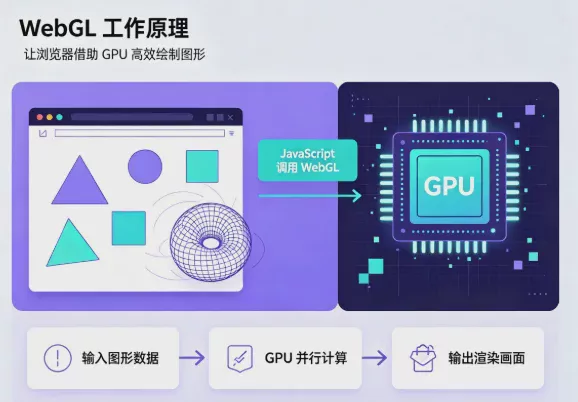
Simply put, WebGL acts as a bridge between the browser and the computer’s graphics hardware. It allows websites to use the device’s graphics processing capabilities to create smoother, more interactive visual effects.
For example:
- 3D online showcases
- Browser games
- Virtual reality (VR) applications
- Maps and data visualization
- 3D product model displays
These features may all use WebGL technology behind the scenes.
How does WebGL work?
WebGL works primarily by using a JavaScript API to access the GPU’s graphics processing capabilities. Websites use the WebGL API to send instructions, and the GPU then performs the image calculations and rendering.
A WebGL program usually consists of two parts:
- JavaScript: responsible for controlling WebGL components and sending commands to the GPU.
- GLSL Shader: a programming language specifically designed to run on the GPU, used to control how images are generated.
Because WebGL interacts with device hardware, different computers, graphics cards, and operating system environments may produce different WebGL output.
What is a WebGL Fingerprint?
A WebGL fingerprint is an important component of browser fingerprinting technology. Websites can create device-identifying characteristics by reading WebGL-related information.
When users visit a website, the browser may expose the following WebGL information:
- GPU model
- Graphics card manufacturer
- WebGL Renderer information
- WebGL Vendor information
- Graphics rendering capabilities
- Shader test results
Considered separately, each piece of information may not be unique. However, when a website combines WebGL with other browser information, it may form relatively complete device identification data.
Why does WebGL affect browser fingerprinting?
A browser fingerprint is a method of creating a user identification model by collecting browser and device characteristics.
Common browser fingerprint information includes:
- User Agent
- Operating system
- Screen resolution
- Font list
- Canvas fingerprint
- WebGL fingerprint
- Time zone settings
- Language environment
- Hardware information
What makes WebGL unique is its connection to the device's GPU. Even if two computers use the same version of the Chrome browser, they may produce different WebGL information due to differences in hardware configurations.
What are the uses of WebGL fingerprints?
1. Improving website security
Many websites use browser fingerprinting technology for risk control. For example, financial platforms, payment systems, or large service websites may use device information to determine whether login activity is abnormal.
If the same account suddenly appears in a completely different device environment, the system may require additional verification.
2. User analysis and personalized recommendations
Some websites use browser environment information to improve the user experience, such as providing a page version suited to the device's performance.
3. Identifying multi-account environments
In cross-border e-commerce, social media operations, and advertising management scenarios, platforms typically analyze multiple environmental signals together.
If multiple accounts use highly similar browser environments over an extended period, there may be a risk of environment association.
Why are accounts easily linked when using a regular browser?
Many users believe that using different accounts, clearing cookies, or changing IP addresses can completely separate different identities.
In reality, however, websites typically do not rely on just one factor when identifying a device environment.
The browser version, Canvas, WebGL, fonts, time zone, language settings, and hardware information can all become part of environment identification.
Therefore, simply using a regular browser to operate multiple accounts may not achieve complete isolation.
How can you reduce the identification risks associated with WebGL fingerprinting?
Since WebGL is an important feature of modern browsers, completely disabling WebGL is not suitable in every situation. Many websites require WebGL to provide normal visual effects, so simply disabling it may affect the user experience.
A more reasonable approach is to understand the various identification factors in the browser environment and adopt more comprehensive browser environment management.
Common methods include:
- Using different browser settings to distinguish between different usage scenarios
- Avoiding long-term use of exactly the same browser environment for multiple accounts
- Keeping the parameters of the browser environment consistent with one another
- Use a professional browser environment isolation tool
How does an antidetect browser handle WebGL fingerprints?
One of the core functions of an antidetect browser is to create an independent browser environment. It does not simply change the browser’s appearance; instead, it manages the entire browser identity environment.
A complete browser environment typically includes:
- Cookie data
- Local Storage
- User Agent
- Canvas fingerprint
- WebGL information
- Time zone
- Language settings
- Screen resolution
- Hardware Specifications
By creating different browser profiles, each environment can remain relatively independent, preventing all accounts from sharing the same set of browser characteristics.
For cross-border e-commerce sellers, community media teams, and advertising professionals, this type of environment isolation can improve the efficiency of managing multiple accounts.
How does P1 Browser help manage browser environments?
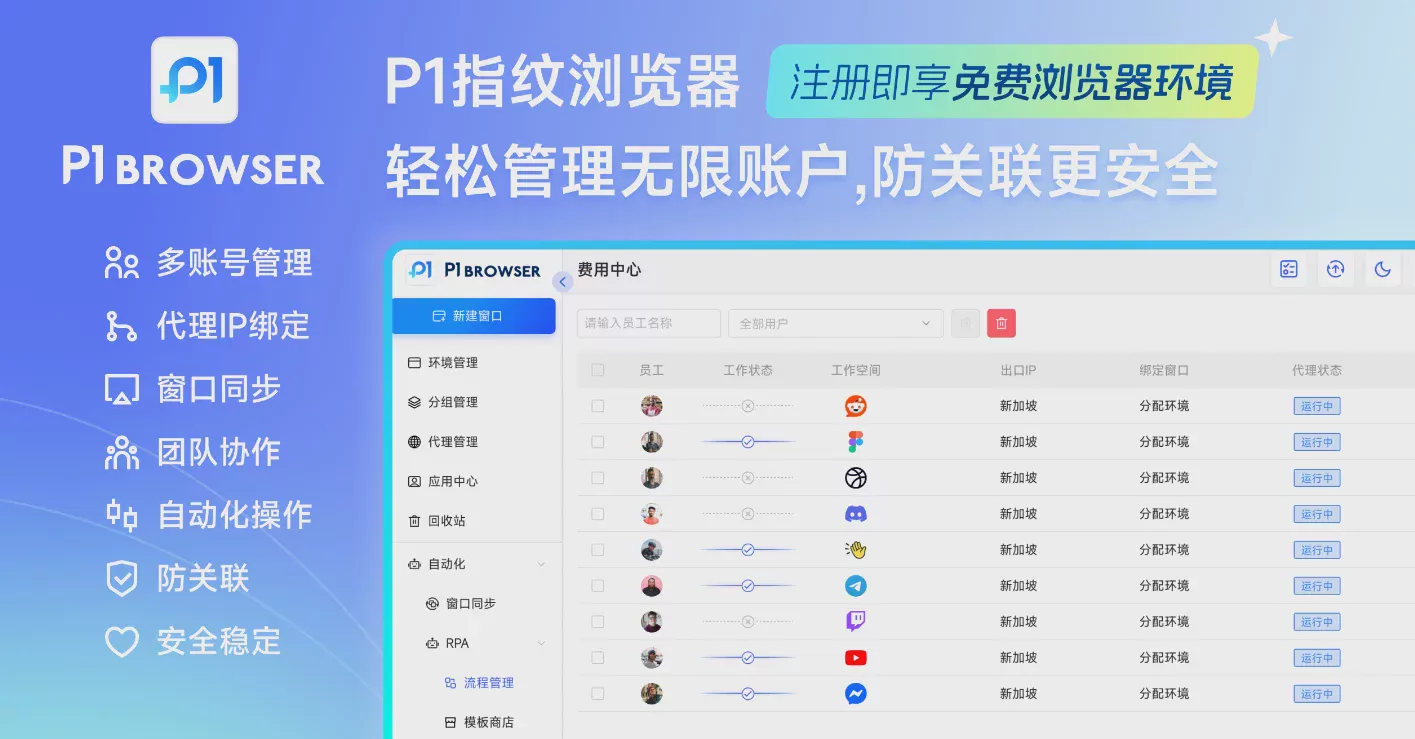
P1 Browseris a fingerprint browser tool focused on browser environment management, helping users create independent browser profiles and manage online identity environments for different business scenarios.
Compared with regular browsers, which can only create basic user settings, fingerprint browsers can provide more comprehensive environment isolation.
With P1 Browser, users can create multiple browser profiles according to different needs:
- Use different browsing environments for different cross-border e-commerce stores
- Manage different community media accounts separately
- Keep advertising accounts in independent working environments
- Share designated browser profiles with team members
For example, a cross-border e-commerce team may manage multiple business accounts on Amazon, eBay, TikTok Shop, and other platforms at the same time. By using different browser profiles, each work environment can remain independent.
What is the difference between WebGL fingerprints and VPNs?
Many users believe that as long as they change their VPN or proxy IP, websites will be unable to determine their identity.
In reality, however, an IP address is only one piece of information in the browser environment.
A VPN mainly changes the network exit location, whereas a WebGL fingerprint is related to the browser's and device's graphics environment.
Therefore, even if different IPs are used for two logins, the logins may still be linked if information such as the GPU, Canvas, fonts, and time zone in the browser environment is highly consistent.
WebGL Fingerprint FAQ
Q1: What is a WebGL fingerprint?
A WebGL fingerprint is a device identification characteristic created by a website through collecting information about the browser's graphics environment using the WebGL API. It typically includes data such as the GPU, Renderer, and graphics capabilities.
Q2: Can clearing Cookies resolve WebGL fingerprint issues?
Not entirely. Cookies mainly store website login status and browsing data, while WebGL fingerprints originate from the browser and hardware environment.
Q3: Can incognito mode prevent WebGL fingerprinting?
Incognito mode primarily limits the storage of local data, but it does not change the GPU, browser environment, or WebGL output.
Q4: Why do multi-account operations need to pay attention to WebGL?
Because multi-account management is not just about account passwords. Platforms typically analyze the login environment, device characteristics, and browser behavior together.
Therefore, creating an independent and stable browser environment is an important part of multi-account operations.
Q5: Are fingerprint browsers legal?
A fingerprint browser is itself a browser environment management tool that can be used for legitimate purposes such as privacy protection, account management, and testing and development.
When using any tool, you should comply with the relevant platform rules and the legal requirements of your location.
Conclusion: WebGL Is an Important Component of Modern Browser Identity
WebGL was originally a technology designed to enhance web graphics, but as network security and anti-fraud technologies have developed, it has gradually become an important reference factor in browser fingerprint analysis.
For ordinary users, understanding WebGL can help raise awareness of online privacy.
For cross-border e-commerce businesses, community media operators, and advertising teams, understanding WebGL, browser fingerprinting, and environment isolation technologies can help create more standardized and efficient multi-account management processes.
In the age of multi-account operations, a browser is no longer merely a tool for accessing websites, but rather a digital work environment that needs to be managed.
With professional fingerprint browser tools such as P1 Browser, businesses and individuals can manage browser environments for different business scenarios more effectively and improve the efficiency of daily operations.

