



Same computer, two stores, both restricted
Xiao Li opened two TikTok Shop US stores and used to log into Account A or Account B on the same computer, switching back and forth by opening the browser manually. One day, Store A suddenly received a platform notification: a 7-day traffic restriction. Xiao Li suspected a video violation and checked all content — everything was fine. A week later, Store B started showing the same restriction signals.
This is not a problem unique to Xiao Li. TikTok Shop's multi-store risk control logic is not as strict as Amazon's in directly banning accounts. More often, it manifests as "silent de-ranking" — the store is still active, but traffic is quietly suppressed. The first cognitive bias in multi-store operations is thinking "no ban equals safety."
True association risk propagation is often not triggered simultaneously but exposed in stages: first de-ranking, then traffic restriction, and finally account suspension. By the time you realize the problem, your isolation plan has already become ineffective.
Multiple stores online simultaneously — why haven't you been banned, but you're being silently restricted?
TikTok Shop's platform risk control system continuously collects multi-dimensional signals in the background: device fingerprints, IP addresses, Cookies, Canvas hashes, WebGL information, operation behavior patterns, and more. When you switch different store accounts using the same browser, these signals are cross-compared on the platform side.
Chrome browser Cookies, LocalStorage, and Session Storage retain traces of previous login states. Even if you manually log out and clear the cache, the underlying browser fingerprint parameters (such as Canvas fingerprint, WebGL rendering ID, font list) remain consistent. The platform does not need to see two accounts online simultaneously — it only needs to discover they once came from the same browser environment to establish an association judgment.
This is not merely "suspicious-looking" — it is cross-validated data at the platform algorithm level. After an association judgment is triggered, the restriction pace across different stores may differ by days or even weeks. This is why many sellers report that "the two stores do not have problems at the same time."
The three-line defense of TikTok Shop multi-store isolation
Anti-association is not a single-dimensional configuration but requires all three layers — device, network, and behavior — to independently meet their respective requirements. If any single layer is missing, the other two layers, no matter how well configured, will still have vulnerabilities.
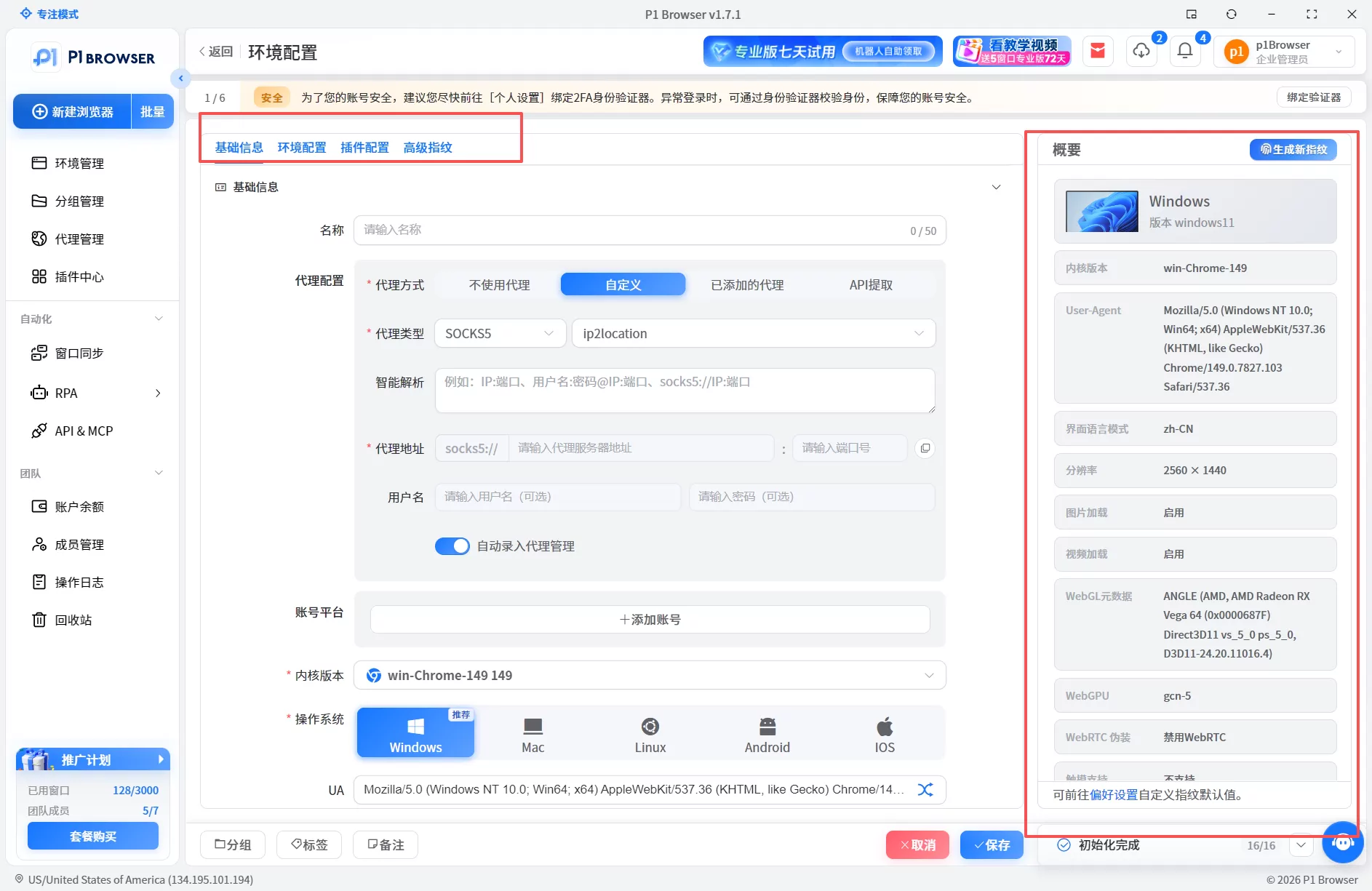
Device layer: browser fingerprint isolation
Each store must run in an independent browser environment, with fingerprint parameters (User-Agent, resolution, font list, Canvas hash, WebGL rendering ID, etc.) not interfering with each other. Simply opening multiple Chrome Profiles cannot solve the problem of shared fingerprint parameters — Profiles can isolate Cookies, but the underlying hardware fingerprints remain identical.
Professional fingerprint browsers simulate different device hardware environments, making each store's browser appear to the platform as coming from an independent physical device.
Network layer: independent residential proxy IPs
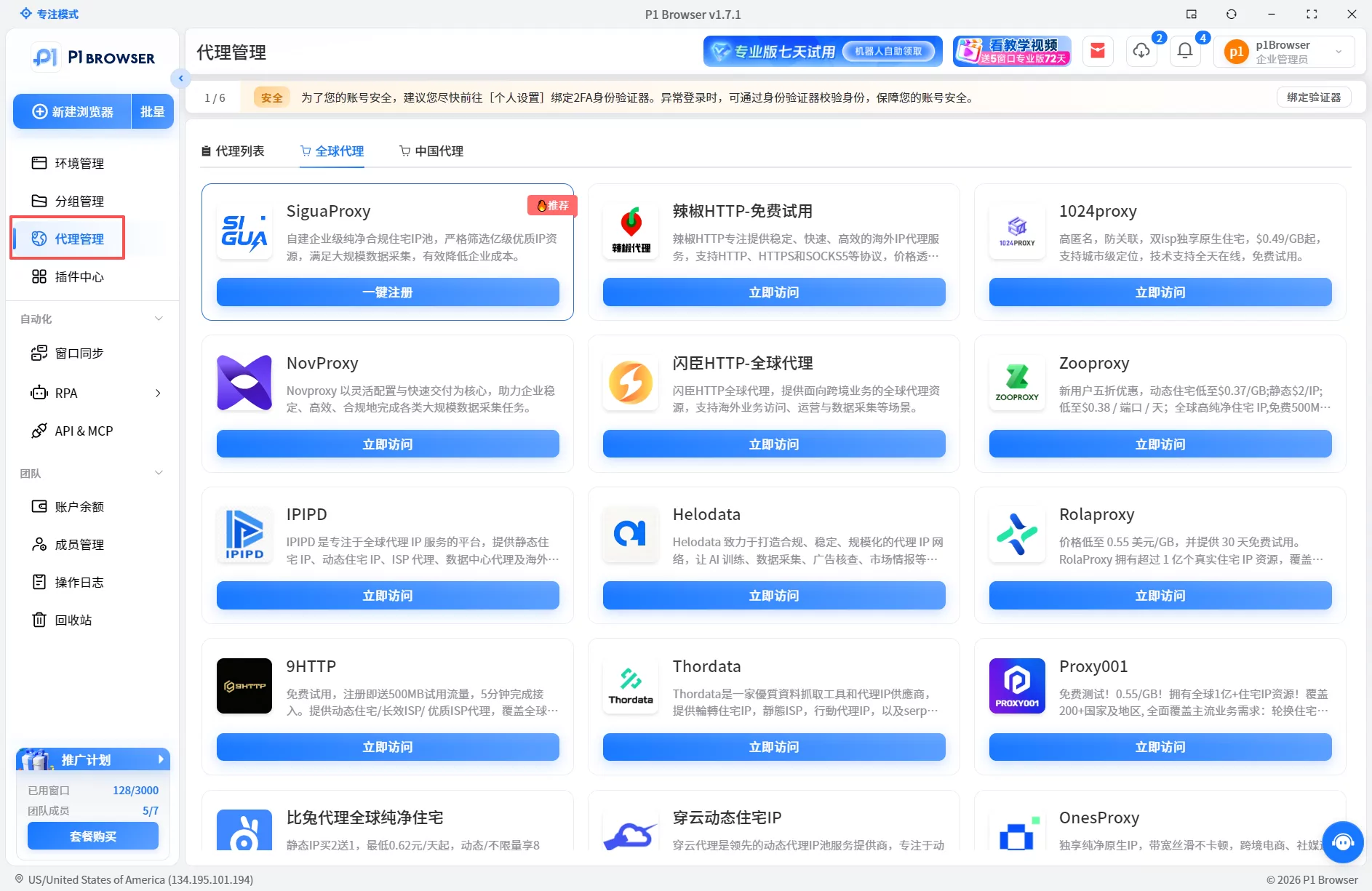
Each store must be bound to an independent proxy IP, and the IP's geolocation must match the store's target market. Sharing the same IP among multiple stores is one of the most common causes of association. When choosing an IP, pay attention to two points: prioritize static residential IPs and avoid data center IPs; ensure IP long-term stability and avoid frequent changes.
Behavior layer: independent operational habits
The operational pace, publishing frequency, and interactive behavior of different stores should be differentiated as much as possible. If two stores list products at the same time, go live in the same time slots, and publish content with identical pacing, the platform's behavior analysis model will identify abnormal consistency. Even if the network and fingerprint layers are both isolated, it may still trigger risk control.
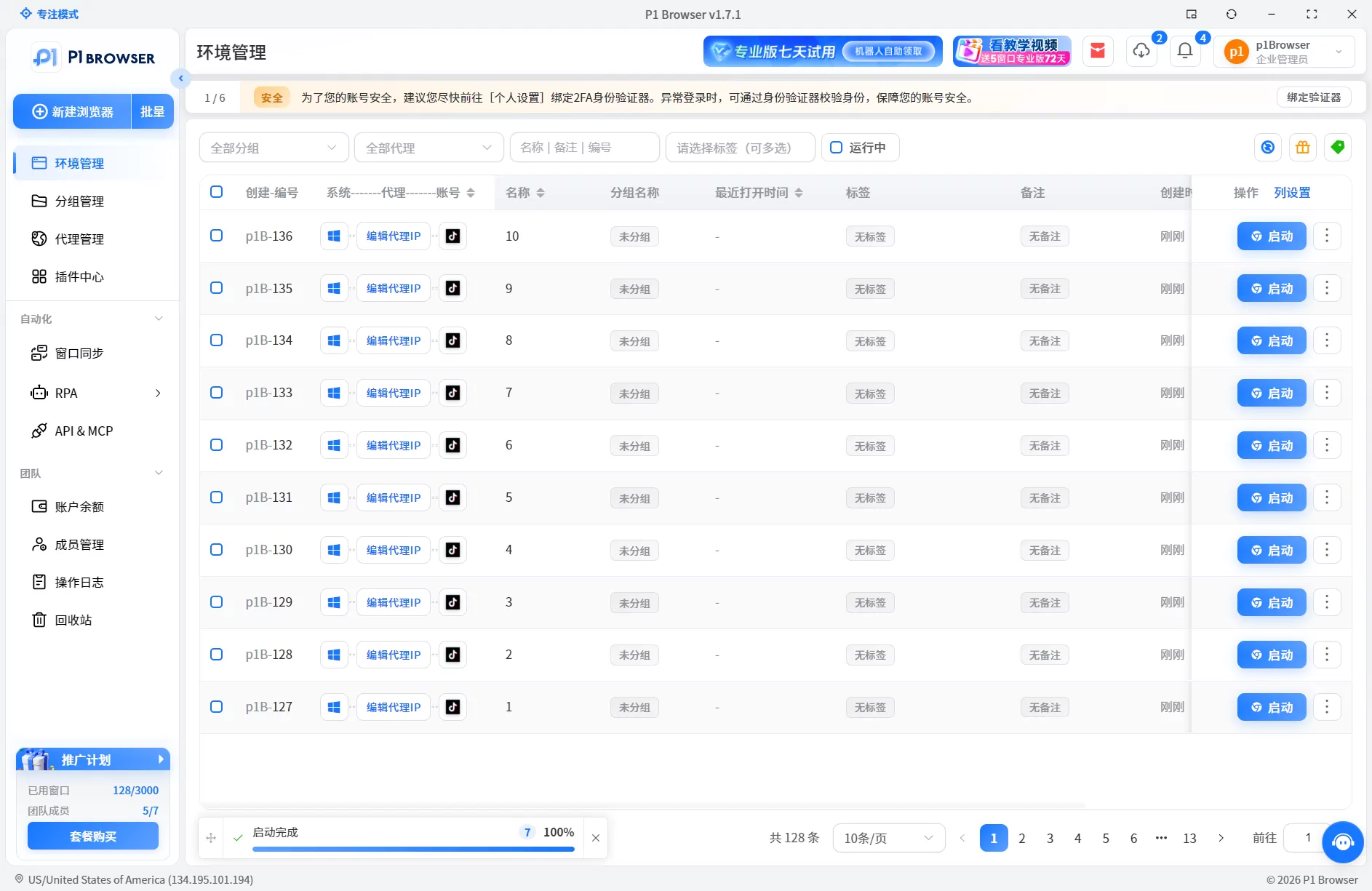
Each store has an independent browser environment with fingerprint parameters that do not interfere with each other
From Chrome multi-opening to professional tools: the efficiency upgrade path for multi-account management
As multi-store operations develop to a certain stage, the limitations of Chrome Profile multi-opening become increasingly apparent: each switch requires manually clearing Cookies, fingerprint parameters cannot be truly isolated, batch operations all fail, and team collaboration causes mutual interference.
To determine whether you need to upgrade to a fingerprint browser, look for three signals: first, the number of stores reaches 3 or more, and the time spent on manual switching accounts for more than 30% of your operational time; second, you have encountered or are concerned about association-related traffic restrictions; third, your team has collaboration needs involving 2 or more people.
The core value of a fingerprint browser is the unification of isolation and efficiency — each store has an independent browser environment, while batch launching, one-click switching, and permission grouping are implemented within the tool. A fingerprint browser addresses the dual isolation needs of the environment layer and the network layer.
For 1–2 stores with individual operations, Chrome Profile multi-opening can serve as a transitional solution; for 3 or more stores or team operations, a fingerprint browser is a necessary investment.
Permissions and division of labor for TikTok Shop multi-store team collaboration
For team-based sellers, the biggest pain point in multi-store operations is not a technical issue but chaotic collaboration: two operators logging into the same computer to manage different stores. Physical isolation is not feasible, so software isolation becomes the only option.
- Assign independent browser environments by storeEach operator only manages their assigned stores and cannot access each other's environments.
- Set up operational permission groupsOperators only have login and operational permissions for their assigned store environments and cannot view or access any data from other stores.
- Asset sharing is implemented through team cloud storage or tools outside the independent account environmentsrather than through copy-pasting or file transfers within shared browsers.
- Batch operations are executed uniformly — tasks such as batch listing and batch announcement publishing are completed by designated administrators through the tool's batch task feature, so operators do not need to manually handle each store one by one.
The improvement in collaboration efficiency is essentially transforming "people finding stores" into "stores finding people" — each operator opens their own workspace with only their own store environment, and all operations do not interfere with each other. Seefor the complete multi-store isolation and batch operation solutionto learn about specific team collaboration configurations.
One-click isolate multiple TikTok Shop stores, switch and operate from the same interface
Site selection and pre-store considerations for multi-store operations
Before planning multi-store expansion, confirm two things: platform policies and your own capabilities.
TikTok Shop US does not have an explicit numerical limit on multi-store operations, but the platform's association review is very strict. Even if you use a fingerprint browser and independent IPs for environment isolation, if the product information, supply chain, and operational behavior across stores are highly similar, the platform may still identify associations from other dimensions. The number of stores should match your team's operational capabilities and product matrix, rather than simply being more is better.
Regarding TikTok Shop registration requirements, different stations have different demands. It is recommended to refer to the latest official policies, with particular attention to core requirements such as business license type, legal representative identity, and payment method binding.
Related reading
- How to efficiently manage multi-store operations? P1Browser one-click isolation and batch operation solution
- Does TikTok multi-account operation need a fingerprint browser? Anti-association and environment management guide
- Multi-social account operation pain points and P1Browser multi-account management solution
- What is the difference between a fingerprint browser and a regular browser? A detailed guide to multi-account management
FAQ
How many stores can one business license open on TikTok Shop?
According to platform policies, the number of stores that can be opened with one business license varies by station. The US station typically supports up to 5 stores. However, the platform has strict association reviews for multi-store operations, and exceeding a reasonable range may trigger risk control. It is recommended to plan the number of stores based on your actual team capabilities and product matrix rather than opening stores blindly.
Will multiple TikTok Shop stores sharing the same proxy IP trigger association?
Yes. Sharing the same proxy IP across multiple stores is the most common cause of multi-store association. The platform cross-compares multi-dimensional data including IP, device, and Cookies. Each store must use an independent residential proxy IP, and the IP's location must match the store's target market. Otherwise, it is very likely to trigger risk control.
Do I still need an independent computer for TikTok Shop multi-store after using a fingerprint browser?
No. The core value of a fingerprint browser is to achieve device fingerprint isolation at the software layer. The same computer can run multiple independent virtual browser environments, each with independent Cookie, Canvas, WebGL, and other fingerprint parameters. Combined with an independent proxy IP, this can meet the platform's anti-association requirements.
How to choose a proxy IP for TikTok Shop multi-store operations?
Prioritize static residential proxy IPs. The IP must be stable and not frequently changed, and its geolocation must match the TikTok Shop target station (e.g., US IPs for the US station). Avoid using data center IPs and shared IPs, as both types are flagged by the platform's risk control system, and multi-store usage will significantly increase the risk of association.

