



As TikTok has become an important channel for global brand marketing, cross-border e-commerce, content creators, and overseas community management, more and more businesses are having multiple people manage the same TikTok account.
For example, a brand may need its content team to produce videos, operations staff to manage comment interactions, its advertising team to analyze campaign performance, and an overseas agency to assist with daily maintenance.
But this also raises an important question:Is it really safe for multiple people to share a TikTok account? How can teams collaborate while reducing account security risks?
This article provides an in-depth look at common issues related to TikTok account sharing and explains how to use a fingerprint browser to create a more stable management setup that is better suited to team collaboration.
I. Why Are More and More People Sharing TikTok Accounts?
In the past, most TikTok accounts were managed by a single user. But as business-oriented operations have developed, there is often no longer just “one person” behind an account.

Common TikTok team management scenarios currently include:
- Cross-border e-commerce teams managing branded TikTok Shop accounts
- MCN agencies managing multiple creator accounts
- Overseas agencies assisting clients with community operations
- Multiple employees within a company jointly creating and publishing content
- Advertising teams responsible for TikTok Ads campaigns and data analysis
In these situations, if everyone logs in using the same device or directly shares the account password, it not only reduces management efficiency but may also increase account security risks.
II. What Problems Can Arise from Directly Sharing a TikTok Password?
The most common approach for many teams is to send the TikTok account password directly to all members.
Although this is simple to do, it presents considerable management risks in the long term.
1. Passwords can easily get out of control
When an account needs to be used by multiple people, its password may be shared via Email, chat tools, or documents.
Once the team grows, it becomes difficult for administrators to confirm:
- Who has saved the account password
- Who still has login access
- Whether people who have left the team can still log in
For business accounts, control over account assets is more important than simply logging in.
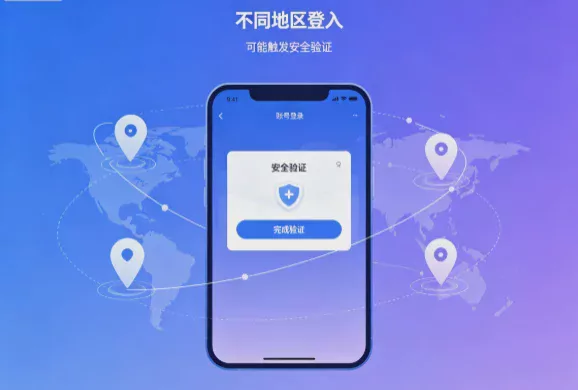
2. Logins from different regions may trigger security verification
TikTok assesses account security based on the login environment, including device information, network conditions, and login behavior.
If the same account is frequently accessed from different devices and regions, additional verification may be required, affecting team efficiency.
3. High Team Handover Costs
For example, when an overseas operations employee leaves and a new employee takes over the account, they typically need to reacquire:
- Login information
- Verification methods
- Browser environment
- Historical operating habits
Without a well-developed management process, account handovers can easily become chaotic.
Third: A Better Way to Collaborate on TikTok as a Team: Use Independent Browser Environments
For businesses that need multiple people to jointly manage TikTok accounts, creating a fixed, stable work environment is more important than repeatedly logging in.
The core function of a Fingerprint Browser (Antidetect Browser) is to create an independent browser environment for each account.
Each browser Profile can have its own:
- Browser fingerprint information
- Cookie data
- Login status
- Language and time zone settings
- Proxy IP configuration
This allows team members to use the same work environment on different devices without having to log in again frequently.
IV. How does P1 Browser support TikTok team collaboration?
P1 Browser is a fingerprint browser tool specifically designed for multi-account management and team collaboration, helping businesses create clearer TikTok management processes.
1. Create an independent TikTok browser Profile
Teams can create an independent Profile for each TikTok account.
For example:
品牌A_TikTok_官方账号
品牌B_TikTok_内容运营
海外市场_TikTok_广告账号
Different accounts use different browsing environments, avoiding the management confusion caused by multiple people sharing the same regular browser.
2. Retain login status to improve handover efficiency
With traditional methods, the account must be logged in again every time the operator changes.
Through P1 Browserthe team can directly share a designated Profile, allowing new members to quickly continue the work.
For example:
- The content team publishes videos in the morning
- The customer service team handles messages in the afternoon
- Overseas team members review the data in the evening
Everyone can complete tasks in the same configured work environment.
3. Manage permissions to control the scope of team access
When managing enterprise accounts, not every member needs full permissions.
Through team management features, administrators can assign different permissions based on roles:
- Administrator: Responsible for account and team settings
- Operator: Responsible for daily TikTok operations
- Viewer: Can view data but cannot modify settings
When an employee leaves or a project ends, the relevant permissions can also be removed quickly.
Best Practices for Sharing TikTok Accounts
1. Prioritize Official Team Management Tools
If TikTok Business Center or official authorization features can meet your needs, it is recommended to prioritize the official solution.
However, if the team needs a complete Web operating environment, such as content management, account maintenance, and daily operations, an independent browsing environment may be considered.
2. Do Not Let Everyone Have Access to Core Account Information
The brand should retain:
- Primary Email
- Phone verification information
- Account recovery methods
- Highest administrative privileges
Team members should receive only the permissions required to complete their work.
3. Create clear account naming rules
When a business manages a large number of TikTok accounts, clear naming is very important.
Recommended format:
国家_品牌_平台_用途
US_BrandA_TikTok_Content
UK_BrandB_TikTok_Ads
4. Regularly review team permissions
Businesses should regularly confirm:
- Which members still have access
- Which Profiles are no longer in use
- Which accounts need their permissions refreshed
VI. Frequently Asked Questions (FAQ)
Q1: Can multiple people use the same TikTok account?
Yes, but it is recommended not to share the password directly. Businesses should establish a permissions management process and use more secure collaboration methods.
Q2: Are TikTok accounts suitable for management by agencies?
Yes. Many brands have overseas agencies handle content operations, but it is recommended that brands retain account ownership and limit the sharing of unnecessary sensitive information.
Q3: Can an anti-detect browser prevent all account issues?
No platform can be guaranteed to be completely risk-free. The primary purpose of an anti-detect browser is to provide an independently managed environment, improve the efficiency of multi-account management, and reduce management issues caused by a disorganized environment.
Q4: Which TikTok users is P1 Browser suitable for?
Suitable for:
- Cross-border e-commerce sellers
- Overseas community operations teams
- MCN agencies
- Digital marketing agencies
- Businesses that need to manage multiple brand accounts
Conclusion: The key to safely sharing TikTok accounts lies in how they are managed
Sharing TikTok accounts is not inherently a problem; the real issue is how to manage the shared environment.
For individual users, logging in on a single device may be sufficient; but for businesses, agencies, and cross-border teams, creating an independent, secure, and controllable working environment is more important.
By using P1 Browser to create separate browser Profiles, manage team permissions, and maintain a stable operating environment, businesses can manage TikTok accounts more efficiently and enable smoother team collaboration.

