


When using TikTok for overseas community marketing, cross-border e-commerce, or multi-account management, many people use proxy servers to connect to network environments in different regions. However, a common problem may sometimes occur: TikTok, which was working normally before, suddenly becomes inaccessible after a proxy is enabled.
Some people may assume that this is caused by the “proxy IP being restricted,” but in fact,A TikTok login failure is not necessarily related to the IP。Incorrect proxy settings, an unstable network connection, abnormal cookies,changes to the browser environment,as well as the need for the account itself to undergo security verification, can all cause login problems.
If you are looking for answers to “What should I do if I can’t log in to TikTok?” or “How can I fix TikTok login issues after using a proxy?”, this article will start with the most common causes, guide you through troubleshooting the issue step by step, and explain how to manage the usage environments of different accounts in a more organized way when operating multiple accounts.
Why Can’t TikTok Log In After Using a Proxy?
When you enable a proxy server, the network IP address TikTok sees changes. If the new network environment differs significantly from the one you originally used, or if the proxy itself has an unstable connection, it may affect TikTok’s normal operation.
The most common reasons include:
- The proxy server connection is too slow or unstable
- The region associated with the proxy IP does not match the configured region
- The proxy server host or connection port is configured incorrectly
- The browser’s cookies or login status are abnormal
- TikTok detects a new login device or usage environment
- The account requires security verification again
- The TikTok account itself has a login issue
Therefore, when TikTok login fails, do not immediately assume that the proxy IP is the problem. Identify the specific cause first and then address it accordingly; this is usually more efficient.
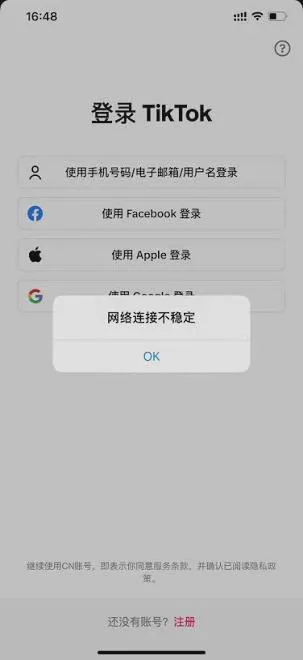
Unable to Log In to TikTok? First Determine Which Situation Applies
1. TikTok Web Page Fails to Load Properly After Enabling a Proxy
If TikTok opens normally when you are not using a proxy but shows a page loading failure, keeps spinning, or displays a network error after you enable one, you should first check the proxy server.
Some proxies may show as connected while actually providing very slow network speeds, or the network route to TikTok may be unstable, either of which can prevent the website from loading properly.
2. TikTok Opens, but You Cannot Log In After Entering Your Username and Password
This situation is not necessarily caused by a network problem. It may also be related to cookies, the browser's login status, or account security verification.
You can first disable the proxy and retest using the same account and browser. If you can log in normally after disabling the proxy but encounter the problem again after re-enabling it, you should first check the proxy settings and network environment.
3. Verification Is Required When Logging In
If TikTok asks you to enter a verification code, confirm the login device, or complete another security verification step when you log in, it is not recommended to keep changing proxies or IP addresses.
This usually means that the platform needs to confirm whether the current login is being performed by the account owner. Completing the verification using the method provided by TikTok is generally more appropriate than repeatedly changing the network environment.
Why Might a Proxy IP Affect TikTok Login?
After using a proxy server, the public IP address you use to connect to TikTok will change, and it may also appear that you are connecting from a different network region.
For example, if a TikTok account has consistently used a Japanese network environment for a long time, then suddenly switches to a US IP and changes to Singapore or another region shortly afterward, the login may trigger additional security verification.
This does not mean that changing the IP will necessarily cause the login to fail; rather, it means thatfrequently changing the network environment can make the problem more complicated.
Therefore, when troubleshooting TikTok login issues, it is best to adjust only one setting at a time. First confirm that the proxy is working properly, then check the browser and account, rather than changing multiple IPs at once.
IV. How to resolve TikTok login issues after using a proxy?
Method one: Check the proxy server settings
First, confirm that the basic proxy server information has been entered correctly, including:
- Server address
- Connection port
- Username
- Password
- IP location
If any one of these settings is incorrect, you may be unable to access TikTok normally even if the browser shows that the proxy is connected.
You can also check your current public IP to confirm whether it matches the proxy location you selected. If you purchased a Japan proxy but the actual IP shows another country, you should first contact the proxy service provider for confirmation.
Method two: Disable the proxy and test whether you can log in to TikTok
This is one of the simplest ways to determine the source of the problem.
Keep the account, browser, and device unchanged; simply disable the proxy and try logging in to TikTok again.
If you can log in normally after disabling the proxy but cannot log in when it is enabled, the problem is more likely related to the proxy server, IP, or network settings.
If you still cannot log in without using a proxy, you should not keep switching proxies. Instead, check the account password, verification details, and the status of the TikTok account itself.
Method three: Clear TikTok cookies and cache
After a browser has been used for a long time, it may accumulate a large amount of cookies, cache, and login session data. If this data becomes corrupted, it may sometimes cause the TikTok login page to redirect repeatedly or the login status to behave abnormally.
You can try clearing the website data related to TikTok, then reopen the browser and log in again.
However, it is not recommended to clear all cookies every time a login fails. After clearing them, you may need to log in to your account again, and in some cases, complete the security verification again.
Method four: Avoid frequently changing IP addresses within a short period
If the proxy you are currently using connects normally, there is no need to switch continuously between IP addresses in multiple countries or regions because of a single login failure.
For example, using a US IP address first today, then immediately switching to the UK after the login fails, followed by Japan and Singapore. This will not only make it difficult to identify the cause quickly, but also make the login environment more complicated.
A better approach is to first maintain a stable network environment, confirm that the proxy itself is working properly, and then further troubleshoot browser and account issues.
Why is it not recommended to use unstable free proxies?
When TikTok cannot be accessed, many people immediately search for free proxy servers. However, free proxies typically have problems such as slow speeds, unstable connections, shared use by multiple people, and servers going offline at any time.
Even if the connection is successful, that does not mean the proxy is suitable for long-term TikTok use.
If you need to engage in cross-border e-commerce or operate overseas communities over the long term, it is more important to choosea stable network environment with a clear source and a clearly defined regionrather than simply pursuing free or low-cost options.
For TikTok multi-account operations, why should browser environments be managed separately?
If you only have one TikTok account, a regular browser can usually meet your everyday usage needs. However, if you need to manage multiple overseas social media accounts on TikTok, Instagram, Facebook, and other platforms at the same time, managing the browser environment becomes more important.
For example, suppose you manage 5 TikTok accounts simultaneously. If all the accounts use the same browser and share cookies, proxy settings, and login data, a change in the settings of one account can easily affect the daily management of the other accounts.
Therefore, multi-account operations typically assign different accounts to different browser profiles, giving each account a relatively independent operating environment.
VII. How Can the P1 Fingerprint Browser Help Manage Multiple TikTok Accounts?
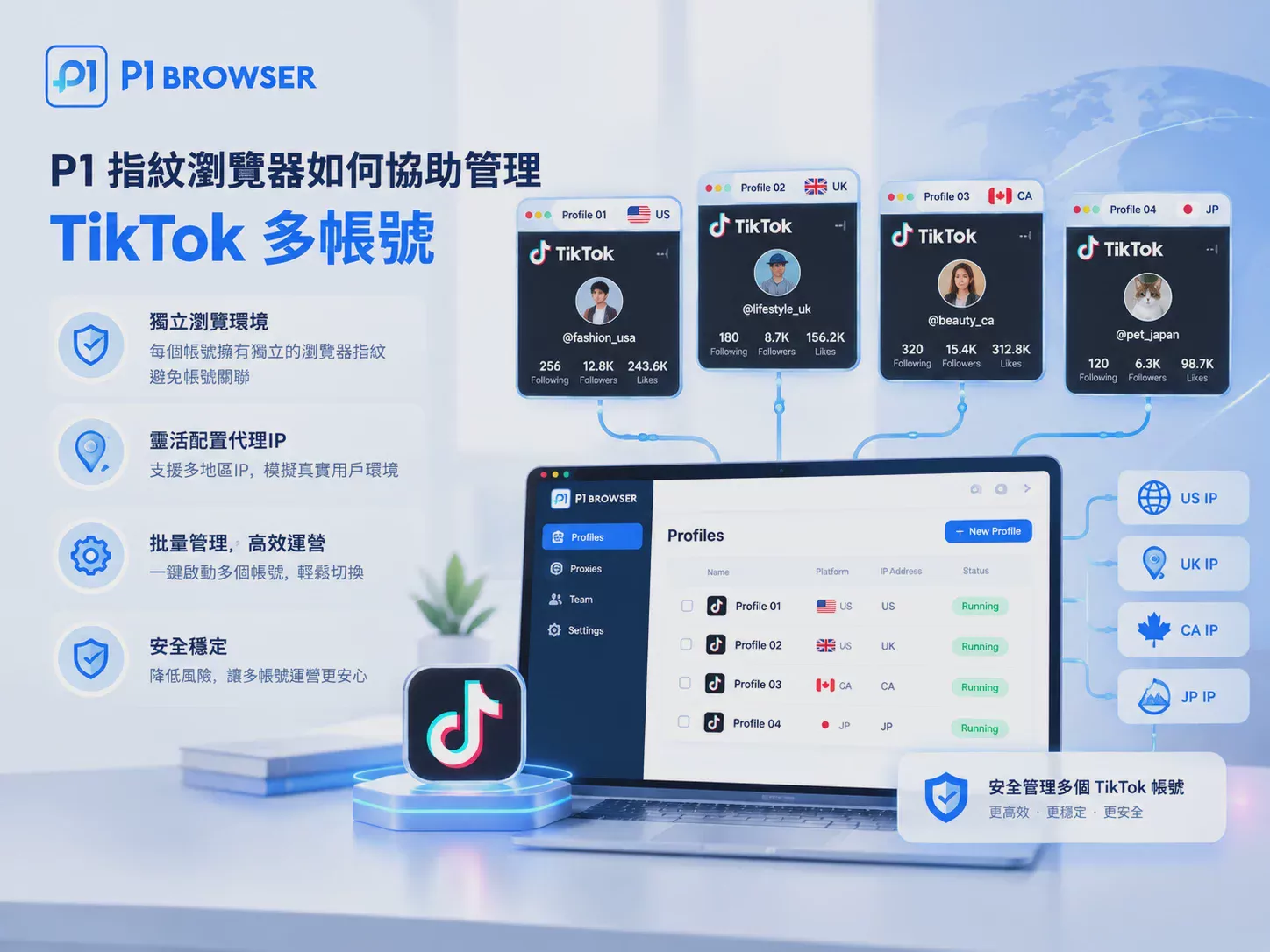
P1 Fingerprint Browseris primarily designed for multi-account operations. It can create independent browser profiles for different accounts and separately manage cookies, proxy servers, and browser environments.
For example, they can be managed as follows:
- TikTok account A → Independent Profile A → Corresponding proxy A
- TikTok account B → Independent Profile B → Corresponding proxy B
- TikTok account C → Independent Profile C → Corresponding proxy C
This can prevent the cookies, login data, and proxy settings of different accounts from becoming mixed together, and also makes it easier for teams to quickly find the corresponding account environment during daily operations.
It should be noted that a fingerprint browser cannot guarantee that TikTok accounts will never encounter login verification or other restrictions. Its primary function isHelp users manage multiple independent browser environments more clearlyreducing management issues caused by mixing environments, Cookie crossover, or incorrect settings.
VIII. Quick Troubleshooting Checklist for TikTok Login Failures
If you are currently unable to log in to TikTok, you can check the following items in order:
- Confirm that the proxy server address and connection port are correct.
- Confirm that the proxy account and password have been entered correctly.
- Check whether the region associated with the current IP matches the configured region.
- Test the proxy network speed and connection stability.
- Disable the proxy and test again to see whether you can log in to TikTok.
- Confirm that the TikTok account and password are correct.
- Check your cookies, cache, and browser login status.
- If a security verification appears, complete it according to TikTok’s instructions.
- Avoid repeatedly switching between IP addresses from different regions within a short period.
- When managing multiple accounts, use separate Profiles to manage different accounts independently.
IX. Frequently Asked Questions FAQ
Q1: Why can’t I log in to TikTok after using a proxy?
This may be related to the proxy connection quality, IP region, browser cookies, or TikTok’s security verification. It is recommended to disable the proxy and test first, then troubleshoot the issue step by step.
Q2: I can log in to TikTok without a proxy, but I can’t log in when using one. What should I do?
You can first check the proxy IP, location, connection speed, and stability. If the proxy itself is working properly, check your browser cookies and login status.
Q3: Can repeatedly changing IP addresses resolve TikTok login failures?
Not necessarily. Frequently changing IP addresses can instead make the problem more difficult to identify. It is recommended to first maintain a stable network environment and adjust only one setting at a time.
Q4: Do I need to clear cookies when TikTok login fails?
If you suspect that the browser login status or Cookies are causing problems, you can try clearing the website data related to TikTok. However, if the account itself is operating normally, there is no need to clear Cookies frequently.
Q5: Can the P1 fingerprint browser solve TikTok login problems?
The P1 fingerprint browser is mainly used to create and manage independent browser Profiles, making it easier to manage the Cookies, proxies, and browser environments of different TikTok accounts separately. It cannot replace TikTok's account verification or fix low-quality proxy servers.
Conclusion: If TikTok login fails, identify the cause before changing proxies
Being unable to log in to TikTok after using a proxy does not necessarily mean that there is a problem with the proxy IP. Everything from the proxy server itself to the IP region, Cookies, browser environment, and TikTok account security verification can affect the login result.
When you encounter a problem, the most effective approach is not to keep changing IPs, but to first disable the proxy for a comparative test, and then gradually check the network, browser, and account status.
If you need to manage multiple TikTok or other overseas community accounts over the long term, you can also use the P1 fingerprint browser to create independent browser Profiles and manage each account's usage environment separately, making multi-account operations clearer and more organized.

