



Three Shopify independent sites can be logged into separately without issue, but when connected to the same ERP and handed over to one person for centralized operation, verification codes start appearing frequently, inventory is written to a different store, and an employee who left two weeks ago can still access the backend to change prices. Most teams' first reaction is to switch browsers, change networks, or even switch tools, but the more common root cause is that the four layers—account entity, employee role, login environment, and tool write scope—do not have a fixed one-to-one correspondence; the tool merely amplifies originally loose permissions.
The following sections follow the order of 'symptom triage—boundary delineation—configuration and revocation,' targeting Chinese sellers who already have 2 to 5 Shopify independent sites, a team of more than three people, or use outsourced operations.
First, Triage: Which Layer of Breakdown Corresponds to Each of the Four Symptom Categories
Even when 'multi-store issues' occur, the underlying cause is not the same. Locating the specific layer based on the symptom before deciding whether to adjust configuration or switch tools can save a large amount of ineffective trial and error.
- Frequent verification and two-factor authentication: First, check the login environment layer. Frequently switching between the backends of multiple stores using the same browser configuration, or performing concurrent operations on multiple backends under the same outbound IP, are common triggers; however, the reasons for platform-triggered verification are varied, and account notifications and official statements should ultimately be the reference.
- Cross-store inventory or order errorsCheck the tool write-scope layer first. See whether ERP permissions are isolated by store, and whether SKU and warehouse mappings include store identifiers, rather than first verifying manual operation records.
- Privilege escalationIf customer service changed prices or an outsourced party modified the theme, first check which functions this account has been granted at the employee role level, then consider whether the password has been leaked.
- Still accessing the admin panel after resignationCheck the app authorization and API token layer. Removing a store employee does not automatically invalidate the App permissions installed by that member.
Boundaries of Shopify multi-account: what organizations, stores, and employee accounts each manage
Shopify's organizational layer manages member attribution, store listings, and billing entities; the store layer controls employees, features, and data for that specific store; and app permissions are attached to the store, with their read and write capabilities determined by the scopes granted during installation. When these three layers are mixed, you end up with scenarios like “the same person is an admin for three stores and also the installer for the ERP system,” making permissions untraceable.
Opening multiple stores under the same entity versus different entities opening separate stores differs in terms of payment accounts, domain ownership, and compliance entities, and permissions should never be shared across a single set. A common misconception is that “being able to log in means isolation is secure,” but in reality, when admin accounts are shared, any single misoperation can propagate through the same identity to all three stores.
Shopify clearly defines store members and permissions, so it is recommended to first cross-reference the Shopify Official Help Center to confirm the actual scope of each permission before deciding who to grant it to.
The four-layer mapping and three high-frequency breakpoints

Drawing the four layers as a single line makes the problems easier to see: the account entity determines who the store belongs to, the employee role determines who can do what, the login environment determines where the operation originates, and the tool's write scope determines which store the data lands in. Breakpoints usually appear in only three places—an administrator added to all stores, ERP using the same credentials to cover all stores, and during offboarding, only deleting the employee without touching application authorization.
Employee permission matrix: authorize store scope, function scope, and operation level separately
When granting authorization, write down three things separately: which stores can be accessed, which functions can be operated, and which actions require secondary confirmation. The table below is a directly applicable starting point for least privilege, which can be tailored according to team size.
| Role | Store scope | Operable functions | Additional constraints |
|---|---|---|---|
| Operations Supervisor | Stores under management | Products, prices, inventory, discounts | Price adjustments and discounts exceeding the set threshold require dual confirmation |
| Customer Service | Specified Store | Order inquiries, refunds, and customer communication | Refunds and address changes require approval; payment settings are not visible |
| Finance | Read-only access to all stores | Billing, reconciliation, and export | Export actions are logged; no editing permissions for products or orders |
| Outsourced or agency operations | Single Store | Products and Content | Authorize by project deadline, excluding organizational member and payment settings. |
It's crucial to keep organizational permissions separate from store employee permissions: grant contractors only product and content permissions for specific stores, avoiding organizational admin access; for finance roles needing cross-store views, provide read-only financial exports rather than full admin features. These boundaries and Shopify Multi-Account Operations and Independent Site Management Configuration Guide follow the same logic for account tiering.
Tool Writing Scope: The Three Most Common Pitfalls in ERP and Multi-Store Tools
- Shared Credentials Across All Stores: All stores are authorized with the same application credentials, making it impossible to identify who made changes in which store from the logs. Warning signs include unusual, random store distribution in data changes; the fix involves setting up independent credentials for each store, tagging them with store and purpose, and maintaining write-operation logs.
- Missing Store Identifier in SKU and Warehouse Mapping: The same SKU uses identical codes across multiple stores, causing synchronization to write to the wrong store when matching by code. Warning signs include specific SKUs frequently crossing stores; the fix requires adding a store field to the mapping table and validating ownership before syncing.
- Lack of Source Verification in Order Write-Back: The tool writes captured orders to the default store. Warning signs include new store orders appearing in legacy store dashboards; the fix requires verifying the source store before write-back, and setting up exception blocking and rollback checks.
For the troubleshooting sequence when both inventory and permissions fail, refer to Unified Management Solution for Multiple Independent Store Sitesa layered approach based on write permissions, ownership fields, and permission boundaries.
Checklist for Recurring Permissions Upon Departure and Outsourcing
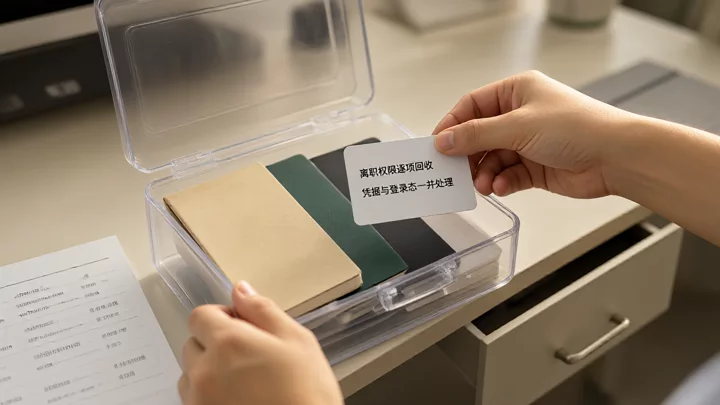
- Remove organization members to first cut off their access to the full store list.
- Revoke employee status and corresponding functional permissions across each store.
- Revoke installed or authorized applications and API tokens, confirming credential deactivation one by one.
- Clean up saved login sessions and browser configurations on shared devices.
- Close sub-accounts on third-party tools and verify that no entries with this identity remain in the operation logs.
The sequence must not be reversed: removing store employees while leaving application authorizations in place allows data to still be written via credentials; browser login sessions and third-party tool accounts are the two most commonly overlooked items. Revocation should be completed on the day of departure and re-verified during the next week's inspection. If login states repeatedly expire, follow theTroubleshooting Checklist for Frequent Expiration of Multi-Store Login StatesEvidence collection at each layer.
Pre-launch configuration sequence and routine inspections
- Before opening the store, define the account entity and store ownership, and record them in the internal ledger.
- Assign a unique owner to each store to avoid one person becoming the default administrator for all stores.
- Grant permissions by role, follow the principle of least privilege, and select store scope and function scope separately.
- Define a write-scope whitelist before integrating multi-store tools, enabling only the read/write items required for the current business.
- After launch, check login status and abnormal writes weekly, review employee and application authorizations monthly, and complete revocation on the day of departure.
Four acceptance criteria: each store has a clear owner; each role has a defined store scope; each tool credential is traceable to a store and purpose; full-chain revocation is completed on the day of departure. Isolation is only considered complete if all four criteria are met. When running multiple platforms in parallel with more complex store structures, you can refer toOperational boundary division for Shopify standalone sites and multi-platform parallel operations.
Frequently Asked Questions
When operating multiple stores under one Shopify account, are employee permissions automatically isolated?
It will not auto-isolate. When the same member is added to multiple stores, their permissions take effect separately in each store, but their organization-level identity remains the same. You must verify the functional scope for each store and avoid assigning organization admin roles to individuals responsible for only a single store.
Should outsourced operations use sub-accounts or shared logins?
Always create independent accounts and grant access on a project timeline basis. Shared logins make it impossible to attribute operation logs, preventing precise revocation at the end of a partnership; independent accounts allow at least post-hoc traceability to specific individuals and timestamps.
What needs to be confirmed before integrating with ERP?
Confirm three things: whether credentials are independent per store, whether SKU and warehouse mappings include store identifiers, and whether order write-backs include source verification. If these three items are not implemented before integration, cross-store issues typically arise within the first week of going live.
If revocation wasn't completed on the day of departure, how should remediation be handled?
Systematically complete revocations in the following order: organization members, store staff, apps and tokens, login sessions, and third-party tool accounts. Then, export write-operation logs from the past thirty days for review. If any anomalous writes are found, freeze the relevant credentials first before investigating the scope of data impact.

