


Managing multiple accounts is rarely just about opening more browser windows.
Whether you are running e-commerce stores, managing social media accounts, conducting market research, or operating campaigns across different regions, each account may require a consistent browser and network environment. This is where combining a fingerprint browser with a reliable residential proxy becomes useful.
For teams already using P1Browser, adding a high-quality residential proxy such as RolaProxy can provide a more complete setup: P1Browser manages separate browser profiles, while RolaProxy provides the residential IP and geographic location for each profile.
P1Browser + RolaProxy: A Practical Setup for Multiple Accounts
The basic setup is straightforward:
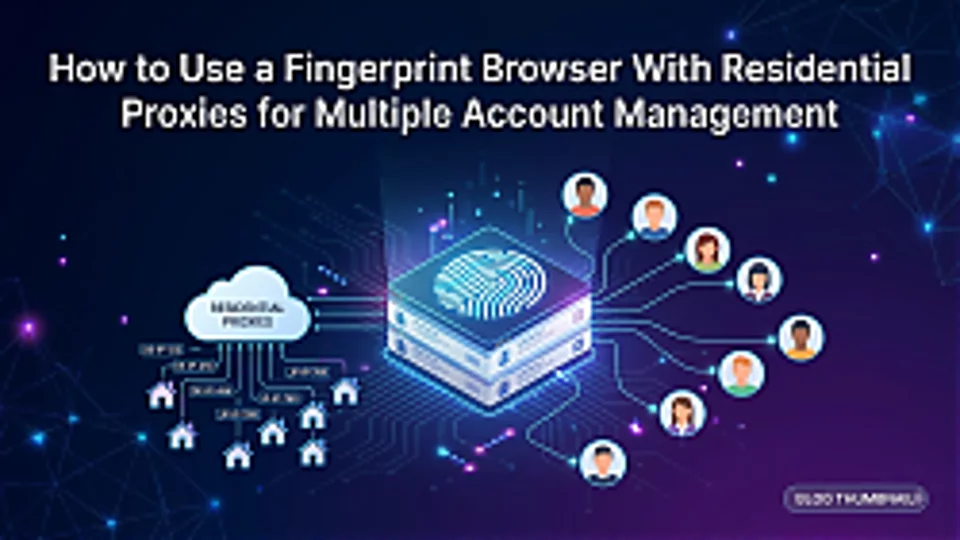
P1Browser Profile → Individual Account
RolaProxy Residential Proxy → Network/IP Environment
Instead of managing several accounts from the same browser and network connection, each account can be assigned its own browser profile and proxy configuration.
For example:
| Account | Browser Profile | Proxy |
|---|---|---|
| US E-commerce | P1Browser Profile A | RolaProxy US Residential |
| UK E-commerce | P1Browser Profile B | RolaProxy UK Residential |
| Germany Market Research | P1Browser Profile C | RolaProxy Germany Residential |
| Social Media | P1Browser Profile D | RolaProxy Residential IP |
This structure makes it much easier to keep different projects organized and maintain consistent working environments.
For businesses working across multiple markets, the geographic flexibility of the proxy can be just as important as the browser environment itself.
Why Choose RolaProxy for P1Browser?
A fingerprint browser can separate browser profiles, but it does not provide the residential IP resources required for different network environments.
This is where RolaProxy fits into the setup.
RolaProxy provides 100M+ residential IPs across 195+ countries and regions, allowing users to choose proxy locations based on their target market.
For example, a company researching the US market can assign a US residential proxy to its P1Browser profile, while another profile used for UK research can use a UK IP.
RolaProxy also supports Static ISP Proxies, giving users another option when a longer-lasting and more consistent IP environment is required.
For users who need to test a proxy before making a larger purchase, RolaProxy offers a free trial, while residential proxy pricing starts from $0.55/GB.
How to Configure RolaProxy in P1Browser
Once you have created your browser profiles in P1Browser, connecting a RolaProxy residential proxy only requires a few steps.
Step 1: Create a P1Browser Profile
Create a separate profile for the account or project you want to manage.
For example:
Profile A → Amazon US
Profile B → Shopify UK
Profile C → TikTok Shop Germany
Keeping profiles organized by account or project makes long-term management much easier.
Step 2: Select a RolaProxy Residential IP
Choose the country or region that matches your business requirements.
RolaProxy supports 195+ countries and regions, so you can select locations such as:
- United States
- United Kingdom
- Germany
- France
- Canada
- Australia
- Japan
The right location depends on the market you are researching or operating in.
Step 3: Add the Proxy to Your P1Browser Profile
Enter the proxy information provided by RolaProxy into the proxy settings of the corresponding P1Browser profile.
Typically, you will need:
- Proxy type
- Host
- Port
- Username
- Password
After saving the configuration, test the connection and confirm that the IP location is correct.
Step 4: Assign One Proxy Environment to Each Project
Once the connection works, keep the proxy associated with its corresponding profile.
For example:
P1Browser Profile A + RolaProxy US IP
P1Browser Profile B + RolaProxy UK IP
P1Browser Profile C + RolaProxy Germany IP
This makes it easier to identify which proxy belongs to which account and reduces configuration mistakes when managing multiple projects.
Recommended Proxy Setup for Different Use Cases
Not every project needs the same type of proxy.
E-commerce
For Amazon, Shopify, TikTok Shop, and other e-commerce research, geographic coverage is often important.
A residential proxy allows teams to research different markets from relevant geographic locations.
A practical setup could be:
P1Browser + RolaProxy US Residential Proxy
for US-focused research, and
P1Browser + RolaProxy UK Residential Proxy
for UK-focused research.
Social Media
When managing multiple social media projects, separate P1Browser profiles can be combined with appropriate residential IPs.
The important part is maintaining a clear relationship between the profile, account, and proxy.
Market Research
This is one of the most useful applications for residential proxies.
Companies can create separate P1Browser profiles for different markets and connect each profile to a RolaProxy IP from the corresponding region.
For example:
US Market → US Residential Proxy
UK Market → UK Residential Proxy
France Market → France Residential Proxy
This allows researchers to compare localized websites, product information, pricing, and other market data.
Advertising Verification
Marketing teams can use geographically targeted residential IPs to check how websites, landing pages, or advertising content appear in different markets.
A separate P1Browser profile can be created for each target region, with the corresponding RolaProxy proxy assigned to it.
Residential Proxy vs. Static ISP Proxy: Which One Should You Use?
RolaProxy offers both residential proxies and Static ISP Proxies, and the right choice depends on the project.
Residential Proxy
Best suited for:
- Market research
- Geographic testing
- Web data collection
- E-commerce research
- Projects requiring flexible IP resources
Static ISP Proxy
Best suited for:
- Long-term sessions
- Applications requiring a consistent IP
- Stable account environments
- Workflows where IP persistence is important
If your priority is geographic flexibility, a RolaProxy residential proxy is usually the more suitable starting point.
If your workflow requires a more consistent IP over an extended period, RolaProxy Static ISP Proxy may be worth considering.
Best Practices for P1Browser + RolaProxy
The quality of the setup depends not only on the proxy itself, but also on how the profiles are organized.
A few practical rules can make management easier:
1. Keep profiles clearly labeled.
Use names such as Amazon-US, Shopify-UK, or Research-DE rather than generic profile numbers.
2. Match the proxy location to the project.
If a project focuses on the US market, use an appropriate US proxy instead of randomly switching locations.
3. Avoid unnecessary configuration changes.
Once a profile is properly configured, keeping the environment consistent makes ongoing management easier.
4. Monitor proxy performance.
If a proxy becomes unstable or unsuitable for the task, replace it rather than continuing to use a poor connection.
5. Follow platform policies.
Neither a fingerprint browser nor a proxy guarantees that an account will avoid restrictions. Always follow the terms and policies of the platforms you use.
Why This Combination Works
The value of using P1Browser and RolaProxy together is that they solve two different parts of the same workflow.
P1Browser provides the browser-side environment.
RolaProxy provides the network-side environment.
Instead of treating the proxy as an afterthought, it becomes part of the account's overall working environment.
For teams working with multiple markets, accounts, or projects, this makes the setup easier to scale and manage.
Final Thoughts
For businesses already using P1Browser, adding a reliable residential proxy can be a practical next step when different accounts or projects require different geographic network environments.
With P1Browser managing independent browser profiles and RolaProxy providing residential IPs across 195+ countries and regions, teams can build a more organized setup for e-commerce research, social media projects, market research, advertising verification, and other international workflows.
RolaProxy offers 100M+ residential IPs, coverage across 195+ countries and regions, residential proxies starting from $0.55/GB, Static ISP Proxies, and a free trial.
If you are looking for a residential proxy to use with P1Browser, RolaProxy is worth testing before committing to a larger proxy plan.

