


P1Browser Advanced Usage Guide: Fingerprint Optimization and Multi-Window Collaboration Tips
In scenarios such as cross-border e-commerce, overseas social media operations, and cross-border advertising, the core pain point of multi-account management has always been account association. Platforms identify the same operator through device fingerprints, IP environments, and operational behavior dimensions. Minor cases restrict account functions, while serious cases lead to direct bans, causing irreparable losses. As a professional fingerprint browser tool, P1Browser, with lightweight operation, high-precision fingerprint simulation, and stable multi-environment isolation capabilities, has become an essential tool for cross-border practitioners. This article builds a complete P1Browser usage manual from five dimensions: basic introduction, core configuration, advanced optimization, scenario practice, and pitfalls guide. Whether you are a cross-border beginner or an experienced operator, you can quickly master its usage skills and achieve safe, efficient multi-account management.
I. Basic Introduction: Get Started with P1Browser Quickly and Complete Preparations
1. Software Installation and Account Registration
P1Browser supports mainstream systems including Windows, Mac, and Linux. You can download the official genuine installation package from the official website (avoid third-party channels to prevent malicious program implantation). The installation process comes without bundled plugins, and you can complete it with a single next-click. After installation, register an account. It is recommended to use a corporate email or a commonly used real-name email, complete phone verification, and ensure account security. After logging in, you can directly enter the main interface. The interface layout is clean and concise, with core functions (environment creation, fingerprint settings, proxy configuration) clearly laid out, allowing beginners to quickly get familiar without additional learning.
2. Core Function Understanding
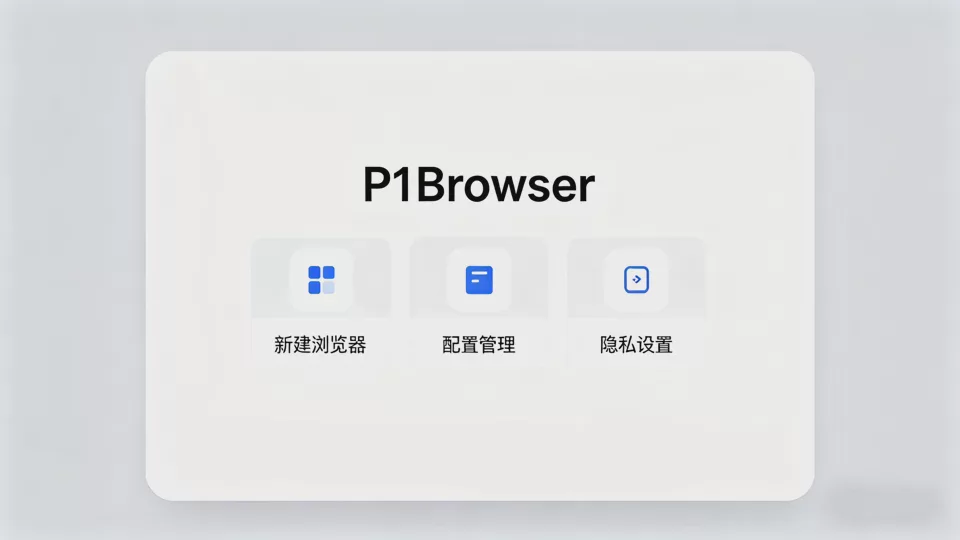
The core value of P1Browser lies in creating independent virtual browser environments. Each environment has a unique device fingerprint, IP address, and cached data, achieving the concept of one computer equals multiple independent devices, fundamentally avoiding account association. The core functional areas of the main interface are divided into three sections:
Environment Management: Create, edit, copy, and delete virtual environments, supporting batch operations. You can name them by platform/account classification (e.g., Amazon US Site - 1, Facebook Shop - 2) for easier subsequent management;
Fingerprint Configuration: Customize browser fingerprints (device model, system version, resolution, fonts, plugins, etc.), supporting intelligent generation and manual fine-tuning;
Proxy Integration: Compatible with mainstream proxy protocols such as HTTP, HTTPS, and SOCKS5, supporting single-environment IP configuration to achieve one-to-one binding between IP and environment.
3. Preliminary Preparation Work
Before formal use, you need to prepare compliant proxy IPs (this is the foundation for preventing association. It is recommended to choose dedicated static IPs and avoid using public or shared IPs). Select the corresponding regional IPs based on your operational scenarios (e.g., choose European IPs for Amazon EU sites, choose US IPs for TikTok US region). At the same time, organize the account information you need to manage, classified by platform, to avoid operational confusion later.
II. Core Configuration: Build Anti-Association Environments from Zero Basics, Avoid Key Pitfalls
Creating independent virtual environments is the core operation of P1Browser. The entire process only takes 5 steps, with fully visual operations that beginners can easily complete. The core principle is: one account corresponds to one virtual environment and one dedicated IP, with complete isolation between environments and no shared data.
Step 1: Create a New Virtual Environment
Log in to the P1Browser main interface, click New Environment on the left side, and enter the environment creation page. First, fill in the environment name (it is recommended to name it in the format of platform + region + account number, such as TikTok UK Site - 3). Select the browser kernel (supports mainstream kernels such as Chrome and Edge; Chrome is selected by default, compatible with the vast majority of overseas platforms), then click Next.
Step 2: Proxy IP Configuration (the Most Critical Step)
Proxy configuration is a key link in preventing association. Incorrect IP configuration will directly lead to account association. On the proxy settings page, select the proxy protocol (choose according to your proxy type, such as SOCKS5). Fill in the proxy address, port, username, and password (provided by the proxy service provider). After filling in, click Detect Proxy. You must ensure that the proxy detection succeeds and displays IP valid, region matched, then click Next. If the detection fails, you need to check whether the proxy information is filled in correctly or contact the proxy service provider to change the IP.
Step 3: Intelligent Fingerprint Generation and Fine-Tuning
P1Browser has a built-in intelligent fingerprint generation system that can automatically generate fingerprint information conforming to real device characteristics based on the selected region and system version (including device model, system version, screen resolution, browser language, fonts, plugins, WebGL, Canvas, and hundreds of other fingerprint parameters). Beginners can directly select Smart Generate Fingerprint, which meets more than 90% of usage scenarios.
If you operate high-risk-control platforms (such as Amazon, Facebook, Google Ads), you can manually fine-tune fingerprints. Avoid selecting overly special device models and system versions (such as outdated devices or beta systems). Try to choose mainstream devices (such as iPhone 15, Samsung S24, Windows 11, macOS 14). Disable unnecessary browser plugins to keep fingerprints clean. Ensure that fingerprint parameters match logically (e.g., if you select a US IP, the browser language should be set to English, and the timezone should be set to the corresponding US timezone).
Step 4: Additional Settings to Enhance Environment Security
On the additional settings page, you can enable cache isolation (enabled by default, ensuring that cookies, cache, and browsing history of each environment are independent), hardware information isolation (hiding the real hardware information of your computer, such as motherboard, hard drive, and network card), and operational behavior simulation (optional, supports simulating real users mouse movements and click speeds to avoid mechanical operations being detected by platforms). You can also set an environment password to prevent unauthorized access to the virtual environment and protect account information security.
Step 5: Save and Start the Environment
After all configurations are complete, click Save Environment. This environment will automatically appear in the environment list on the main interface. Click Start, and an independent virtual browser window will open. At this point, all operations in this window are based on an independent fingerprint and IP environment, completely isolated from the computer's real environment and other virtual environments. You can directly log into the corresponding overseas platform account in this window.
Batch Environment Creation Tips
If you need to manage a large number of accounts (such as dozens or even hundreds), there is no need to create them one by one. After creating a basic environment, click Copy Environment to batch copy multiple environments. You only need to modify the proxy IP and environment name for each environment to quickly complete batch environment setup, saving a significant amount of time.
III. Advanced Optimization: Unlock P1Browser Advanced Features to Achieve Ultimate Anti-Association and Efficient Operations
For high-risk-control platform operators or experienced cross-border practitioners, basic configurations alone cannot meet their needs. P1Browser's advanced features can further enhance environment security and operational efficiency, achieving ultimate anti-association plus efficient multi-account management.
1. Deep Fingerprint Optimization to Evade Platform Fingerprint Detection
Major overseas platforms have well-established fingerprint detection systems that can identify forged fingerprint information. P1Browser provides fingerprint detection and optimization features. Click Fingerprint Detection in the environment list to simulate platform detection mechanisms and score the current fingerprint (out of 100 points). For parameters with lower scores (such as WebGL, Canvas, and audio fingerprint), click One-Click Optimize to automatically adjust them to parameters that conform to real device characteristics, ensuring the fingerprint score is at least 90 points, significantly reducing the risk of being detected by platforms.
At the same time, avoid using similar fingerprints across multiple environments. Even for batch-copied environments, you need to make slight adjustments to fingerprints (such as adjusting screen resolution, browser language, and font size) to ensure that fingerprint parameters of each environment have reasonable differences, making them closer to real users device characteristics.
2. Multi-Window Collaboration and Quick Operations to Improve Efficiency
P1Browser supports simultaneous startup of multiple environments. Depending on your computer configuration, you can open dozens or even hundreds of virtual browser windows at the same time, with no interference between windows. It also provides quick operation features: supporting environment drag-and-drop sorting, batch start/close, and batch export/import of environment configurations (you can export environment configurations as files and import them on another computer to achieve cross-device synchronization).
For high-frequency operation environments, you can add desktop shortcuts to start directly from your computer desktop without opening the P1Browser main interface, saving operational steps. It also supports keyboard shortcut settings (such as Ctrl+1 to start the first environment, Ctrl+2 to start the second environment), further improving operational efficiency.
3. Automation and API Integration for Batch Account Management
For enterprise-level users or large-scale account operations, P1Browser provides automation operations and API integration features. It supports writing automation scripts (such as automatic login, automatic refresh, automatic content publishing) to achieve automated account management. It also offers open API interfaces that can integrate P1Browser with internal CRM systems and account management systems, achieving systematic management of operations such as environment creation, fingerprint configuration, and proxy replacement, reducing manual operations and lowering the probability of errors.
4. Data Backup and Recovery to Ensure Environment Security
The configuration information of virtual environments (fingerprints, proxies, settings) is the core asset of multi-account operations. P1Browser supports one-click environment data backup, allowing you to back up all environment configurations to the cloud or local hard drive. If your computer breaks down or the system is reinstalled, you can quickly restore all environment configurations through the One-Click Recovery feature without the need to recreate them, avoiding account risks caused by environment loss.
IV. Scenario Practice: P1Browser Adapts to Mainstream Cross-Border Scenarios with Targeted Usage Tips
Different cross-border scenarios have different platform risk control rules, and the usage tips for P1Browser also need targeted adjustments. The following is a practical guide for the three mainstream scenarios of cross-border e-commerce, overseas social media, and cross-border advertising, aligned with platform rules to achieve safe account operations.
1. Cross-Border E-Commerce Scenario (Amazon, AliExpress, Shopee, Lazada)
Cross-border e-commerce platforms are one of the most strictly risk-controlled scenarios. The core taboos are异地 IP logins, abnormal device information, and multiple accounts sharing the same IP.
Practical tips: one store corresponds to one P1Browser virtual environment and one dedicated static IP. The IP region must be consistent with the store registration region and shipping region (e.g., for an Amazon US site store, the IP must be a US domestic IP);
Fingerprint configuration: choose mainstream computer models and system versions, disable the browser developer mode, and avoid using any e-commerce-related plugins (such as price comparison plugins or data scraping plugins);
Operation standards: log into the corresponding store account only within the virtual environment, do not log into accounts on other platforms, do not switch IPs arbitrarily, and make operational behavior as close to real sellers as possible (such as occasionally browsing products and modifying store information).
2. Overseas Social Media Scenario (Facebook, TikTok, Instagram, X/Twitter)
Overseas social media platforms have high requirements for operational behavior, device fingerprints, and IP stability. The core taboos are mechanical operations, frequent IP changes, and multiple accounts logging into the same IP.
Practical tips: one social media account corresponds to one virtual environment and one dedicated IP. The IP region must be consistent with the account registration region. If you need to switch regions, you must first change the proxy IP, then adjust the timezone and language of the fingerprint;
Fingerprint configuration: supports both mobile and desktop fingerprint simulation. For mobile operations on TikTok and Instagram, you can choose mobile fingerprint simulation (such as simulating iPhone or Android phones), which is closer to real user scenarios;
Operation standards: enable the Operational Behavior Simulation feature in P1Browser to simulate real users mouse movements, clicks, and swipe speeds. Avoid publishing large amounts of content, liking, or commenting within a short period, preventing the platform from identifying your operations as bot behavior.
3. Cross-Border Advertising Scenario (Google Ads, Facebook Ads, TikTok Ads)
Cross-border advertising platforms have extremely high requirements for account authenticity and environment security. The core taboos are association between advertising accounts and store accounts, abnormal IPs, and forged fingerprint information.
Practical tips: advertising accounts and their corresponding store accounts should use independent virtual environments and IPs. Even if they belong to the same operator, they cannot share environments and IPs;
Fingerprint configuration: choose high-score authentic fingerprints (score 95 or above), ensure all fingerprint parameters are logically matched, and disable all advertising-related plugins and extensions;
Operation standards: only perform advertising-related operations in the advertising environment. Do not log into personal social media accounts or email, and do not casually visit unfamiliar websites, preventing the environment from being contaminated.
V. Pitfalls Guide: Common Misunderstandings in P1Browser Usage, Stay Away from Account Association Risks
Many cross-border practitioners still experience account association or bans after using P1Browser. The core reason is not the tool itself, but improper usage methods. Below are six common misunderstandings that must be avoided:
Misunderstanding 1: Using Shared or Dynamic IPs
Shared IPs and dynamic IPs are the most problematic areas for account association. Shared IPs are used by multiple users. If one user account is banned, other accounts using that IP will also be affected. Dynamic IPs change frequently, and platforms will identify this as abnormal logins. How to avoid: Only use dedicated static IPs provided by legitimate proxy service providers to ensure IP uniqueness and stability.
Misunderstanding 2: Multiple Environments Sharing the Same Fingerprint
Some beginners, to save trouble, do not fine-tune fingerprints when batch creating environments, resulting in multiple environments using nearly identical fingerprint information. Platforms can quickly identify them as the same operator through fingerprint detection. How to avoid: After batch copying environments, make slight adjustments to the fingerprint of each environment to ensure reasonable differences in fingerprint parameters, or directly use P1Browser Batch Fingerprint Fine-Tuning feature.
Misunderstanding 3: Logging into Unrelated Accounts in Virtual Environments
Within one virtual environment, in addition to the target platform account, logging into accounts on other platforms, personal email, or social accounts will cause the environment data to be contaminated. Platforms can identify associations through cookies, cache, and other information. How to avoid: Log into only one target platform account in each virtual environment. Do not log into any unrelated accounts to keep the environment clean.
Misunderstanding 4: Ignoring Platform Operation Standards and Performing Mechanical Operations
Even if the environment and fingerprint configurations are perfect, if the operational behavior is too mechanical (such as publishing large amounts of content, liking, and commenting within a short time, with uniform operation times), the platform will still identify it as abnormal operations and ban the account. How to avoid: Enable the operational behavior simulation feature, simulate real users operation habits, avoid batch mechanical operations, and reasonably arrange operation times.
Misunderstanding 5: Using Third-Party Cracked Versions of P1Browser
Some users, to save costs, use third-party cracked versions of P1Browser. These programs may have malicious programs implanted to steal account information and fingerprint data. At the same time, cracked versions lack official updates and technical support, and their fingerprint simulation functions are outdated, making them highly susceptible to platform detection. How to avoid: Only use the official genuine version of P1Browser to enjoy official fingerprint updates, technical support, and security guarantees.
Misunderstanding 6: Not Backing Up Environment Configurations, Leading to Environment Loss from Computer Failures
If the computer breaks down or the system is reinstalled, unbacked-up environment configurations will be completely lost. Recreating environments will cause accounts to log in in new environments, and platforms will identify this as异地 logins or device changes, triggering account risks. How to avoid: Regularly back up P1Browser environment configurations through both cloud and local methods to ensure environment data can be restored at any time.
VI. Summary: To Use P1Browser Well, the Key Lies in Details and Standards
As a professional fingerprint browser tool, P1Browser provides solid technical support for cross-border multi-account management. However, the effectiveness of the tool ultimately depends on the usage method. True anti-association is not solely reliant on fingerprint and IP isolation, but rather a comprehensive result of environment isolation plus standardized operations plus compliance with platform rules.
For beginners, there is no need to pursue complex advanced configurations. First, master the basic skills of environment creation, proxy configuration, and fingerprint generation, and follow the core principle of one account, one environment, and one IP, which can meet most usage scenarios. For experienced operators and enterprise-level users, you can unlock P1Browser advanced features, achieving ultimate anti-association and efficient operations through deep fingerprint optimization, automated operations, and API integration.
Finally, the core of cross-border operations lies in long-termism. Whether using P1Browser or managing overseas accounts, you need to pay attention to details, follow platform rules, and avoid any侥幸心理. Only by building a safe and standardized multi-account management system can you achieve stable development of cross-border business.
P1Browser Official Download Channel: [Official stealth download link / compliant guidance method can be placed here, adapted to platform rules to avoid account bans]

