



You just created a brand-new TikTok account, found several creators you like, and clicked Follow, but nothing happened. The button may instantly return to its original appearance, or TikTok may display a “Follow too fast” message. This can be quite frustrating, especially when you simply want to enrich your recommendations or manage a new account.
If your new TikTok account cannot follow others, it does not mean the account has been permanently banned. In most cases, this is because following activity was too rapid, the account has insufficient trust, personal information is incomplete, the App cache is malfunctioning, or TikTok has temporarily restricted the following feature. This guide provides a complete explanation of the most common causes, ways to check your account status, and steps to take before the issue worsens.
If your new TikTok account cannot follow others, it does not mean the account has been permanently banned. In most cases, this is because following activity was too rapid, the account has insufficient trust, personal information is incomplete, the App cache is malfunctioning, or TikTok has temporarily restricted the following feature. This guide provides a complete explanation of the most common causes, ways to check your account status, and steps to take before the issue worsens.
Reasons New TikTok Accounts Cannot Follow Others
When you have just registered a TikTok account and clicking Follow produces no response, it is easy to feel confused. Sometimes the button reverts after one second, while other times a “Follow too fast” warning appears directly. This is also the most common reason users search for “new TikTok account can't follow people.”
Because new accounts have little interaction history, they can easily trigger TikTok's temporary following restrictions. If you follow a large number of other users within a short period, the platform will restrict the following feature. This does not mean the account is banned; it simply means TikTok wants the account's behavior to more closely resemble that of a typical real user.
Excessive Activity Immediately After Creating a New Account
If a newly registered account immediately follows a large number of people, the system may classify it as a high-risk account. For example, if a new brand account follows 30 creators within a few minutes of being created, this may seem like normal content setup to the operator, but in TikTok's system, it is considered spam-like bulk following.
TikTok has not publicly disclosed a fixed following limit that applies to all new accounts. The number of accounts each account can follow varies; detection thresholds are stricter for new accounts, so slowing down your activity is safer.
The behavior appears to involve automated account activity, so the platform directly suspends the ability to follow others.
If TikTok displays “Following too fast,” it means the account has repeatedly followed others within a short period. Sometimes no clear warning appears; instead, you may only notice that the Follow button is disabled or that following is automatically undone after you refresh the page.
If you are completely unable to follow anyone, do not repeatedly hammer the Follow button, as this will only make the system judge the behavior as more suspicious. Stop taking action for now, watch a few videos, naturally like a few posts, and try following again after some time.
Account age and trust score affect following permissions
How long ago the account was registered is crucial. New accounts have almost no history of credibility and lack consistent viewing habits, stable login activity, and clear interest tags, so following people quickly can appear especially unnatural.
As usage time accumulates, completing your profile, verifying your email address or phone number, and maintaining normal browsing and engagement can all improve the account’s trust level. If the restriction is temporary, it will usually be lifted after waiting 24 to 48 hours; if you still cannot follow anyone after several days, you can report the problem in the TikTok App.
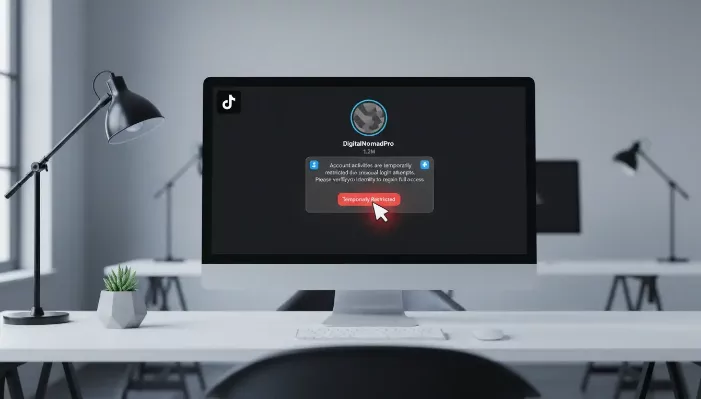
Common reasons new TikTok accounts cannot follow others
Once a following restriction is triggered, many people mistakenly think the entire account is ruined, but in most cases the situation is not that serious. It is usually caused by acting too quickly, missing basic information, or a problem with the App itself.
- Following too many accounts in a short period:Rapidly following many accounts triggers a temporary TikTok restriction. For example, a brand-new fitness account might follow 20 to 30 creators immediately after registration, causing the Follow button to stop working.
- The personal account information has not yet been completed: Accounts with no profile picture, self-introduction, viewing history, or clear interests are considered blank accounts and have very low trust scores. It is recommended to complete the basic account information and browse and use TikTok normally before following a large number of accounts.
- Email address or mobile phone not verified: New accounts without a linked email address or mobile phone number lack trust badges. Verification cannot directly remove all following restrictions, but it can make the account's basic eligibility more complete.
- The target account is private or restricted, or the other person has blocked you: If you can follow only one account, the issue lies with the other party; only when following all public accounts fails is your own account restricted or the program malfunctioning.
- TikTok App, cache, or server issues: A corrupted cache, an outdated App version, an unstable network, or a program Bug can all cause the follow button to become unresponsive. It is recommended to clear the cache, update TikTok, restart the App, and test again after some time.
How to confirm whether a TikTok account has been restricted
After ruling out common software issues, first determine whether the situation is an actual account restriction or merely a minor App glitch, as the appropriate solutions are completely different. If it is a program error, clearing the cache and updating the software can resolve it; if it is a TikTok following-permission restriction, you need to slow down your activity and wait for access to be restored.
Clear signs that an account is restricted
The most obvious sign is that you can click Follow, but the action does not take effect. The button briefly switches status, then immediately reverts after the page is refreshed; some users may directly receive messages such as “Following too quickly” or “Take a break,” which usually appear only after following accounts rapidly in succession.
The second basis for judgment: the problem occurs with all accounts rather than a single target. If attempts to follow five public accounts all fail, the problem is with your own account, most likely a temporary restriction rather than a permanent ban.
Check TikTok notifications for official warnings
Open TikTok and check your inbox, system notifications, and the Account Status section. If TikTok has restricted the account for a specific reason, a warning notification will appear here; TikTok's Safety Center has an Account Status section where you can check for warning flags or records of unusual activity.
Not all follow restrictions come with detailed notices, and some hidden restrictions do not display complete notifications. For example, when following reaches the platform's threshold within a short period, the system will directly block the action without providing a written warning. Therefore, in addition to checking notifications, observe how the Follow button responds to determine the situation.
Why does clicking the Follow button cause it to revert automatically?
When the TikTok Follow button appears to work but reverts after the page is refreshed, it means the system did not successfully save the follow action.
For example: A brand-new music account follows multiple artists, producers, and fan pages within a short period. After clicking Follow, the button changes, leading the user to believe the action succeeded, but after closing and reopening the page, the following count drops immediately. This usually happens during a temporary restriction, when TikTok determines that the account is following people too quickly and blocks the command.
What happens when a new TikTok account is shadowbanned?
A shadowban is difficult to confirm directly and is generally used to describe a sharp drop in video views, a narrower reach for comments, and a situation in which the account appears to be hidden by the platform. For a new account, it may manifest as videos receiving zero views, the follow function failing, and all engagement data stagnating.
However, these signs do not necessarily indicate a shadowban. New accounts naturally have lower reach, and the cause may be a lack of operating history, weak content signals, repetitive mechanical actions, or simply a temporary follow restriction. If the only issue is being unable to follow others, first determine that it is a follow-permission restriction. Slow down operations for 24 to 48 hours, avoid repeated clicks, and then test whether normal functions have been restored.
Complete steps to fix TikTok’s “Unable to follow others” issue
When you confirm that the account may be restricted, do not rush to register a new account. Most following issues can be fixed by leaving the account idle, clearing the app data, and reducing the operation frequency. A new account’s inability to follow others may be caused by both account behavior and software glitches. Follow the steps in order to address the issue gradually and avoid worsening the restriction.
1. Pause all following activity for 24 to 48 hours
If “following too quickly” pops up, or following is automatically canceled, stop adding follows immediately. Continuing to click frantically will only cause the system to identify the account as a spam bot account, while pausing your activity allows the platform to reset its action limits.
During the waiting period, maintain normal usage habits: watch videos, search for topics, save favorite posts, and only like content you are genuinely interested in. For example, if mass-following new beauty accounts triggers a restriction, stop following for one to two days before trying again.
2. Clear the TikTok Cache and Restart the App
If the Follow button stops working without warning, it is most likely due to corrupted App cache. The standard troubleshooting process is to restart the App and check the network; if the issue persists, clear the cache.
Path: Open TikTok → Settings and privacy → App settings → Clear cache. Afterward, fully close TikTok and reopen it. Test by following only one group of public accounts, and do not follow multiple accounts consecutively.
3. Update TikTok to the Latest Version
Outdated software is prone to various Bugs. Delays with the Follow button, operations that cannot be saved, and incorrect data displays may all make users mistakenly believe that the platform has blocked the following function, when the actual issue is simply the software version.
Go to your phone’s app store to check for updates. After updating, restart your phone before testing again. Once the new version restores normal operation, be sure to avoid rapid, consecutive following that day.
4. Check the Device and Login Environment
Changing devices or switching devices to log in can also affect the permissions of a new account. If the same account is created on a phone and then immediately accessed from another device or browser, TikTok may determine that the login stability is insufficient; it may not impose a direct ban, but the risk level of the new account will increase significantly.
During the initial period after an account is created, use one trusted device consistently for login. If you manage multiple TikTok accounts at the same time, do not switch between them frequently in the same browser or on the same device, as this can create mixed login records and intensify the system’s detection of abnormal activity.
5. Submit an Official Report If the Problem Continues for Several Days
If you still cannot follow anyone after more than two days, do not guess the cause yourself. Report it directly to TikTok customer support. Path: Profile → Menu → Settings and privacy → Report a problem. Fill out the form according to the relevant issue category.
Clearly state the key details in your report: a brand-new account cannot follow any public users, the Follow button automatically reverts, you have already tried clearing the cache and updating the App, and attaching relevant screenshots is recommended. One complete and detailed report will help customer support identify the problem faster than submitting multiple reports repeatedly.
How should you handle the “Take a break” prompt when it appears?
Seeing “Take a break” while following is an official warning, and its logic is the same as “Following too fast”: the same action has been repeated too many times within a short period. New accounts are more likely to trigger it, and users often mistakenly think their account can no longer follow anyone permanently, when in reality it is almost always a temporary restriction.
Why does “Take a break” appear?
TikTok displays this prompt when it detects a large number of follows within a short period. New accounts have a lower threshold because they lack a long-term usage history. For example, if you open a fan account and follow dozens of creators at once, the platform will block the action and force you to slow down.
This does not mean that you have seriously violated the Community Guidelines; in most cases, you have simply reached the limit for a single follow action. TikTok officially states that when users follow large numbers of accounts too quickly, the Follow feature will be suspended for 24 hours to prevent spam and account-washing activity.
How long do you need to wait for it to be restored?
Most restrictions are automatically lifted after 24 hours. If you continue repeatedly tapping Follow after receiving the first warning, the waiting period will be extended to 48 hours. If you still cannot follow anyone after more than two days, this is no longer just a temporary action restriction, and you will need to contact customer support.
During the waiting period, test only a single public account after a sufficiently long interval. Do not test the feature by following multiple groups of accounts at once; once the restriction is triggered again, you will need to remain inactive for even longer.
These actions are strictly prohibited during the waiting period
- Do not repeatedly and frantically click the Follow button
- Do not mass-unfollow and re-follow people to force a status refresh
- Do not use any bulk-following plugin tools; they will reinforce the abnormal behavior label
Maintain normal interactions typical of an ordinary user: watch videos in full, browse hashtags, and slowly interact with content you enjoy. As long as the restriction was caused by rapid actions, natural, normal usage can speed up account recovery.
How to avoid triggering follow restrictions again on a new TikTok account
After receiving the “Take a break” warning, you must adjust the way you operate the account. A new account must never follow large numbers of people immediately after opening it; following intensively within a short period may cause it to be classified as a spam bot account, directly suspending the follow function. When a new account cannot follow anyone, the core solution is to slow down and build up a record of normal use.
Warm up the account before following extensively
Before following anyone on a new account, first build up basic usage patterns: spend time watching videos, search for industry-related topics, save content in the same field, and then follow a small number of accounts slowly; do not follow dozens of creators at once.
For example: after registering a brand-new beauty account, do not immediately follow 50 beauty creators; first watch beauty tutorials, like useful videos, and complete the profile. This will make the account's behavior more closely resemble that of a real user rather than an account created solely to follow others.
Prioritize normal browsing, liking, and basic account activity
Watch videos in full, visit other users’ profiles, and read comments. Only like content you are genuinely interested in, rather than mechanically clicking the Follow button.
When the follow function is locked due to intensive activity in a short period, extended natural interaction can improve the account’s label; if the follow function automatically recovers after a day or two, maintain a low-frequency, gradual following pace over the long term.
Do not use bulk-following tools; avoid frequent, repetitive actions
Batch automation tools pose an extremely high risk to new accounts, and rapidly repeating the same actions will inevitably trigger tracking restrictions. TikTok’s Community Guidelines clearly prohibit spam account behavior and fake engagement; any automated follower-growth tool will only have negative effects.
Even manually repeating actions can cross the line: following, unfollowing, and refollowing large numbers of accounts within a short period are all considered abnormal behavior. Once a “following too fast” warning appears, immediately stop all related actions and do not force further testing.
Create a Steady, Natural Following Pace
A healthy following pattern should progress gradually rather than surge all at once. First, follow a few accounts that match your interests, use the account normally for a period of time, and only add more accounts to your follow list after the account status has stabilized.
TikTok has not publicly disclosed a unified following limit for the entire platform. The restriction standards vary between new and established accounts, as well as between accounts with different usage patterns. Low-frequency, steady activity can minimize the chance of triggering the system’s conditions for detecting following restrictions.
Use P1Browser to Safely Manage Multiple TikTok Accounts
When managing multiple TikTok accounts simultaneously, ordinary browsers can easily cause data mixing: Cookies, browsing history, local storage, and login states may interfere with one another. When a single account experiences abnormal following functionality, it can be difficult to determine whether the issue comes from the action speed, App cache, or login environment. This is also why users managing many accounts often encounter new accounts that cannot follow others.
Create an Isolated Browsing Environment for Each TikTok Account
Use DICloak to create a dedicated browsing environment for each TikTok account. Each environment has independent Cookies, session records, local storage, and login states, so switching between accounts will not cause mutual interference. When the follow button stops working, you can also quickly identify the source of the issue and reduce troubleshooting difficulty.
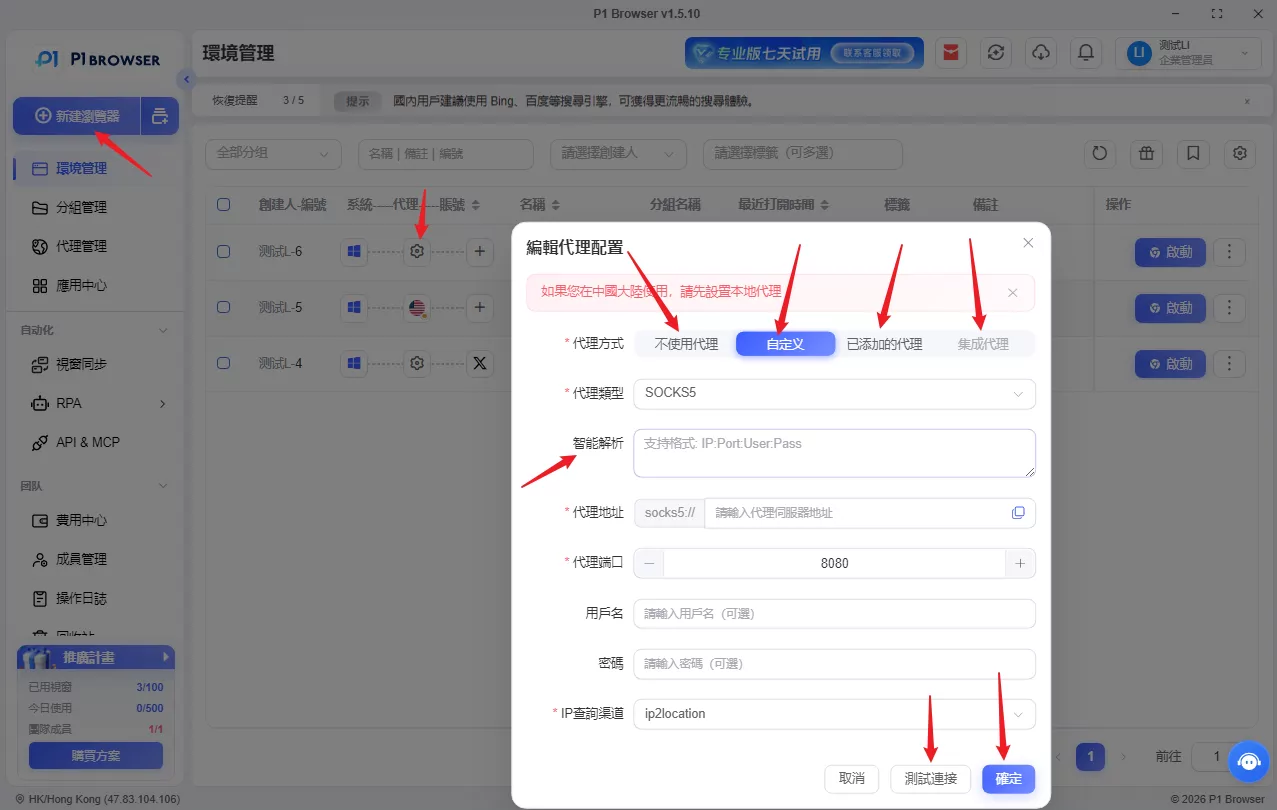
Customize Browser Fingerprints and Proxy Settings
You can adjust dedicated fingerprint parameters for individual environments, including the user agent, screen resolution, language, and time zone. Custom proxies are also supported, including HTTP, HTTPS, and SOCKS5 protocols, allowing each TikTok account to maintain a stable, independent login environment.
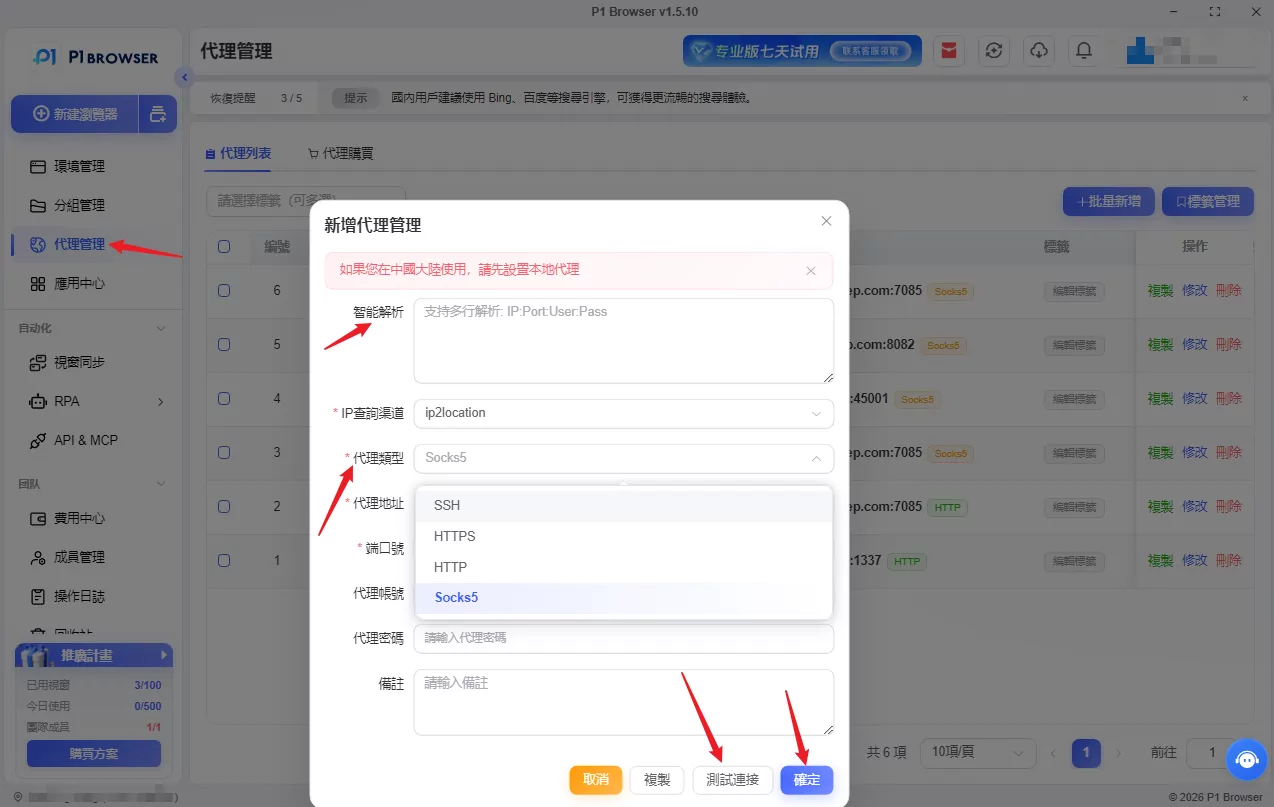
Use RPA Automation and Synchronization Features with Caution
Repetitive tasks can be paired with RPA templates to automatically browse homepage videos and capture creator follower and video information; synchronization tools can also assist with simple batch operations across multiple environments. These tools are suitable for market research, account warm-up, and account status checks,It is strongly not recommended for bulk followingespecially when the account has already triggered a warning about following too quickly.
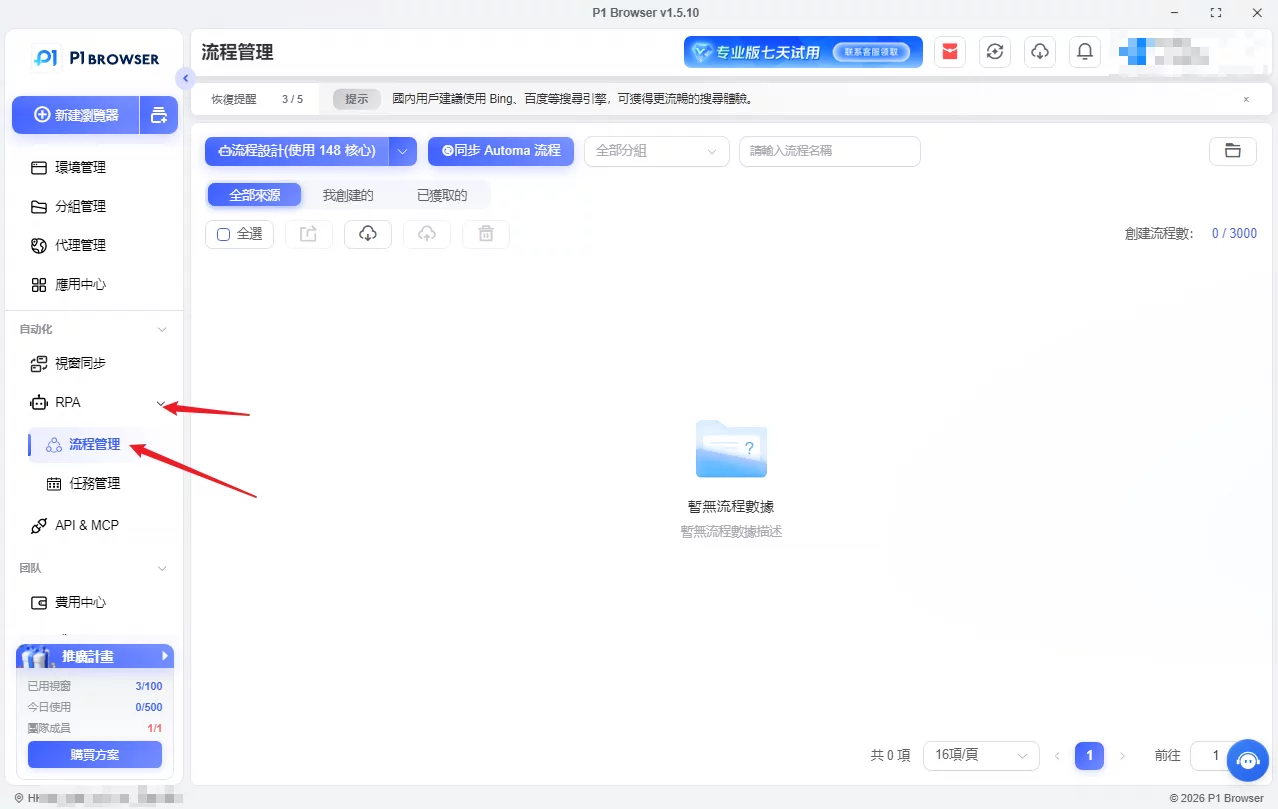
Team permission management without sharing passwords
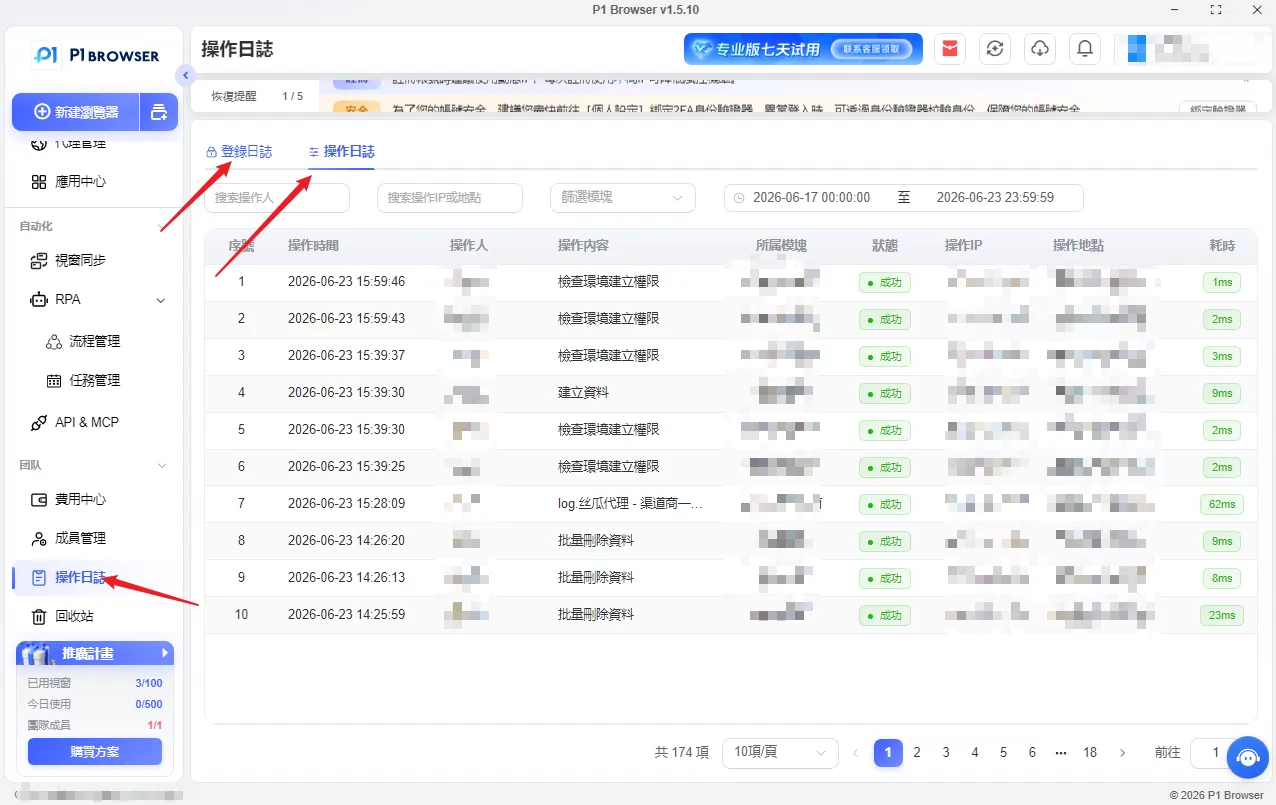
Suitable for agencies and teams with multiple members, it allows users to share browsing environments, set tiered operation permissions, and retain complete operation logs. Team members can operate the corresponding accounts without exchanging account passwords, substantially reducing the risk of system abnormalities caused by mixed multi-account login environments.
Frequently Asked Questions: New TikTok Accounts Unable to Follow Others
Q: Why can't my new TikTok account follow anyone?
A: In most cases, the account was registered too recently and intensive activity began immediately after activation; following a large number of users in a short period will cause TikTok to temporarily lock the following function. These are almost always temporary restrictions and will not permanently block the account.
Q: How long will TikTok's following restriction on new accounts last?
A: Most restrictions last 24 to 48 hours; if you continue repeatedly tapping Follow after receiving the first warning, the waiting period will be extended. If you still cannot follow anyone after two days, check the system notifications and report the issue through in-App customer service.
Q: Why does the TikTok Follow button automatically revert after I tap it?
A: This means that the follow request was not saved by the platform. Following restrictions, abnormal App cache behavior, and the system detecting rapid following can all cause this. When this happens, do not test repeatedly; wait for a while before trying again.
Q: Can a newly registered TikTok account follow other people immediately?
A: It can follow a small number of people, but be sure to proceed gradually. If you follow a large number of people all at once immediately after registering, the system will classify it as spam bot activity and directly restrict the following function.
Q: How can I resolve the issue if a new TikTok account cannot follow anyone at all?
A: First, stop all following activity for 24 to 48 hours; then clear the TikTok cache, update the App, and maintain normal interactions such as watching and liking content; after leaving the account idle, follow a small number of people slowly. If the issue persists, report it through TikTok’s official customer support channel.
Summary
A new TikTok account’s inability to follow others is, in most cases, caused by a temporary following restriction. Common causes include following too quickly, insufficient account usage history, and a corrupted App cache. The process is as follows: stop following for 24 to 48 hours, update the App and clear its cache, maintain genuine and natural viewing and interactions, and then keep following activity at a low and gradual pace.
If you manage multiple TikTok accounts at the same time, it is recommended that you use an independent, isolated browsing tool to manage each account separately, avoiding interference between login records and Cookies that could trigger various functional issues.

