



When you search for 'buy Google email account,' you may be looking to buy one of three things: a ready-made personal Gmail account; having a third party set up Google Workspace on your behalf; or your business setting up Workspace yourself through Google officially. The first two and the third are not the same type of transaction. What really determines whether a business can use it long term is not the unit price, but who owns the account, who has admin rights, and whether it can be recovered if something goes wrong.
The first type is usually created by a seller or registrant, and the business only receives a username and password. The second type is set up by a third party using your domain, but the super admin may still be in their hands, leaving renewals and recovery at their mercy. The third type is set up by the business itself through Google officially, creating employee mailboxes with its own domain, with admin rights belonging to the company. This article compares the differences among the three in ownership and administrative rights; price is only superficial—once the account is connected to customers, payments, ads, or a store, misaligned ownership becomes a business interruption risk.
Buying a Gmail account outright: what you get is a login credential, not a business email asset
A purchased personal Gmail account generally remains under the seller's or original registrant's name; the business is neither the admin nor able to easily prove ownership of the account. Daily login may work fine, but you'll get stuck when the following four things happen:
- Employee offboarding and handover:The password is in the individual's hands, and emails, contacts, and verification codes cannot be handed over smoothly.
- Password recovery:The recovery email and phone number usually belong to the seller, so the business cannot pass verification when Google requires it.
- Entanglement with linked services:If ads, payments, storefronts, social media, or third-party tools are tied to this account, any account issue can have knock-on effects on the business.
- External trust:A @gmail.com address struggles to consistently represent the company brand, and customers also have difficulty verifying identity.
Transactions involving this type of account usually fall into a gray area or violate Google's Terms of Service and may be suspended due to abnormal registration, policy violations, or security signals; the specific reasons for action and appeal outcomes are subject to Google notifications and official policies.
Setting up Google Workspace: what you buy is a domain, an admin console, and a transferable organizational identity.
The core of a Workspace mailbox is not the 'Gmail interface' but an organizational account established by a company with its own domain. Administrators can create, suspend, and reset employee accounts, and control two-step verification, groups, shared Drive, Calendar, and Meet permissions. Mailboxes belong to the organization, accounts can be handed over when employees join or leave, and everything is displayed externally under a unified company brand.
- The domain belongs to the business, email addresses are controllable, and you do not depend on personal @gmail.com.
- Super admins can reset passwords, view audit information, and set login policies.
- Data can be exported and migrated, and team collaboration revolves around the organization directory.
- User lifecycles and permissions can be managed, making it suitable for multi-user collaboration and long-term operations.
But Workspace is not a one-size-fits-all solution. It cannot replace genuine qualifications, a stable network, and compliant operations; if an account is used for non-compliant business, the platform may still take action in accordance with its policies. If an account also involves advertising and multi-role collaboration, you can refer toPermissions and collaboration steps in account matrix management.
A comparison table to see 9 key differences at a glance
| Dimension | Buying Gmail accounts directly | Official Google Workspace activation |
|---|---|---|
| Account ownership | Belongs to the seller or registrant; the enterprise only has usage rights | Belongs to the enterprise organization, and the domain and administrators are controllable |
| Domain and brand | Usually @gmail.com | Own domain, unified branding |
| Admin permissions | Basically none | Super admin can manage users and policies |
| Password recovery | Depends on the seller's recovery method | Admins can reset and configure recovery |
| Data export | May be locked or taken away by the seller | Can export email, contacts, and Drive |
| Collaboration and auditing | Weak, often relies on shared passwords | Groups, permissions, and audit are available |
| Compliance and terms risks | Transaction and registration sources may be non-compliant | Official activation, clear terms, but compliant operations are still required |
| Cost structure | Low price but unsustainable, with high hidden costs | Per-seat subscription, budgetable |
| Handover upon staff departure | Difficult; accounts are easily lost | Can be deactivated, transferred, and reset |
When reading the table, first focus on two dimensions: whether the enterprise can recover accounts, and whether the enterprise can export data. These two determine all subsequent costs.
Understand at a glance: who truly controls accounts and data
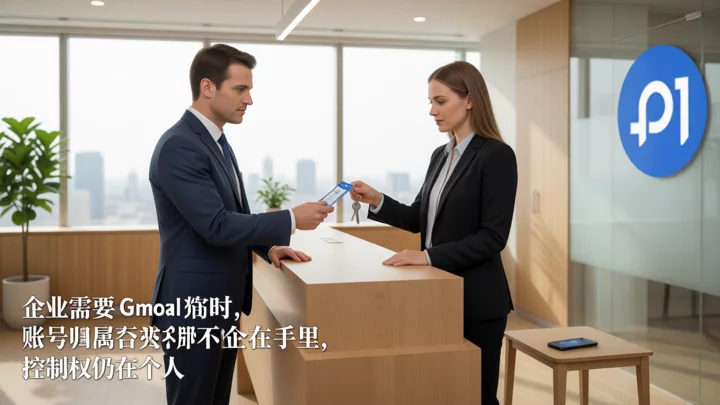
The control chain for a personal account is usually "registrant—seller—enterprise user," while for Workspace it is "enterprise domain—super admin—employee account." When ownership needs to be verified, the former often breaks at the seller's link.
Cost cannot be calculated by purchase price alone: three hidden losses are more expensive.
Treating a Google email purchase as a one-time purchase often ignores that it defers the cost until something goes wrong. There are three common types of losses:
- Account deactivation:Customer emails, verification codes, invoices, and historical correspondence may all be lost together, and recovery depends on the seller's cooperation.
- Linked asset entanglement:When advertising, payment, store, or third-party services use the account as their login entry, account anomalies can drag down the entire business chain.
- Handover failure:When the team leaves, the seller becomes unreachable, or the domain is not under your control, it is difficult for the enterprise to prove ownership, and the migration window may also be insufficient.
The criterion is simple: as long as the account involves customers, payments, advertising, or team collaboration, it should not be placed on a personal Gmail account. When store and advertising assets are involved, you can read further.Account boundary checklist for preventing association across multiple cross-border e-commerce stores.
When you can buy ready-made accounts and when you must set up Workspace
The scenarios in which you can buy ready-made personal Gmail accounts are very narrow: one-off tests, short-term tool registrations, no binding to customers or payment collection, and willingness to abandon them at any time. Even so, you should give them an independent browser environment and network egress to avoid mixing them with official company accounts. When CAPTCHAs or abnormal prompts appear during multi-store logins, troubleshooting usually starts with the environment and profile boundaries; refer toBrowser isolation and network troubleshooting approaches for multi-store login risk control.
Scenarios where Workspace must be set up include: external customer communication, company brand email, multi-person collaboration, advertising or payment account binding, and the need for auditing and handover upon departure. When using multiple personal Gmail accounts or handling team handovers, you also need to establish fixed environment isolation boundaries; for specific steps, seeEnvironment isolation and account management configuration for fingerprint browsers.
Already bought Gmail accounts: how to migrate them to Workspace
A personal Gmail account cannot be turned into a Workspace organization account with one click, and ownership cannot be transferred directly. The viable path is to first create an organization account, then migrate data and bindings:
- Take stock of old accounts: list email, contacts, Drive, advertising, payment, store, social media, and third-party login bindings.
- Register a business domain and activate Workspace: confirm that DNS control is in your own hands, and first set up a super admin and recovery method.
- Migrate data: use the Workspace migration tool or IMAP to sync mail, contacts, and Drive to the new account, and keep the old account read-only for a period of time.
- Switch key linked accounts: update one by one Google Ads and other advertising accounts, payments, stores, and social media login emails; for Workspace management policies, refer to Google Workspace Admin Help for guidance.
- After observation, deactivate the old account: confirm that verification codes, customer replies, and bills all go to the new email, then deactivate or close the old account; avoid direct deletion, which would make data unrecoverable.
Migration roadmap: from personal accounts to organizational accounts

The most easily underestimated breaking point in this path is ownership: a personal Gmail account does not automatically belong to the company just because the business starts paying. Migration is essentially creating a new organizational account, copying data, and switching linked accounts, rather than “upgrading” the old account over.
5 things to confirm before setting up Workspace
- Domain DNS control: Make sure the domain registrar, DNS resolution, and renewals are all in the company's hands.
- Super admin and recovery: Don't create just one admin; set up a recovery email or phone and security keys.
- Seats and renewals: Bill based on actual headcount and deactivated users; confirm the payment method, invoices, and auto-renewal.
- Data regions and compliance: If your industry has data residency or audit requirements, first confirm which regions and policies are available.
- Integration with your existing ecosystem: Whether you need to connect Google Ads, Play, or Cloud, or migrate from your current business email, schedule the window in advance.
Frequently asked questions
Can a purchased Gmail account be used for external business communications?
Technically, it can send and receive email, but it's not recommended as a company's primary mailbox. It's usually not under the company's name and lacks admin controls, offboarding handover, and a branded domain; if the seller recovers it or the account is suspended, customer communications will be cut off immediately.
What exactly is the functional difference between a Google Workspace mailbox and a regular Gmail account?
The difference isn't in the inbox interface but in the organizational control layer: your own domain, admin console, user lifecycle management, auditing, groups, and team sharing. Regular Gmail is more of a personal account.
If a purchased Gmail account is suspended, can the emails and linked services be recovered?
It depends on the registration information, recovery method, and platform notifications. Businesses are usually not the registrant, so appeals and recovery depend on how cooperative the seller is; linked services may also require verification via the original email address.
The company already has Tencent Exmail or Alibaba Cloud Mail—can it still switch to Workspace?
Migration can be planned, but it requires changing MX records, migrating mailbox data, and switching third-party bindings. It is advisable to keep the old mailbox active for a period of time to observe in parallel before deactivating it.
What are the most easily overlooked costs and settings when a team of 10 or fewer people sets up Workspace?
Deactivated personnel may still occupy seats, incur automatic renewals, and take up extra storage; in terms of settings, it is easy to create only one super admin or leave the domain DNS in the reseller's hands.

