


If you are about to pay for a batch of Gmail accounts, what truly determines whether the money is worth it is not the email address itself, but whether three things end up in your hands: login credentials, the recovery chain, and a reproducible login environment. If any one of them is still held by the seller, the so-called 'recovery guaranteed if banned' has no executable basis.
There is one more prerequisite to clarify first: Google's Terms of Service do not permit buying, selling, or transferring accounts, and the transaction itself is not protected by the platform; if a dispute arises, there is no official arbitration channel. Responsibility allocation and account policies are subject to Google Account official Help Center's current statements. Therefore, before placing an order, what you should do is not compare prices, but ask clearly about the source and recovery chain item by item and verify them item by item.
The money you pay cannot buy 'ownership'; it can only buy control for a period of time. Judging whether this transaction is worth it depends on how much control can be transferred and whether you can maintain it yourself after the transfer.
What you pay for is not an email address, but three controls
Login credentials are the most superficial layer: the password, the currently valid session, and the backup codes for two-step verification. If you only get the password, the account may be taken back by the original holder at any time through other means.
The recovery chain is the final arbiter of ownership. If any one of the recovery email, recovery phone number, alternate email, backup verification codes, or signed-in device records remains in the other party's hands, they can use Google's account recovery process to take back control, and no matter how many times you change the password, you won't be able to stop them.
The login environment determines whether this account can survive over the long term. Gmail records the exit IP range, device parameters, and login time distribution; when an account that has long been quiet suddenly shows high-frequency activity in an unfamiliar environment, it will usually be asked for additional verification rather than banned outright, but repeatedly triggering verification is itself a usage cost.
Comparison of four account source categories: self-registered, bulk-registered, aged accounts, Workspace/domain email
| Source type | Common seller claims | Main risks | Verifiable signals |
|---|---|---|---|
| Personally self-registered aged account | “I've been using it myself all along” “has real-name information” | The seller retains the original recovery email or phone number and can reclaim the account by appeal at any time; a single account's source cannot be traced | Whether the commonly used devices and regions in security activity are consistent; whether the recovery method can be changed to your own |
| Bulk-registered new account | “Bulk discounts,” “low cost” | IPs, devices, and verification numbers from the same registration batch are highly similar, so when one batch is actioned, the rest are easily implicated | Whether the registration times are clustered; whether the recovery phone number simply cannot receive verification codes |
| “Old accounts” that have changed hands multiple times | “Registered for years, absolutely stable” | Registration duration does not equal security; the more times it has changed hands, the more incomplete the recovery chain becomes, and backup codes have mostly expired | Whether any usable backup verification codes remain; whether there are multiple login records from different locations |
| Workspace/domain email | “Enterprise email, more stable than a personal account” | Administrators can reset passwords or delete accounts at any time; buyers effectively only have usage rights | Whether admin privileges are transferred, or only a sub-account login name is provided |
Among the four source types, only the one with a fully transferred recovery chain that you can maintain yourself is worth discussing. Registration duration and “whether it is real-name verified” are not key indicators.

High-risk actions that get accounts banned: don't change passwords or send bulk messages when the login environment is unstable.
The restrictions you run into immediately after receiving the account are usually not because you 'bought a black-market account,' but because the login behavior itself triggered verification. The following actions are most likely to cross the line in the first few days.
- On first login, doing three things in a row: changing the password, changing the recovery email, and enabling two-step verification.Changing multiple pieces of security information within a short period is a classic suspicious activity combination.
- Using the same browser or the same egress to log into multiple purchased accounts.If one environment is flagged, other accounts in the same environment may be asked to verify as well. Fingerprint browsers can isolate cookies and device parameters, but they only cover the environment layer and cannot solve source and recovery chain issues. For applicable boundaries, see Is It Safe to Use a Fingerprint Browser for Multi-Account Operations: 4 Risk Control Triggers。
- Sending bulk messages or cold emails within a short period.A new account's sending reputation and quota are both at low levels, and sending in large volumes can easily get its sending function restricted.
- Switching between nodes in multiple countries or regions within a single day.Logging in to the same account across regions within a short period of time is itself an anomaly signal.
- Binding a payment method or subscription of unknown origin.Any subsequent billing disputes and violation records will all be tied to this email address.
A workable boundary is: one account with a fixed, long-term stable exit and an independent browser environment; after receiving the account, observe for a few days before gradually taking action. Google usually does not fully disclose the reasons for its actions; when you encounter a warning, rely on account notifications and official policies, not guesswork. For assessing linkage in multi-store, multi-account scenarios, refer to A Practical Guide to Preventing Linkage in Multi-Store Cross-Border E-Commerce Operations.
Whether recovery is possible after the sale depends first on who holds the recovery chain
The real value of the phrase “guaranteed recovery” depends on how the seller recovers the account.
- If the recovery email or phone number is in the seller's hands:He can recover it, and he can also take it back at any time. The so-called recovery you receive is essentially the other party lending you the account one more time.
- If the backup verification codes are not in your hands:Both verification paths are held by the original owner, so you cannot recover the account by yourself.
- Workspace or a domain email only gives you a sub-account:The administrator can reset the password or delete the account at any time, and your downstream business will be cut off as a result.
- The signed-in devices record still contains other people's devices:The other party does not even need your password to keep the session active.
The only truly workable form of recovery is one in which the recovery methods, backup codes, and administrator permissions are all in your hands; if something goes wrong, you can go through Google's recovery process yourself without waiting for the seller to cooperate.
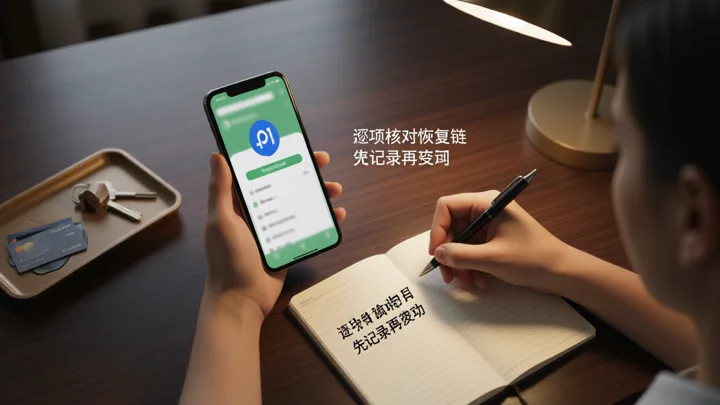
Already ordered: the verification sequence for the first 24 hours
- Do not change any settings yet. After logging in, open the account security page and record the current recovery email, recovery phone number, two-step verification status, and signed-in devices as a baseline for later comparison.
- Check recent security activity and sign-in records. If a region, device, or time point you are completely unfamiliar with appears, it means the account may still be in use by someone else; pause further investment at this point.
- Test whether the recovery chain can be taken over: try adding your own recovery email or phone number, and observe whether old verification is required or whether it is rejected. Failure to add is itself a signal.
- Confirm that the backup verification codes are usable, and save them offline. For a two-step verification account without backup codes, once the originally linked phone becomes unavailable, it will essentially lose the ability to self-recover.
- Use an email sent to yourself to test whether sending works normally; do not send in bulk for now. If sending is restricted, stop first; repeated retries will only worsen the flagging.
- Check whether a payment method, subscription, advertising account, or cloud storage is linked; the billing and violation records of these services will all be tied to this email address.
- Only after all of the above pass should you gradually change the password and update recovery methods in the same login environment, avoiding changing multiple items at the same time.
If it is only for receiving email and registration, first compare more controllable alternative paths
| Option | Where control resides | Cost structure | Knock-on effects if it stops working |
|---|---|---|---|
| Buying a ready-made Gmail account | Not with the buyer unless the recovery chain is transferred | One-time fee; may be charged repeatedly | Downstream accounts registered with this email may also lose access. |
| Self-hosted domain email | Entirely under your control | Annual fees for domain and email service | Can migrate to another provider and continue using the same address |
| Google Workspace | Admin privileges are under your control | Per-user subscription | Can be exported and migrated, with manageable impact |
| Sign up for a new Gmail account on your own | Entirely under your control | Zero direct cost | A long-term, stable login environment and a usable verification phone number are required |
For operators who need multiple email accounts, what is truly scarce is not the number of email addresses, but whether each account can be paired with an independent, reproducible login environment. The efficiency and isolation boundaries of an account matrix can be planned by referring to Key Steps in Account Matrix Management and planned together.
Frequently Asked Questions
Can you immediately change the password on a purchased Gmail account?
Technically yes, but immediately changing the password on the first login is one of the actions that can trigger risk controls. A safer order is to first check the recovery chain and login records, confirm there are no devices belonging to anyone else, and then change it, all within the same login environment.
Is it safe if the seller provides a recovery email?
It depends on whose recovery email it is. If it is still tied to the seller's control, the seller can both help you recover it and take it back themselves, which means control has not been transferred. Only when the recovery method is switched to an address you own and that can receive verification messages does it count as a substantive change.
Are aged accounts necessarily more stable than new accounts?
Not necessarily. A long registration time only means the account has existed for a long time; it does not mean the recovery chain is complete. Aged accounts that have changed hands multiple times often have expired backup codes and chaotic recovery methods, making them harder to handle when verification is required.
Can you trust the after-sales promise that “banned accounts are guaranteed to be replaced”?
First, ask clearly about the conditions and time limit for switching accounts, and who has the final say on the criteria for judgment. Since Google generally does not fully explain the reasons for its actions, such promises are difficult for third parties to verify, and the actual protection depends on the seller's willingness to perform.
Will using Gmail only to receive emails also cause account association?
Receiving emails itself will not directly cause account association, but logging into multiple accounts in the same browser, through the same egress, or on the same device will cause environment-level overlap to be recorded. Whether it is an association trigger should still be based on platform notifications and official policies; please refer to Boundary Clarification on Account Association and Store Bans When Logging Into Multiple Accounts Simultaneously.

