


Three stores can each log in separately and work normally, but after the same team takes over orders, price changes, and customer service, verification codes start popping up frequently, and the ERP writes Store A's inventory to Store B. This does not mean multi-store operations should not be opened; the problem is that the four layers — account entity, Seller Central roles, login environment, and tool write scope — have not been fixed in place.
First, separate two terms that are often used interchangeably: an Amazon seller account answers "who is opening the store" and involves the registration entity, regional accounts, and login credentials; Amazon Seller Central is the backend used for daily operations after the store is opened. An error in the former can affect the entire group of stores, while an error in the latter usually affects only a specific person's operating scope, and the handling paths are completely different.
The seller account is the entity; Seller Central is the control panel.
In everyday communication, the term "account" actually conflates three things: the registered entity and the regional accounts under it; the email address, mobile phone number and verification method used for login; and the backend roles assigned to specific colleagues in Seller Central. If any of these three layers is not documented in writing, problems will arise whenever personnel change.
The decision order can be very simple: when an anomaly appears in the backend, first ask whether the entity has not been clarified or the role was assigned incorrectly. A prompt saying 'cannot access a certain feature' is most likely a role permission issue; only when re-verification is required and multiple stores are abnormal at the same time do you need to check the entity and login environment. Amazon's official statement on multiple selling accounts is: generally operate one account per region; multiple accounts may be held when there is a legitimate business need; accounts should remain in good standing; a policy issue with one account may affect related accounts (seeAmazon Seller Forums multi-account health tips). The conclusion is that multi-store operations are possible, but 'legitimate business need' and 'account health' must be managed as prerequisites, not added after the stores are opened.
The four areas of Amazon Seller Central you actually use every day
You don’t need to treat Seller Central as an all-purpose dashboard. High-frequency operations are concentrated in four areas, and each area has different role boundaries:
- Inventory and Listing:Who can change prices, edit titles, and list or delist items. It is recommended to separate price-change permissions so customer service does not casually adjust prices while handling disputes.
- Orders and Fulfillment:Who can ship orders, print shipping labels, and process returns. Separating shipping permissions from inventory permissions can prevent most operational errors.
- Advertising:Who can create campaigns and adjust budgets. Budget adjustments generally require confirming the upper limit with finance before authorization.
- Performance and Account Health:Primarily read-only, but a designated person must review it regularly, with the review time and conclusions recorded.
Only after these four areas are clarified does it make sense to discuss tools. If roles are not defined, tools will only amplify incorrect operations across more stores.
How to choose store management tools: five points that must be verified in practice
When selecting a solution, do not compare feature counts; compare whether these five items can be demonstrated on the spot. If they cannot be demonstrated, they effectively do not exist:
| Acceptance point | What to ask on site | What failure looks like |
|---|---|---|
| Write scope | Can authorization be limited to a single store? | Only whole-account authorization is supported; price changes sync to all stores |
| Permission granularity | Can access be restricted to a specific login environment? | Authorization can only be assigned by person; the same person can switch between all stores |
| Concurrent logins | What happens when two people enter the same store at the same time? | Direct account takeover, or silent sharing of the login state |
| Audit capabilities | Whether it can reconstruct who changed a price, when, and from which environment | Only the operation result is available, not the source of the operation |
| Single-store removal | Whether one store can be disabled separately when an issue occurs | Only the entire set can be disabled, taking other stores down with it |
Of the five items, audit and single-store removal are the most likely to be skipped, yet they are exactly what determine whether only one store can be stopped when an issue occurs. For a more detailed troubleshooting path, refer toHow to manage Seller Central and store management tools in Amazon multi-account operations: a selection and troubleshooting checklist.
The difficulty of multi-account operations lies in the four-layer mapping, not the number of stores
Fix “account entity—Seller Central role—login environment—tool write access” into a one-to-one correspondence, and only then can multiple stores be controlled. The symptoms after misalignment are very specific: frequent CAPTCHA is usually because the login environment and the operator do not match; an ERP writing to the wrong store means the tool’s write scope is not limited to a single store; departed employees can still access the backend because roles were not revoked as personnel changed. The three types of issues should be investigated separately; mixing them together will only lead to repeatedly switching tools.
For the specific steps and troubleshooting order,How to Run Multiple Amazon Accounts: A Practical Checklist for Seller Central, Store Management Tools, and Account Isolationhas a fuller breakdown.

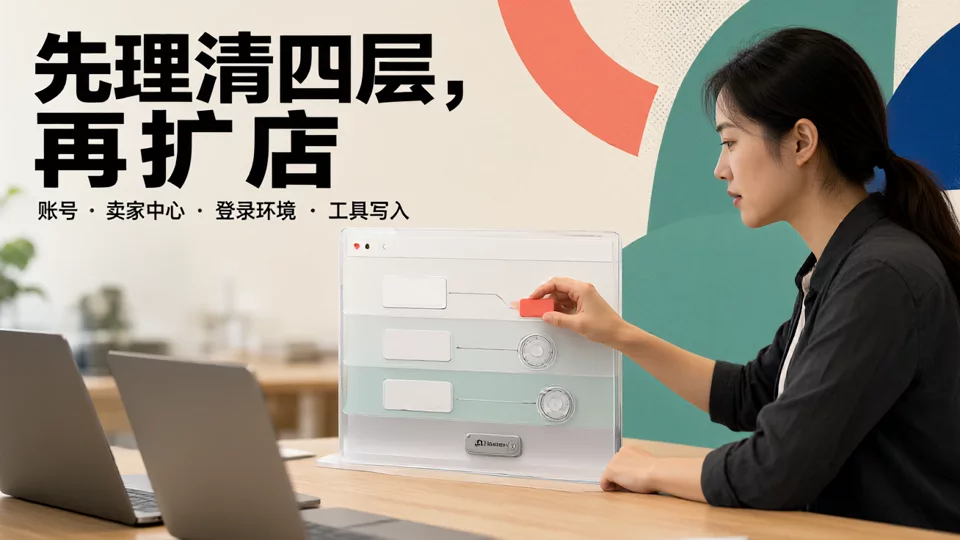
Turn the four-layer mapping into a verifiable diagram
The drawing method does not need to be complex: connect one account entity downward to the marketplace stores under its name, and for each store mark which Seller Central role operates it, which numbered login environment it is accessed from, and which tools are allowed to write to it. The purpose of this diagram is not reporting; it is to let every team member state on the spot which store they are responsible for, how they enter it, and what they can change.
After drawing it, run a cross-check: Is there any store without a marked role? Is there any environment attached to two stores? Is there any tool account that can write to all stores? If any one of these three issues appears, the structure is not yet settled; do not rush to expand stores.
Four-Step Acceptance for Account Isolation Implementation
The steps are sequential and dependent; skipping a step will cause rework:
- Register the entity and store list: include all opened, paused, and planned stores, and clearly state the owning entity and marketplace.
- Create and number login environments: one fixed environment per store, and record the number in the list.
- Assign backend roles by position, separating price changes, shipping, advertising, and read-only access into four categories, and specify the approver.
- Configure the tools' write scope, authorize store by store, then conduct go-live acceptance testing: test operator handover, two people logging in concurrently, and disabling a single store once each.
If acceptance fails, return to the corresponding step; do not cover it up by adding people or devices. For how data and compliance are handled, read furtherAmazon multi-account operations in practice: how to centrally manage store data and compliance risks.

Store mapping table template, one record per row
Turn the diagram above into a table, with one row per store: store name, legal entity, marketplace, corresponding Seller Central role, environment ID, permitted tool write scope, owner, and date of last review. There are not many fields, but every one must be filled in; any blank field is where problems will arise in the future.
This table is also the single source of truth for two scenarios: when a new colleague takes over, hand over row by row rather than relying on verbal accounts; when an anomaly occurs, compare row by row rather than guessing from impressions which computer logged in incorrectly. After personnel changes, update the owner and environment ID immediately; this is far cheaper than remediating afterward.
What needs to be redrawn when switching platforms: differences in account systems
The structure of the mapping table can be reused, but the columns must be redrawn for each platform, because what different platforms call "multiple stores" is not the same thing at all.
TikTok Shop's multiple stores are a store matrix under the same seller account system, with permissions tied more to account and store ownership, which differs from Amazon's regional account logic; Shopify's multiple stores are independent-site assets that you own yourself, with the focus on separating store owner accounts and staff permissions; refer toMulti-account operations in Shopify independent site management: seller tools, account permissions, and cross-border processes. The backend authorization entry points and role naming for eBay, Walmart, and Etsy are not interchangeable; for key practical steps, seeeBay, Walmart, and Etsy Seller Center practices: multi-account operation tools and store management essentials; the entity structures and backend permissions of Temu, AliExpress, Shopee, Lazada, and Mercado Libre are also independent in their own right; for comparison, seeMulti-account operations on Temu, AliExpress, Shopee, Lazada, and Mercado Libre: cross-border seller tools and store management comparison.
There is only one common rule: first confirm on the target platform how the account entity and backend roles are divided, then decide where the tools write to. Applying Amazon's table directly usually fails in the permissions column. eBay's rules and seller features can be found ateBay Seller Centerfor verification, Shopify's member and permission settings can be found inShopify Official Help Centerfor confirmation.
Frequently Asked Questions
If you log in to multiple Amazon stores on the same computer, will they definitely be flagged as linked?
The platform focuses on the relationships between accounts and account health status; the specific handling depends on multiple signals and is subject to account notifications and official policies. What you can do is record the four layers—entity, role, environment, and write access—so that when a notification appears, you can quickly explain the ownership and operator of each store.
When an employee leaves, besides deactivating their Seller Central sub-account, what else should be reclaimed?
Three places: backend roles in Seller Central, sub-accounts in the store management tool, and access rights to the login environment. Check them off row by row against the mapping table, and update the owner field at the same time to avoid a situation where “permissions have been disabled but the environment can still be accessed.”
If an ERP has already written to the wrong store, should you switch tools first or change the configuration first?
First freeze the tool's write access to that store, then check the authorization scope against the mapping table, and finally change it to single-store authorization and run a price-change test. If you switch tools without clarifying the write scope, the same problem will recur on the new tool.
When expanding from Amazon to other platforms, does the entire mapping table need to be redone?
No. The row structure and field logic can be retained; what needs to be redrawn are the role column and environment column, because each platform has different backend role definitions and authorization entry points. Fill in one row as a pilot first, and add more rows after it works.

