



A certain SKU shows 50 available units on AliExpress Seller Center, while Walmart Seller Center displays 32 WFS in-stock units. But 20 of those have already been packed and shipped to the WFS warehouse, not yet received; another 8 have been locked by AliExpress buyer orders. Both platforms display "in stock," yet the actual safely shippable quantity is only 12 units. This is the "in-transit blind spot"—the same batch of goods, two systems each calculating independently; the moment the numbers overlap, overselling is already happening.
30 units in transit, both platforms show in stock
The essence of the problem is not "each side running its own store," but ratherthe absence of a single write authority for the in-transit segment. AliExpress Seller Center only deducts inventory when you click "Ship"; Walmart's WFS only recognizes quantities after the warehouse receipt scan. The middle segment—goods leaving the China warehouse, going through line-haul transport, arriving at the WFS receiving dock—neither platform auto-updates. If you haven't set up an "in-transit" virtual bin in your ERP, this batch of goods appears in both platforms' "available" count simultaneously.
For a 2-to-4-person team, this can't be solved by "just rolling out another system"; instead, first delineatewho writes which platform's numbers at which node, then on to tool selection.
Transit Path: The Three-Leg Relay from AliExpress Warehouse to Walmart WFS
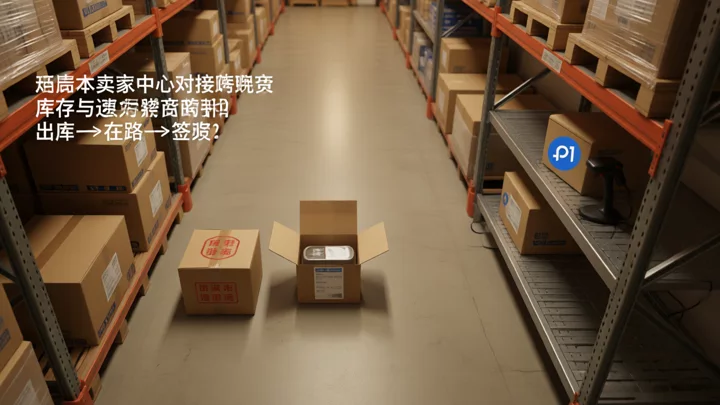
The physical chain has only three segments, but the system recording points for each segment are entirely different:
- AliExpress Warehouse Shipment : The AliExpress Seller Center deducts from 'available' stock and generates a domestic logistics order. At this point, there is no record on the Walmart side.
- Line-haul / Last-mile In Transit : The goods are in the international leg or the domestic transfer leg. AliExpress shows 'Shipped,' WFS shows 'Not Received,' and Walmart's inventory number remains completely unchanged. This is the blind spot.
- WFS Receipt Activation : After the WFS warehouse scans and confirms receipt, the inventory number in Walmart Seller Center finally increases. From scan to front-end availability, there is typically a 1 to 3 hour delay.
Sole Ownership of Inventory Write: The Minimum Rule for a 2-Person Team
If only one person on the team manages both sides, the fallback is: lock the "In-Transit" bin in the ERP; after AliExpress-side shipment, immediately manually reduce the Walmart reserved quantity; after WFS receipt confirmation, immediately reduce "In-Transit" and add to Walmart on-hand. Use a fixed daily time window (suggested: 9:00 and 17:00, once each) for batch reconciliation to avoid write conflicts caused by real-time switching.
When SKU volume exceeds 500 and the team grows beyond 3 people, manual reconciliation is no longer sustainable. Multi-account boundary isolation must be established at the ERP level. The selection logic can referenceCross-border E-commerce ERP Software Recommendations for Small and Medium Sellers: 4 Key Capabilities to Focus On During Selection, the core question being whether the four areas—inventory writing, profit accounting, multi-account boundaries, and order routing—are independently controllable.
Turning "in transit" into a manageable variable: in-transit buffer calculation and threshold lines
- Build an "In-Transit" virtual bin: Set up a dedicated "In-Transit" field for each SKU in the ERP, keeping it separate from "Sellable." Pass threshold: this field must be read or written at least once per day; otherwise, it is considered ineffective.
- Lock in the logistics SLA window: Set minimum and maximum in-transit days based on the carrier's committed delivery times (domestic warehouse → WFS is typically 7 to 15 days). Pass threshold: once the maximum is exceeded, automatically flag as "Overdue In-Transit."
- Calculate Walmart safe listing quantity: The formula is WFS on-hand − in-transit allocated − AliExpress locked. Pass threshold: When the result is ≤0, the Walmart front-end status should be downgraded to "Replenishing." If multiple Walmart seller accounts are operated simultaneously, the inventory isolation logic during account switching is consistent withWalmart Seller Tools and Etsy Store Operations Tips: Multi-Account Operations Division of Labor Recommendations for Small and Mid-Sized Cross-Border Teamsthe mid-fulfillment line division.
- Timeout-Triggered Inventory Reduction or Replenishment: When the "in-transit" field exceeds the SLA maximum days without confirmation of receipt, the system automatically reduces Walmart inventory to 0 or triggers a replenishment ticket. Pass threshold: A corrective action must be taken within 24 hours of the timeout; otherwise, escalate to manual handling.
Four Handoff Checkpoints and Break-Chain Signals in Logistics
Physical handoff has only four nodes, and each node has break-chain signals observable to the naked eye:
| Checkpoint | Normal Signal | Break-Chain Signal (must be handled the same day) |
|---|---|---|
| AliExpress Warehouse Packing | Logistics waybill generated, weight entered | No pickup record within 12h after packing |
| Pickup / trunk line handoff | International leg tracking number available within 6h of pickup | No logistics update for 48h |
| WFS receiving scan | "Receiving" status appears in the WFS backend | No WFS receipt record within 72h after port arrival |
| Walmart inventory activation | Front-end sellable quantity updates 1 to 3h after WFS receipt | Walmart inventory still at 0 after 6h post-receipt |
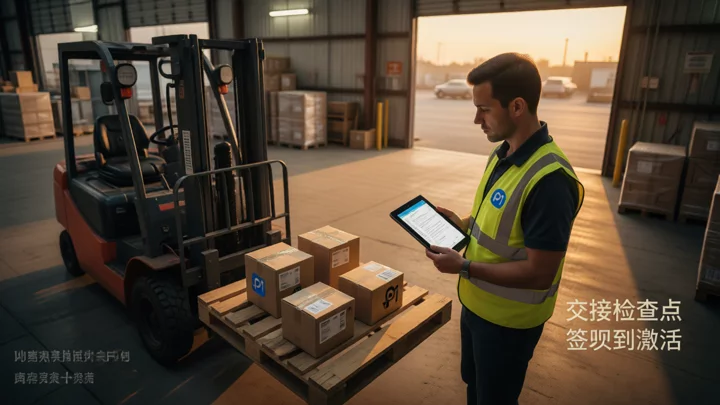
The fourth item, "Walmart Inventory Not Activated," is the most frequent break point. First, confirm whether the WFS warehouse has completed quality inspection (some SKUs require unboxing inspection), then contact the fulfillment support entry point within Walmart Seller Tools. For a more complete cross-platform inventory sync troubleshooting path, see the extended reading:Running a Shopify independent store and a Shopee Seller Center account simultaneously: how to keep multi-platform cross-border e-commerce management from turning into chaosfor the diagnostic method on "writer has not specified a unique owner."
Frequently Asked Questions
After deactivating a SKU on AliExpress, how is the in-transit inventory on the Walmart side rolled back?
In-transit goods already shipped to WFS will not be automatically returned due to delisting on AliExpress. Keep the SKU in the ERP "In-Transit" location until WFS sign-off is complete; after receipt, manage it under Walmart's independent inventory, decoupled from AliExpress. If WFS rejects the shipment, follow the carrier's reverse logistics return process, and the Walmart inventory remains not activated.
If peak-season in-transit volume triples, how should the alert threshold be adjusted?
Temporarily relax the SLA maximum from the standard 15 days to 21 days, and set a "Peak Season Mode" in the ERP: in the safe listing quantity formula, multiply "In-Transit Allocated" by a 1.5 coefficient to reserve buffer. Within 7 days after the peak season ends, restore the standard coefficient to avoid prolonged high water levels occupying Walmart sellable quota.
Selling the same SKU on both Walmart and AliExpress—will it trigger platform association detection?
The two platforms have independent payment entities and independent stores; normal operations do not constitute an association risk. However, frequently switching between Walmart Seller Center and the AliExpress seller backend in the same browser, or sharing an IP to log into multiple platform management dashboards, may cause certain risk controls to flag anomalies. For operational details on layered anti-association measures (IP, device, browser fingerprint, payment entity), refer toMulti-account operations no longer rely on manual switching: Amazon Seller Center management workflows and tool selection comparedthe five-layer verification method; the same logic applies to the Walmart-and-AliExpress combination.
WFS on-hand inventory and the Walmart front-end available count don't match—where do you check first?
Start by checking the WFS backend to distinguish between "In Receiving" and "Live" statuses. After the package is signed for, if the SKU is still in the quality inspection queue, a front-end count of 0 is a normal delay. If it remains 0 for more than 6 hours, check whether the inventory sync task in Walmart Seller Center is throwing errors. If both are normal, investigate whether promotional inventory locks or regional restrictions are preventing the item from appearing on the front end.

