


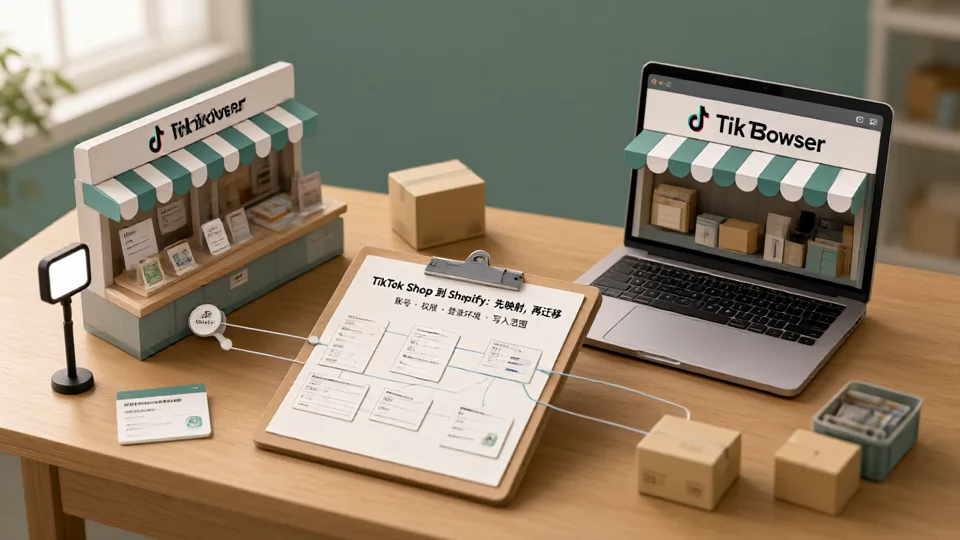
When logging into three TikTok Shop stores separately, everything ran normally. The team decided to launch a Shopify store for customer retention. After the site was built, the accounts were connected to the same multi-store management tool, and a single person was assigned to centrally update prices, replenish inventory, and respond to messages. Frequent CAPTCHAs began appearing, inventory was written to the wrong store, and a colleague who had resigned two months ago still had backend access. The problem is usually not the extent of tool functionality, but that the four layers of “account entity—backend role—login environment—tool write scope” do not have a fixed correspondence.
The following is organized by migration order: first clarify what “account” refers to on both sides, then inventory the data that can and cannot be transferred, next determine the length of the parallel period and how to tier tools, and finally address the three symptoms most likely to cause issues post-migration and their troubleshooting sequence. This is not a tool ranking, nor does it claim the independent store is a superior channel.
First Clarify Terminology: TikTok Shop “Stores” and Shopify “Sites” Are Not the Same Thing
Before creating a migration plan, distinguish three commonly confused concepts: multi-platform stores, multiple employee accounts within the same backend, and multiple login identities for the same person. Behind a TikTok Shop seller account lies the registered entity and store qualifications; the Seller Center manages products, orders, influencer collaborations, and settlements. Behind a Shopify seller account lies the account/organization and independent store sites; the backend manages products, orders, payments, and employee permissions. Both are called “accounts,” but the entities they belong to are different.
Multi-account operations in the TikTok Shop context usually refer to multiple stores or multiple entities; in the Shopify context, it more commonly refers to multiple independent sites, multiple employee accounts, or multiple login identities. Mixing these three concepts causes tool selection to lose focus: using an ERP to manage account ownership, or relying on manual work to fill permission gaps, will both lead to rework later. Platform differences can be extended in the view ofComparison of TikTok Shop and Shopify Store Management Tools.
Four-Layer Mapping: Account Entity, Back-End Roles, Login Environment, and Tool Write Scope
For the first layer, account entity, the fixed elements are the business license/operating entity, the receiving and settlement entity, the platform seller ID, and the ownership relationship between stores and sites. For the second layer, back-end roles, fix who holds which roles and can change what in TikTok Shop Seller Center, Shopify Admin, TikTok Business Center, and the ERP. Shopify employee permissions should be assigned by role, not shared under the store owner account; specifics shouldShopify Official Help Centerbe the standard.
For the third layer, login environment, fix which roles log in to which stores using which browser profile or device, with no credential sharing. For the fourth layer, tool write scope, fix which stores and fields (price, inventory, order status) multi-store management tools can write to, and whether a read-back is performed after writing. If any layer is misaligned, the symptoms differ: entity misalignment manifests as qualification and settlement confusion; role misalignment manifests as residual permissions after departure and unauthorized price changes; mixed login environments often come with frequent captcha prompts and accidental logins; unclear write scope directly leads to cross-store order confusion and incorrect inventory writes.
Four Categories of Assets to Inventory Before Migration
- Product and SKU Mapping:Products and variants are usually exportable, but TikTok Shop product IDs, SKUs, and inventory locations do not map one-to-one with Shopify variants and locations; a mapping table must be rebuilt. What can be carried over are fields, not platform-internal product IDs or campaign associations.
- Order and Customer Data:Orders are exportable, but fields, taxes, and refund standards differ; platform buyer data must be verified for authorization and privacy compliance before use in independent site marketing, and platform customers cannot be automatically converted into email subscribers.
- Creator Assets and Content Licenses:The scope of licensing for short videos, live-stream clips, creator portraits, and music must be confirmed item by item; running TikTok ads does not automatically grant cross-platform commercial rights; commissions and affiliate links need to be renegotiated.
- Settlement and logistics configuration:Payer entities, tax rates, logistics templates, return addresses, and warehouse priorities must be reconstructed in Shopify; settlement records can be exported for reconciliation, but billing cycles and fee item criteria differ.
Parallel operation or direct cutover: Determining the migration sequence and parallel period
The duration of the parallel period depends on three variables: SKU overlap, influencer collaboration cadence, and whether inventory is shared. For cases with high overlap, weekly influencer schedules, and shared inventory, a 2 to 4 week parallel period is recommended; for single stores, non-overlapping SKUs, and independent inventory, it can be shortened. Parallel operation does not mean manual changes on both sides simultaneously, but rather a phased cutover.
- Start with site setup and permissions: Configure domains, payments, taxes, logistics templates, employee roles, and minimum privileges first; do not wait until products are listed to add them.
- Then handle products and mapping: Export products and SKUs, create a mapping table between TikTok Shop and Shopify, and designate the price and inventory sources.
- Then migrate traffic and content: Gradually move content, ads, influencer collaborations, and email/social media entry points to the independent site, and confirm asset licensing.
- Finally, close the old chain: When retaining the TikTok Shop store as a transaction and content entry point, clearly define which side is the primary inventory source, with the other side read-only or on scheduled sync.
The most common issue during the parallel period is dual inventory writes: both sides have manual inventory changes, and tools sync bidirectionally, leaving it unclear which side is accurate. First establish a single write source, then perform read-back spot checks.
How to layer the tool list: Platform backend, login environment, multi-store management, data layer
Organizing cross-border e-commerce operations tools into four layers by responsibility is more durable than listing them by brand. The platform backend handles account ownership, qualifications, orders, and settlements; the login environment manages identity isolation and auditing; multi-store management/ERP handles centralized operations; and the data layer handles read-backs and reconciliation. Multi-store management tools should only bear responsibility for centralized operations and should not take over account ownership or employee permissions.
| Layer | Primary Responsibilities | What Not to Delegate | First Check When Issues Occur |
|---|---|---|---|
| Platform Backend Layer (TikTok Shop Seller Center, Shopify Admin, Amazon Seller Central, eBay Seller Hub, Walmart Seller Center, Etsy, Temu, AliExpress, Shopee, Lazada, Mercado Libre) | Account ownership, qualifications, raw status of products and orders, settlements | Cross-store bulk price changes, full employee lifecycle management | Official notifications, backend account status, store ownership |
| Login Environment Layer (browser profiles, devices, password managers) | Identity isolation, login auditing, reducing accidental logins | Acting as a permission system, sharing credentials | Who logged into which stores in which environment |
| Multi-store management (ERP, order aggregation, bulk price changes, inventory sync) | Centralized operations, reduced redundant work | Determines the account entity, replaces backend roles | Write scope, store mapping, task logs |
| Data layer (reports, reconciliation, read-back verification) | Verify if prices/inventory/orders were written correctly | As the single source of truth | Data sources, sync tasks, permissions |
The same layering applies to Amazon multi-account operations, Amazon store management tool selection, Shopify multi-account operations, and Shopee/Lazada store management tools. TikTok Shop operations tools and Shopify seller tools can be reused, but write boundaries must be defined first. If running TikTok ads, ad assets and member permissions should be allocated by role within TikTok Business Center, refer to theirRoles and permissions guide.
Three real-world symptoms of multi-account operations: frequent CAPTCHAs, cross-store order contamination, and residual permissions from departed staff
These symptoms often appear together, but their root causes differ. First, determine the scope of impact: is it affecting one person or a group, one store or multiple stores, does it only occur during bulk operations or even upon login? Do not immediately delete cache, switch fingerprints, or reinstall tools, as that will obscure forensic clues.
- Frequent CAPTCHAs:First, check whether the login environment is shared, whether store switching is frequent, and whether multiple accounts are logged into the same browser profile; then, check if backend roles are shared by multiple people. The platform's enforcement actions may involve multiple signals, with the final determination based on account notifications and official policies.
- Cross-store order contamination:First, stop bulk tasks, check the store mapping and write scope of the tool, and verify order number prefixes, SKU mappings, and read-back records. Most cases are not 'the system is broken' but rather caused by a specific import that incorrectly wrote the store ID or inventory location.
- Residual permissions from departed staff:List members of TikTok Shop seller center, Shopify employee accounts, TikTok Business Center members, and ERP sub-accounts. Freeze them first before deletion, and retain operation audits. Permission handovers must use checklists, not verbal agreements.
It is recommended to fix the troubleshooting order as: Scope of impact → Account entity → Backend roles → Login environment → Tool writes → Read-back acceptance. For data layer anomalies, refer toTroubleshooting non-updating multi-store data reports. Confirm the data source and sync tasks first before suspecting the reports.

Store management priorities after taking over the independent store
After migration is complete, the focus of daily management is not on adding more features, but on three key areas. First, employee roles and least privilege: operations staff can modify products but not access payments, customer support can view orders but not change prices, and finance has read-only access to reconciliation; revoke access on the day of departure. Configure Shopify employee permissions and TikTok Shop seller center roles separately, then use ERP sub-accounts to map operational layers. For details, refer to Multi-store sub-account permission configuration.
Second, a single write source for pricing and inventory: designate either the Shopify backend or ERP as the primary source, keeping the other side read-only or on scheduled synchronization. Export a snapshot before bulk price changes and spot-check after modifications; never allow two people to edit the same SKU in different backends simultaneously. Third, daily read-back verification: spot-check the price, inventory, and order status of 3 to 5 SKUs, reconcile payments and settlements, and log any anomalies in the same sheet. These three tasks impact stability more than adding a new channel. Shopify independent store management and TikTok Shop store management share the same decision-making framework, but backend roles and account entities remain under their respective platforms. Post-migration permission configurations can be further explored in Shopify seller account and independent store management tool configuration.
Situations where migration is not suitable now
If you have a single store with high SKU dependency on platform promotions, no stable repeat purchase sources, and a team of fewer than two people, first establish proper store management and permission protocols before considering an independent store. Channel expansion is not the solution to permission chaos; first use How many stores can be managed by one system to calculate the critical point of cost-effectiveness before deciding whether to add sites.
FAQ
Can a TikTok Shop seller account and a Shopify seller account share the same employee permissions?
They cannot be directly shared. The two backends have different role models. Roles should be created in each backend based on job positions, and then mapped at the operation layer using ERP sub-accounts. Permissions are subject to the respective official help center guidelines.
Can TikTok Shop order and customer data be directly imported into Shopify during migration?
Orders can be exported, but fields and tax/refund standards differ, requiring mapping. Platform buyer data used for independent site marketing requires confirmation of authorization and privacy compliance; it cannot be assumed usable by default.
Can multi-store management tools manage both TikTok Shop and Shopify simultaneously?
Yes, they can centrally process orders, inventory, and pricing, but account ownership, employee permissions, and payment settlement remain with their respective backends. Define write scope before going live and set up read-back spot checks.
How to avoid inventory double-writing during the parallel period?
Designate a single inventory source; the other side should be read-only or synced periodically. Prohibit manual changes on both sides simultaneously. Complete SKU mapping before switchover and spot-check inventory and order status daily afterward.

