



Two TikTok Shop stores plus three Shopee stores work fine when logged in separately. However, after integrating them into the same ERP or store management tool, verification codes start appearing frequently, orders occasionally end up in the wrong stores, inventory sync writes Store A's data to Store B, and departed employees still have backend access. The issue is rarely a lack of tool features; more often, it stems from a lack of one-to-one correspondence between account entities, seller center roles, login environments, and tool write scopes.
First determine whether you are in a phase of single-store expansion or multi-store governance. For the former, prioritize streamlining orders, inventory, shipping, and after-sales service for the single store. For the latter, do not rush to switch tools; first map out the four-layer structure, then decide which actions the tools should handle and the specific scope of their write permissions.
First, decide: is it an account structure issue or a tool configuration issue?
Four types of symptoms correspond to different boundary issues. Do not attempt to resolve everything by simply 'switching tools.'
- Frequent verification codesThis may be caused by multiple users sharing a login environment, frequent re-login attempts by the tool, or operations from multiple locations in a short time. It could also be triggered by the platform's risk control policies. A single IP address or browser fingerprint is not the sole basis for judgment.
- Orders crossing stores: Common when tools are authorized for too many stores, order attribution fields are missing, or store ID mappings within the tool are misaligned.
- Inventory written to the wrong store: Shared inventory pools and independent branch pools are not clearly defined; SKU mappings or safety stock criteria are inconsistent.
- Leftover permissions from departed employees: Tool members, Seller Center sub-accounts, or roles have not been synchronously revoked, leaving old authorizations still in effect.
A simple rule of thumb: if it works normally with one store but issues appear when adding a second or third store, prioritize checking store mappings, authorization scope, and login environment; if it happens with a single store as well, then investigate tool configuration or platform-side notifications.
Account structure differences between TikTok Shop and Shopee: Define store ownership first
TikTok Shop and Shopee do not share the same account table. TikTok Shop's Seller Center is organized around account entities, stores, and market sites, with a tight coupling between content scenes and store operations; Shopee's Seller Centre is more oriented toward site-based stores, where sub-account permissions are allocated by site and store under the main account. Specific role names, entry points, and authorizable scopes should be based on what is currently displayed in their respective backends. First, clarify three things: who holds the account entity, which entity owns each store, and what roles holders have in the Seller Center.
| Dimension | TikTok Shop | Shopee | Confirm this first |
|---|---|---|---|
| Account subject and shop ownership | The shop must be linked to a verifiable entity, with different structures for cross-border and local shops | Under the main account, management is organized by site and shop; the relationship between the entity and the shop must be fixed at the time of record creation | The entity, site, and shop ID for each shop |
| Seller Center hierarchy | In Seller Center, view business, orders, and policy notices by shop and market | Access Seller Centre by site and shop, with sub-account permissions allocated by shop | Which entry point corresponds to which shop |
| Roles and sub-accounts | The current role in Seller Center takes precedence, with tool authorizations calculated separately | The main account can create sub-accounts, and role-based permissions must be verified for each shop | What operations, customer service, and warehousing teams can each see |
| Tool Access Point | Orders, products, inventory, customer service, etc., are subject to the platform's open authorization | Similarly depends on platform authorization and store binding | Whether the tool has read-only or write access |
| Impact of Changes | Changes to the main entity, store, or payment method affect tool authorization | Site or store adjustments may affect sub-account scopes | List the affected stores before making any changes |
For account registration, environment layering, and tool selection order regarding TikTok Shop multi-store anti-association, refer to our site'sTikTok Shop Multi-Account Anti-Association Operations Guide; For differences between Shopee and seller centers of other regional platforms, seeAliExpress, Shopee, Lazada, and Temu Seller Center Comparison.
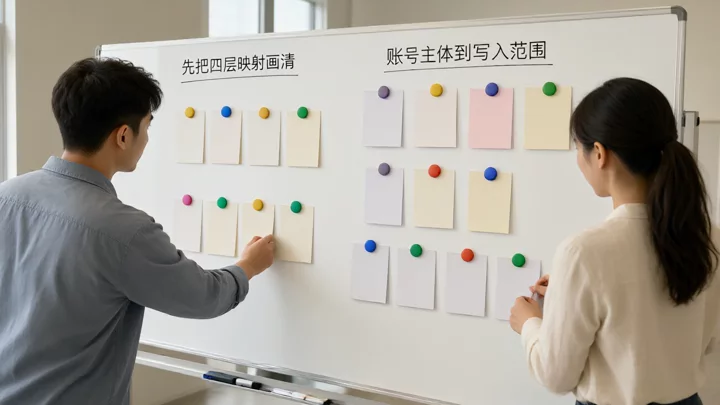
Responsibility boundaries: What Seller Center and store management tools each handle.
Mixing Seller Center and tools into a single concept most commonly leads to the tool being mistaken for the login entry point. The two should be layered: Seller Center retains the entity, store master data, and role authorization, while the tool handles cross-store actions and collaboration efficiency.
| Seller Center retains | Store management tools can take over | Do not hand over to tools |
|---|---|---|
| Business entity verification, store master data, market sites, settlement and tax information | Cross-store order aggregation, order printing and shipment, inventory synchronization and alerts | Login credentials, SMS or email verification codes |
| Role-based permissions and sub-accounts, API or app authorizations | Customer service tickets, cross-store reports, and bulk price changes within the range allowed by the platform | Payment password, entity change, and receiving account change |
| Confirmation and appeal for policies, performance, and violation notices | Product data synchronization, SKU mapping, and inventory master ledger comparison | Plaintext sharing of API keys and sharing of accounts of departing employees |
TikTok officially recommends on the advertising and business asset side that access be granted through Business CenterRoles and asset permissionsassigned to avoid sharing login credentials; this permission governance principle can serve as a reference for the division of labor in a store team, but the specific roles in TikTok Shop Seller Center should be subject to the backend. When selecting a tool, first check whether it can restrict read/write scope by store and by role, and then check the amount of functionality. You can refer toHow to choose TikTok Shop store management tools.
The minimum launch sequence from 2 to 5 stores
It is not recommended to do a full-scale onboarding at once. Follow the sequence below, with acceptance at each step before moving to the next.
- Prove the model at a single store: Close the loop across orders, inventory, shipping, and after-sales. The acceptance criteria are that the single store operates for a consecutive week without manual order modifications.
- Build the store master file: Record the store ID, entity, site, settlement currency, owner, and tool authorization scope for each store. The acceptance criteria are one row per store with no missing key fields.
- Segment login environments: Define traceable login environments by entity or store group; do not share untraceable accounts. The acceptance criteria are that you can identify who logged in to which store and when.
- Assign roles by position: Grant operations, customer service, and warehousing only access to the specific stores and actions they require. The acceptance criteria are that outsourced customer service cannot view settlement information or entity data.
- Enable read-only tools before write access: Connect read-only access for orders and inventory first, sample and compare for 3 to 5 days, then enable write access. The acceptance criteria are that the store attribution for sampled orders is correct.
- Establish weekly inspections: Regularly check for verification codes, cross-store errors, inventory discrepancies, and accounts of departed employees. The acceptance criteria are a checklist, assigned owners, and records of resolution.
For recommendations on which tool features to configure after registration, refer toMulti-store tool configuration after TikTok Shop seller account registration; For details on job role division, refer toMulti-store role division templates for operations, customer service, and warehousing.

Routine inspections and handling protocols for four high-frequency exceptions
Weekly inspections focus on four key items; upon detecting anomalies, handle them by first stopping writes, then checking mappings, and finally restoring permissions.
- Frequent CAPTCHA prompts: Log the occurrence time, operator, store, and network environment; check for shared login environments, high-frequency tool re-logins, or multiple-location operations in a short period. Stop automatic retries and follow the platform's verification process; do not use tool switching to mask environmental issues.
- Order cross-store mixing: Immediately pause tool writes, export orders for ID comparison, check authorized store scope and order attribution fields; when resuming, start with a small traffic test run.
- Wrong store in inventory write: Confirm whether it is a shared inventory pool or independent branch pool, then check SKU mapping and safety stock criteria; see troubleshooting approach for multi-store inventory overselling issues.
- Residual permissions after departure: First freeze tool members, then stop seller center sub-accounts or roles, finally change passwords and authorizations; retain operation logs.
The inspection checklist must at least include: store, entity, seller center role, tool permissions, login environment, last operator, and exception records.
FAQ
Can I log in to multiple TikTok Shop or Shopee stores in the same browser environment?
Technically it might be possible, but do not treat “can log in” as “can operate long-term.” For multi-store, check whether entity, roles, login environment, and operation records are traceable; a single IP or browser fingerprint is not the only criterion, platforms may use multiple signals, and the final decision is based on account notifications and official policies.
Seller center already has orders, why do I still need a store management tool?
The Seller Center is the entry point for transactions, policies, and entity management, while the tool addresses cross-store aggregation, order printing, inventory synchronization, and team collaboration. The tool cannot replace the Seller Center, nor should it handle login credentials or entity changes.
How to configure the master inventory ledger?
First, decide on a shared inventory pool or independent pools for each store. For a shared pool, set safety stock levels and synchronization latency windows; for independent pools, prevent overselling and duplicate reservations. In either case, do not allow the tool to automatically overwrite the master ledger without retaining comparison records.
What permissions should outsourced customer service have?
Grant access only to order lookup and customer support replies for designated stores. Do not grant settlement, entity profile, API key, or bulk inventory update permissions. Use roles and member accounts for assignment; do not share login credentials.
When verification codes appear frequently, should you switch tools first or investigate the environment first?
First investigate the login environment, shared roles, re-login frequency, and abnormal operation logs. Switching tools may carry the same environmental issues into the new tool. Retain platform notifications and operation logs, then decide whether tool adjustments are needed.

