


All three TikTok Shop stores log in separately without issues, but once handed over to the same operations manager and the same ERP system, verification codes start popping up frequently, orders occasionally get written to another store, and a colleague who left two months ago can still change prices. When these three problems emerge simultaneously, most teams' first reaction is to switch tools.
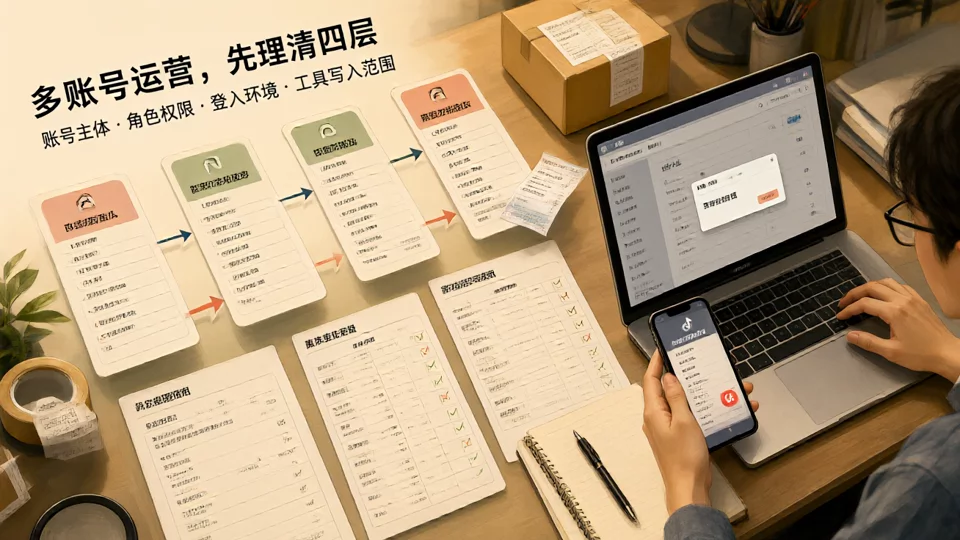
Switching tools usually doesn't solve the problem. These three types of failures fall intoaccount entity, Seller Center role, login environment, and tool write scopefour categories; the tool is merely the most visible layer. The following section breaks down these four layers, providing verifiable signals for each. After reading, you can check your current configuration item by item.
First, clarify the definition: What exactly does TikTok Shop multi-account operation refer to?
'Multi-account' often refers to three completely different things within a team. Mixing them up will definitely lead to misalignment in subsequent account planning and tool selection. First, categorize according to the standards below, then review the scope discussed in this article.
- Multiple stores: The criterion is the account entity—whether the business license or identity subject and the receiving entity are the same. Cross-border stores and local stores inherently have different entities. When one team manages both types of stores, the entity layer is already split into two systems, so tool permissions cannot be uniform.
- Multiple employee accounts: Same store, where multiple operations staff log in to their respective Seller Center sub-roles. The criterion is whether they share the same login credentials. For teams sharing credentials, operation logs cannot be attributed to individuals, and access revocation upon resignation relies solely on password changes.
- Multiple login identities: The same person or the same device uses different identities to access different stores. The criterion is whether the login environment is fixed—operating multiple stores concurrently from the same browser and the same network egress is a completely different daily state compared to having a fixed entry point for each store.
When these three situations exist in isolation, they are not problematic. The real issue arises from their overlay: the same group of people, the same set of tools, and the same login environment handling multiple stores under multiple entities simultaneously. This is whythe complete workflow for TikTok Shop multi-account operations from registration to tool integrationrepeatedly emphasizes defining the store matrix first.
TikTok Shop Seller Accounts and Seller Center: What Must Be Decided Before Registration
The seller account entity is composed of four elements: the business license or identity subject, the receiving entity, contact information (email and phone), and the business address. Adjusting any of these after going online comes at a cost nearly equivalent to reopening—changing the entity means it is difficult to transfer the store's history, reviews, and settlement relationships. Therefore, the goal before registration is not to speed up form-filling, but to align "whose entity it is, whose payment it receives, and who receives platform notifications" all at once.
The Seller Center layer addresses the role issue: what the store owner, operations, customer service, and finance staff can each do. You must at least be able to clearly answer three questions—who can change prices, who can ship goods, and who can touch settlements. The risk levels of these three types of operations differ; placing them on one person is not an efficiency issue, but a failure to pinpoint responsibility during loss of control. The principles outlined in TikTok's official Business Center regarding roles and permissions also apply here: assign access scopes based on job roles and avoid sharing login credentials (see TikTok official role and permission documentation).
Before registration, also determine the number of shops and their site attribution, as this directly dictates how many shop IDs the subsequent tools will need to connect with. For guidance on this trade-off, refer to the decision order outlined inHow to Choose TikTok Shop Seller Accounts and Operations Tools: first finalize the entity and site, then discuss the tools.

Operational tools are categorized into three types based on their write scope: read-only dashboards, semi-automatic confirmation, and full-write.
The differences between these tools lie not in the number of features, but in what they write back to the Seller Center. Depending on the write scope, the risk profiles are entirely different.
- Read-only dashboardsThis mode only pulls order, sales, and inventory snapshots for summarization; it does not write back to any fields. The risk is lowest, but the team still needs to perform operations manually in the Seller Center. It is suitable for data reconciliation during the first two weeks after integration.
- Semi-automated confirmationThis mode generates pricing, restocking, and shipping suggestions, which are written back only after each item is manually confirmed. This is the actual stable range for most teams of 1–5 people, at the cost of response speed.
- Full write-back: Orders are automatically downloaded and shipping status is written back, inventory is synchronized automatically, and prices are pushed in batches. This offers the highest efficiency, but if store mappings or field correspondences are incorrect, errors will occur in batches—inventory written to the wrong store causing overselling, old prices overwriting new prices causing loss-making orders, and delayed write-back of shipping status causing performance evaluation anomalies.
Before deciding which type to integrate, ask the tool provider four clear questions: which fields are written, whether write-back is one-way or two-way, whether retries occur after failure and if those retries are idempotent, and which side takes precedence when the same field is modified by both sides simultaneously. These four answers determine whether you can pinpoint the issue when a failure occurs, not just whether the system is usable. For a more complete link acceptance criteria, see theMulti-store ERP system selection comparison checklist.
Four-tier fixed corresponding acceptance table: check off item by item before ERP integration
Each item in the table below must have a verifiable signal, not just "we have noticed it." Self-assessments that cannot be tied to a specific person, store ID, or field list are treated as failed.
| Layer | Acceptance Item | Typical Failure Signal |
|---|---|---|
| Account Entity | The entity, payment entity, contact information, and business address of each store are registered in a single table, with one row per store | Two stores share the same payment account, but the business reason cannot be clearly explained; platform notifications are sent to only one email address |
| Seller Center roles | Price changes, shipments, and settlements are each mapped to specific positions, and names can be listed | Only the store owner's account has operational access; employees who have left the company remain in the member list |
| Login environment | The operational entry point for each store is fixed; the same environment does not support simultaneous logins to multiple stores | Frequent verification codes started appearing after operating two stores in parallel in the same browser |
| Scope of tool writes | Store IDs within the tool correspond one-to-one with platform stores, and written fields are documented in a written list | Inventory numbers appear in another store; prices are overwritten by old values |
If this table does not pass the review before connecting the tool, the problem will not disappear; it will only be deferred until the order volume increases and a concentrated outbreak occurs, at which point the cost of troubleshooting will be significantly higher.
When expanding from TikTok Shop to Amazon, Shopify, eBay, and Temu, which layers must be redone?
Grouping common platforms by their account ownership structure helps determine which workflows can be directly transferred. The first category is a single entity operating multiple sites, with Amazon being a typical example: official guidelines usually specify that each regional marketplace is operated with one account, multiple accounts are only permitted under specific legitimate business needs, and account health is interconnected (see Amazon's Official Multi-Seller Account Guidelines). Most stores on Walmart and Etsy also fall into this configuration.
The second category involves multiple entities and stores: the coexistence of TikTok Shop cross-border and local stores, multi-site and multi-entity setups on Shopee and Lazada, different fulfillment models on Temu, and regional sites on AliExpress and Mercado Libre all fall into this category. The third category is a standalone website with its own account system, with Shopify as a representative example: store owner, staff permissions, and third-party app authorizations are three distinct systems that need to be managed according to Shopify Official Help Centerconfigured separately according to their own criteria; see details inMulti-Account Operation Guide for Shopify Independent Sites.
The level of reuse varies significantly across the four layers when expanding to new platforms:the acceptance method for the tool writing scope layer can be reused(field lists, mapping tables, conflict rules),whereas the account entity layer and seller center role layer must be rebuilt, because subject registration methods and role naming are not universal across platforms;the login environment layer needs to be restructured, because the combination of site and subject has changed. For a packed comparison, refer toComparison of Multi-Account Operations and Store Management Tools Across Eight Platforms, for permission arrangements on the Amazon side, seeAmazon Seller Accounts and Seller Central Permission Arrangements.

FAQ
Can a single business license subject open multiple TikTok Shop stores?
Whether it can be done and how many stores are allowed depends on the platform's current recruitment policies and site rules; official onboarding pages and statements from recruitment managers should be the reference, not peer experiences. Two aspects need to be distinguished: 'is it allowed policy-wise' and 'how do you intend to manage it'—even if allowed, whether multiple stores share a single login environment and payment setup is still a part that requires separate design and cannot be assumed to carry over by default.
In the Seller Center, what is the real difference between creating a sub-role for an employee and simply giving a colleague your account and password?
The difference becomes clear after a failure. When sharing credentials, actions cannot be attributed to a specific individual, and resolving issues relies on memory; sub-roles allow field-level permissions to be restricted by job function, and members can simply be deactivated when they leave without affecting everyone's passwords. The trade-off is an extra round of configuration time, plus the need to keep roles in sync whenever a role changes.
How far should you extend the least-privilege write permissions in a shop-management tool?
Least privilege means the fewest writable fields, not the fewest features. A practical sequence is: start with read-only access for one to two weeks and cross-check the tool's data against manual records in the Seller Center; once you've confirmed the shop mapping is correct, enable one-way inventory writes only; delay price and shipping-status writes until last, and keep a human-approval step in place. Each step should leave a rollback window.
After connecting a tool, if orders get written to the wrong shop, which layer should you check first?
Work down the layers in order—don't start with the tool's features. First, verify that the shop IDs inside the tool map one-to-one with the platform's shops; next, make sure you're not processing multiple shops in parallel within the same login session; finally, check whether those two shops were originally registered under the same entity, causing the tool to aggregate them. Only after ruling out all three should you look at the tool's own write logic.

