


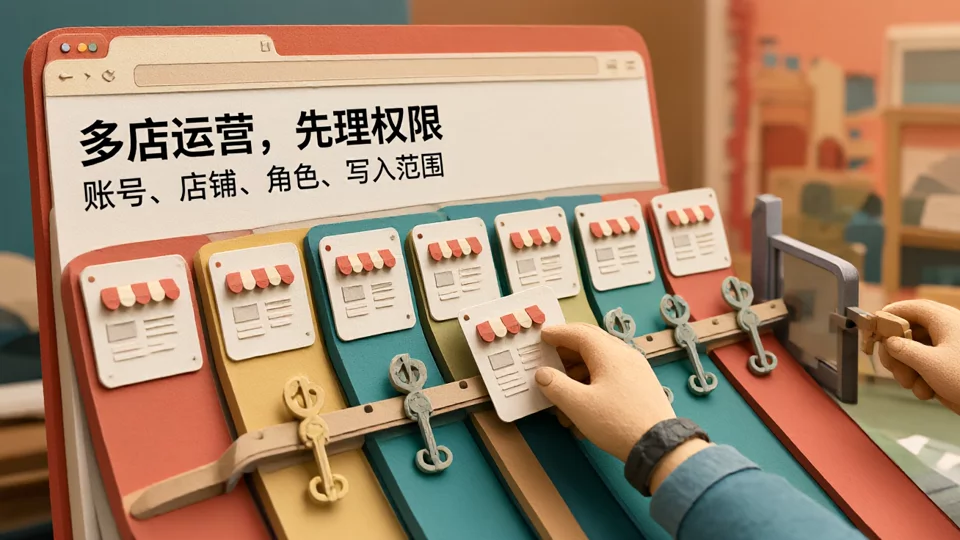
Three TikTok Shop stores can all log in separately and operate normally, but once the same team consolidates order processing, price changes, and customer service, problems emerge in clusters: the back end frequently requires verification, the ERP writes Store A's inventory to Store B, and departed employees can still access the back end. This is not a matter of not opening enough stores; rather, it is because the four elements—account entity, back-end roles, login environment, and tool write scope—do not have a fixed correspondence. Below, diagnostic methods and implementation steps are provided in this order.
First, determine: do you need to open multiple stores, or do you need multi-store collaboration?
First check three signals: whether the same person switches between two or more stores within a day to handle orders or customer service; whether an ERP or customer service tool is already connected to two or more stores at the same time; and whether multiple people share one back-end login. If only one of the three applies, you are usually still at the multi-store opening stage, and official roles plus a manual registration form can support it.
If any of the following has already occurred—editing the wrong store, frequent verification, or unclear permissions—it means collaboration is already happening, but the rules supporting collaboration have not yet been established. At this point, continuing to add tools will only amplify the chaos; first figuring out who is responsible for each store, which environment they log in from, and which tools can write is more effective than buying another system.
TikTok Shop Account Hierarchy: Do Not Conflate Seller Accounts, Stores, and Back-End Roles
Most Chinese sellers' TikTok Shop multi-store operations involve operating multiple stores under the same seller account system, rather than several unrelated accounts. This means stores share back-end entry points, and what truly needs governance is operational behavior, not simply registering more accounts.
- Account entity: The business license or operating entity determines store ownership and the settlement account. Before expanding stores, first confirm whether the entity supports the target site.
- Store: The operating unit in Seller Center; products, orders, after-sales, and settlement are all managed at the store level.
- Backend role: What members can do within a store. Roles for advertising and business assets are assigned separately according to TikTok Business Center roles and permissions and do not follow the same system as store roles.
Write down these three layers first, then discuss tools. Many “cross-store” cases are actually a mix-up between layer two and layer three: using the same member identity across all stores and then expecting tools to distinguish them.
Four-layer mapping: use a single diagram to locate cross-store mixing and permission conflicts

Set four fixed boxes for each store: account entity, backend role set, login environment (browser environment and egress), and tool write scope. Only when all four boxes are filled is the store considered “collaboration-ready”; if one box is empty, when issues arise you will not be able to find which layer was missed.
Troubleshooting also works backward through these four layers. If the wrong store is modified, first check whether the tool's write scope covers multiple stores; if verification is frequent, first check whether the login environment is shared by multiple people or the egress IP changes frequently; if permissions remain, first revoke roles rather than change passwords; if data does not match, first confirm whether settlement entities are mixed. If the order is wrong, you often end up repeatedly struggling at irrelevant layers.
Fix Seller Center permissions first: who can change prices, ship orders, issue refunds, and view data
Before introducing tools, cleanly separate people's permissions. The principle is to concentrate high-risk actions among a few people, delegate reversible actions, and open read-only data on demand.
| Role | Allowed actions | Permissions that should not be shared |
|---|---|---|
| Store owner/Administrator | Store settings, settlement accounts, member management | Daily price changes and bulk shipping are handled by operations |
| Operations | Product listing/delisting, content, campaign registration | Refund review, settlement viewing |
| Customer service | Order inquiries, after-sales handling, message replies | Price changes, bulk inventory changes |
| Finance | Settlement, invoicing, reconciliation exports | Product and order write operations |
For actions such as price changes, refunds, and bulk delisting, it is recommended to require secondary confirmation in the process and retain operation records. This table is not for the platform to see; it is for new team members and handovers: when one person is on leave, others can take over by following the table instead of sharing their login. For specific approaches to multi-role collaboration in Seller Center, refer toTikTok Shop Seller Center Feature Analysis and Multi-Account Collaborative Operations Tips.
Operations tool selection: three types of acceptance checks by write scope
Classifying candidate tools by "what they can write" is more effective than comparing feature lists item by item.
- Read-only reporting category:Acceptance checks: whether it can be split by store, how long the data latency is, and whether exports carry store identifiers. Lowest risk; can be connected first.
- Business write-access category(orders, inventory, price changes, customer service): acceptance checks whether authorization can be limited to a single store, whether batch operations have a cap, whether failures can be rolled back, and whether operation logs are retained. Being able to connect multiple stores does not mean it is suitable for multiple stores.
- Account and environment write-access category(login environment, proxy egress, member permissions): acceptance checks whether a store can be fixed to a specific environment, whether members can be immediately revoked when they leave, and whether concurrent logins are blocked during sharing.
Price should be compared last. For a tool whose write scope is unclear, the subscription fee saved will be repaid in one mispricing or one mistaken dispatch. For the mapping between accounts and tools, further reference can be made toKey points for multi-account operations in TikTok Shop seller account and store management.
Multi-account implementation order: single-store baseline → environment isolation → role division → tool integration
- Single-store baseline: First use one store to run through the full order, after-sales, and settlement chain, and record which backend each step is completed in. The pass criterion is being able to draw a complete operation path.
- Environment isolation: Register a unique login environment and egress for each store, and record them in the mapping table. The pass criterion is that when anyone logs in to any store, the corresponding environment can be found.
- Role division: Create back-office roles by position and restrict high-risk actions. The pass criterion is that new hires receive only roles, not account passwords.
- Tool onboarding: First grant read-only access for one week to verify the data, then enable business write access store by store, opening only one store at a time. The pass criterion is that the operation log can reconstruct a price change or refund.
Do not switch everything at once. If write access is enabled for all stores on the day the tool goes live, then once a problem occurs, it is impossible to determine whether it was caused by the new tool, the old process, or human operation.
Team sharing and auditing: share permissions, not login credentials

Teams should share “authorized store environments and roles,” not account passwords. To determine whether a collaboration method is usable, check three things: whether members can see only the stores they are responsible for; whether there is blocking or a prompt when two people operate the same back office at the same time; and whether a price change or refund can be reconstructed from the logs with the operator, time, store, and action.
Small teams do not need to rush into complex tools. For a team of three to five people, official roles plus a manual registration form can cover most scenarios. When multiple people operate the same back office concurrently, verification is frequent, or external tool authorizations need to be audited, then evaluate environment-level permissions and shared-access blocking capabilities; for selection, refer toComparison of permission division, environment sharing, and auditing capabilities in team collaboration scenarios.
FAQ
Does having multiple TikTok Shop stores mean having multiple seller accounts?
In most cases, no. It is usually a store matrix under the same seller account system, determined by the account and store ownership shown in Seller Center. Because the entry point is shared, isolation should be handled through member roles and login environments, not by registering additional accounts.
We already have an ERP, so why do we still edit the wrong store?
A common reason is that the ERP authorization covers multiple stores but does not include store-level write restrictions, and the default store in the operation interface does not match the actual store. First check the authorization scope and operation logs, then decide whether to narrow it to single-store authorization.
Must a three-person team adopt an anti-detect browser first?
Not necessarily. Start with role division and login environment registration. Reassess when multiple people operate the same backend in parallel, verification becomes too frequent, or operation records need to be restored. Focus acceptance on environment-level permissions and concurrency blocking during sharing.
Is changing the password enough after an employee leaves?
No. You must also revoke backend roles, Business Center membership, ERP sub-accounts, and tool authorizations. Changing the password does not revoke membership or API authorizations already granted, and residual permissions often come from exactly there.

