



When operating the Temu and Shopee backends simultaneously, sellers frequently encounter dense verification code pop-ups, ERP inventory cross-store errors, and customer service permission conflicts. The root cause of these issues is not direct platform risk control interception, but rather the lack of a fixed mapping between account entities, backend roles, login environments, and tool integrations, which causes misalignment in the operation chain across multiple levels. Establishing clear isolation boundaries is the first step in resolving such failures.
Temu and Shopee Account Architecture Differences: Why Manage Them Separately?
The Temu platform is based on fully managed and semi-managed models, where sellers primarily collaborate through product auditing, pricing strategies, and shipping timeliness, with account permissions largely concentrated on product listing and inventory synchronization. Shopee, conversely, focuses on self-operated store management, with backend roles covering multiple dimensions such as marketing settings, store decoration, and logistics management, and it implements a strict sub-account permission allocation mechanism. Directly transferring Temu's management logic to Shopee easily leads to redundant or missing permissions. The Shopee seller center supports multi-level sub-account management, while the Temu account system relies more heavily on the binding of entity qualifications and agency permissions. Therefore, multi-account operation strategies must be customized based on the actual functional granularity of each platform's backend; a crude "one team manages all platforms" approach is not suitable.
Establishing a Four-Layer Mapping: From Account Entity to Tool Integration
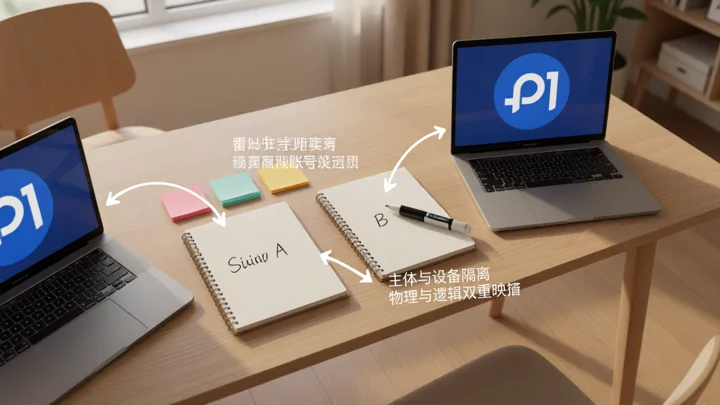
To avoid operational chaos, multi-account operations must adhere to a fixed four-layer mapping of "Account Entity — Backend Role — Login Environment — Tool Integration". Each layer must maintain a one-to-one correspondence; confusion at any level will result in data write-back errors or trigger risk control measures.
- Account EntityDefines the legal entity to which each account belongs. In multi-entity operations, it is essential to ensure that business licenses and bank accounts are independently corresponding, to avoid confusion between cash flow and business flow.
- Backend Roles: Assign minimal privileges to team members in the Seller Center. For example, assign message-handling permissions to customer support, order and inventory permissions to operations, and settlement-viewing permissions to finance. The Shopee backend supports fine-grained sub-account role configurations, which should be fully utilized to reduce unauthorized operations.
- Login Environment: Configure an independent network exit and browser fingerprint environment for each account. Even when using the same physical device, ensure that different accounts do not share the same cookies or proxy IP to prevent the platform from triggering risk control through login environment correlation.
- Tool Writing: When ERP and store management tools synchronize orders, they must specify a unique store ID and API key. The use of global configurations or fuzzy matching is strictly prohibited to ensure that inventory and order data are written only to the corresponding platform and store.
ERP and Store Management Tool Selection: Avoid Permission Cross-Use
Selecting ERP and store management tools that support multi-platform operations and have permission isolation capabilities is the foundation of multi-account operations. The tools must support independent configurations based on store IDs, rather than global shared synchronization rules. For mixed operations on Temu and Shopee, the tools must be able to identify differences in order fields across platforms, such as Temu's 'stocking mode' and Shopee's 'SOF/SLF' logistics identifiers. If the tools lack this refined routing capability, serious incidents are highly likely to occur, such as writing orders from Platform A into the inventory of Platform B. When accepting tools, focus on testing exceptional branches: if the API of a certain platform times out, determine whether the tool blocks synchronization for other platforms to avoid error cascades. For team collaboration scenarios, refer to the selection criteria forTeam Collaboration Fingerprint Browser Selection: Item-by-Item Comparison Based on Permission Division, Environment Sharing, and Audit Capabilities, to ensure that the tool supports role-level permission auditing and operation logging.
Compliance Boundaries and Risk Screening: Red Lines for Multi-Account Operations
The red line for multi-account operations is that platform risk control rules for the same entity must not be circumvented through technical means. If a team operates as a single legal entity, opening multiple accounts may trigger association reviews; if operating with multiple entities, independence between each entity must be ensured. Platform criteria for determining associated accounts typically include multi-dimensional signals such as IP, fingerprint, device, and receiving accounts, subject to the official announcements of each platform. Reference2024 Cross-Border E-Commerce Compliance Policy Implementation ChecklistSellers should treat "account environment isolation" as a core compliance action and retain audit logs to handle platform re-audits.
- Verify Entity Isolation: Check whether the business license, bank account, and contact information for each account are completely independent. Multi-entity sellers must ensure no overlap in legal representatives, phone numbers, or email addresses. Single-entity sellers with multiple accounts must assess platform association risks and stop opening additional accounts if necessary.
- Validate Login Environments: Use a fingerprint browser to establish an independent environment for each account and bind it to a dedicated static proxy. Test simultaneous online order processing across different accounts to observe if CAPTCHAs or SMS verifications are triggered.
- Test Tool Write Boundaries: Set up small-value test orders in the ERP to verify whether inventory and order data are written back accurately to the target store. Check logs for field mismatches across platforms or stores.
- Revoke and Adjust Permissions: Review team members' backend roles and tool access permissions once a month. Immediately revoke accounts and API keys for departing employees to prevent misoperations caused by residual permissions.

Frequently Asked Questions
Can Temu and Shopee share the same ERP account?
Yes, but independent synchronization rules and store mappings must be configured within the ERP for each platform. Sharing an account is not a violation; data cross-contamination is. Ensure API keys are isolated by platform and validate store IDs during order synchronization.
Does using fingerprint browsers for multi-account operations inevitably trigger risk control?
Not necessarily. Risk control triggers depend on whether account entities are genuinely independent and whether environments are reasonably isolated. If accounts belong to different legal entities and environment configurations are standard, using fingerprint browsers is a normal technical isolation method. If entities are the same, using any tool may trigger association reviews.
How to handle Shopee permissions after a team member leaves?
Immediately delete or disable their sub-account in the Shopee Seller Center and remove their operation permissions in the ERP. Check if they were bound to specific API keys or Webhooks to ensure no residual channels. Refer toShopify Independent Site Multi-Account Operations and Permission Handover Guideto establish a standardized offboarding checklist covering all platforms and tools.

