



Set the order first: currency and taxes → language and content → roles and permissions → then bring in traffic
On Monday you finish updating the German copy, and only on Wednesday discover that the German market checkout currency is still USD and prices were not adjusted accordingly; in the same week, a new hire is still using the boss's account credentials to log into the backend and view orders, and the permissions of a colleague who left last month have not been revoked. These three matters appear to belong to three separate settings, but in fact share the same market configuration. If the order is wrong, you have to redo it every time you add a new market.
The correct order is: first lock down the market currency, tax display, and payout accounts, then do multilingual content, then configure team permissions, and only then bring in traffic. Copy such as prices, discount thresholds, and free shipping thresholds will change with the currency and tax rate—if you translate first and then change prices, the line 'Free shipping on orders over 50 euros' on the German product page will have to be rewritten, and you end up paying for translation twice.
Permissions are placed before bringing in traffic because once traffic starts coming in, there are orders, refunds, and customer service messages to handle every day; changing permissions at that point is like replacing parts on a running machine. Most teams are in the habit of opening a market first, watching order volume, and then adding permissions, which results in shared credentials and permission backlogs.
If the store has just opened and payment binding and entity compliance have not been completed yet, first follow theCross-Border E-Commerce Zero-Foundation Starter Tutorial: Complete Path and Common Blockersto handle the prerequisite steps, then come back here to configure markets.
The first hurdle in multilingual content: which content cannot enter the translation queue
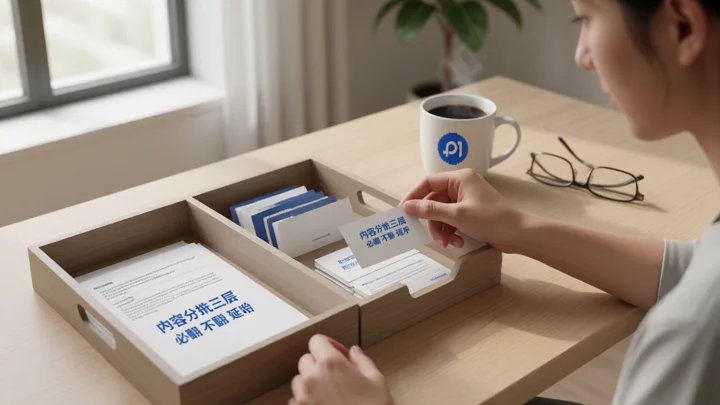
The most common cause of rework in multilingual projects is not translation quality but choosing the wrong translation scope. Put the entire store into the translation queue, and the result is product identifiers getting “localized,” brand names rewritten, and legal template wording swapped—fixing it back takes longer than redoing it. Sort the content before sending translation tasks.
- Must be localized manually; machine translation cannot be published directly:Pricing and promotional copy (including free-shipping thresholds and discount stacking rules), return/exchange and warranty policies, sizing and material descriptions, product warnings for local regulations, and customer service script templates. A single mistranslation in this content leads to customer complaints and returns.
- Absolutely must not enter the translation queue:SKU, GTIN, model numbers, specification parameters in variant names, brand names and trademarks, variable placeholders in email templates, and numeric fields for tax rates and shipping lead times. These are identifiers and variables; once translated, systems and platforms will not match up.
- Can be deferred:Blog posts, brand stories, “About Us,” and long-tail FAQ entries. Wait until the target-language market produces stable order volume before adding them; launching these first only increases the maintenance surface.
After the language versions go live, check two more things: whether the links on the original-language pages remain unchanged, and whether the language versions have reciprocal relationship tags pointing to one another. If the original links redirect or error out, the redirects are not configured correctly, and you should roll back before making changes. For indexing and landing page rewrites after a multilingual site goes live, you can refer toA practical breakdown of independent site SEO: how a new site gets found by buyers in the first 90 daysto do this.
The three places where multi-currency doesn't match up: rounding, taxes, and receiving accounts.
The hard part of multi-currency isn't exchange rate conversion, but the three places that don't match up after conversion. The numbers generated by automatic conversion may look acceptable in the backend, but once they reach the checkout page and the books, they fall short.
- Price rounding.After conversion at the exchange rate, amounts usually have two decimal places or a lot of odd change; displaying them directly looks abnormal and makes buyers suspicious. You need to set up a rounding rule for each currency, and also check whether coupon thresholds, spend-and-save conditions, and free shipping amounts are rounded in sync—if you only change product prices and not the thresholds, you'll run into awkward situations like being '0.5 元 away from free shipping'.
- Tax display.Whether to display tax-inclusive or tax-exclusive prices depends on the destination's compliance requirements and your pricing approach. Within the same market, the product page, checkout page, and order confirmation email must use the same basis. If these three are inconsistent, buyers won't complain about the price level, but about 'the listed price and the amount actually paid being different'.
- Receiving account currency.The display currency determines what price buyers see, while the settlement currency determines what currency the money arrives in your account. When the two don't match, each order carries a currency conversion cost, and refunds also generate exchange differences. First list clearly the currencies supported by the receiving account, then go back and remove the markets you can't sustain. In multi-entity, multi-store scenarios, for how to divide account hierarchies, you can refer toPlatform Risk Control Rules and Compliance Essentials for Cross-Border E-Commerce Multi-Store Operations.
Build permissions by role, not by person: how to split them across Shopify / TikTok / Amazon
The permission systems on the three sides are not connected—Shopify staff accounts, TikTok Business Center roles, and Amazon Seller Central authorizations are three independent systems and cannot be integrated. Only one thing can be unified: first define positions, then have each platform's roles align with the positions. When someone changes positions or leaves, what changes is a set of already-defined permissions, rather than recalling from memory which ones they had enabled.
| Position | Shopify | TikTok Business Center / TikTok Shop | Amazon Seller Central |
|---|---|---|---|
| Content and Listings | Editing permissions for products, content, and translations, excluding payments and employee management | Operational permissions for product and content assets | Listing information maintenance |
| Advertising | Only grant data read access | Operational or read-only role for advertising assets | Separate authorization for ad backend |
| Customer service and after-sales | Order viewing, refund initiation, with a configurable amount limit | Order and after-sales handling | Orders and buyer messages |
| Finance | Read-only access to bills and receiving accounts | Finance role | Settlement report viewing |
| Owner | Employee and permission management, payment settings | Business Center Administrator | Account authorization management |
Never share login credentials in two places: the main backend account, and payout and payment settings. Once credentials are shared, when an issue arises, you cannot trace who changed a price or who issued a refund.TikTok's official explanation of Business Center roles and permissionsalso assigns access scope through roles and asset allocation, rather than sharing login information;Shopify's official Help Centeralso recommends using employee accounts for daily operations.
Onboarding and offboarding each require changes in three places: platform roles, the multi-store login environment, and credential records in internal documents. The login environment is handled separately because repeatedly logging into multiple store backends in the same environment leaves overlapping traces. For the specific method, seethe Multi-store account isolation solutionsetup sequence.Amazon's official seller announcementmentions that a policy issue on an account may affect related accounts, so permission revocation and account health should be reviewed together, and you cannot wait until something goes wrong to address it.

Boundary conditions: which stores should not rush to launch multiple languages and multiple currencies
If any of the following applies, do not add languages and currencies yet:
- A single market accounts for more than nine-tenths of sales, while the remaining markets have only sporadic orders — the incremental gain from localization cannot cover the maintenance cost.
- Order density is not yet enough to make local return addresses and local customer service time zones work; launching multiple languages will only concentrate customer complaints into time slots when no one is handling them.
- No one on the team can proofread translations in the target language, or no one has the authority to judge whether local pricing is reasonable. Translation can be outsourced; judgment cannot.
In these three cases, it is more worthwhile to optimize the conversion rate in existing markets thoroughly. Wait until orders in a market are stable enough to require dedicated follow-up, and then open markets in the sequence above. When manual spreadsheets can no longer hold up,Comparison of tool options for multi-store management: from manual spreadsheets to systematizationIt provides the decision threshold for upgrading from spreadsheets to a system.
Frequently asked questions
After multilingual pages go live, will the original product links stop working?
It depends on the hosting method. When hosting a new language under a subdirectory or subdomain, the links for pages in the original language should remain unchanged; only parallel paths are added, and the language versions should have markers pointing to one another. If the original links redirect or throw errors after launch, it means the redirect or path rules were not configured properly. You should roll back first, fix them, and then publish again.
The display currency has been changed—which currency do buyers actually pay in?
The display currency determines the price buyers see, while the settlement currency determines the currency in which funds enter your receiving account. When the two do not match, a currency conversion layer is inserted in between. What you really need to check is whether the currencies supported by your receiving account match the settlement currency you have set—if they do not match, you incur an extra currency conversion cost on every order and an additional exchange rate spread on refunds.
Can employee permissions across several platforms share one account?
No. The permission systems of the three platforms are independent and cannot be interconnected. What can be shared is role definitions and permission lists, not login credentials. Once credentials are shared, you cannot identify who changed a price or who issued a refund, and there is no way to verify offboarding handovers.
With only one or two people managing the backend, do we still need to set up permissions by role?
Yes, but you can condense them into two groups: internal main accounts and external collaborator accounts. External roles such as agency operators, designers, and translators are granted only the asset permissions required for their work and do not have access to payments or employee management. This way, when someone leaves, revoking one role is all it takes—no need to check item by item.

