


Consider a real-world scenario: Why permissions get chaotic in a system with three stores and five employees
With three people managing three stores, everything runs smoothly when they log in separately. After integrating them into the same store management system, customer support can see buyer information for all three stores in the order list, operations staff enter Store A's prices into Store B when updating prices, and sub-accounts for a colleague who left two weeks ago can still log in. These three issues appear to belong to orders, products, and accounts respectively, but they actually share the same root cause: job roles, stores, and actions have not been fixed to specific correspondences beforehand; the system merely amplifies this gap.
Platform backend roles are designed based on the platform's own business, while system sub-accounts follow a different framework. Directly copying platform titles like “Administrator” and “Operator” into system roles leads to two types of deviations: users cannot see what they should see, or they can modify what they should not. More commonly, when new sub-accounts are created, they inherit access to all stores by default, relying on users to manually avoid clicking into the wrong areas.
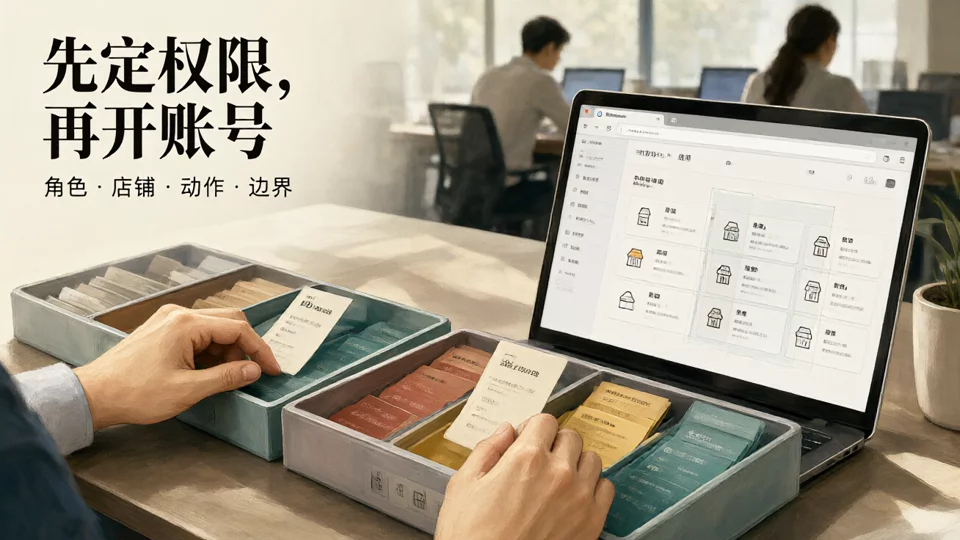
Therefore, the configuration order should first define “which role can perform which actions in which store,” then proceed to create accounts and check permissions. Doing it in reverse is like handing out keys before deciding which locks to install.
Define the store scope before configuration: Roles and authorization granularity under different team structures
The first step in permission configuration is not creating accounts, but determining which stores and actions each sub-account needs to cover. With different numbers of stores and team divisions, role templates and authorization granularity vary accordingly; here, we list configuration priorities by team structure to avoid creating accounts first and defining scopes later.
| Team Structure | Store and Platform Distribution | What Permission Isolation Primarily Solves | Configuration Focus |
|---|---|---|---|
| One Person, One Store | Single Platform, Single Store | Isolation is almost unnecessary; the focus is on a stable login environment | Retain the owner account, configure single-store customer service or operations roles as needed, and avoid stacking complex roles |
| Up to 2 people, up to 3 stores on the same platform | Few stores, fixed personnel | Prevent customer service and operations from mistakenly editing the wrong stores | Bind sub-accounts to stores, set two or three fixed roles such as customer service and operations, and check the scope store by store |
| 3-8 people, 3-6 stores across multiple platforms | Customer service, operations, and inventory management roles | Action permissions, data boundaries, and offboarding revocation | Create role templates by splitting actions into view, edit, and approve domains, and enable operation logs |
| 8+ team members, including finance and outsourced staff | Multi-platform, multi-store environments with high staff turnover | Approvals, exports, and temporary account validity periods | Finance and export actions require separate authorization; outsourced accounts are limited to specific stores and time frames, with access revoked according to a checklist upon departure |
This table is not a scale threshold but a reference for configuration order. Regardless of team size, first confirm whether the system can authorize by store scope before deciding how granular the role templates should be. For specific comparison dimensions, refer toHow to Choose a Multi-Store ERP System: A Comparison Checklist from Order Syncing and Inventory Reconciliation to Permission Managementfirst confirm whether the system can authorize by store scope, then discuss pricing.
Role Division: Create roles by action domain, not by job title
Names like "Supervisor," "Specialist," or "Assistant" are meaningless in the system because the system validates specific actions. Roles should be divided by action domain. One person can hold multiple roles simultaneously, but each role must be backed by a clear set of functions.
- Store Owner / System Administrator: The only person authorized to modify role templates, add stores, and view all operation logs. They should not handle daily orders to prevent treating the highest privileges as a convenient tool.
- Store Operations: Modify products, prices, and inventory status, and register for promotions within designated stores. They should not have default permissions to export orders or view customer phone numbers.
- Customer Service: View orders, reply to messages, and initiate refund requests within designated stores. Actions such as refund limits, changing shipping addresses, and reshipping should be isolated or require approval.
- Inventory Fulfillment: View cross-store inventory, create transfers, and print shipping labels, but must not access pricing or financial data.
- Financial Reconciliation: Read-only access to order amounts, settlements, and refund records; exports are allowed, and export actions must be logged.
- Outsourced / Temporary: Limited to a single store, with an expiration date, read-only or restricted actions, and automatic deactivation upon expiry, avoiding personal ties.
Role names are just labels; what actually takes effect is the set of actions bound to the role behind it. So when creating roles, clearly specify “what can be viewed, what can be modified, and whether batch operations are allowed,” rather than just writing a job title. Cross-border teams operating Shopify independent sites can refer to the practice inShopify Independent Site Management in Practice: How to Configure Seller Tools, Store Permissions, and the Account System for Multi-Account Operations. Separating employee roles from the login environment helps prevent privilege escalation caused by role reuse.
Authorization scope breaks down into three elements: store scope, functional actions, and data boundaries.
Authorization is not a single master switch, but three overlapping layers. A sub-account is only considered fully configured when all three layers are verified.
- First, bind the store scope.The first step after creating a sub-account is to select which stores it belongs to, not to grant functions first. Many systems default to all stores, requiring manual adjustment to specific stores.
- Next, select functional actions.Categorize them into three levels based on “view, modify, and approve”: read-only, editable, and approvable. Refunds, price changes, product deletions, and customer data exports usually require separate authorization and should not be granted automatically with the entire module.
- Finally, limit data boundaries.Granular controls such as the cap for a single refund, the customer fields that can be viewed, permission for bulk exports, and the requirement for secondary approval determine the risk level more than simply “whether access to the order page is allowed.”
- Use a test account to perform write verification.It is meaningless to test only whether login succeeds. You must use test orders to confirm which store's prices can actually be changed, whether orders from other stores are visible, and whether the export button is truly disabled.
Taking a three-store, five-person setup as an example: Customer Support Agent A is bound to orders and messages for Stores A and B; Operations Manager B is bound to products and pricing for Store A; Operations Manager C is bound to Stores B and C; the Inventory role views inventory across all three stores but excludes financial data; the Finance role has read-only access to settlement records for all three stores; and the Owner retains the right to modify role templates. In this structure, no single individual holds all permissions for all stores.

The permission boundaries between Customer Support and Operations must be defined together with order ownership rules. If orders are automatically assigned to a specific store but customer support can view orders from all stores, the assignment rules become ineffective. For configuration ideas, refer to.How to Set Up Automatic Order Allocation Rules for Multi-Store: Complete Configuration Approaches from Dimensions and Priorities to Conflict Resolution..
Common misconception: The issue is not granting too many permissions, but mixing up the scope of authorization.
- Treating platform backend roles as system roles.The 'Administrator' in the platform backend is not the same as the system administrator; copying them directly will result in permission gaps or over-authorization.
- Multiple people sharing a single sub-account.If problems arise, it is impossible to pinpoint the responsible individual, and upon resignation, it is impossible to revoke permissions for just one person.
- The role name was created but the default permissions were never checked.If the “Support” role defaults to price editing and export, the name is meaningless no matter how precise it is.
- Default global authorization.A new account inherits access to all stores the moment it is created, and from then on it relies entirely on human discipline to avoid selecting the wrong store.
- Only login is tested, not the scope of write access.Orders written to the wrong store and inventory updates applied to other sites usually stem from this step.
- When leaving, only the platform is deactivated; the system remains active.The platform backend is shut down, but the system sub-accounts and third-party tool authorizations are still active, which is equivalent to leaving a spare key.
The common thread among these misconceptions is inconsistent authorization standards: some permissions are configured via the platform backend, some via the system, and some are based on verbal agreements. You can use Recommended Multi-Store Management Tools: A Selection Checklist for Inventory Sync, Permissions, and ReportsVerify each acceptance item in detail, focusing on whether it supports authorization by store scope and includes operation logs.

The value of the path shown above lies in placing provisioning and revocation on the same checklist. During provisioning, confirm the store scope, action permissions, and data boundaries in sequence and leave a review record. Upon resignation, revoke access in the order of system sub-accounts, third-party tool authorizations, platform backend roles, and login environments. Do not proceed to the next step until the previous one is completed, avoiding residual permissions.
Post-launch review: Monitor anomalies weekly and perform revocation monthly.
Permission configuration is not a one-time task. Since personnel change, stores are added, and outsourced contractors join temporarily, a minimum review cadence is required even after configuration is complete.
- Weekly: Check for sub-accounts not bound to specific stores, accounts that have been inactive for a long period but remain enabled, and accounts shared by multiple people.
- Monthly: Verify the expiration dates of outsourced and temporary accounts, spot-check export records and refund approval records, and confirm there are no bulk operations exceeding the authorized scope.
- On the day of personnel changes: Revoke access in the order of system sub-accounts, third-party tool authorizations, platform backend roles, and login environments. Record the revocation results in the handover document and designate one person to review them.
Manage login environments and permission revocation together. Frequent verification code requests, orders written to the wrong store, and funding risks in multi-store operations often stem from a lack of fixed correspondence between account entities, payment entities, login environments, and operational permissions. Specific practices can be found inHow to avoid account association and funding risks in multi-store management: Practical points on payment, login environments, and operational division of labor. The reasons for account actions on the platform typically involve multiple signals. When encountering anomalies, defer to account notifications and official platform policies; do not treat a single signal as a definitive conclusion.
Frequently Asked Questions
Can customer service sub-accounts view order amounts from other stores?
By default, they should not. If the system only provides a global toggle for the order module, first bind the customer service role to a specific store, then use a test account to verify the scope of returned order lists, rather than just checking menu visibility.
If an operations staff member resigns on the same day, should you suspend the platform backend first or the system sub-account first?
Suspend the system sub-account first, then revoke third-party tool authorizations, followed by suspending platform backend roles, and finally handle the login environment. Reversing this order can lead to states where the system is still syncing but authorizations are disconnected, making it difficult to determine responsibility during troubleshooting.
If an outsourced contractor handles only one store, do you need to prepare a separate login environment?
It depends on whether they need to log in to the platform backend. If they only operate within the system, configure a sub-account for that single store with time limits and read-only permissions. If they need to log in to the platform backend, the login environment should be arranged separately from internal employees and revoked upon completion.
If one person manages multiple platform stores, should roles be created separately for each?
Create roles based on action domains, not by duplicating them for each platform. The same operations role can be bound to multiple stores, but store scopes must be checked individually. Financial actions should remain separated to prevent a single role from holding both price modification and refund permissions.

