



Once an AliExpress store is receiving steady orders and the team is preparing to open a Mercado Libre Mexico or Brazil site, the first instinct is often to copy over AliExpress listing templates, customer service scripts, and sub-account configurations. What usually causes problems is not operational capability, but the failure to rearrange five things—account entity, Seller Center permissions, payment collection, login environment, and inventory writes—for the new platform.
A more reliable sequence is: first determine which processes can be migrated, then establish mappings based on “account—site—payment collection—environment—operator,” and only then decide whether to introduce ERP or browser environment tools. The Mercado Libre store setup entry point, site structure, and role settings should be based on the actual Seller Center pages and official policies, and AliExpress fields and rules should not be directly mapped over.
In AliExpress experience, what can be copied is processes; what cannot be copied is structure.
Product asset organization methods, customer service script frameworks, and launch and promotion cadences can be carried over to the new platform; Seller Center roles, payment collection entities, login environments, and inventory-writing parties must be reconfigured according to Mercado Libre sites and accounts.
- Transferable:Logic for organizing titles and images, scripts for common questions, and methods for scheduling campaigns.
- To be rebuilt:Registration entity and payment collection entity, sub-account permissions, site and logistics templates, and the sole writer of inventory.
- Self-check first:Are the entity and payment collection for the new account independent of the existing AliExpress store? Do daily operations and finance still need to share the main account? Which system is the sole writer of inventory for the new store? If these three questions cannot be answered clearly, do not register an account or buy tools yet.
Pre-opening checklist: What are the structural differences between a Mercado Libre seller account and AliExpress Seller Center?
Breaking store opening into six checks is more effective at reducing rework than directly copying listing templates. The right-hand column shows where to open Mercado Libre Seller Center and confirm each item; the specific fields are subject to the official page.
| Check item | Common practices on the AliExpress side | What to confirm on the Mercado Libre side |
|---|---|---|
| Account and entity | Multiple stores or multiple sites may be operated under one entity | Whether the new account's registration entity, business documents, and payment collection entity are independent |
| Sites and stores | Store-to-site relationship is configured in Seller Center | Store structure, currency, and language for sites such as Mexico and Brazil |
| Sub-account permissions | Permissions can be separated for operations, customer service, and finance | Actual supported members or role levels, and whether authorization can be granted by site |
| Payments and settlement | Binding of platform account to withdrawal account | Whether the collection account holder matches the registered entity, and whether tax information is complete |
| Logistics and returns | Logistics templates, shipping addresses, and return warehouses are configured separately | Whether carrier methods and return addresses are configured separately by site |
| Listing fields | Titles, attributes, variants, and category templates | Category attributes, required fields, units of measure, and local language cannot be copied directly. |
Five lines of multi-account isolation: account, payment receiving, IP, browser environment, and operator
Isolation is not just a matter of “switching to a different IP and logging in again”; it means giving each account a stable, traceable mapping across five dimensions. First, map out the accounts you have in a table, then talk about tools.
| Account (example) | Site and store | Payment entity | Login environment | Operator |
|---|---|---|---|---|
| Account A | Mexico site main store | Entity A | Independent browser profile 1 | Operator A |
| Account B | Brazil site main store | Entity B | Independent browser profile 2 | Operator B |
| Account C | Backup store | Entity C | Independent browser profile 3 | The person in charge personally |
Three hard rules: one account must use one fixed login environment and must not share a browser profile with other accounts; payment entities must not overlap, and the same payment account must not aggregate funds for multiple registered entities; operators must not share the main account password—use sub-accounts or role-based permission assignment, and revoke access upon departure.
The account—payment—environment—operator check method can be cross-referenced againstAmazon seller account anti-association checklist; however, platform rules must be based on Mercado Libre's official guidance, and rules from other platforms must not be treated as Mercado Libre rules.
How to split Seller Center permissions: define positions first, then create sub-accounts
Permission splitting should happen before tool selection. The order is positions, least privilege, roles, and audit—not buying a 'multi-store management' tool first and then filling in permissions.
- List positions:Write down what operations, customer service, finance, and shipping each need to view and change.
- Create roles:Create sub-accounts according to the member or role levels actually supported by Mercado Libre Seller Center, and grant only the minimum scope required to complete the position's actions.
- Separate finance:Do not assign payment collection, settlement, and refund permissions to daily operations accounts; keep records of financial changes.
- Monthly audit:Review login records, permission changes, and accounts of departed employees. If shared passwords are found, change them immediately and reassign roles.
Assign roles and permissions by job function, and avoid shared login credentials. Sharing the main account password amplifies both security risks and account association risks.
Store management tools: introduce them based on pain points, not by stacking up platform coverage
More tools do not mean more security. First identify where the pain points are: orders have to be moved manually, inventory gets mixed up across stores, or multiple accounts need to be logged in on the same device. Different pain points call for different tools; do not treat "number of supported platforms" as the only metric.
| Tool type | What it solves | What it does not solve | When to introduce it |
|---|---|---|---|
| Native Seller Center features | Orders, listings, basic messages, and role permissions | Cross-platform inventory aggregation and unified auditing | One or two accounts, single site, start with manual processes plus native features |
| ERP or order and inventory tools | Multi-store inventory writes, order aggregation, and shipment synchronization | Account entities, payment collection, and browser environments | When cross-store inventory or orders need to be manually moved every day |
| Browser environment isolation tools | Assign fixed, independent browser environments to different accounts to reduce misjudgments caused by environment inconsistency | Does not guarantee passing the platform's overall risk control, nor does it replace permission and entity isolation | When multiple accounts need to be logged in simultaneously on the same device, and entities and payment collection have already been separated |
If you are comparing store management tools among Shopee, Lazada, and Mercado Libre, you can refer toA comparison organized around differences in store structure; for the general boundaries of multi-account management, seeMulti-account management.
72 hours after launch: seven configurations most easily overlooked before and after the first order
- The payment and tax information holder matches the registered entity.
- Complete the shipping template, dispatch address, and return address for each site; do not use default values as a workaround.
- Create sub-accounts by role and disable shared passwords.
- Keep only one writer for inventory; other channels are read-only or go through synchronization.
- Record each account's login environment in a table, including device, browser configuration, and operator.
- Set customer service time zone, language, and auto-replies by site.
- First use a small batch of orders to validate the listing, shipping, and return flow, then scale up.
Turn the five-element correspondence into a weekly checklist
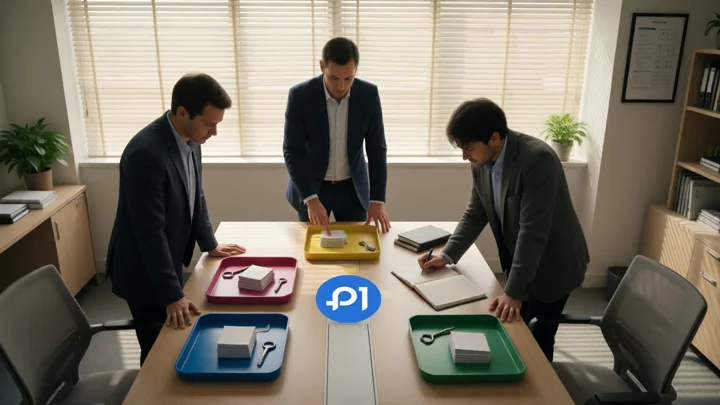
The weekly check does not require a complex system: one account per row, verify whether the site, payment collection, login environment, and operator are consistent with last week; if drift is found, pause inventory writes and batch operations first, then correct the records. Use this table as the basis during handover, not verbal explanations.
Tool boundaries: fingerprint browsers, ERP, and outsourced operations cannot replace account structure
Switching multiple accounts in the same browser, using the same payment entity to collect for multiple stores, and batch-writing inventory within a short period are the three types of actions most likely to mix already separated mappings back together. Whether the platform determines an association depends on multiple signals and manual review; account notifications and official policies should prevail.
Fingerprint browsers can reduce false association judgments caused by inconsistent browser environments, but do not guarantee passing the platform's overall risk control;Can fingerprint browsers pass risk control?What is being separated is the detection boundary,What is a fingerprint browser?It refers to the isolation mechanism. ERP does not solve entity and permission issues, and outsourced operations sharing accounts will directly break the mapping.
Frequently asked questions
If you already have an AliExpress store, what should you prepare first when opening your first Mercado Libre store?
First confirm the registration entity and payment collection entity, then create Seller Center sub-accounts and record the login environment. Listing templates can be added later; once entities and payment collection are mixed, they are very hard to separate cleanly afterward.
Do you have to use a fingerprint browser for multiple Mercado Libre accounts?
Not necessarily. When there are few accounts and devices are kept separate, it is more important to first clearly separate entities, payment collection, permissions, and login records. Only when the same device needs to log in to multiple accounts over the long term and structural isolation has been completed should you consider environment isolation tools.
When a team uses sub-accounts to manage multiple stores, how can it prevent permission mixing?
Create roles by position, separate finance and operations, and have only the person in charge keep the main account password. Check login records and departed employees' accounts every month; if sharing is found, change passwords and reconfigure immediately.
Can a store management tool manage both AliExpress and Mercado Libre at the same time, and what should you consider when choosing one?
First see whether it can clearly explain the inventory writer, order aggregation, and permission auditing, then look at the number of supported platforms. If a cross-platform tool cannot fix a single writer, it will instead increase overselling and attribution confusion.

